















Status indicators
The user's own messages show their status next to the timestamp. This UI cookbook changes those indicators: it hides them, merges two of the states, replaces the icons with words, adds a Message Info action that lists who received and who read a message, and reports delivery from a background push on Android. Where the receipts come from, and how to turn delivery and read events on, is explained in Read state, unread and receipts.
Best practices
- Turn on read and delivery events for the channel type before you rely on the indicators. With delivery events off, a message goes from sent to read.
- Read the state through
useIsMessageReadByOthersanduseIsMessageDeliveredToOthers, or passreadanddeliveredtoMessageStatus. Don't compute it fromchannel.state.readin every row. - Keep the user's own read and delivery out of any list of users you show.
- Make "delivered" and "read" look clearly different, or merge them on purpose.
- Keep the indicator light, because it renders in the footer of every own message that shows one.
The states
MessageStatus renders one of four states on a message the current user sent:
| State | When | Default icon |
|---|---|---|
| Sending | message.status is sending: the request is on its way |
a clock, icons.Time |
| Sent | the server has the message, and no other member received it | one check, icons.Check |
| Delivered | another member's device received it | two checks, icons.CheckAll |
| Read | another member read it | two checks in the accent color |
Delivered and read come from the channel's messageReceiptsTracker: a message counts as read once any other member has read up to it or past it, and as delivered the same way. A message that failed to send, and an error message, show no status.
The status shows in the message footer, and the footer shows on the last message of each group of messages from the user, and on every message that is still sending. showMessageStatus decides whether a message shows its status; it's true on the user's own messages.
Hiding the indicators
MessageStatus is an override key. A component that renders nothing removes the indicators everywhere below it:
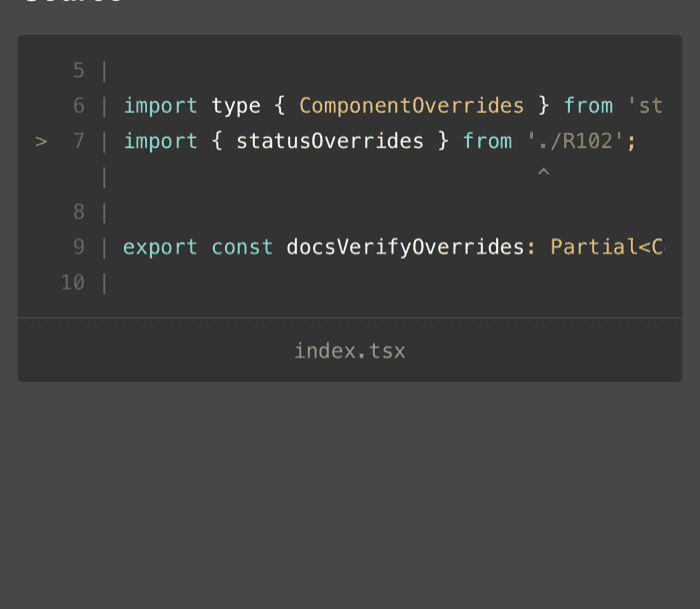
import type { ComponentOverrides } from "stream-chat-react-native";

const NoStatus = () => null;

export const statusOverrides: ComponentOverrides = { MessageStatus: NoStatus };
Pass statusOverrides to a WithComponents around Channel and Thread. The timestamp stays. The channel list row shows the status of the last message with its own key, ChannelPreviewMessageDeliveryStatus.
Sent or read only
MessageStatus takes read and delivered as props. Without them, it reads both from the receipts. A wrapper can pass either one to change what the default shows. This one never shows the delivered state, so a message shows one check until someone reads it:
import { MessageStatus } from "stream-chat-react-native";
import type {
  ComponentOverrides,
  MessageStatusProps,
} from "stream-chat-react-native";

const SentOrRead = (props: MessageStatusProps) => (
  <MessageStatus {...props} delivered={false} />
);

export const statusOverrides: ComponentOverrides = {
  MessageStatus: SentOrRead,
};
delivered={false} only changes the indicator. The client still reports delivery, and other members still see when their messages reach this user. To stop delivery reports, turn delivery events off as Turning it on or off shows.
Words instead of icons
useIsMessageReadByOthers({ message }) and useIsMessageDeliveredToOthers({ message }) return the two flags MessageStatus uses. Each subscribes to the receipts with a selector that returns one boolean, so a row re-renders only when its own answer changes:
import { StyleSheet, Text } from "react-native";
import type { LocalMessage } from "stream-chat";
import {
  useIsMessageDeliveredToOthers,
  useIsMessageReadByOthers,
  useMessageContext,
  useTheme,
} from "stream-chat-react-native";
import type {
  ComponentOverrides,
  MessageStatusProps,
} from "stream-chat-react-native";

const getLabel = (message: LocalMessage, read: boolean, delivered: boolean) => {
  if (message.status === "failed" || message.type === "error") return null;
  if (read) return "Read";
  if (delivered) return "Delivered";
  if (message.status === "sending") return "Sending";
  if (message.status === "received" && message.type !== "ephemeral")
    return "Sent";
  return null;
};

const StatusText = (props: MessageStatusProps) => {
  const { message: contextMessage } = useMessageContext();
  const message = props.message ?? contextMessage;
  const read = useIsMessageReadByOthers({ message });
  const delivered = useIsMessageDeliveredToOthers({ message });
  const {
    theme: { semantics },
  } = useTheme();

  const label = getLabel(
    message,
    props.read ?? read,
    props.delivered ?? delivered,
  );
  if (!label) return null;

  return (
    <Text
      style={[
        styles.label,
        {
          color:
            label === "Read"
              ? semantics.accentPrimary
              : semantics.chatTextTimestamp,
        },
      ]}
    >
      {label}
    </Text>
  );
};

export const statusOverrides: ComponentOverrides = {
  MessageStatus: StatusText,
};

const styles = StyleSheet.create({
  label: { fontSize: 12 },
}); |  |
getLabel checks the states in the order the default does. Translate the labels with t from useTranslationContext() if your app has more than one language, as Localization shows.
Who read a message
The receipts also know who received and who read each message. useMessageReadData({ message }) returns the users who read it, and useMessageDeliveredData({ message }) those who received it. This sheet lists both, and a Message Info action on the user's own messages opens it:
import { useCallback, useState } from "react";
import { FlatList, StyleSheet, Text, View } from "react-native";
import type {
  Channel as StreamChannel,
  LocalMessage,
  UserResponse,
} from "stream-chat";
import {
  BottomSheetModal,
  Channel,
  MessageComposer,
  MessageList,
  messageActions as defaultMessageActions,
  UserAvatar,
  useChatContext,
  useComponentsContext,
  useMessageDeliveredData,
  useMessageReadData,
  useTheme,
} from "stream-chat-react-native";
import type { MessageActionsProp } from "stream-chat-react-native";

const UserRow = ({ item }: { item: UserResponse }) => (
  <View style={styles.row}>
    <UserAvatar size="sm" user={item} />
    <Text>{item.name ?? item.id}</Text>
  </View>
);

const MessageInfoSheet = ({
  message,
  onClose,
}: {
  message?: LocalMessage;
  onClose: () => void;
}) => {
  const { client } = useChatContext();
  const readBy = useMessageReadData({ message });
  const deliveredTo = useMessageDeliveredData({ message });

  const readers = readBy.filter((user) => user.id !== client.userId);
  const readerIds = new Set(readers.map((user) => user.id));
  const notYetRead = deliveredTo.filter(
    (user) => user.id !== client.userId && !readerIds.has(user.id),
  );

  return (
    <BottomSheetModal onClose={onClose} visible={!!message}>
      <View style={styles.content}>
        <Text style={styles.heading}>Read by</Text>
        <FlatList
          data={readers}
          keyExtractor={(user) => user.id}
          ListEmptyComponent={<Text>No one has read it yet.</Text>}
          renderItem={({ item }) => <UserRow item={item} />}
        />
        <Text style={styles.heading}>Delivered to</Text>
        <FlatList
          data={notYetRead}
          keyExtractor={(user) => user.id}
          ListEmptyComponent={<Text>No one else has received it yet.</Text>}
          renderItem={({ item }) => <UserRow item={item} />}
        />
      </View>
    </BottomSheetModal>
  );
};

export const ChannelScreen = ({ channel }: { channel: StreamChannel }) => {
  const [infoMessage, setInfoMessage] = useState<LocalMessage>();
  const { icons } = useComponentsContext();
  const {
    theme: { semantics },
  } = useTheme();

  const messageActions = useCallback<MessageActionsProp>(
    (params) => {
      const actions = defaultMessageActions(params);
      if (!params.isMyMessage || params.error) return actions;

      return [
        ...actions,
        {
          action: () => setInfoMessage(params.message),
          actionType: "messageInfo",
          icon: (
            <icons.InfoTooltip
              height={20}
              stroke={semantics.textSecondary}
              width={20}
            />
          ),
          title: "Message Info",
          type: "standard",
        },
      ];
    },
    [icons, semantics.textSecondary],
  );

  return (
    <Channel channel={channel} messageActions={messageActions}>
      <MessageList />
      <MessageComposer />
      <MessageInfoSheet
        message={infoMessage}
        onClose={() => setInfoMessage(undefined)}
      />
    </Channel>
  );
};

const styles = StyleSheet.create({
  content: { flex: 1, gap: 8, padding: 16 },
  heading: { fontSize: 16, fontWeight: "700" },
  row: {
    alignItems: "center",
    flexDirection: "row",
    gap: 12,
    paddingVertical: 6,
  },
});- The user long-presses one of their messages and picks Message Info. The menu closes, then the action stores the message in the screen's state.
- The sheet renders inside
Channel, so the hooks read the receipts of that channel. They subscribe to the tracker, so the lists update while the sheet is open, when someone reads the message. - The lists can include the user's own position, so the sheet filters out
client.userId. Delivered includes the members who already read the message, so the sheet leaves those out of the second list.
More about building actions is in the Custom message actions UI cookbook, and the tracker's methods are in Message receipts tracker.
Delivered from a background push on Android
The client reports delivery while it's connected. When the app is in the background or closed, a push notification can report it instead: the handler that displays the notification on Android also tells Stream the message reached the device. It extends the handler from Showing notifications in the background:
import {
  getMessaging,
  setBackgroundMessageHandler,
} from "@react-native-firebase/messaging";
import { StreamChat } from "stream-chat";

type StoredLogin = { apiKey: string; token: string; userId: string };

export const registerBackgroundDelivery = (
  loadStoredLogin: () => Promise<StoredLogin | null>,
) => {
  setBackgroundMessageHandler(getMessaging(), async (remoteMessage) => {
    const login = await loadStoredLogin();
    const cid = remoteMessage.data?.cid;
    const id = remoteMessage.data?.id;
    if (!login || typeof cid !== "string" || typeof id !== "string") return;

    const client = StreamChat.getInstance(login.apiKey);
    // Sets the token for API requests, without opening a WebSocket connection.
    await client._setToken({ id: login.userId }, login.token);
    await client.markChannelsDelivered({
      latest_delivered_messages: [{ cid, id }],
    });

    // Then display the notification, as on the push notifications page.
  });
};
Call registerBackgroundDelivery at the top of your entry file, before AppRegistry.registerComponent, with a function that reads the login your app saved. id and cid are in the data of every Stream push with the default template. The SampleApp in the SDK's repository does the same in src/utils/bootstrapBackgroundMessageHandler.ts.
Other members see the delivered state only in channel types with delivery events on, as Delivery reports explains. The handler reports delivery whatever the user's own privacy_settings.delivery_receipts, so check that setting yourself if your app lets users turn it off.