















Overview
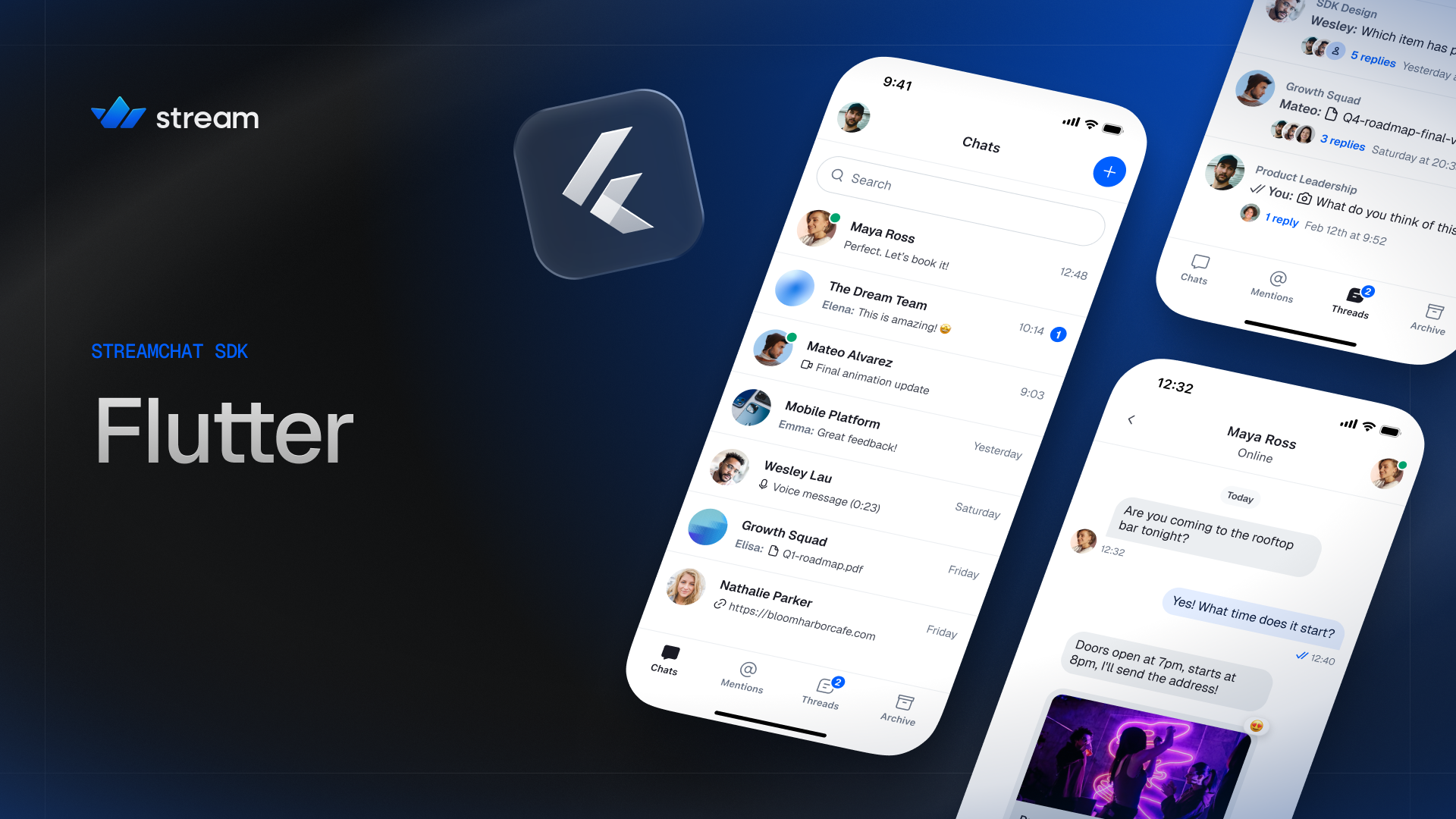
Building on top of the Stream Chat API, the Stream Chat Flutter SDK includes everything you need to build feature-rich and high-functioning chat user experiences out of the box. It targets Android, iOS, Web, macOS, Windows, and Linux from a single Dart codebase.
Start here
Integrate Stream Chat into a Flutter app step by step.
Get started with the prebuilt stream_chat_flutter widgets.
The stream_chat client API for connections, channels and messages.
The UI package ships an extensive set of performant and customizable widgets that let you get started quickly with little to no plumbing required. It supports:
- Rich media messages with Markdown rendering
- Reactions
- Threads and quoted replies
- Typing and read indicators
- Channel and message lists
- Message composer with autocomplete triggers (
@mentions,/commands) - Image, video, and file uploads with previews and a built-in media gallery viewer
- Voice messages
- Polls
- Drafts
- Pinned messages
- Message reminders
- Message actions context menu (reply, edit, copy, pin, delete, flag, mute, block, and more)
- Message search
- Giphy support
- AI assistant streaming responses
- Push notifications (Firebase, APN, and Huawei)
- Offline storage and optimistic updates
- Static and live location sharing
- Localization
- and a lot more.
Build with Stream CLI and Agent Skills
The Stream CLI and Agent Skills provide AI coding agents, such as Claude Code, Cursor, and Codex, with the tools and knowledge necessary to build apps with Stream.
Install the CLI and add the skills to your project:
curl -fsSL https://getstream.io/cli.sh | bash
getstream skills stream-flutter
Once installed, invoke it from your agent:
/stream Add Stream Chat to my Flutter app.The /stream skill acts as a router, reading your request and dispatching it to the specialist skill. You can also invoke the /stream-flutter skill directly.
Stream Agent Skills can also be installed from skills.sh.
What's new in V10
Version 10 is a major update to the Stream Chat Flutter SDK, with a focus on a modern look, improved developer experience, and better cross-platform consistency.
Modern redesign
The UI SDK ships with a completely refreshed default look. The channel list, message list, composer, reactions, avatars, and media viewer have all been redesigned with a cleaner, more polished style. Swipe and tap interactions on the message list have been tuned, and attachment previews and pickers have been refined.
New design system
V10 introduces a unified design system shared across all Stream SDK platforms (iOS, Android, React, React Native, and Flutter). Design tokens for colors, typography, spacing, elevation and icons are now defined consistently, making it easier to achieve a coherent look when shipping on multiple platforms.
Theming has been rebuilt around a StreamTheme extension registered on MaterialApp.theme, replacing the previous StreamChatTheme wrapper widget. The StreamColorScheme is driven by brand and chrome color swatches, from which the SDK automatically derives accent and background colors. See the Theming page for details.
Name alignments across platforms
Many APIs and component names have been aligned with their iOS, Android, React, and React Native counterparts. Notable renames include StreamMessageInput → StreamMessageComposer, StreamChannelListTile → StreamChannelListItem, and StreamMessageInputController → StreamMessageComposerController. This reduces friction when working across platforms and makes the documentation easier to follow regardless of which SDK you started with.
StreamComponentFactory
UI customization has been consolidated into StreamComponentFactory, a single entry point that replaces the scattered builder slots that previously lived on each widget. Most of the UI can now be customized by overriding the relevant builder on the component factory. Override only what you need; default implementations are provided for everything else.
Cookbook
V10 introduces a new Cookbook section with task-oriented recipes for common customizations, like building a custom channel list or creating channels. Reach for it when the prebuilt widgets cover most of your needs and you want to swap in your own UI for a specific piece.
Migration guide
For a complete list of breaking changes and step-by-step upgrade instructions from v9.x or any v10 beta, see the v10 Migration Guide.
Architecture
The Stream Chat Flutter SDK is split into multiple packages so you can pick the right level of control for your application:
stream_chat: the low-level client (LLC), a pure Dart package that wraps the Stream Chat API. Use it directly if you want to build your own UI and state layer.stream_chat_flutter_core: provides the business logic, controllers, and builders required to integrate Stream Chat into a Flutter app, without shipping any UI of its own.stream_chat_flutter: the full UI SDK. Includes a set of reusable and customizable UI widgets on top of the core and low-level client packages.stream_chat_persistence: provides a Drift-backed persistence client for offline storage. Plugs into any of the packages above.stream_chat_localizations: provides a set of localizations for the UI SDK.
flowchart LR
  app[Your app] --> ui[stream_chat_flutter widgets]
  app -. custom UI .-> core
  app -. custom UI and state .-> llc
  ui --> core[stream_chat_flutter_core]
  core --> llc[stream_chat client]
  llc <--> api[Stream API]
We recommend using stream_chat_flutter for most apps. Unless your UI is completely different from the common industry standard, you should be able to customize the built-in widgets to match your needs.
Choosing the right package
When integrating Stream Chat into your app, you get to choose how much of the SDK to take.
stream_chat_flutter: the UI SDK
For the quickest way to integrate Stream Chat with your app, the UI SDK is the way to go. It contains prebuilt widgets that manage most operations like data fetching, pagination, sending a message, and more, giving you a nearly out-of-the-box chat experience. Customization is done via the StreamTheme and StreamComponentFactory.
This is the recommended starting point for most apps.
stream_chat_flutter_core: bring your own UI
If your application requires a UI that is completely different from what stream_chat_flutter provides, stream_chat_flutter_core strips away the widgets and exposes controllers and builders only. You implement your own UI on top of these without having to write the data, pagination, and state-management logic yourself.
stream_chat: low-level client
For the most control, the stream_chat package is the low-level client. It wraps the underlying Stream Chat API and allows the most customization in terms of UI, data, and architecture, at the cost of more plumbing.
You can also mix and match: it is common to use the UI SDK for most screens and drop down to the low-level client for specific operations.
Sample app
A fully functional sample app lives in the sample_app directory of the main repository. It demonstrates the SDK's core features end to end and is the recommended reference when wiring things up in your own app.
Upgrade and versioning strategy
The Stream Chat Flutter SDK adheres to semantic versioning:
- Bug fixes and behavior improvements cause a patch version bump.
- New features are shipped with an increased minor version.
- Incompatible changes in the API cause a major version increase.
Occasionally, the SDK can include visual changes (whitespace, color changes, sizing, etc.) in minor versions, as we are continuously improving the default look of our UI widgets. Bumping the major version for such changes would not be practical.
You can see all the SDK changes in the releases page.
You can get notified of new releases by using the Watch button in the getstream/stream-chat-flutter repository. You can tweak your watch preferences to subscribe only to release events.
How should I specify my dependency version?
You should either use a fixed version, or a caret constraint with all three version numbers specified, to avoid pulling in unexpected breaking changes.
dependencies:
  stream_chat_flutter: ^latest_version
Check the pub.dev page for the latest version number. See the Installation page for per-package installation details and the releases page for the full version history.
What's next
Per-package installation details for the SDK.
Style the widgets with StreamTheme and the design token system.
Task-oriented recipes for common customizations.
FAQ
Does everything work on desktop?
The widgets do, but the bundled video player covers Android, iOS, macOS and web only. On Windows and Linux, add media_kit and supply a player through the component factory. See installation.
How do I enable offline storage?
Add stream_chat_persistence and assign its client to StreamChatClient.chatPersistenceClient. See offline support.
How do I set up push notifications?
Through Firebase, APNs or Huawei. See push notifications.
Does chat include moderation?
Yes. AI engines screen messages and users can flag content into a dashboard review queue. See moderation for chat.