















StreamUserListView
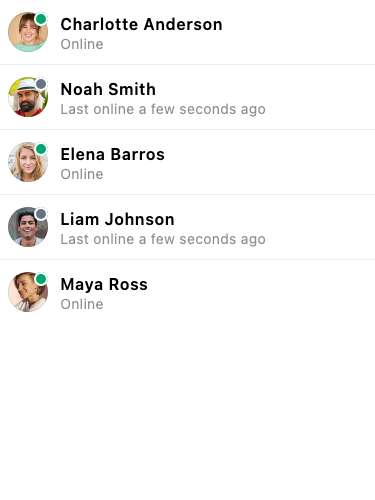
StreamUserListView displays a scrollable, paginated list of Stream Chat users. Common use cases include user search, selecting participants when creating a channel, or browsing all users in an application. It is backed by StreamUserListController. See the pub.dev documentation for the full API reference.
Background
A list of users is required for many different purposes: showing a list of users in a Channel,
selecting users to add in a channel, etc. The StreamUserListView displays a list
of users.
Make sure to check the StreamUserListController documentation for more information on how to use the controller to manipulate the StreamUserListView.
Basic Example
class UserListPage extends StatefulWidget {
  const UserListPage({super.key});

  @override
  State<UserListPage> createState() => _UserListPageState();
}

class _UserListPageState extends State<UserListPage> {
  late final StreamUserListController _userListController =
      StreamUserListController(
    client: StreamChat.of(context).client,
    limit: 25,
    filter: Filter.and(
      [Filter.notEqual('id', StreamChat.of(context).currentUser!.id)],
    ),
    sort: [
      const SortOption(
        'name',
        direction: 1,
      ),
    ],
  );

  @override
  void dispose() {
    _userListController.dispose();
    super.dispose();
  }

  @override
  Widget build(BuildContext context) {
    return RefreshIndicator(
      onRefresh: () => _userListController.refresh(),
      child: StreamUserListView(
        controller: _userListController,
      ),
    );
  }
}
Customize The User Items
You can use your own widget for the user items using the itemBuilder parameter.
StreamUserListView(
  // ...
  itemBuilder: (context, users, index, defaultWidget) {
    return Text(users[index].name);
  },
),
Selecting Users
The StreamUserListView widget allows selecting users in a list. The defaultWidget returned can be customized to indicate that it has been selected.
Set<User> _selectedUsers = {};

StreamUserListView(
  controller: _userListController,
  itemBuilder: (context, users, index, defaultWidget) {
    return defaultWidget.copyWith(
      selected: _selectedUsers.contains(users[index]),
    );
  },
  onUserTap: (user) {
    setState(() {
      _selectedUsers.add(user);
    });
  },
);