















Custom suggestions
The composer suggests items while the user types a trigger:
| Trigger | Suggests | Example |
|---|---|---|
@ |
people and groups | @tom, @channel, @here, @admin, @Support Team |
/ |
commands | /giphy |
: |
emoji, once you add it | :pizza |
This UI cookbook changes the suggestion list's header and rows, and adds a list for a trigger of your own. Where the suggestions come from, and how to add a trigger, is explained in Suggestions. Emoji suggestions need the emoji middleware: see the Emoji suggestions UI cookbook.
Enabling mention types
User mentions always work. @channel, @here, roles and user groups appear only for users with the matching capability, and roles and user groups also need data on the server. Mentions lists the capabilities and where to grant them. The mentions middleware checks them itself, so a row you replace never shows a mention the user can't make.
Best practices
- Replace the smallest part that does the job:
AutoCompleteSuggestionHeaderfor the header,MentionSuggestionItemfor the@rows,AutoCompleteSuggestionItemfor every row, andAutoCompleteSuggestionListonly for a trigger of your own or a list that looks different. - Fall back to the SDK's component for the triggers and mention types you don't change, so they keep their behavior.
- Register the overrides with
WithComponentsaround the screens they apply to. Channels and threads both read them. - Pick an item with
TextComposer.handleSelect(item). It runs the trigger's middleware, which writes the item into the text and closes the list. - Set
keyboardShouldPersistTaps="always"on a list of your own, so the first tap on a row picks it rather than closing the keyboard. - Keep rows light. The list renders again as the user types.
What the list renders
MessageList and MessageFlashList render AutoCompleteSuggestionList above the composer. It follows the text composer's suggestions and the open search source's items, and renders nothing while there are no items. It renders:
AutoCompleteSuggestionHeaderabove the rows, withqueryTextandtriggerType. By default, the commands header reads "Instant Commands", the emoji headerEmoji matching "<query>", and mentions have no header.AutoCompleteSuggestionItemfor each row, withitemProps, the suggestion, andtriggerType. It's a button that picks the item, around the row for the trigger:MentionSuggestionItemfor@,CommandSuggestionItemfor/andEmojiSuggestionItemfor:.
triggerType is "mention", "command" or "emoji". The list knows these three triggers only, and renders nothing for any other, even when the trigger's middleware opened suggestions. See Rows for a trigger of your own.
Change the header
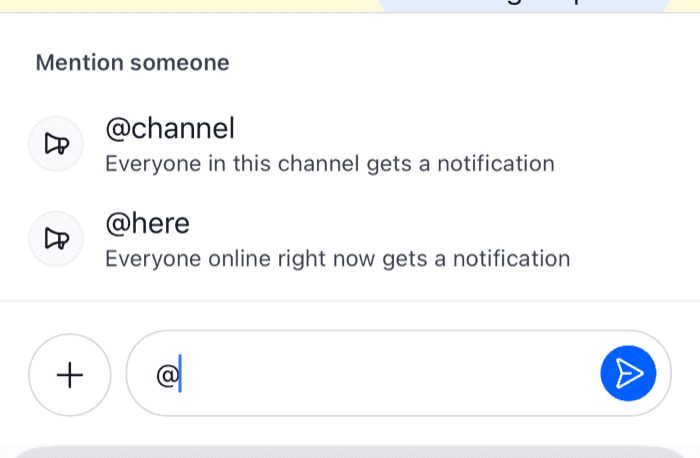
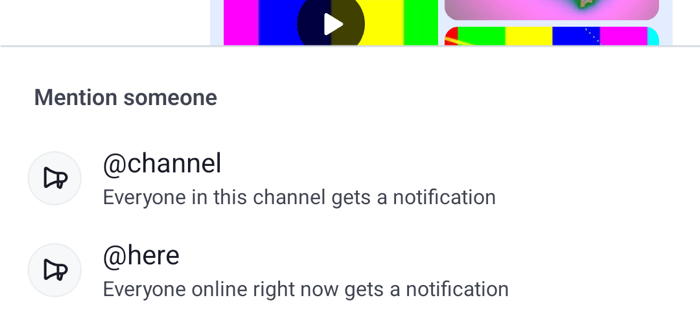
The default headers aren't translation keys. This header translates them with keys of your own, adds one for mentions, and keeps the default for emoji:
import { StyleSheet, Text } from "react-native";
import {
  asDynamicKey,
  AutoCompleteSuggestionHeader,
  useTheme,
  useTranslationContext,
} from "stream-chat-react-native";
import type { AutoCompleteSuggestionHeaderProps } from "stream-chat-react-native";

export const SuggestionHeader = (props: AutoCompleteSuggestionHeaderProps) => {
  const { t } = useTranslationContext();
  const {
    theme: { semantics },
  } = useTheme();

  const title =
    props.triggerType === "command"
      ? t(asDynamicKey("myApp.suggestions.commands.title"), "Commands")
      : props.triggerType === "mention"
        ? t(asDynamicKey("myApp.suggestions.mentions.title"), "Mention someone")
        : null;

  if (!title) return <AutoCompleteSuggestionHeader {...props} />;

  return (
    <Text
      accessibilityRole="header"
      style={[styles.title, { color: semantics.textSecondary }]}
    >
      {title}
    </Text>
  );
};

const styles = StyleSheet.create({
  title: { fontSize: 13, fontWeight: "600", padding: 12 },
}); |  |
asDynamicKey marks a key that isn't in the SDK's catalog, and the second argument is the English copy. Localization explains app keys.
Change the rows
AutoCompleteSuggestionItem renders every row, so a replacement handles the press too. This one renders commands on one line, as /giphy [text], and keeps the default rows for mentions and emoji:
import { Pressable, StyleSheet, Text } from "react-native";
import type { CommandSuggestion, TextComposerSuggestion } from "stream-chat";
import {
  AutoCompleteSuggestionItem,
  useMessageComposer,
  useTheme,
} from "stream-chat-react-native";
import type { AutoCompleteSuggestionItemProps } from "stream-chat-react-native";

const isCommand = (item: TextComposerSuggestion): item is CommandSuggestion =>
  "name" in item && "args" in item;

export const CompactCommandItem = (props: AutoCompleteSuggestionItemProps) => {
  const { itemProps, triggerType } = props;
  const { textComposer } = useMessageComposer();
  const {
    theme: { semantics },
  } = useTheme();

  if (triggerType !== "command" || !isCommand(itemProps)) {
    return <AutoCompleteSuggestionItem {...props} />;
  }

  return (
    <Pressable
      accessibilityRole="button"
      onPress={() => void textComposer.handleSelect(itemProps)}
      style={styles.row}
    >
      <Text style={[styles.name, { color: semantics.textPrimary }]}>
        /{itemProps.name}
      </Text>
      <Text style={{ color: semantics.textTertiary }}>{itemProps.args}</Text>
    </Pressable>
  );
};

const styles = StyleSheet.create({
  name: { fontWeight: "600" },
  row: {
    flexDirection: "row",
    gap: 8,
    paddingHorizontal: 16,
    paddingVertical: 10,
  },
});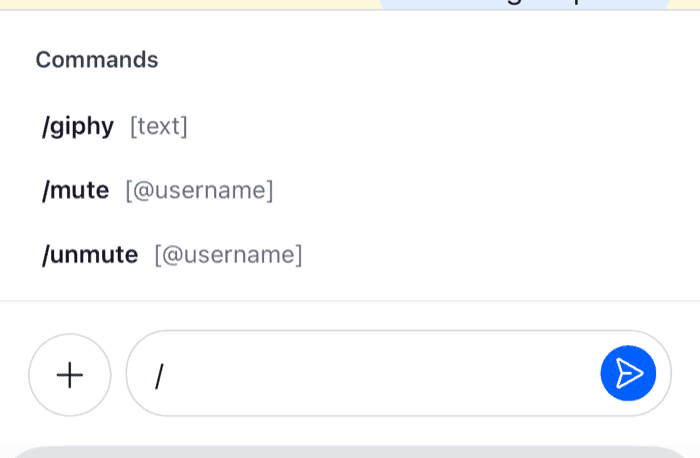 | 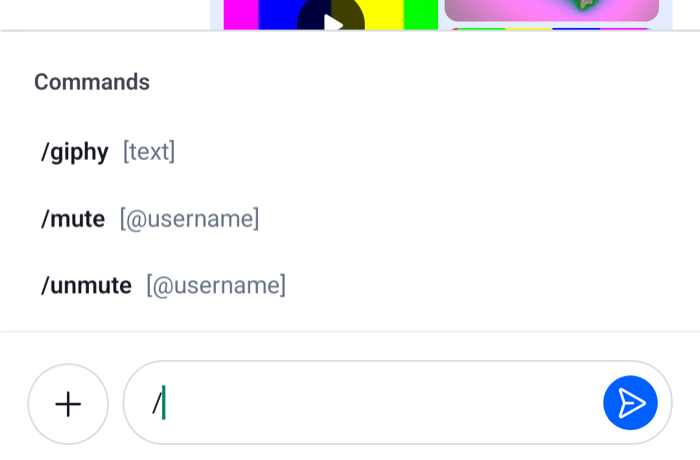 |
TextComposer.handleSelect() sets the command, as picking it from the default row does. The default row also grays out a command that can't be used in this message, such as a moderation command in a reply that quotes a message. This row doesn't. Picking such a command shows a warning and doesn't set it, from this row or the default one. MessageComposer.isCommandDisabled(command) tells whether a command is disabled.
Rows per mention type
MentionSuggestionItem renders the @ rows inside the default button, so replacing it changes the row and keeps the press. It receives the suggestion as its props, and mentionType tells which kind it is:
mentionType |
Default row | Shows |
|---|---|---|
user |
MentionUserItem |
The avatar and the name, with the typed part in bold |
channel / here |
MentionBroadcastItem |
@channel or @here and a description |
role |
MentionRoleItem |
The role and Notify all {{ role }} members |
user_group |
MentionUserGroupItem |
The group's name and description |
The SDK exports the parts the default rows are built from: MentionItem, the row layout with a leading slot; EnhancedMentionIcon, an icon in a circle; EnhancedMentionContent, a title and a subtitle; and TokenizedSuggestionParts, a name with the typed part in bold. This one changes the @channel and @here rows and keeps the others:
import type { MentionSuggestion } from "stream-chat";
import {
  EnhancedMentionContent,
  EnhancedMentionIcon,
  MentionItem,
  MentionSuggestionItem,
  useComponentsContext,
} from "stream-chat-react-native";

export const BroadcastMentionRow = (item: MentionSuggestion) => {
  const { icons } = useComponentsContext();

  if (item.mentionType !== "channel" && item.mentionType !== "here") {
    return <MentionSuggestionItem {...item} />;
  }

  return (
    <MentionItem leading={<EnhancedMentionIcon Icon={icons.Megaphone} />}>
      <EnhancedMentionContent
        subtitle={
          item.mentionType === "channel"
            ? "Everyone in this channel gets a notification"
            : "Everyone online right now gets a notification"
        }
        title={`@${item.mentionType}`}
      />
    </MentionItem>
  );
};
The parts take their styles from messageComposer.suggestions.mention in the theme, so the row above follows them too. MentionItem applies container and column, EnhancedMentionIcon applies enhancedMentionIcon, and EnhancedMentionContent applies enhancedMentionContainer, enhancedMentionTitle and enhancedMentionSubtitle. The theme also has name, tag and avatarSize under mention, but no row reads them. See Theming.
Rows for a trigger of your own
Custom triggers adds a middleware that suggests tags after #, each with the tag as its id. The default list renders nothing for #, so replace the list. This one renders the tags, and the default list for every other trigger:
import { FlatList, Pressable, StyleSheet, Text, View } from "react-native";
import type {
  SearchSourceState,
  TextComposerState,
  TextComposerSuggestion,
} from "stream-chat";
import {
  AutoCompleteSuggestionList,
  useMessageComposer,
  useStateStore,
  useTheme,
} from "stream-chat-react-native";

const suggestionsSelector = ({ suggestions }: TextComposerState) => ({
  suggestions,
});
const itemsSelector = ({
  items,
}: SearchSourceState<TextComposerSuggestion>) => ({
  items,
});

export const SuggestionListWithTags = () => {
  const { textComposer } = useMessageComposer();
  const { suggestions } = useStateStore(
    textComposer.state,
    suggestionsSelector,
  );
  const { items } =
    useStateStore(suggestions?.searchSource.state, itemsSelector) ?? {};
  const {
    theme: { semantics },
  } = useTheme();

  if (suggestions?.trigger !== "#") return <AutoCompleteSuggestionList />;
  if (!items?.length) return null;

  return (
    <View
      style={[
        styles.list,
        {
          backgroundColor: semantics.backgroundCoreElevation1,
          borderColor: semantics.borderCoreDefault,
        },
      ]}
    >
      <FlatList
        data={items}
        keyboardShouldPersistTaps="always"
        keyExtractor={(item) => item.id}
        renderItem={({ item }) => (
          <Pressable
            accessibilityRole="button"
            onPress={() => void textComposer.handleSelect(item)}
            style={styles.row}
          >
            <Text style={{ color: semantics.textPrimary }}>#{item.id}</Text>
          </Pressable>
        )}
      />
    </View>
  );
};

const styles = StyleSheet.create({
  list: { borderTopWidth: 1, maxHeight: 240 },
  row: { paddingHorizontal: 16, paddingVertical: 10 },
});
The list subscribes to two stores, as the default one does: the text composer's state, for which trigger is open, and the open search source's state, for its items. Both selectors are declared at module scope. Picking a tag runs the middleware's onSuggestionItemSelect, which writes #design and a space into the text.
Register the overrides
Put the replacements in one object, declared once, and pass it to WithComponents:
import type { Channel as StreamChannel } from "stream-chat";
import {
  Channel,
  MessageComposer,
  MessageList,
  WithComponents,
} from "stream-chat-react-native";
import type { ComponentOverrides } from "stream-chat-react-native";
import { BroadcastMentionRow } from "./BroadcastMentionRow";
import { CompactCommandItem } from "./CompactCommandItem";
import { SuggestionHeader } from "./SuggestionHeader";
import { SuggestionListWithTags } from "./SuggestionListWithTags";

const overrides: ComponentOverrides = {
  AutoCompleteSuggestionHeader: SuggestionHeader,
  AutoCompleteSuggestionItem: CompactCommandItem,
  AutoCompleteSuggestionList: SuggestionListWithTags,
  MentionSuggestionItem: BroadcastMentionRow,
};

export const ChannelScreen = ({ channel }: { channel: StreamChannel }) => (
  <WithComponents overrides={overrides}>
    <Channel channel={channel}>
      <MessageList />
      <MessageComposer />
    </Channel>
  </WithComponents>
);
The default list reads the header and the row from the overrides, so SuggestionListWithTags shows SuggestionHeader and CompactCommandItem for the built-in triggers. A Thread on its own screen needs the same WithComponents around it.
Hide the suggestions
AutoCompleteSuggestionList: () => null hides the list for every trigger. The middleware still runs and still searches, so mention suggestions keep querying members as the user types. To stop a trigger, remove its middleware in the composer setup function instead, as Hide commands in the UI does for commands. The mentions middleware's id is stream-io/text-composer/mentions-middleware.
Custom composers
A composer layout of your own keeps the suggestions as long as it renders InputView or AutoCompleteInput, because the text input updates the text composer that opens them. The list itself renders in the message list, so a screen without MessageList or MessageFlashList shows none. The Custom composer UI cookbook builds such a layout.