















Custom thread list
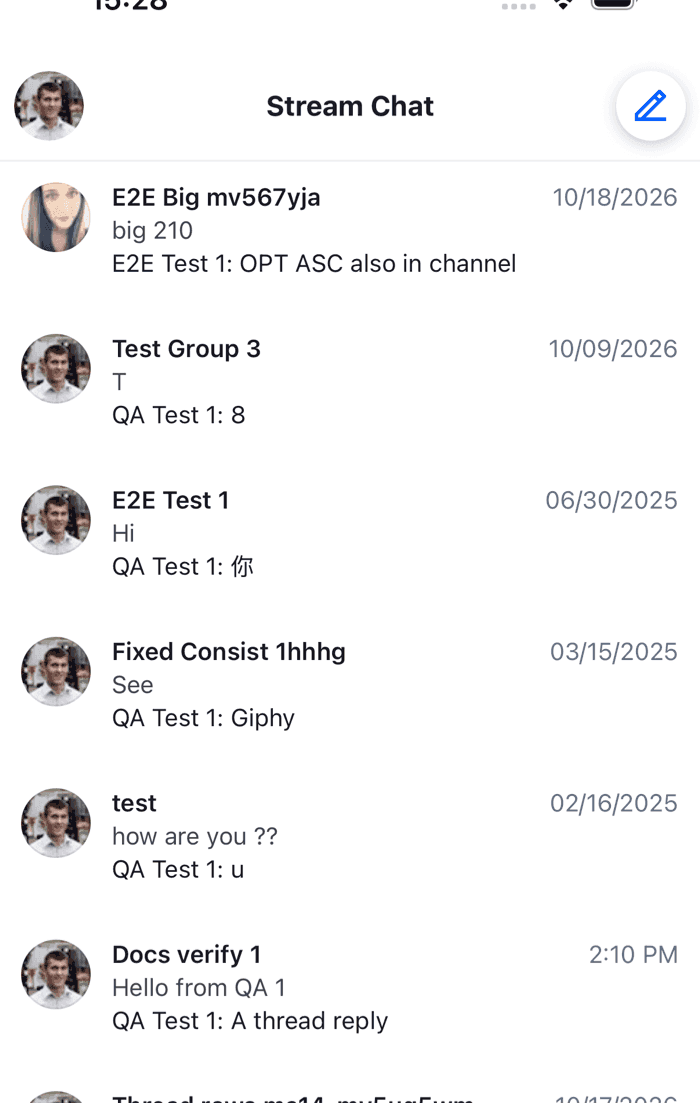
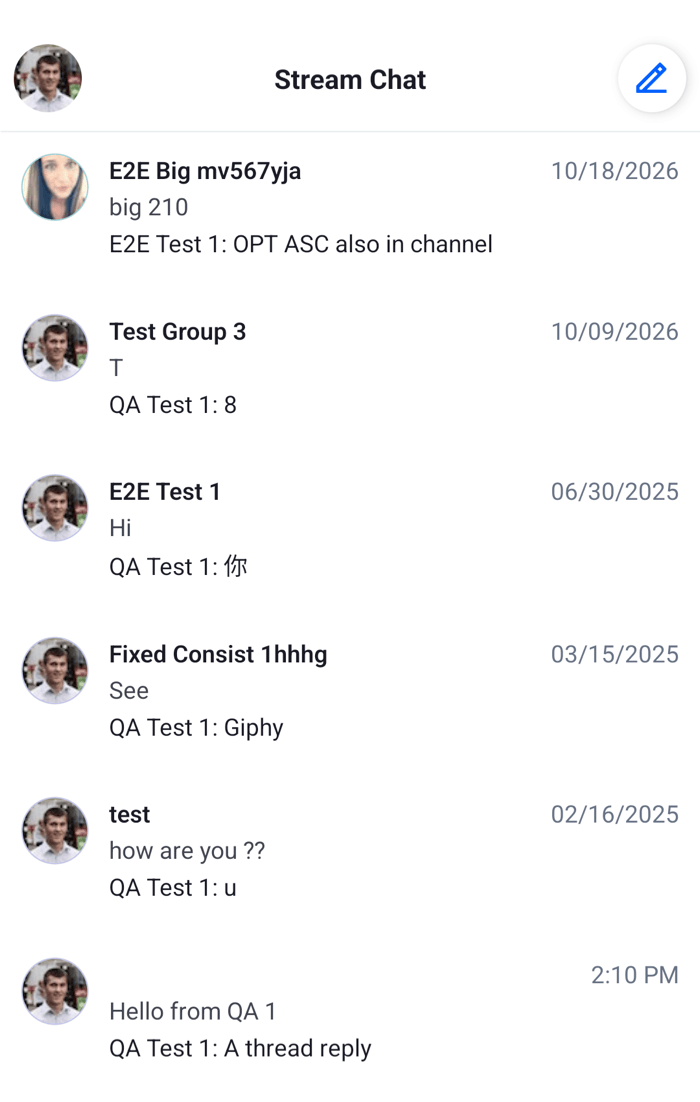
This UI cookbook builds a Threads tab: a screen with the user's threads in rows of its own, a line with the number of unread threads above them, spacing between the rows, a thread screen that opens when a row is tapped, and a badge on the tab. How ThreadList loads and stays current is explained in Thread UI, and the thread manager behind it in Replies and threads.
Best practices
- Pass the screen's focus state to
ThreadListasisFocused. A tab stays mounted when the user leaves it, and whileisFocusedistruethe list keeps the thread manager active. Each time it becomestrueagain, the manager reloads the list if threads got replies in the meantime. - Navigate with the thread's id, and look the thread up on the thread screen with
client.threads.get(id). The list's threads are kept there. - Open threads the same way everywhere: a replaced row calls
onThreadSelectfromuseThreadsContext(), so the screen's handler runs for every row. - Keep rows light. A row reads its thread's stores and re-renders when a reply arrives in it.
- Read the unread thread count from
client.threads.state.Chatkeeps it current, so the tab badge needs no query of its own.
The Threads tab
import { StyleSheet, Text, View, Pressable } from "react-native";
import { useHeaderHeight } from "@react-navigation/elements";
import { useIsFocused } from "@react-navigation/native";
import type { NativeStackScreenProps } from "@react-navigation/native-stack";
import type { ThreadManagerState } from "stream-chat";
import {
  BadgeNotification,
  MessageComposer,
  MessageList,
  Thread,
  ThreadList,
  useChannelPreviewDisplayName,
  useChatContext,
  useMessagePreviewText,
  useStateStore,
  useTheme,
  useThreadListItemContext,
  useThreadsContext,
  UserAvatar,
  WithComponents,
} from "stream-chat-react-native";

export type ThreadsStackParamList = {
  Threads: undefined;
  Thread: { threadId: string };
};

const unreadThreadsSelector = ({ unreadThreadCount }: ThreadManagerState) => ({
  unreadThreadCount,
});

const ThreadRow = () => {
  const {
    channel,
    dateString,
    lastReply,
    ownUnreadMessageCount,
    parentMessage,
    thread,
  } = useThreadListItemContext();
  const { onThreadSelect } = useThreadsContext();
  const {
    theme: { semantics },
  } = useTheme();
  const channelName = useChannelPreviewDisplayName(channel);
  const replyText = useMessagePreviewText({ message: lastReply });

  return (
    <Pressable
      accessibilityRole="button"
      onPress={() => onThreadSelect?.(thread)}
      style={[
        styles.row,
        { backgroundColor: semantics.backgroundCoreElevation1 },
      ]}
    >
      {lastReply?.user ? <UserAvatar size="lg" user={lastReply.user} /> : null}
      <View style={styles.text}>
        <View style={styles.line}>
          <Text
            numberOfLines={1}
            style={[styles.channel, { color: semantics.textPrimary }]}
          >
            {channelName}
          </Text>
          <Text style={{ color: semantics.textTertiary }}>{dateString}</Text>
        </View>
        <Text numberOfLines={1} style={{ color: semantics.textSecondary }}>
          {parentMessage?.text}
        </Text>
        <View style={styles.line}>
          <Text
            numberOfLines={1}
            style={[styles.reply, { color: semantics.textPrimary }]}
          >
            {lastReply?.user?.name ? `${lastReply.user.name}: ` : ""}
            {replyText}
          </Text>
          {ownUnreadMessageCount > 0 ? (
            <BadgeNotification
              count={ownUnreadMessageCount}
              size="sm"
              type="primary"
            />
          ) : null}
        </View>
      </View>
    </Pressable>
  );
};

const UnreadThreadsLine = () => {
  const { client } = useChatContext();
  const { unreadThreadCount } = useStateStore(
    client.threads.state,
    unreadThreadsSelector,
  );

  if (!unreadThreadCount) return null;

  return (
    <Text style={styles.unreadLine}>
      {unreadThreadCount === 1
        ? "You have 1 thread with unread replies"
        : `You have ${unreadThreadCount} threads with unread replies`}
    </Text>
  );
};

const RowSeparator = () => <View style={styles.separator} />;

// Declared once: WithComponents reads its overrides when it mounts, and the list
// re-renders when its FlatList props change.
const overrides = { ThreadListItem: ThreadRow };
const additionalFlatListProps = { ItemSeparatorComponent: RowSeparator };

export const ThreadsScreen = ({
  navigation,
}: NativeStackScreenProps<ThreadsStackParamList, "Threads">) => {
  const isFocused = useIsFocused();

  return (
    <WithComponents overrides={overrides}>
      <View style={styles.screen}>
        <UnreadThreadsLine />
        <ThreadList
          additionalFlatListProps={additionalFlatListProps}
          isFocused={isFocused}
          onThreadSelect={(thread) =>
            navigation.navigate("Thread", { threadId: thread.id })
          }
        />
      </View>
    </WithComponents>
  );
};

export const ThreadScreen = ({
  route,
}: NativeStackScreenProps<ThreadsStackParamList, "Thread">) => {
  const { client } = useChatContext();
  const headerHeight = useHeaderHeight();
  const thread = client.threads.get(route.params.threadId);

  if (!thread) return null;

  return (
    <Thread
      keyboardVerticalOffset={headerHeight}
      thread={thread}
      topInset={headerHeight}
    >
      <MessageList />
      <MessageComposer />
    </Thread>
  );
};

export const useUnreadThreadCount = () => {
  const { client } = useChatContext();
  return useStateStore(client.threads.state, unreadThreadsSelector)
    .unreadThreadCount;
};

const styles = StyleSheet.create({
  channel: { flex: 1, fontWeight: "600" },
  line: { alignItems: "center", flexDirection: "row", gap: 8 },
  reply: { flex: 1 },
  row: { flexDirection: "row", gap: 12, padding: 12 },
  screen: { flex: 1 },
  separator: { height: 8 },
  text: { flex: 1, gap: 2 },
  unreadLine: { fontWeight: "600", padding: 12 },
}); |  |
What happens:
ThreadListactivatesclient.threadswhile the screen is focused. The first activation loads the first page of the user's threads, 25 of them, and later activations reload the list when threads got replies while the user was away.- For each thread, the list renders a row and provides
useThreadListItemContext()for it.ThreadRowreads the thread's channel, its parent message, its latest reply, the time of that reply asdateString, and the user's unread count in the thread. They follow the thread's stores, so the row updates when a reply arrives. useMessagePreviewTextturns the latest reply into one line: its text, or "Photo", "Voice message" and the other labels for a reply without text.- Tapping a row calls
onThreadSelectwith the thread, from the list's context, and the screen pushes the thread screen with its id. - The thread screen looks the thread up in
client.threadsand renders it inThread, with its own list and composer, on a screen of its own.Threadneeds noChannelaround it.
ItemSeparatorComponent goes to the list's FlatList through additionalFlatListProps, which takes any FlatList prop. The list renders its own unread banner, "N new threads", above the rows when threads it hasn't loaded get replies. Tapping it reloads the list. Replace or hide it with the ThreadListUnreadBanner key.
unreadThreadCount counts the threads with replies the user hasn't read. The server sends it, and Chat keeps it current from the user's events, also while no thread list is mounted. UnreadThreadsLine subscribes to it with a selector declared at module scope, as Reading state in components explains.
The badge on the tab
The tab navigator renders inside Chat, so it can read the same count and pass it to the tab's tabBarBadge:
import { createBottomTabNavigator } from "@react-navigation/bottom-tabs";
import { createNativeStackNavigator } from "@react-navigation/native-stack";
import type { ThreadsStackParamList } from "./ThreadsTab";
import {
  ThreadScreen,
  ThreadsScreen,
  useUnreadThreadCount,
} from "./ThreadsTab";

type TabParamList = {
  ThreadsTab: undefined;
};

const Tab = createBottomTabNavigator<TabParamList>();
const ThreadsStack = createNativeStackNavigator<ThreadsStackParamList>();

const ThreadsStackScreen = () => (
  <ThreadsStack.Navigator>
    <ThreadsStack.Screen component={ThreadsScreen} name="Threads" />
    <ThreadsStack.Screen component={ThreadScreen} name="Thread" />
  </ThreadsStack.Navigator>
);

export const Tabs = () => {
  const unreadThreadCount = useUnreadThreadCount();

  return (
    <Tab.Navigator>
      <Tab.Screen
        component={ThreadsStackScreen}
        name="ThreadsTab"
        options={{
          headerShown: false,
          tabBarBadge: unreadThreadCount || undefined,
          title: "Threads",
        }}
      />
    </Tab.Navigator>
  );
};
Add your channel list's tab next to it. The navigator and its providers are set up as on Navigation, with Tabs inside NavigationContainer, Chat and OverlayProvider.
Going further
- A thread list of your own. Read
client.threads.paginator.statewithuseStateStore, render itsitems, callclient.threads.paginator.toTail()near the end, and activate the manager yourself withclient.threads.activate()andclient.threads.deactivate(). TheThreadListComponentkey replaces the default list insideThreadListand keeps the activation; it readsthreads,loadMoreandisLoadingfromuseThreadsContext(). - Other parts of the row.
ThreadListItemMessagePreviewandThreadMessagePreviewDeliveryStatusreplace parts of the default row; the default row itself isn't exported. Thread UI lists every key. - Opening a thread from a message or a notification. Moving between channels, threads and messages covers getting a thread that isn't in the list.