















Custom message actions
Message actions are the items below a message when its menu is open. This UI cookbook builds one set of actions from the SDK's defaults, step by step: it shares one function between channels and threads, adds an action of its own, removes and reorders default actions, and changes how each item renders. How the actions are built is explained in Actions, and what each default action does in Message actions.
Best practices
- Start from the SDK's
messageActionsfunction and add, remove or replace items. It applies the default rules: the user's capabilities, own messages, threads and failed messages. - Check the conditions of your own actions yourself. Nothing filters them.
- Pass the same function to
ChannelandThread. AThreaddoesn't inherit props fromChannel, so thread messages get the defaults otherwise. - Keep the function stable by declaring it at module scope, or building it with
useCallback. - Don't close the menu in an action. The menu item closes it, and runs the action once it has closed.
- Give every item a distinct
title. The defaultMessageActionListuses the titles as keys.
One set for channels and threads
The function gets everything it needs from its parameter, but your own actions need the icons, the theme and the translation function. A hook builds the function once, and both screens use it:
import { useCallback } from "react";
import type {
  Channel as StreamChannel,
  Thread as StreamThread,
} from "stream-chat";
import {
  Channel,
  MessageComposer,
  MessageList,
  messageActions as defaultMessageActions,
  Thread,
} from "stream-chat-react-native";
import type { MessageActionsProp } from "stream-chat-react-native";

export const useSupportMessageActions = () =>
  useCallback<MessageActionsProp>(
    (params) => defaultMessageActions(params),
    [],
  );

export const ChannelScreen = ({ channel }: { channel: StreamChannel }) => {
  const messageActions = useSupportMessageActions();

  return (
    <Channel channel={channel} messageActions={messageActions}>
      <MessageList />
      <MessageComposer />
    </Channel>
  );
};

export const ThreadScreen = ({ thread }: { thread: StreamThread }) => {
  const messageActions = useSupportMessageActions();

  return (
    <Thread messageActions={messageActions} thread={thread}>
      <MessageList />
      <MessageComposer />
    </Thread>
  );
};
The menu shows exactly what it showed before. When a menu opens, the SDK builds every default action for the message and calls the function with them, with the message, isMyMessage, isThreadMessage, error and the user's ownCapabilities. defaultMessageActions(params) returns the list the SDK would show, in its order. The table on Actions says when each default action is in it.
Add an action
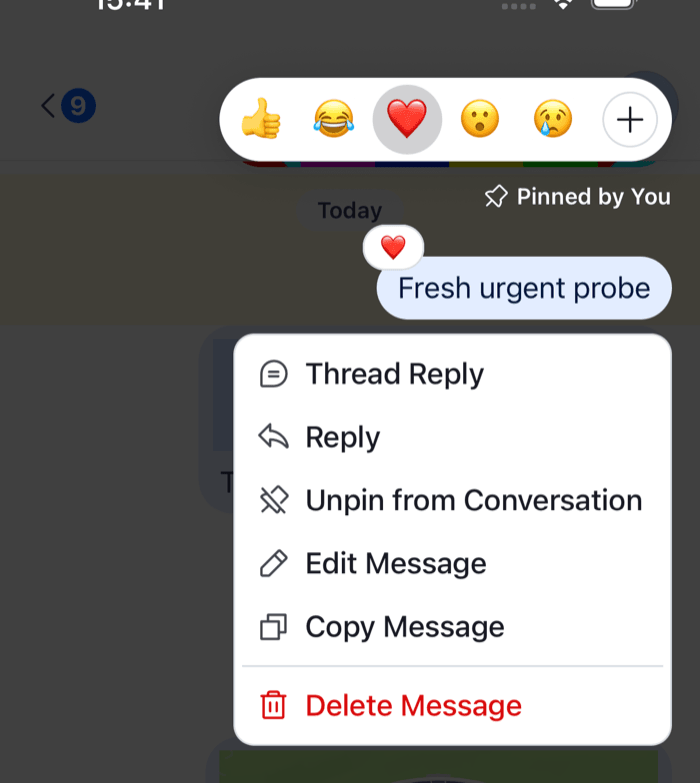 | 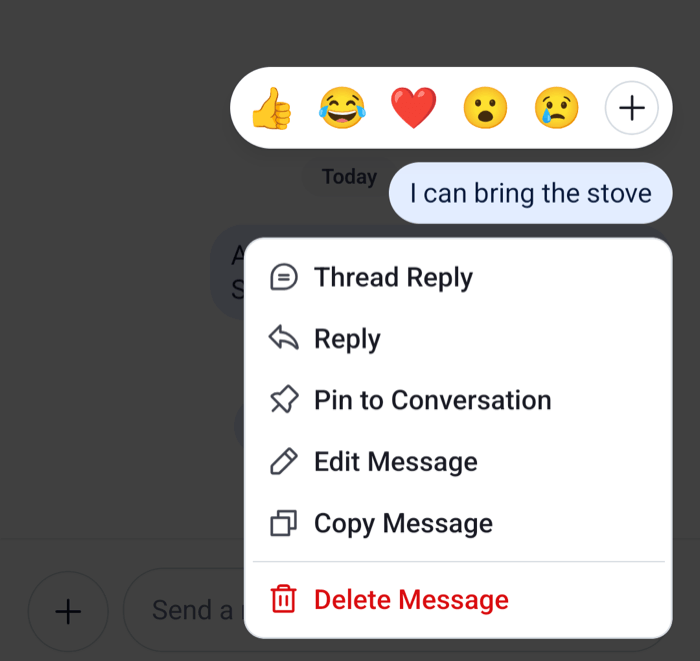 |
Support agents answer some questions in private. A "Reply privately" item on other users' messages opens a direct conversation with the author. Opening it is your app's navigation, so the hook takes it as a callback:
import { useCallback } from "react";
import {
  asDynamicKey,
  messageActions as defaultMessageActions,
  useComponentsContext,
  useTheme,
  useTranslationContext,
} from "stream-chat-react-native";
import type {
  MessageActionsProp,
  MessageActionType,
} from "stream-chat-react-native";

export const useSupportMessageActions = (
  onReplyPrivately: (userId: string) => void,
) => {
  const { icons } = useComponentsContext();
  const { t } = useTranslationContext();
  const {
    theme: { semantics },
  } = useTheme();

  return useCallback<MessageActionsProp>(
    (params) => {
      const actions = defaultMessageActions(params);

      const authorId = params.message.user?.id;
      if (params.isMyMessage || params.error || !authorId) return actions;

      const replyPrivately: MessageActionType = {
        action: () => onReplyPrivately(authorId),
        actionType: "replyPrivately",
        icon: (
          <icons.MessageBubbleEmpty
            height={20}
            stroke={semantics.textSecondary}
            width={20}
          />
        ),
        title: t(
          asDynamicKey("support.message.replyPrivately.label"),
          "Reply Privately",
        ),
        type: "standard",
      };

      return [...actions, replyPrivately];
    },
    [icons, onReplyPrivately, semantics.textSecondary, t],
  );
};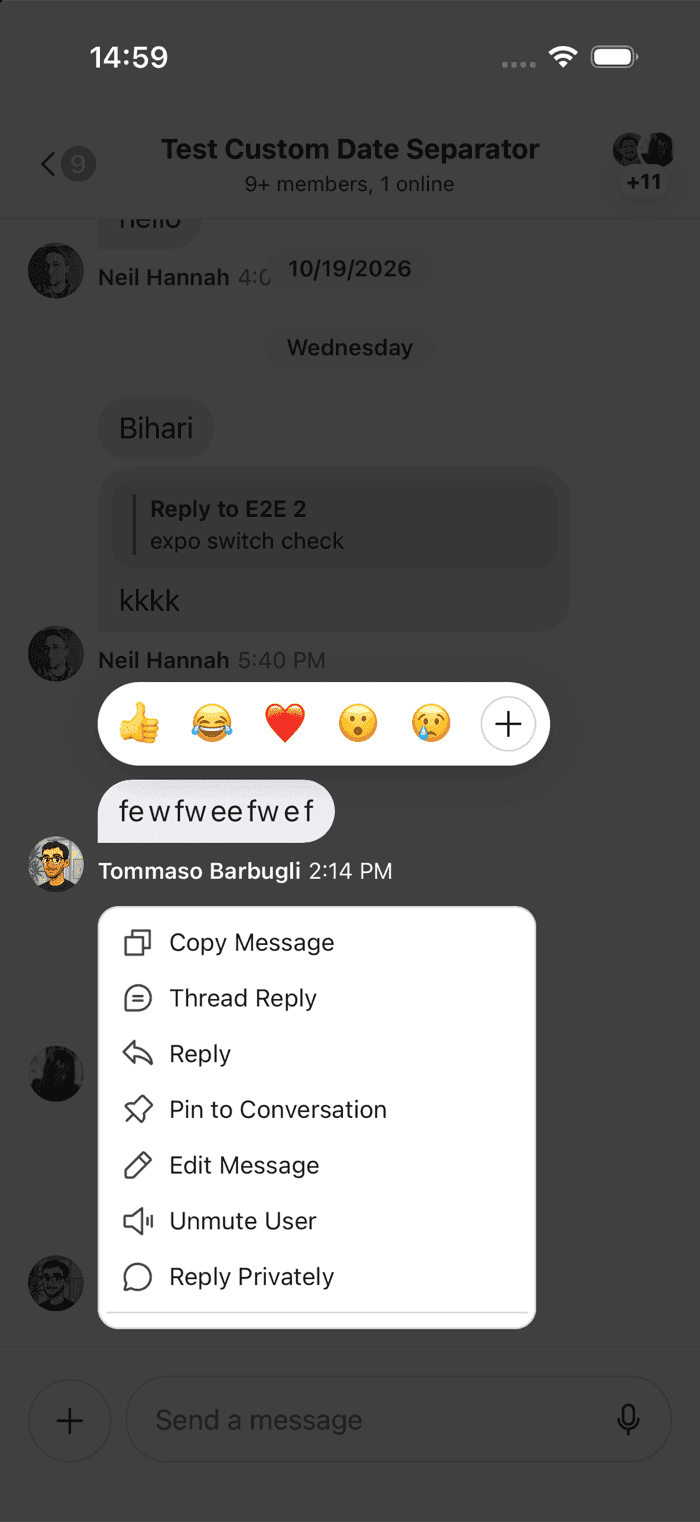 | 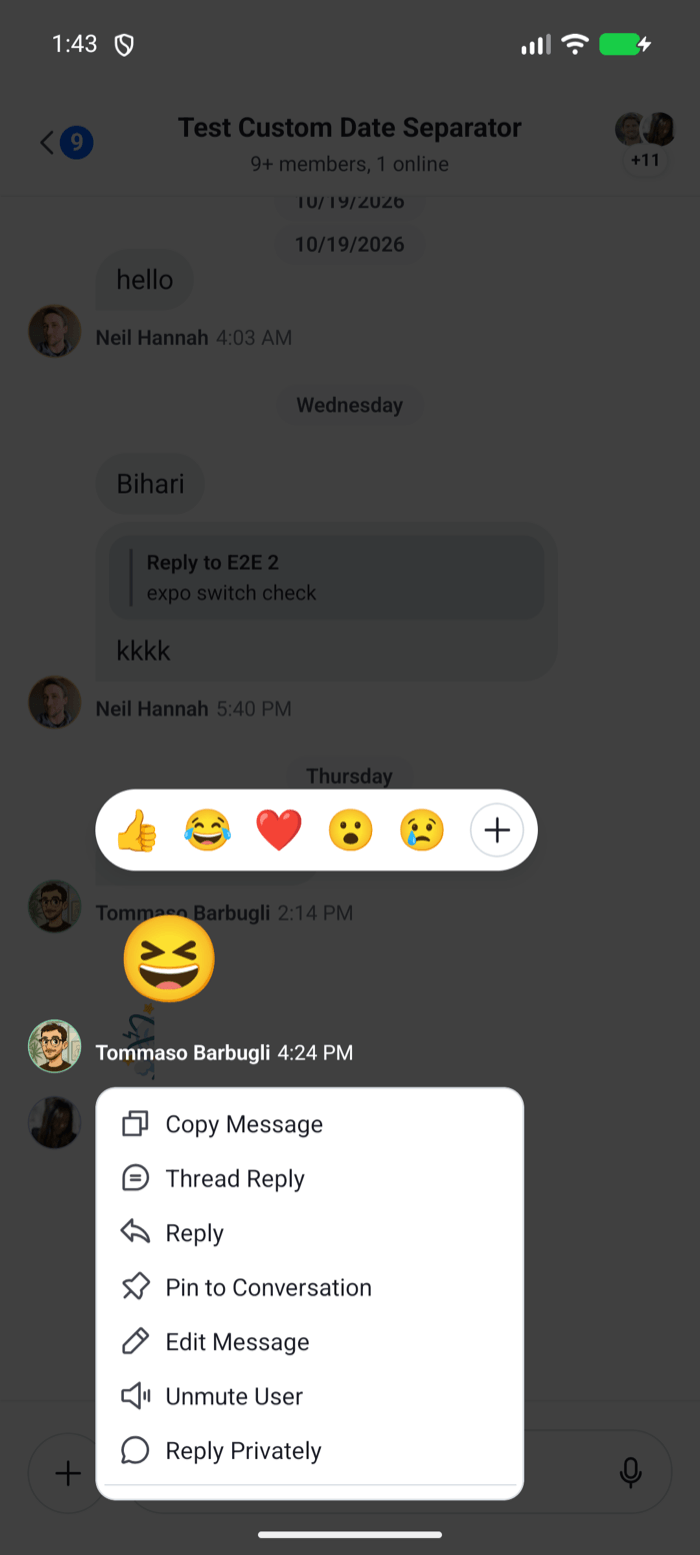 |
- The user long-presses a message from someone else, and the menu opens.
- The function adds
replyPrivatelyafter the default actions.type: "standard"puts it with the other standard actions, above the separator;"destructive"would put it after the separator, with Delete Message and Block User. - The user taps it. The item closes the menu, and calls
actiononce the menu has closed, so your navigation doesn't run under the closing animation.
The icon is a 20 by 20 icon from the icons key, like the default actions use, so it follows your icon overrides. asDynamicKey lets t take a key of your own, and the second argument is the English copy until you register a translation. Localization explains both.
Pass onReplyPrivately from each screen. Stable callbacks keep the function stable, for example one built with useCallback from your navigation.
Remove and reorder actions
Agents don't block customers, and marking a customer's message unread isn't useful to them. Filter those actions out by actionType. Copy Message is the action agents use most, so it moves to the top:
const hidden = new Set(["blockUser", "markUnread"]);

// inside the function
const actions = defaultMessageActions(params).filter(
  (action) => !hidden.has(action.actionType),
);

const copyIndex = actions.findIndex(
  (action) => action.actionType === "copyMessage",
);
if (copyIndex > 0) actions.unshift(...actions.splice(copyIndex, 1));
The remaining defaults still follow the default rules, because they come from defaultMessageActions(params). Copy Message isn't in the list when the message has no text or no clipboard package is installed, so findIndex returns -1 and the order stays as it is.
To change one default action, spread it and replace a field. { ...action, title: "Delete for Everyone" } keeps the delete's handler and its confirmation dialog.
Change how items render
The list below the message is the MessageActionList key, and each item the MessageActionListItem key. An item receives one action as its props. This one renders smaller rows, and closes the menu and runs the action the way the default item does:
import { StyleSheet, Text } from "react-native";
import { Pressable } from "react-native-gesture-handler";
import {
  closeOverlay,
  scheduleActionOnClose,
  useTheme,
} from "stream-chat-react-native";
import type {
  ComponentOverrides,
  MessageActionListItemProps,
} from "stream-chat-react-native";

const CompactActionItem = ({
  action,
  icon,
  title,
  titleStyle,
}: MessageActionListItemProps) => {
  const {
    theme: { semantics },
  } = useTheme();

  return (
    <Pressable
      accessibilityLabel={title}
      accessibilityRole="menuitem"
      onPress={() => {
        closeOverlay();
        scheduleActionOnClose(() => action());
      }}
      style={({ pressed }) => [
        styles.row,
        pressed && { backgroundColor: semantics.backgroundUtilityPressed },
      ]}
    >
      {icon}
      <Text
        style={[styles.title, { color: semantics.textPrimary }, titleStyle]}
      >
        {title}
      </Text>
    </Pressable>
  );
};

export const actionOverrides: ComponentOverrides = {
  MessageActionListItem: CompactActionItem,
};

const styles = StyleSheet.create({
  row: {
    alignItems: "center",
    borderRadius: 8,
    flexDirection: "row",
    gap: 8,
    paddingHorizontal: 8,
    paddingVertical: 6,
  },
  title: { fontSize: 14 },
});
Pass actionOverrides to a WithComponents around Channel and Thread.
closeOverlay()starts closing the menu, andscheduleActionOnClose()runs the action once it has closed. An action that changes the message list, such as a delete or a quote, would otherwise run under the closing animation.titleStylecomes last, so the red titles of the destructive actions stay red.Pressablecomes fromreact-native-gesture-handler, as in the default item.
MessageActionList receives the whole list as messageActions. Replace it to change the layout of the menu, for example a grid of icons. The default renders the standard actions, a separator, and the destructive ones, each with the MessageActionListItem key.
Complete example
import { useCallback } from "react";
import { StyleSheet, Text } from "react-native";
import { Pressable } from "react-native-gesture-handler";
import type {
  Channel as StreamChannel,
  Thread as StreamThread,
} from "stream-chat";
import {
  asDynamicKey,
  Channel,
  closeOverlay,
  MessageComposer,
  MessageList,
  messageActions as defaultMessageActions,
  scheduleActionOnClose,
  Thread,
  useComponentsContext,
  useTheme,
  useTranslationContext,
  WithComponents,
} from "stream-chat-react-native";
import type {
  ComponentOverrides,
  MessageActionListItemProps,
  MessageActionsProp,
  MessageActionType,
} from "stream-chat-react-native";

const CompactActionItem = ({
  action,
  icon,
  title,
  titleStyle,
}: MessageActionListItemProps) => {
  const {
    theme: { semantics },
  } = useTheme();

  return (
    <Pressable
      accessibilityLabel={title}
      accessibilityRole="menuitem"
      onPress={() => {
        closeOverlay();
        scheduleActionOnClose(() => action());
      }}
      style={({ pressed }) => [
        styles.row,
        pressed && { backgroundColor: semantics.backgroundUtilityPressed },
      ]}
    >
      {icon}
      <Text
        style={[styles.title, { color: semantics.textPrimary }, titleStyle]}
      >
        {title}
      </Text>
    </Pressable>
  );
};

const actionOverrides: ComponentOverrides = {
  MessageActionListItem: CompactActionItem,
};

const hidden = new Set(["blockUser", "markUnread"]);

export const useSupportMessageActions = (
  onReplyPrivately: (userId: string) => void,
) => {
  const { icons } = useComponentsContext();
  const { t } = useTranslationContext();
  const {
    theme: { semantics },
  } = useTheme();

  return useCallback<MessageActionsProp>(
    (params) => {
      const actions = defaultMessageActions(params).filter(
        (action) => !hidden.has(action.actionType),
      );

      const copyIndex = actions.findIndex(
        (action) => action.actionType === "copyMessage",
      );
      if (copyIndex > 0) actions.unshift(...actions.splice(copyIndex, 1));

      const authorId = params.message.user?.id;
      if (params.isMyMessage || params.error || !authorId) return actions;

      const replyPrivately: MessageActionType = {
        action: () => onReplyPrivately(authorId),
        actionType: "replyPrivately",
        icon: (
          <icons.MessageBubbleEmpty
            height={20}
            stroke={semantics.textSecondary}
            width={20}
          />
        ),
        title: t(
          asDynamicKey("support.message.replyPrivately.label"),
          "Reply Privately",
        ),
        type: "standard",
      };

      return [...actions, replyPrivately];
    },
    [icons, onReplyPrivately, semantics.textSecondary, t],
  );
};

type ScreenProps = { onReplyPrivately: (userId: string) => void };

export const ChannelScreen = ({
  channel,
  onReplyPrivately,
}: ScreenProps & { channel: StreamChannel }) => {
  const messageActions = useSupportMessageActions(onReplyPrivately);

  return (
    <WithComponents overrides={actionOverrides}>
      <Channel channel={channel} messageActions={messageActions}>
        <MessageList />
        <MessageComposer />
      </Channel>
    </WithComponents>
  );
};

export const ThreadScreen = ({
  onReplyPrivately,
  thread,
}: ScreenProps & { thread: StreamThread }) => {
  const messageActions = useSupportMessageActions(onReplyPrivately);

  return (
    <WithComponents overrides={actionOverrides}>
      <Thread messageActions={messageActions} thread={thread}>
        <MessageList />
        <MessageComposer />
      </Thread>
    </WithComponents>
  );
};

const styles = StyleSheet.create({
  row: {
    alignItems: "center",
    borderRadius: 8,
    flexDirection: "row",
    gap: 8,
    paddingHorizontal: 8,
    paddingVertical: 6,
  },
  title: { fontSize: 14 },
});
Going further
- Running code when an action runs.
handleDelete,handleFlagand the otherhandle*props ofChannelandThreadare called when the user picks a default action, before it runs, which suits analytics. Actions lists them. - The same actions outside the menu.
useMessageActions()anduseMessageActionHandlers()run a message's actions from a component inside the message, such as a button in a custom message. - A different long press.
onLongPressMessageonChannelreplaces what a long press does, with the default handlers in its payload. Actions shows it. - An action that opens a sheet. The Status indicators UI cookbook adds a Message Info action that lists who read and who received a message.