
 React
React iOS
iOS Android
 Flutter
 Angular
 JavaScript
 Unity
Unity Unreal
 Node
Node Python
 Ruby
Ruby PHP
PHP Java
Java .NET
.NET Go
Go REST
REST<io.getstream.chat.android.ui.feature.pinned.list.PinnedMessageListView
android:id="@+id/pinnedMessageListView"
android:layout_width="match_parent"
android:layout_height="match_parent" />Pinned Message List
PinnedMessageListView is a UI Component that shows a list of pinned messages.
| Light Mode | Dark Mode |
|---|---|
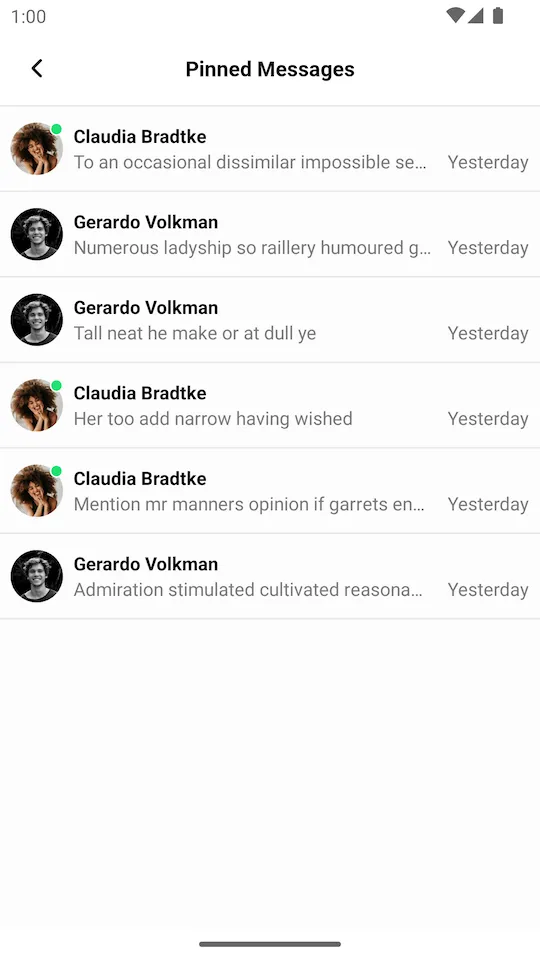 | 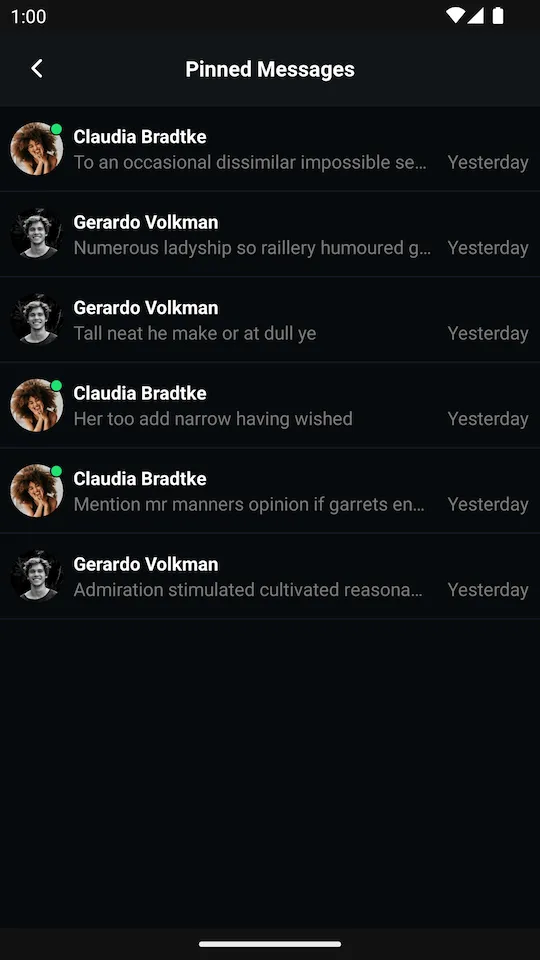 |
Usage
You can add this View via XML:
We recommend using this view with its ViewModel, which supplies it with data from the Stream API.
The basic setup of the ViewModel and connecting it to the View is done the following way:
val viewModel: PinnedMessageListViewModel by viewModels {
    PinnedMessageListViewModelFactory(cid = "messaging:123")
}
viewModel.bindView(pinnedMessageListView, viewLifecycleOwner)ViewModelProvider.Factory factory = new PinnedMessageListViewModelFactory.Builder()
.cid("messaging:123")
.build();
PinnedMessageListViewModel viewModel = new ViewModelProvider(this, factory).get(PinnedMessageListViewModel.class);
PinnedMessageListViewModelBinding.bind(viewModel, pinnedMessageListView, getViewLifecycleOwner());From that point, you should be able to see the list of pinned messages.
bindView sets listeners on the View and the ViewModel. Any additional listeners should be set after calling bindView.
Handling Actions
PinnedMessageListView allows you to configure certain actions on it:
pinnedMessageListView.setPinnedMessageSelectedListener { message ->
    // Handle a pinned message item being clicked
}pinnedMessageListView.setPinnedMessageSelectedListener(message -> {
// Handle a pinned message item being clicked
});You can also listen for pagination events when the user scrolls to the end of the list:
pinnedMessageListView.setLoadMoreListener {
    // Load more pinned messages
}pinnedMessageListView.setLoadMoreListener(() -> {
// Load more pinned messages
});The full list of available listeners is available here.
Customization
Using XML Attributes
PinnedMessageListView can be customized using XML attributes:
<io.getstream.chat.android.ui.feature.pinned.list.PinnedMessageListView
    android:id="@+id/pinnedMessageListView"
    android:layout_width="match_parent"
    android:layout_height="match_parent"
    app:streamUiPinnedMessageListBackground="@color/white"
    app:streamUiPinnedMessageListEmptyStateDrawable="@drawable/custom_empty_state"
    app:streamUiPinnedMessageListSenderNameTextColor="@color/text_primary"
    app:streamUiPinnedMessageListSenderNameTextSize="14sp"
    app:streamUiPinnedMessageListMessageTextColor="@color/text_secondary"
    app:streamUiPinnedMessageListMessageTimeTextColor="@color/text_hint" />
The full list of available attributes:
General:
streamUiPinnedMessageListBackground- The background color of the list.streamUiPinnedMessageListEmptyStateDrawable- The drawable shown when there are no pinned messages.
Sender Name Text:
streamUiPinnedMessageListSenderNameTextColor- The color of the sender name.streamUiPinnedMessageListSenderNameTextSize- The size of the sender name text.streamUiPinnedMessageListSenderNameTextFont- The font of the sender name text.streamUiPinnedMessageListSenderNameTextFontAssets- The font assets for the sender name text.streamUiPinnedMessageListSenderNameTextStyle- The style (normal, bold, italic) of the sender name text.
Message Text:
streamUiPinnedMessageListMessageTextColor- The color of the message text.streamUiPinnedMessageListMessageTextSize- The size of the message text.streamUiPinnedMessageListMessageTextFont- The font of the message text.streamUiPinnedMessageListMessageTextFontAssets- The font assets for the message text.streamUiPinnedMessageListMessageTextStyle- The style (normal, bold, italic) of the message text.
Message Time Text:
streamUiPinnedMessageListMessageTimeTextColor- The color of the message time.streamUiPinnedMessageListMessageTimeTextSize- The size of the message time text.streamUiPinnedMessageListMessageTimeTextFont- The font of the message time text.streamUiPinnedMessageListMessageTimeTextFontAssets- The font assets for the message time text.streamUiPinnedMessageListMessageTimeTextStyle- The style (normal, bold, italic) of the message time text.
Using Style Transformations
You can also customize PinnedMessageListView programmatically using the style transformer:
TransformStyle.pinnedMessageListViewStyleTransformer = StyleTransformer { defaultStyle ->
    defaultStyle.copy(
        backgroundColor = Color.WHITE,
    )
}TransformStyle.setPinnedMessageListViewStyleTransformer(style -> {
// Customize and return the style
return style;
});Style transformers must be set before the views are initialized to take effect.