















Pinned Message List
PinnedMessageList is a composable component which shows a list of pinned messages in a given channel.
It includes pagination logic, which ensures that only the 30 most recently pinned messages are initially loaded, and older pinned messages are loaded only when the user scrolls to the bottom of the list.
Usage
This component is backed by its PinnedMessageListViewModel. To use this component in your screens, you need to:
- Create a
PinnedMessageListViewModelFactoryand pass the ID of the channel. - Instantiate a
PinnedMessageListViewModelvia the factory. - Pass the ViewModel as an argument to the component.
private val viewModelFactory by lazy {
    PinnedMessageListViewModelFactory(cid = channelId)
}

private val viewModel by viewModels<PinnedMessageListViewModel> { viewModelFactory }

override fun onCreate(savedInstanceState: Bundle?) {
    super.onCreate(savedInstanceState)

    setContent {
        ChatTheme {
            PinnedMessageList(
                modifier = Modifier.fillMaxSize(),
                viewModel = viewModel
            )
        }
    }
}
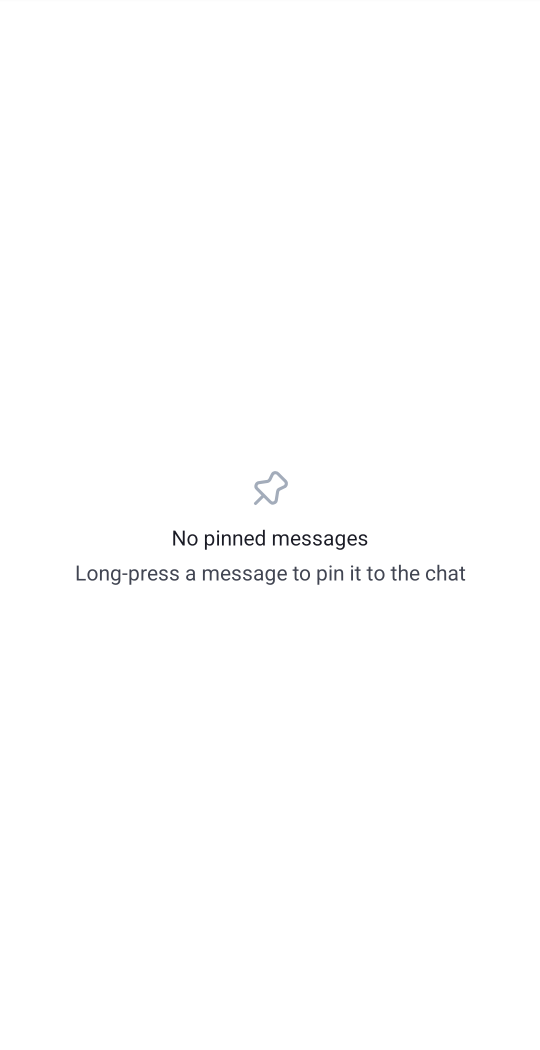
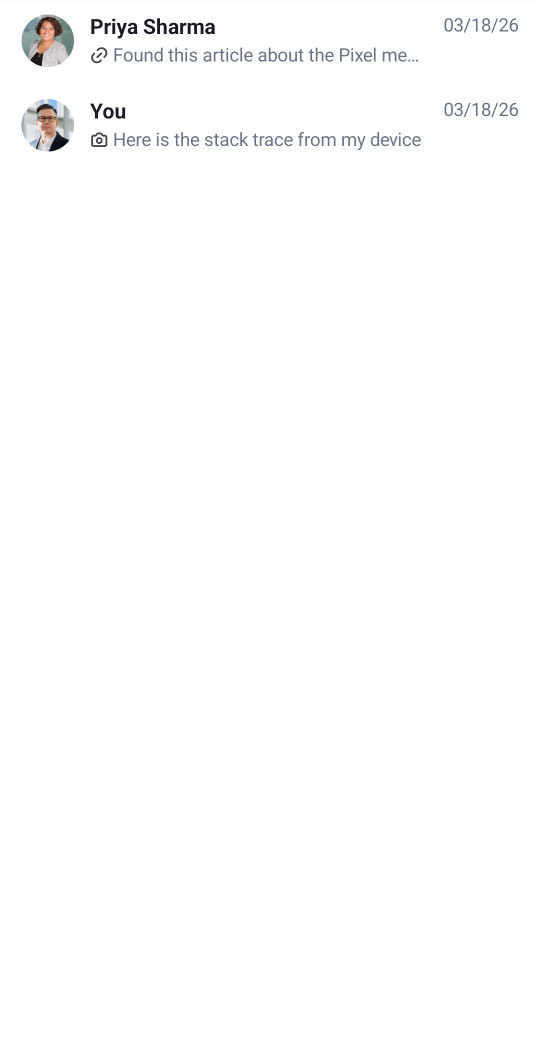
This snippet will produce a fully working list, together with a loading state, and an empty state for the case without pinned messages in the channel:
| Empty | Loaded |
|---|---|
 |
 |
Handling Actions
The PinnedMessageList component exposes the action handler for clicking on a pinned message:
@Composable
public fun PinnedMessageList(
    ..., // ViewModel and UI customization
    onPinnedMessageClick: (Message) -> Unit = {},
)
The onPinnedMessageClick action is empty by default, but you can override it to provide your own click handler:
PinnedMessageList(
    viewModel = viewModel,
    onPinnedMessageClick = { message ->
        // Custom click action
    },
)
Customization
The PinnedMessageList component accepts the following parameters:
@Composable
public fun PinnedMessageList(
    viewModel: PinnedMessageListViewModel,
    modifier: Modifier = Modifier,
    currentUser: User? = ChatClient.instance().getCurrentUser(),
    onPinnedMessageClick: (Message) -> Unit = {},
)viewModel- ThePinnedMessageListViewModelthat provides the pinned messages data and handles pagination.modifier- The modifier for the root component. Used for general customization such as size and padding.currentUser- The currently logged-in user. Defaults toChatClient.instance().getCurrentUser().onPinnedMessageClick- Action invoked when the user clicks on a pinned message. Empty by default.
All UI rendering is delegated to the component factory (ChatTheme.componentFactory). To customize individual elements, override the corresponding factory methods: PinnedMessageListItem, PinnedMessageListItemDivider, PinnedMessageListEmptyContent, PinnedMessageListLoadingContent, or PinnedMessageListLoadingMoreContent. See the Component Factory documentation for more details.
If you want to customize only parts of the item, you can use the PinnedMessageItem:
@Composable
public fun PinnedMessageItem(
    message: Message,
    currentUser: User?,
    onPinnedMessageClick: (Message) -> Unit,
    modifier: Modifier = Modifier,
    leadingContent: @Composable RowScope.(Message) -> Unit = { ... },
    centerContent: @Composable RowScope.(Message) -> Unit = { ... },
    trailingContent: @Composable RowScope.(Message) -> Unit = { ... },
)modifier- The modifier for the root component. You can apply a background, elevation, padding...leadingContent- Composable that represents the leading content of the item. By default, it shows an Avatar of the user who wrote the message. Override this to replace the Avatar and show a custom component instead of it.centerContent- Composable that represents the central content of the item. By default, it shows a preview of the pinned message: Title holding the name of the user who sent the message, and a body holding a preview of the message text.trailingContent- Composable that represents the trailing content of the item. By default, it shows the time when the message was created.
For example, if you would like to override the time content from the pinned message, you can override the PinnedMessageListItem method in your custom ChatComponentFactory:
object MyComponentFactory : ChatComponentFactory {
    @Composable
    override fun PinnedMessageListItem(params: PinnedMessageListItemParams) {
        PinnedMessageItem(
            message = params.message,
            currentUser = params.currentUser,
            onPinnedMessageClick = params.onClick,
            trailingContent = {
                // Custom implementation
            }
        )
    }
}
If you would like to keep the same layout as the default item, but you want to show a custom preview text for the message, you can do that by passing a custom MessagePreviewFormatter to the ChatTheme:
class CustomMessagePreviewFormatter: MessagePreviewFormatter {

    override fun formatMessageTitle(message: Message, currentUser: User?): AnnotatedString {
        // Your implementation for customized message title
    }

    override fun formatMessagePreview(message: Message, currentUser: User?, isDirectMessaging: Boolean): AnnotatedString {
        // Your implementation for customized message text
    }
}

// Usage
@Composable
public fun YourScreen() {
    ChatTheme(
        messagePreviewFormatter = CustomMessagePreviewFormatter() // override the default formatter
    ) {
        PinnedMessageList(viewModel = viewModel)
    }
}