


Pinned-messages bar
This UI cookbook builds a bar under the channel header that shows the channel's pinned messages and jumps to them. It shows one pin at a time, and each press jumps to the pin it shows and moves on to the one pinned before it. How pinning works, and the list of a channel's pinned messages, are explained on Pinned messages.
What you'll build
- A bar under the channel header that shows a pinned message
- A jump to the pinned message on press
- Stepping back through older pins, press by press
Approach: Compose. Choosing where to start explains the approaches.
Best practices
- Read the pins from
channel.pinnedMessagesPaginator.state. The channel keeps it current, so the bar changes when someone pins or unpins a message, without a request of its own. - Jump with
MessagePaginator.jumpToMessage()onchannel.messagePaginator. It loads the messages around a pin that isn't loaded yet, and the message list scrolls to the pin and highlights it. - Keep the shown pin by its id, not its position, so a new pin doesn't move the bar to another message.
- Keep the bar to one line of text, so it doesn't take space from the message list.
- Wrap the bar in
PortalWhileClosingView, as a header inside the screen is, so a message that animates back from the message menu passes under it. - Declare the selector at module scope, so the component subscribes once.
The bar
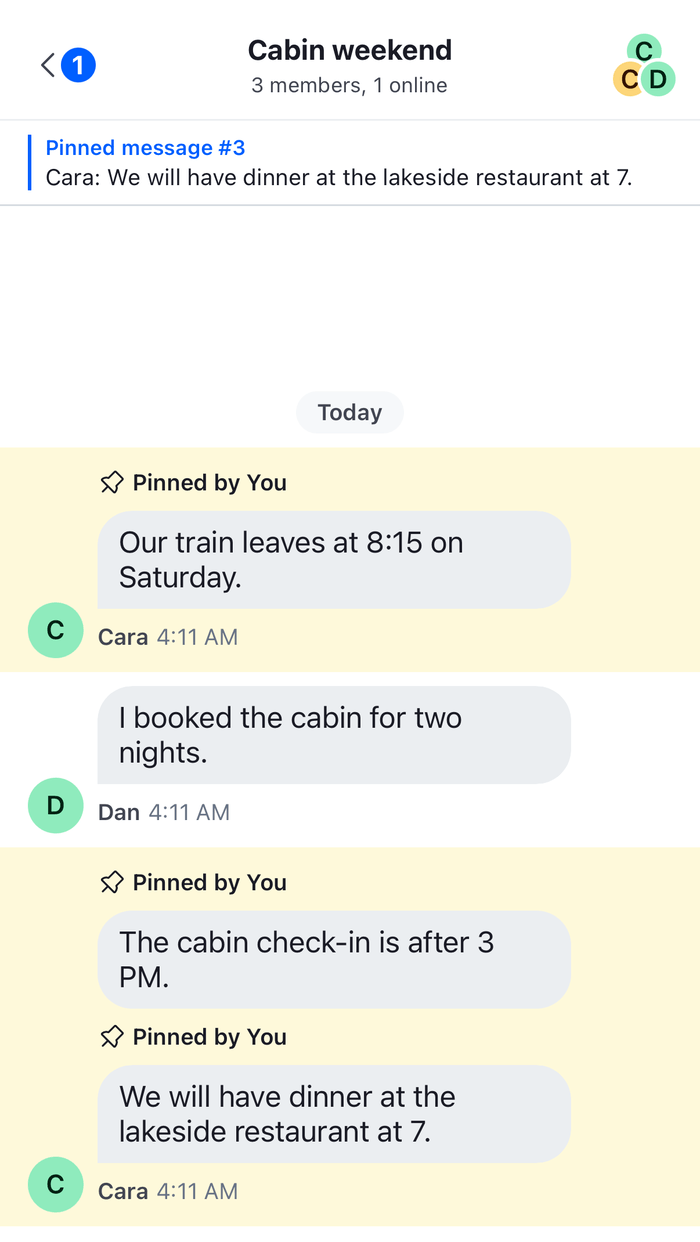
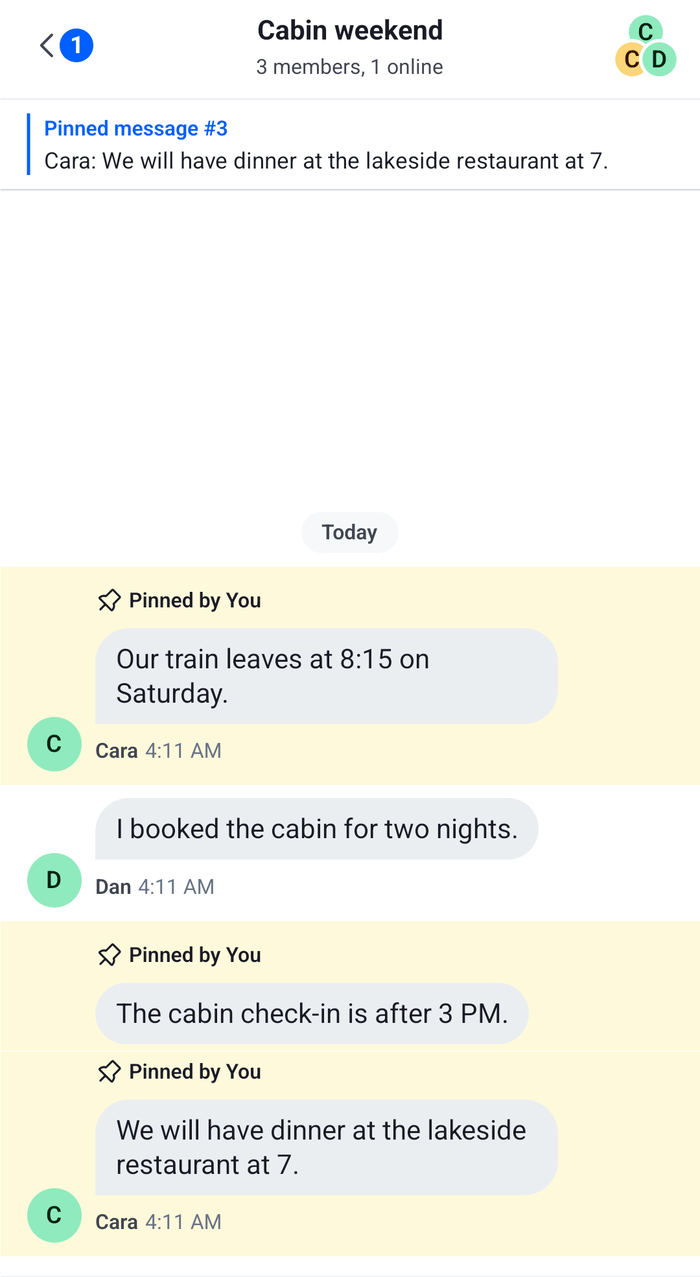
PinnedMessagesBar reads the loaded pins and shows one of them. Until the first press, and whenever the shown pin is gone, that is the most recent pin. A press jumps the message list to the shown pin and then shows the one pinned before it. After the oldest pin, it shows the most recent one again. The title numbers the pins from the oldest, in the order of channel.pinnedMessagesPaginator.state.items:
import { useState } from "react";
import { Pressable, StyleSheet, Text, View } from "react-native";
import type { LocalMessage, PaginatorState } from "stream-chat";
import {
  DEFAULT_HIGHLIGHT_DURATION,
  PortalWhileClosingView,
  useChannel,
  useStateStore,
  useTheme,
} from "stream-chat-react-native";

const pinnedItemsSelector = ({ items }: PaginatorState<LocalMessage>) => ({
  items,
});

export const PinnedMessagesBar = () => {
  const channel = useChannel();
  const {
    theme: { semantics },
  } = useTheme();
  const { items = [] } = useStateStore(
    channel.pinnedMessagesPaginator.state,
    pinnedItemsSelector,
  );
  // The pin the bar shows. Until the first press, and when that pin is gone, the most recent one.
  const [shownId, setShownId] = useState<string>();

  if (!items.length) return null;

  // `items` holds the oldest pin first, so the most recent pin is the last item.
  const shownIndex = items.findIndex((message) => message.id === shownId);
  const index = shownIndex === -1 ? items.length - 1 : shownIndex;
  const shown = items[index];

  const jumpToShownPin = () => {
    // A pinned reply that is only in its thread isn't in the channel's list: jump to its parent.
    const target =
      shown.parent_id && !shown.show_in_channel ? shown.parent_id : shown.id;
    void channel.messagePaginator.jumpToMessage(target, {
      focusSignalTtlMs: DEFAULT_HIGHLIGHT_DURATION,
    });
    // Next, the pin before it; after the oldest, the most recent again.
    setShownId((items[index - 1] ?? items[items.length - 1]).id);
  };

  return (
    <PortalWhileClosingView
      portalHostName="pinned-messages-bar"
      portalName="pinned-messages-bar"
    >
      <Pressable
        accessibilityRole="button"
        onPress={jumpToShownPin}
        style={[
          styles.bar,
          {
            backgroundColor: semantics.backgroundCoreElevation1,
            borderBottomColor: semantics.borderCoreDefault,
          },
        ]}
      >
        <View
          style={[
            styles.content,
            { borderStartColor: semantics.accentPrimary },
          ]}
        >
          <Text style={[styles.title, { color: semantics.accentPrimary }]}>
            Pinned message{items.length > 1 ? ` #${index + 1}` : ""}
          </Text>
          <Text
            numberOfLines={1}
            style={[styles.text, { color: semantics.textPrimary }]}
          >
            {shown.user?.name ?? shown.user?.id}: {shown.text}
          </Text>
        </View>
      </Pressable>
    </PortalWhileClosingView>
  );
};

const styles = StyleSheet.create({
  bar: {
    borderBottomWidth: 1,
    paddingHorizontal: 16,
    paddingVertical: 8,
  },
  content: { borderStartWidth: 2, gap: 2, paddingStart: 8 },
  text: { fontSize: 13 },
  title: { fontSize: 12, fontWeight: "600" },
});
The selector picks only items, so the bar re-renders when the pins change and not on every paginator update. { items = [] } covers the first render, before the first page of pins is loaded. Reading state in components explains the selector rules. The bar takes its colors from the theme's semantic tokens, so it follows the color scheme.
Put it under the header
useChannel() reads the channel from the Channel around the bar, so the bar renders inside it. Render it as the first child, with a header of your own above it, or on its own under the navigator's header:
import {
  Channel,
  MessageComposer,
  MessageList,
  useChatContext,
} from "stream-chat-react-native";
import { PinnedMessagesBar } from "./PinnedMessagesBar";

export const ChannelScreen = ({ cid }: { cid: string }) => {
  const { client } = useChatContext();
  const channel = client.channelManager.get(cid);

  if (!channel) return null;

  return (
    <Channel channel={channel}>
      <PinnedMessagesBar />
      <MessageList />
      <MessageComposer />
    </Channel>
  );
}; |  |
The Channel header UI cookbook builds a header that renders as the first child of Channel too. Put PinnedMessagesBar right after it, and give the header and the bar their own portalHostName, as the sample does. The props of Channel that depend on a header's height are explained in Keyboard and insets.
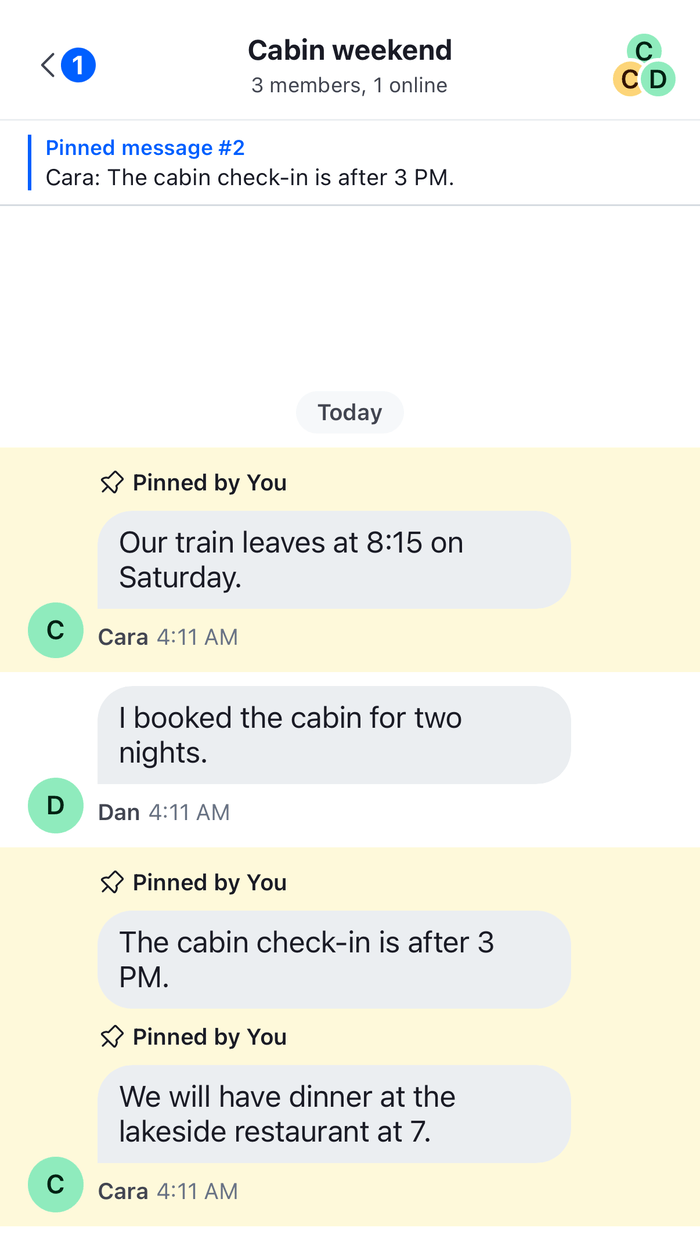
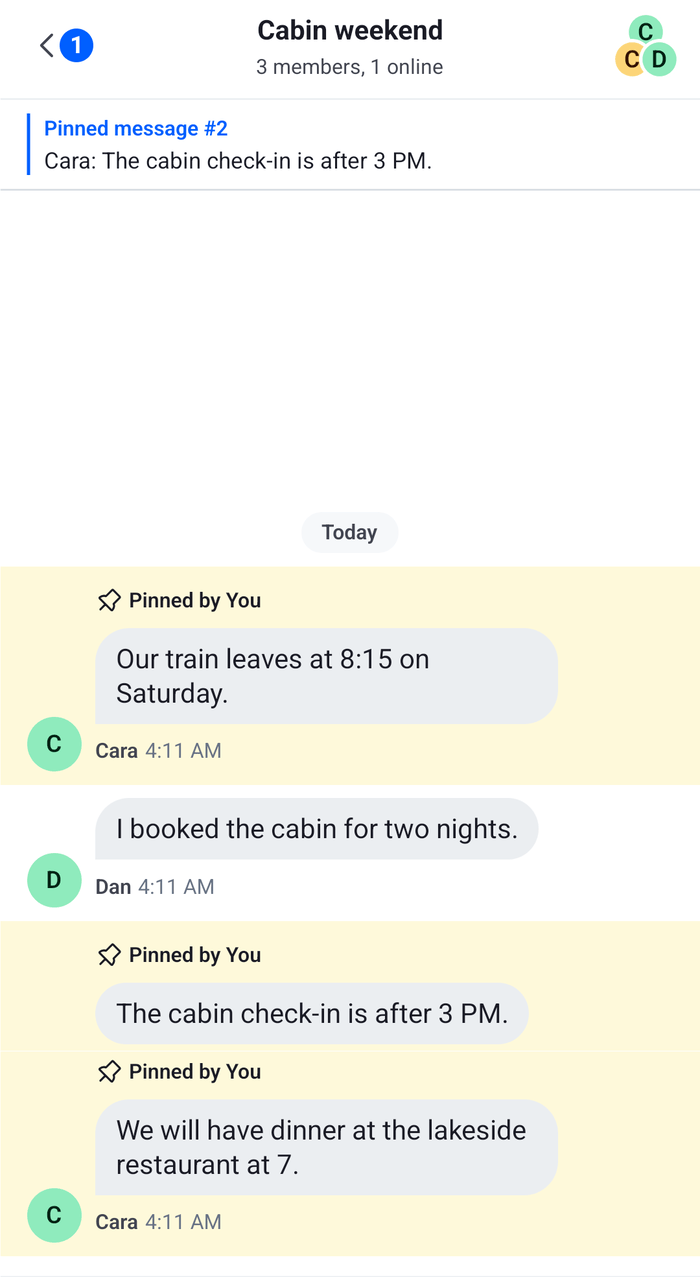
After a press, the list shows the pin the bar showed, with its row highlighted, and the bar shows the pin before it.
 |  |
How it works
Example
A channel has three pinned messages, and the user opens it:
- The channel's watch response carries its pins, and they become the first page of
channel.pinnedMessagesPaginator.channel.pinnedMessagesPaginator.state.itemsholds them, oldest pin first. The bar shows the last one, "Pinned message #3". - The user presses the bar.
MessagePaginator.jumpToMessage()shows the messages around that pin, loading them if they aren't loaded, and publishes a focus signal inchannel.messagePaginator.messageFocusSignal. MessageListreads the signal, scrolls the message to the middle and highlights it for 3 seconds. The scroll-to-bottom button shows while the list isn't at the latest message.- The bar now shows "Pinned message #2". Two more presses jump to #2 and then #1, and the bar goes back to #3.
- Someone unpins #2. The
message.updatedevent removes it fromchannel.pinnedMessagesPaginator.state.items, and the bar, which kept #2 by its id, shows the most recent pin again.
The bar goes through the loaded pins only. The watch response may carry only some of a channel's pins, and channel.pinnedMessagesPaginator.state.hasMoreTail can be false even when the channel has more. For a channel with many pins, call PinnedMessagePaginator.reload() to load a full page, and PinnedMessagePaginator.toTail() to load earlier pins. Pinned messages paginator explains both.
A pinned reply that is only in its thread isn't in the channel's message list, so a jump to it in the channel fails. The bar jumps to the reply's parent message instead, as the pinned message rows in Moving between channels, threads and messages do. focusSignalTtlMs is the length of the highlight, and DEFAULT_HIGHLIGHT_DURATION is the 3 seconds the SDK uses for its own jumps.
The bar shows a pin, not where pins are in the list. To mark the pinned messages themselves, see the Pin indicator UI cookbook.
Read more
- Pinned messages: the list of a channel's pinned messages, and a bar that shows all of them.
- Pinned messages paginator: the state, the loading methods and what updates the list.
- Message paginator:
MessagePaginator.jumpToMessage(), its options and the focus signal. - Message list UI: what the list does after a jump.
- Moving between channels, threads and messages: the places that start a jump.
- Channel header: the header the bar sits under.