















Message marks
A message mark records, once, that a user did something with another user's message. The SDK uses the played mark: when a member plays a voice recording, an audio file or a video, its author sees that it was played. This page covers what users see, when a play counts, and how to change both.
What users get
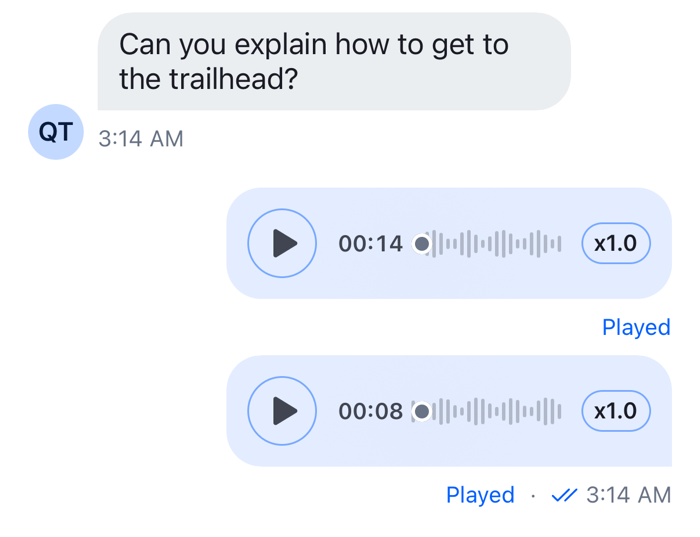
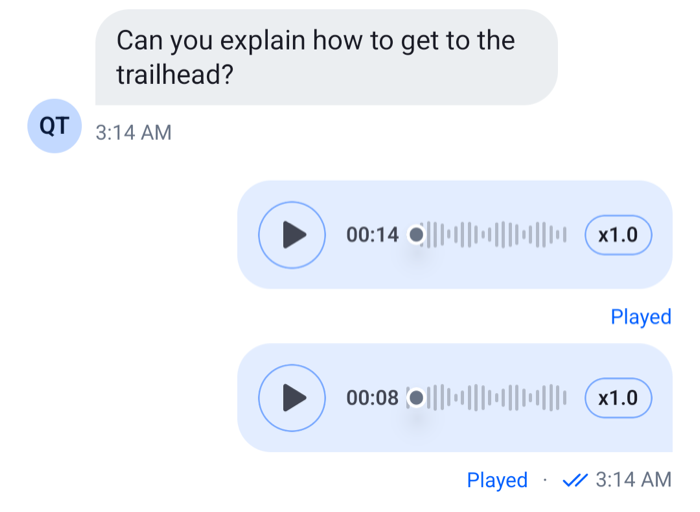
Under their own voice recording, audio file or video, the author sees "Played" once the other member played it, in a channel with exactly two members. In any other channel it reads "Played by" and how many members played it, up to "Played by 99+". The label sits in the footer before the delivery status, separated from it by a dot. It shows up while the channel is open, as soon as someone plays the message, and nothing shows until someone has.
A message that isn't the last of its group has no footer, so it shows the label alone, without the delivery status and the time.
 |  |
The recipient marks a message by playing it: a voice recording or an audio file in the message list, or a video in the image gallery. A play counts once the media is playing, after any download and buffering, not when the user presses play. Previews in the composer and the user's own messages are never marked. With autoPlayVideo on OverlayProvider, a video the gallery starts by itself counts as a play too. Only the video on screen plays.
How it works across the layers
- State.
channel.markMessagePlayed(messageId)sends theplayedmark. It sends nothing whenchannel.config.markTypesdoesn't listplayedor the user lacks thesend-message-markcapability, and, for a message the client holds, when it's the user's own message or one they already marked. With offline support, a mark sent without a connection is queued and sent on reconnect. Themessage.mark_addedevent updates the message: the count inmark_groups.playedon the author's copy, andown_markson the copy of the member who played it. Message marks covers the API and the server side. - UI. The SDK's players report when playback advances.
AudioAttachmentand the image gallery's video give their player a callback, which the player calls on each progress report until it returnstrue. The callback callshandlePlaybackStartedfromChatConfigProvider, or marks the message when there is none.MessageFooterrenders theMessageMarkkey with the count. - Layout.
OverlayProviderrenders the image gallery, outside your screens, soChatConfigProvidergoes aboveOverlayProviderfor its videos to see your handler.
When a play counts
- A player asks while it plays, on each progress report past the start, and stops asking once the answer is
true. A paused player doesn't report, and a seek reports the new position. - A player keeps its answer for as long as it lives. The image gallery discards its players when it closes, and an audio player goes when its channel screen unmounts, so a new player asks again.
markMessagePlayedskips a message the user already marked, and the server ignores a repeat mark, so the label never counts a user twice. - A video the gallery doesn't show doesn't play, so the videos next to the one on screen don't count.
Turning it on or off
Marks are on where both of these hold:
- Stream has enabled marks for your app. Contact support to enable them.
- The channel type lists
playedinmark_types, which you set from the server side. See Enabling marks on a channel type.
There is no prop to set. The SDK reads channel.config.markTypes, and where it doesn't list played, playing sends nothing and no label shows. By default played applies to messages with an audio, voiceRecording or video attachment, in channels of up to 100 members. An app-level policy changes both.
To keep showing the label but never mark from your app, return true from handlePlaybackStarted without calling markPlayed. To hide the label, replace the MessageMark key with a component that renders null.
Customizing
Deciding what a play does
handlePlaybackStarted on ChatConfigProvider replaces what the SDK's players do when playback advances. It receives:
| Field | Holds |
|---|---|
attachment |
the played attachment. Its type is "audio", "voiceRecording" or "video". |
markPlayed |
marks the message played, through channel.markMessagePlayed() |
message |
the message the attachment belongs to |
player |
the AudioPlayer or VideoPlayer, with position and duration in milliseconds, and its state |
It returns whether the start is handled. false asks again on the next progress report, so a handler can wait for part of the media to play. Without a handler, the SDK calls markPlayed() and returns true on the first report. This one never marks audio files, and waits for 3 seconds of a video:
import type { StreamChat } from "stream-chat";
import {
  Chat,
  ChatConfigProvider,
  OverlayProvider,
} from "stream-chat-react-native";
import type { HandlePlaybackStarted } from "stream-chat-react-native";

const handlePlaybackStarted: HandlePlaybackStarted = ({
  attachment,
  markPlayed,
  player,
}) => {
  if (attachment.type === "audio") {
    return true;
  }
  if (attachment.type === "video" && player.position < 3000) {
    return false;
  }
  markPlayed();
  return true;
};

// Declared once at module scope, so the value keeps its identity.
const chatConfig = { handlePlaybackStarted };

export const App = ({ client }: { client: StreamChat }) => (
  <ChatConfigProvider value={chatConfig}>
    <OverlayProvider>
      <Chat client={client}>{/* your navigation */}</Chat>
    </OverlayProvider>
  </ChatConfigProvider>
);
The value of ChatConfigProvider replaces its default as a whole. Pass resizableCDNHosts in the same object if you set it. Without it, image resizing uses its default, ['.stream-io-cdn.com'].
Playback telemetry builds a handler that reports each play to analytics, with a different share of the media for each attachment type.
The label
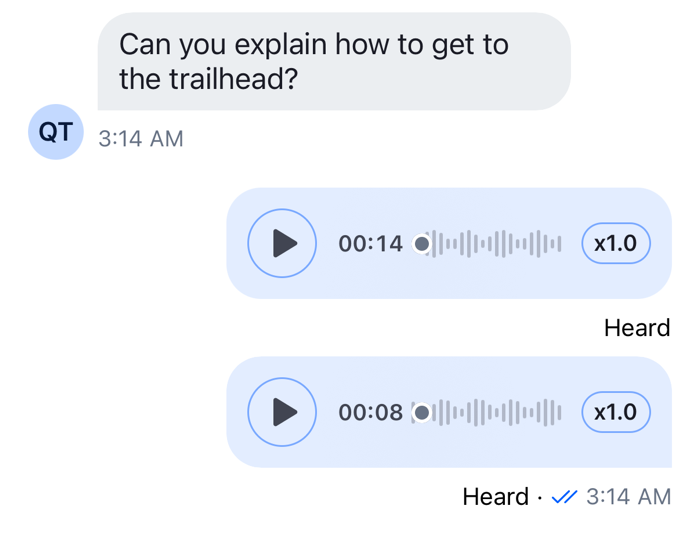
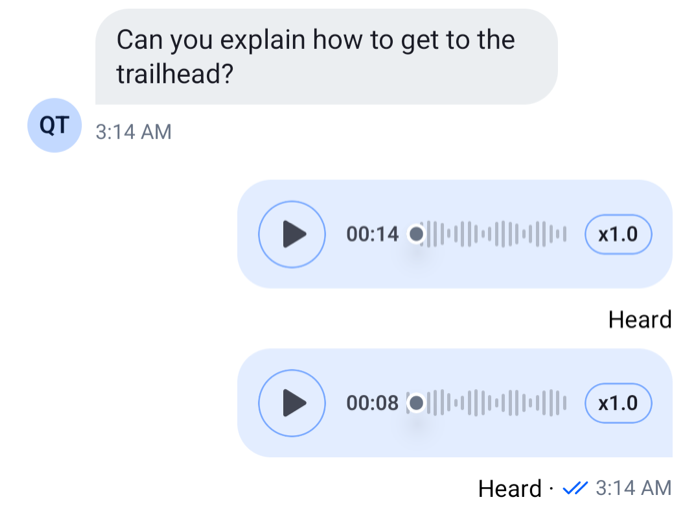
MessageMark is the override key for the label. It receives isDirectChannel, whether the channel has exactly two members, playedCount, how many other members played the message, and showSeparator, whether a delivery status follows it. MessageFooter renders it only when playedCount is above 0.
import { Text } from "react-native";
import type {
  ComponentOverrides,
  MessageMarkProps,
} from "stream-chat-react-native";

const HeardBy = ({
  isDirectChannel,
  playedCount,
  showSeparator,
}: MessageMarkProps) => (
  <Text>
    {isDirectChannel ? "Heard" : `Heard by ${playedCount}`}
    {showSeparator ? " \u00b7" : ""}
  </Text>
);

// Pass to `WithComponents`, declared once at module scope.
export const overrides: ComponentOverrides = {
  MessageMark: HeardBy,
}; |  |
To change only how the default label looks, style messageItemView.mark.container, messageItemView.mark.text and messageItemView.mark.separator in the theme. The text uses the chatTextRead semantic token, the color of the read status. See Theming.
Played is message.mark.played.text, and Played by {{playedCount}} is message.mark.playedBy.text, where playedCount is the count or 99+. See Localization.
Played by list makes the label open a list of every member who played the message, through client.messageMarks, which keeps the list current as members play it.
A player of your own
A replaced AudioAttachment, or a player in your own components, marks nothing unless it says so. A player built on useAudioPlayer takes an onPlaybackStarted callback, which the player calls the same way it calls the SDK's own: on each progress report, until it returns true.
import { useCallback } from "react";
import type { LocalMessage } from "stream-chat";
import { useAudioPlayer, useChannelContext } from "stream-chat-react-native";
import type { AudioAttachmentProps } from "stream-chat-react-native";

export const useMarkedAudioPlayer = ({
  item,
  message,
}: {
  item: AudioAttachmentProps["item"];
  message?: LocalMessage;
}) => {
  const { channel } = useChannelContext();
  const onPlaybackStarted = useCallback(() => {
    if (message) {
      channel.markMessagePlayed(message.id).catch(() => null);
    }
    return true;
  }, [channel, message]);

  return useAudioPlayer({
    duration: item.custom?.duration ?? 0,
    mimeType: item.custom?.mime_type ?? "",
    onPlaybackStarted,
    requester: message?.id,
    type: item.type,
    uri: item.asset_url ?? "",
  });
};
This callback marks directly, so it doesn't go through handlePlaybackStarted. Call your handler from it if you set one.
A player that doesn't use the SDK's players marks with useMarkMessagePlayed, once playback has started:
import type { LocalMessage } from "stream-chat";
import {
  useChannelContext,
  useMarkMessagePlayed,
} from "stream-chat-react-native";

// `position` comes from your player's progress reports, in milliseconds.
export const usePlayedMark = (message: LocalMessage, position: number) => {
  const { channel } = useChannelContext();
  useMarkMessagePlayed({
    channel,
    hasStartedPlayback: position > 0,
    messageId: message.id,
  });
};
Reference
- Message marks: the API,
mark_types, the app policy, the events and the limits. - Message UI components:
MessageMarkandMessageFooter. - Message hooks:
useMarkMessagePlayed. - Listing marks: every member who marked a message, a page at a time, with
client.messageMarks. - Voice recordings and audio playback: the audio players and
useAudioPlayer. - Image gallery: the gallery's video players and
autoPlayVideo. - Theme object: the
messageItemView.markkeys.