


Empty and loading states
A channel list has three states before it shows any channels: its first page is loading, loading failed, or the user has no channels. This UI cookbook gives each one its own look: placeholder rows shaped like the real rows, an error with a Retry button, and an empty list with a New conversation button. Which states each list has, and what triggers them, is on List states UI. The button opens the screen built in Starting a conversation.
What you'll build
- Placeholder rows while the first page loads
- An error with a Retry button
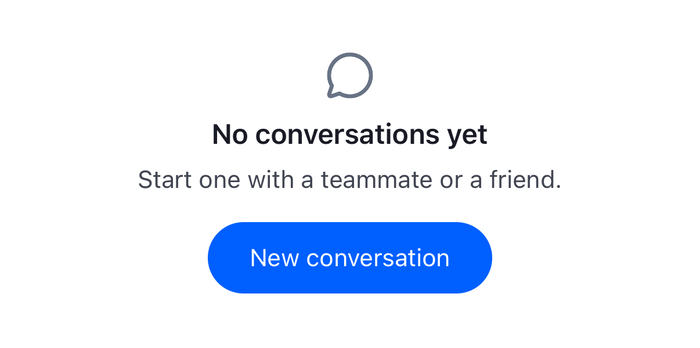
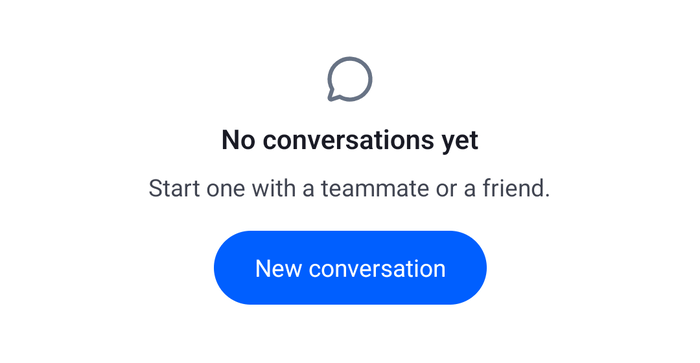
- An empty list with a New conversation button
Approach: Replace one part. Choosing where to start explains the approaches.
Best practices
- Shape the placeholder rows like the real rows, with the same height and spacing, so nothing moves when the channels arrive.
- Hide the placeholder's shapes from screen readers, and tell them the list is loading with one message, such as "Loading conversations", with
useAnnounceOnShow(). - Stop the animation when the user asks for reduced motion.
- Give the empty list one clear action. Here it opens the same screen as the header's New conversation button, so both start a conversation the same way.
- Show the error in the list's place, with a way to try again. A list whose first page failed has no channels to show, so the error replaces the placeholder, not the rows.
- Register the states around the channel list only.
EmptyStateIndicatorandLoadingErrorIndicatorare read byChannel, the message list andThreadtoo.
Show placeholder rows while the first page loads
ChannelList renders its ChannelListLoadingIndicator until the paginator's first page arrives, and again while a retry reloads it. The default renders the Skeleton key numberOfSkeletons times, 8 by default. Registering a replacement for Skeleton changes the row, but the rows are identical and the list announces nothing. ChannelListLoadingIndicator changes the whole placeholder, so these rows differ in width, as the text of real rows does, and the list is announced once.
Each row has an avatar circle, a title and a line for the last message. The shapes pulse, unless the user asked for reduced motion. The shapes are hidden from screen readers, and the placeholder reads as one element: a busy progress bar named "Loading conversations". useAnnounceOnShow() announces it too, after half a second, so a list that loads quickly announces nothing. Accessibility is opt-in, and useAnnounceOnShow() and useReducedMotionPreference() do nothing until it's turned on. See Accessibility.
import { useEffect, useRef } from "react";
import { Animated, StyleSheet, View } from "react-native";
import {
  useAnnounceOnShow,
  useChannelsContext,
  useReducedMotionPreference,
  useTheme,
} from "stream-chat-react-native";

// Different widths per row, so the placeholder reads as a list of conversations.
const rows = [
  { preview: "88%", title: "52%" },
  { preview: "70%", title: "38%" },
  { preview: "80%", title: "60%" },
  { preview: "64%", title: "44%" },
  { preview: "76%", title: "34%" },
] as const;

/**
 * Placeholder rows shaped like the channel list's rows: an avatar, a title and a line for the last
 * message. Screen readers skip the shapes and hear one message instead.
 */
export const ChannelListSkeleton = () => {
  const { numberOfSkeletons } = useChannelsContext();
  const {
    theme: { semantics },
  } = useTheme();
  const reduceMotion = useReducedMotionPreference();
  const opacity = useRef(new Animated.Value(1)).current;

  useAnnounceOnShow(true, "Loading conversations");

  useEffect(() => {
    if (reduceMotion) {
      opacity.setValue(1);
      return;
    }
    const pulse = Animated.loop(
      Animated.sequence([
        Animated.timing(opacity, {
          duration: 800,
          toValue: 0.4,
          useNativeDriver: true,
        }),
        Animated.timing(opacity, {
          duration: 800,
          toValue: 1,
          useNativeDriver: true,
        }),
      ]),
    );
    pulse.start();
    return () => pulse.stop();
  }, [opacity, reduceMotion]);

  const shape = { backgroundColor: semantics.backgroundCoreSurfaceDefault };

  return (
    <View
      accessibilityLabel="Loading conversations"
      accessibilityRole="progressbar"
      accessibilityState={{ busy: true }}
      accessible
      style={styles.list}
    >
      <Animated.View
        importantForAccessibility="no-hide-descendants"
        style={{ opacity }}
      >
        {Array.from({ length: numberOfSkeletons }, (_, index) => {
          const row = rows[index % rows.length];
          return (
            <View
              key={index}
              style={[
                styles.row,
                { borderBottomColor: semantics.borderCoreSubtle },
              ]}
            >
              <View style={[styles.avatar, shape]} />
              <View style={styles.text}>
                <View style={[styles.line, shape, { width: row.title }]} />
                <View style={[styles.line, shape, { width: row.preview }]} />
              </View>
            </View>
          );
        })}
      </Animated.View>
    </View>
  );
};

const styles = StyleSheet.create({
  avatar: { borderRadius: 24, height: 48, width: 48 },
  line: { borderRadius: 8, height: 12 },
  list: { flex: 1 },
  row: {
    alignItems: "center",
    borderBottomWidth: 1,
    flexDirection: "row",
    gap: 16,
    padding: 16,
  },
  text: { flex: 1, gap: 8 },
});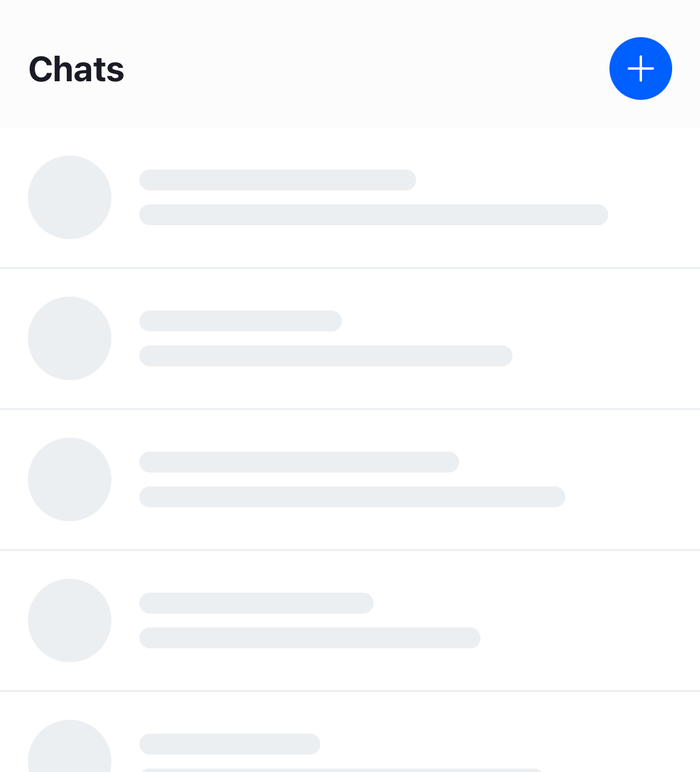 | 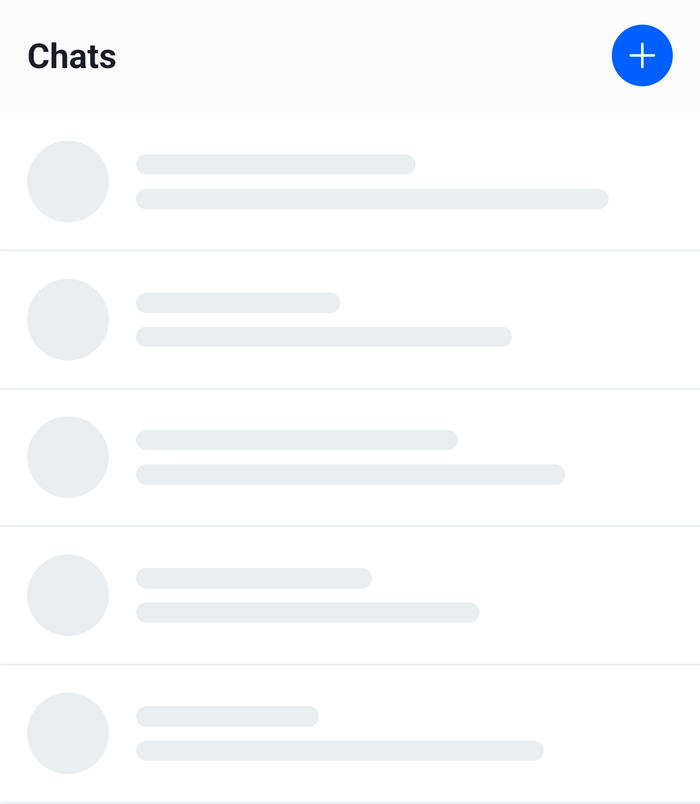 |
The row is 81 points high, the height of the SDK's own placeholder row: a 48-point avatar, 16 points of padding above and below, and the border. The placeholder doesn't take its colors from the default row's channelListSkeleton theme, so setting that theme changes only the SDK's own placeholder.
Show an error with a Retry
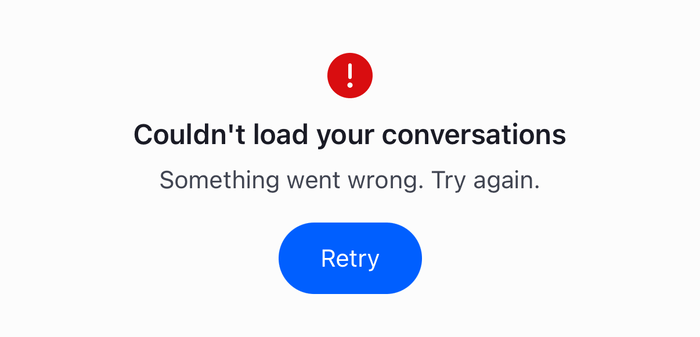
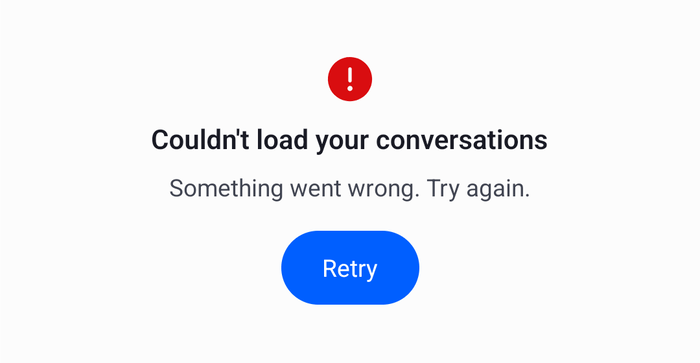
When the first page fails, the paginator retries it, three times by default, and the list keeps showing the placeholder meanwhile. Once the last attempt fails, the paginator records the error as lastQueryError, and the list renders LoadingErrorIndicator with listType="channel" in place of its rows. Its retry prop calls ChannelPaginator.reload(), which empties the list and loads the first page again, so the placeholder comes back while the query runs and the error returns only if it fails again. The button needs no busy state of its own.
The component announces its message assertively when it appears, as a failure should be. The error has a message that is for developers, so it stays out of the view:
import { Pressable, StyleSheet, Text, View } from "react-native";
import {
  useAnnounceOnShow,
  useComponentsContext,
  useTheme,
} from "stream-chat-react-native";
import type { LoadingErrorProps } from "stream-chat-react-native";

const title = "Couldn't load your conversations";

/**
 * Shown in place of the channel list when its first page failed to load. `retry` loads the first
 * page again.
 */
export const ChannelListLoadError = ({ retry }: LoadingErrorProps) => {
  const { icons } = useComponentsContext();
  const {
    theme: { semantics },
  } = useTheme();

  useAnnounceOnShow(true, title, { priority: "assertive" });

  return (
    <View accessibilityLiveRegion="assertive" style={styles.container}>
      <icons.ExclamationCircle
        height={32}
        stroke={semantics.accentError}
        width={32}
      />
      <Text style={[styles.title, { color: semantics.textPrimary }]}>
        {title}
      </Text>
      <Text style={{ color: semantics.textSecondary }}>
        Something went wrong. Try again.
      </Text>
      <Pressable
        accessibilityRole="button"
        onPress={retry}
        style={[styles.button, { backgroundColor: semantics.accentPrimary }]}
      >
        <Text style={{ color: semantics.textOnAccent }}>Retry</Text>
      </Pressable>
    </View>
  );
};

const styles = StyleSheet.create({
  button: {
    borderRadius: 24,
    marginTop: 8,
    paddingHorizontal: 24,
    paddingVertical: 12,
  },
  container: {
    alignItems: "center",
    flex: 1,
    gap: 8,
    justifyContent: "center",
    padding: 24,
  },
  title: { fontSize: 16, fontWeight: "600" },
}); |  |
Show an empty list with a call to action
ChannelList renders EmptyStateIndicator with listType="channel" when the first page came back with no channels. This one invites the user to start a conversation, and its button opens the NewConversation screen from Starting a conversation:
import { Pressable, StyleSheet, Text, View } from "react-native";
import { useNavigation } from "@react-navigation/native";
import type { ParamListBase } from "@react-navigation/native";
import type { NativeStackNavigationProp } from "@react-navigation/native-stack";
import { useComponentsContext, useTheme } from "stream-chat-react-native";

export const EmptyChannelList = () => {
  const navigation = useNavigation<NativeStackNavigationProp<ParamListBase>>();
  const { icons } = useComponentsContext();
  const {
    theme: { semantics },
  } = useTheme();

  return (
    <View style={styles.container}>
      <icons.MessageBubbleEmpty
        height={32}
        stroke={semantics.textTertiary}
        width={32}
      />
      <Text style={[styles.title, { color: semantics.textPrimary }]}>
        No conversations yet
      </Text>
      <Text style={{ color: semantics.textSecondary }}>
        Start one with a teammate or a friend.
      </Text>
      <Pressable
        accessibilityRole="button"
        onPress={() => navigation.navigate("NewConversation")}
        style={[styles.button, { backgroundColor: semantics.accentPrimary }]}
      >
        <Text style={{ color: semantics.textOnAccent }}>New conversation</Text>
      </Pressable>
    </View>
  );
};

const styles = StyleSheet.create({
  button: {
    borderRadius: 24,
    marginTop: 8,
    paddingHorizontal: 24,
    paddingVertical: 12,
  },
  container: {
    alignItems: "center",
    flex: 1,
    gap: 8,
    justifyContent: "center",
    padding: 24,
  },
  title: { fontSize: 16, fontWeight: "600" },
}); |  |
Register the states
ChannelListLoadingIndicator, LoadingErrorIndicator and EmptyStateIndicator are keys of WithComponents. LoadingErrorIndicator and EmptyStateIndicator are not the channel list's alone: Channel, MessageList and Thread read them with their own listType. So the wrapper goes around the channel list only, and the replacements don't check listType:
import { ChannelList, WithComponents } from "stream-chat-react-native";
import type {
  ChannelListProps,
  ComponentOverrides,
} from "stream-chat-react-native";
import { ChannelListLoadError } from "./ChannelListLoadError";
import { ChannelListSkeleton } from "./ChannelListSkeleton";
import { EmptyChannelList } from "./EmptyChannelList";

// Declared once: WithComponents reads its overrides when it mounts.
const overrides: ComponentOverrides = {
  ChannelListLoadingIndicator: ChannelListSkeleton,
  EmptyStateIndicator: EmptyChannelList,
  LoadingErrorIndicator: ChannelListLoadError,
};

/** A `ChannelList` with the loading, error and empty states of this UI cookbook. */
export const ChannelListWithStates = (props: ChannelListProps) => (
  <WithComponents overrides={overrides}>
    <ChannelList {...props} />
  </WithComponents>
);
Render ChannelListWithStates in place of ChannelList in the channel list screen. The message lists and the thread list, which sit outside it, keep the SDK's states.
Example
The user opens the app while the server is having trouble, so the query for the channels fails although the client is connected:
ChannelListloads the first page. Until it arrives, the paginator'sitemsisundefined, so the list rendersChannelListSkeleton. If the first page takes a moment, a screen reader hears "Loading conversations".- The request fails. The paginator retries it, three times by default, and the placeholder stays on screen.
- The last retry fails. The paginator records the error as
lastQueryError,itemsis stillundefined, and the list rendersChannelListLoadErrorin place of the rows. A screen reader hears "Couldn't load your conversations". - A moment later the user presses Retry.
retrycallsChannelPaginator.reload(), which empties the list, so the placeholder shows again while the query runs. - This time the first page arrives with no channels: the user isn't a member of any channel yet.
itemsis an empty array, so the list rendersEmptyChannelList. - The user presses New conversation, picks Dan, and sends a first message. The new channel matches the list's filters, so it shows up in the list, which renders its rows instead of the empty state.
A failed query that happens while channels are on screen doesn't use these states: the list keeps its rows and shows a banner over the top, which you replace with ChannelListHeaderErrorIndicator. A lost connection shows ChannelListHeaderNetworkDownIndicator the same way. The channel list lists all of the states.
Read more
- List states UI lists the loading, empty and error states of every list and the keys that replace them.
- Overriding components explains
WithComponents. - Accessibility explains
useAnnounceOnShow()anduseReducedMotionPreference(). - Channel list paginators explains how the paginator loads its first page and retries.
- Starting a conversation builds the screen the empty list opens.