















Playback telemetry
By default, the SDK marks a voice recording, an audio file or a video played as soon as it starts playing, and the author sees "Played". This UI cookbook replaces that with a handler of your own: it waits until the user has played a share of the media that depends on its type, then reports the play to your analytics and marks the message. Marks themselves are explained in Message marks.
What you'll build
- A different share of the media for voice recordings, audio files and videos before a play counts
- A telemetry event for each play that counts, with the attachment type, the message and how far the user got
- The played mark sent at the same moment, so the author's label means the same as your analytics
- The handler set once, for the message list and the image gallery alike
Approach: Compose. Choosing where to start explains the approaches.
Best practices
- Decide in
handlePlaybackStartedonChatConfigProvider, not in a replacedAudioAttachment. The handler runs for the SDK's audio players and for the image gallery's videos, so one rule covers both. - Return
falseuntil the play counts. The player asks again on its next progress report, and stops asking once you returntrue. - Compare
player.positionwithplayer.duration, both in milliseconds. A player's duration is 0 until its media loads, so wait while it is. - Call
markPlayed()in the same branch that reports the play, so the author's "Played" and your analytics count the same plays. - Put
ChatConfigProvideraboveOverlayProvider, which renders the gallery, and give it a value declared at module scope. - Count unique plays in your analytics by message and attachment. A new player asks again, for example when the user opens the gallery a second time.
The handler
Each attachment type gets the share of its length that the user has to play: most of a voice recording, half of an audio file, a quarter of a video. The handler reads the type from the attachment, and the position and the length from the player:
import type { HandlePlaybackStarted } from "stream-chat-react-native";

// The share of its length a user plays before the play counts.
const PLAYED_SHARE: Record<string, number> = {
  audio: 0.5,
  video: 0.25,
  voiceRecording: 0.8,
};

type PlaybackEvent = {
  attachmentType: string;
  channelId?: string;
  durationMs: number;
  messageId: string;
  positionMs: number;
};

// Replace with your analytics client.
const track = (name: "media_played", event: PlaybackEvent) => {
  console.log(name, event);
};

export const handlePlaybackStarted: HandlePlaybackStarted = ({
  attachment,
  markPlayed,
  message,
  player,
}) => {
  const attachmentType = attachment.type ?? "unknown";
  const { duration, position } = player;
  const share = PLAYED_SHARE[attachmentType] ?? 0;

  // Not loaded yet, or not far enough: asked again on the next progress report.
  if (duration === 0 || position < duration * share) {
    return false;
  }

  track("media_played", {
    attachmentType,
    channelId: message.cid,
    durationMs: duration,
    messageId: message.id,
    positionMs: position,
  });
  markPlayed();
  return true;
};
An attachment type the table doesn't list counts on its first progress report, as the SDK does by default. To report a type without marking it, return true without calling markPlayed().
Set it once
ChatConfigProvider takes the handler. Wrap OverlayProvider in it, so the image gallery, which OverlayProvider renders, uses it too:
import type { StreamChat } from "stream-chat";
import {
  Chat,
  ChatConfigProvider,
  OverlayProvider,
} from "stream-chat-react-native";

import { handlePlaybackStarted } from "./src/playbackTelemetry";

// Declared once at module scope, so the value keeps its identity.
const chatConfig = { handlePlaybackStarted };

export const App = ({ client }: { client: StreamChat }) => (
  <ChatConfigProvider value={chatConfig}>
    <OverlayProvider>
      <Chat client={client}>{/* your navigation */}</Chat>
    </OverlayProvider>
  </ChatConfigProvider>
);
The value replaces the provider's default as a whole. If you set resizableCDNHosts, put it in the same object.
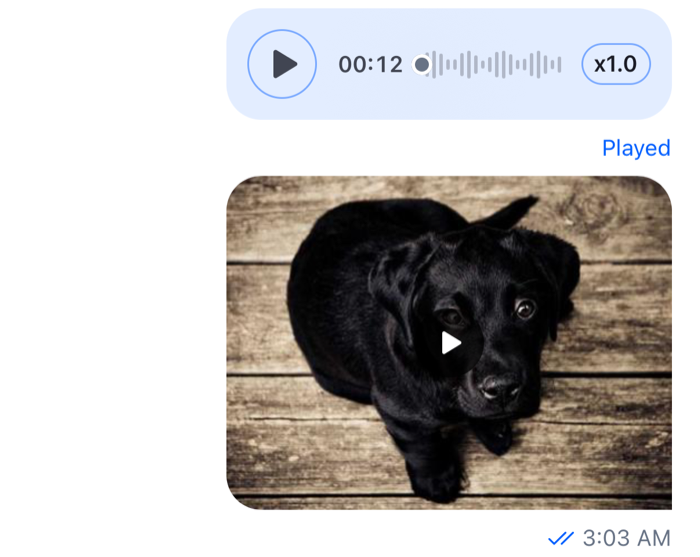
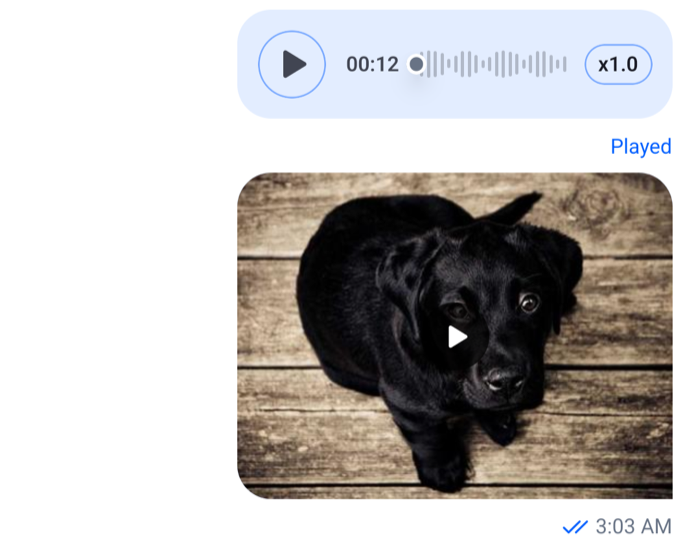
The recording below was played past 80% of its length, so it reads "Played". The video was not played, so it has no label.
 |  |
How it works
Example
Cleo sends Dan a 20-second voice recording and a 2-minute video. Dan presses play on the recording:
- The recording downloads. While it does, its player reports no progress, so the handler isn't called.
- Playback starts. On each progress report, the player calls the handler with the recording's attachment and the player. Its duration is 20,000 milliseconds and the share for
voiceRecordingis 0.8, so the handler returnsfalseuntil the position passes 16,000. - At 16 seconds the handler reports
media_playedwithattachmentType: "voiceRecording"andpositionMsjust past 16,000, callsmarkPlayed()and returnstrue. The player stops asking. - Cleo's copy of the message gets the mark from the
message.mark_addedevent, and its footer reads "Played". - Dan opens the video in the gallery and closes it after 20 seconds. The share for
videois 0.25, 30 seconds of 2 minutes, so the video is neither reported nor marked.
- The player asks only while it plays, past the start. A paused player reports nothing. A seek reports the new position, so a user who drags to the end of a recording passes the threshold.
- The position is the media's own time. At x2.0 speed, 16 seconds of a recording play in 8.
- The SDK's audio players live as long as the channel screen, and the gallery's players until the gallery closes. A new player asks again, so a recording or a video that was played before can be reported again. The mark isn't sent twice:
markMessagePlayedskips a message the user already marked, and the server ignores a repeat. - A preview in the composer never reaches the handler. The user's own messages and channels whose type has no
playedmark do, andmarkPlayed()sends nothing for them. To leave the user's own plays out of your analytics, comparemessage.user?.idwith the connected user's ID.
Read more
- Message marks: the label, when a play counts and the other ways to customize marks.
- Message marks API:
mark_types, the events and the limits. - Voice recordings and audio playback: the audio players and their state.
- Image gallery: the gallery's video players.