


Starting a conversation
Starting a conversation means picking the people to talk to and opening a channel with them. This UI cookbook adds a screen for that, opened from a button above the channel list. The screen opens the user's existing direct conversation with a person, and for anyone else shows a new conversation that exists only on the device until its first message is sent. How a channel created from its members behaves is explained in Provisional channels.
What you'll build
- A screen to search for and pick people, with an optional name
- The existing direct conversation opened for one person
- A new conversation that exists only on the device until its first message
- A channel created when its first message is sent
- A button above the channel list that opens the screen
Approach: Compose and Change behavior in the state layer. Choosing where to start explains the approaches.
Best practices
- Look up the user's direct conversation with a person before creating one, so it opens with its history instead of as a new, empty channel.
- Create a new conversation from its members, without an id. Until the server answers, it's a provisional channel, and the server either creates it or returns the one these members already have.
- Don't rename a conversation that already exists from this screen. Open it as it is, and tell the user why the name they typed isn't used.
- Don't create the channel when the user picks the people. Open it locally and create it on the first send, so a conversation the user never writes in never exists.
- Label the name field and the search field, and give each chip a name for screen readers that says what it does, such as "Remove Dan".
Search for people
usePeopleSearch() runs a UserSearchSource for the screen. The source waits for a pause in typing, cancels the query of the text before, and leaves the current user out of the results. With allowEmptySearchString, an empty text lists everyone, so the screen has suggestions before the user types. How search sources work is on Search sources.
import { useEffect, useState } from "react";
import { UserSearchSource } from "stream-chat";
import type { SearchSourceState, UserResponse } from "stream-chat";
import { useChatContext, useStateStore } from "stream-chat-react-native";

const resultsSelector = ({
  isLoading,
  items,
  lastQueryError,
}: SearchSourceState<UserResponse>) => ({ isLoading, items, lastQueryError });

/**
 * People to start a conversation with, by name or id, sorted by name. An empty text lists everyone,
 * so the screen has suggestions before the user types. The current user isn't among the results.
 */
export const usePeopleSearch = (text: string) => {
  const { client } = useChatContext();
  const [source] = useState(
    () =>
      new UserSearchSource(client, {
        allowEmptySearchString: true,
        pageSize: 10,
        sort: [{ direction: 1, field: "name" }],
      }),
  );
  const { isLoading, items, lastQueryError } = useStateStore(
    source.state,
    resultsSelector,
  );

  useEffect(() => {
    source.activate();
    // Waits for a pause in typing, and cancels the query of the text before.
    void source.search(text.trim());
  }, [source, text]);

  // Drops the scheduled query and the one in flight when the screen closes.
  useEffect(
    () => () => {
      source.cancelScheduledQuery();
      source.resetState();
    },
    [source],
  );

  return { failed: !!lastQueryError, isLoading, people: items ?? [] };
};
Pick people on a screen
The screen has a name field, a search field, the people picked as chips, and the results. Each result adds the person, and each chip removes them. The name field is labeled "Name (optional)" for one person and "Group name (optional)" once more than one is picked. The screen's two phases are the picker, and the conversation itself, which the screen renders in Channel once the user presses Start conversation. The conversation passes the height of the navigation header to keyboardVerticalOffset, as Keyboard and insets explains.
import { useEffect, useState } from "react";
import {
  FlatList,
  Pressable,
  StyleSheet,
  Text,
  TextInput,
  View,
} from "react-native";
import { useHeaderHeight } from "@react-navigation/elements";
import type { Channel as StreamChannel, UserResponse } from "stream-chat";
import {
  Channel,
  MessageComposer,
  MessageList,
  UserAvatar,
  useChatContext,
  useNotificationApi,
  useTheme,
} from "stream-chat-react-native";
import {
  createOnFirstSend,
  findDirectConversation,
  startLocalConversation,
} from "./startConversation";
import { usePeopleSearch } from "./usePeopleSearch";

const nameOf = (user: UserResponse) => user.name ?? user.id;

// A conversation that doesn't exist yet has no capabilities from the server, so these let the
// composer send text and links.
const provisionalCapabilities = { sendLinks: true, sendMessage: true };

// Rendered inside `Channel`, so the notification shows in this conversation's list.
const NameNotice = () => {
  const { addNotification } = useNotificationApi();

  useEffect(() => {
    addNotification({
      message:
        "This conversation already exists, so its name was left unchanged.",
      origin: { emitter: "NewConversationScreen" },
      options: { severity: "info", type: "app:conversation:name-unchanged" },
    });
  }, [addNotification]);

  return null;
};

export const NewConversationScreen = () => {
  const { client } = useChatContext();
  const headerHeight = useHeaderHeight();
  const {
    theme: { semantics },
  } = useTheme();
  const [name, setName] = useState("");
  const [text, setText] = useState("");
  const [picked, setPicked] = useState<UserResponse[]>([]);
  const [channel, setChannel] = useState<StreamChannel>();
  const [nameIgnored, setNameIgnored] = useState(false);
  const [starting, setStarting] = useState(false);
  const { failed, isLoading, people } = usePeopleSearch(text);

  // Creates a new conversation on its first message. Handlers on `client.config` apply to every
  // channel of the client, and this one sends every other channel's messages the usual way.
  useEffect(() => {
    client.config.set({
      channel: {
        requestHandlers: { sendMessageRequest: createOnFirstSend(client) },
      },
    });
  }, [client]);

  const available = people.filter(
    (person) => !picked.some(({ id }) => id === person.id),
  );

  const start = async () => {
    setStarting(true);
    try {
      // One person: their direct conversation with the user, if they have one.
      const existing =
        picked.length === 1
          ? await findDirectConversation(client, picked[0].id)
          : undefined;
      if (existing) {
        // Shows it in the channel lists whose filters it matches.
        client.channelManager.ingestChannel(existing);
        setNameIgnored(!!name.trim());
        setChannel(existing);
      } else {
        setChannel(startLocalConversation(client, picked, name.trim()));
      }
    } finally {
      setStarting(false);
    }
  };

  if (channel) {
    return (
      <Channel
        channel={channel}
        keyboardVerticalOffset={headerHeight}
        overrideOwnCapabilities={
          channel.isProvisional ? provisionalCapabilities : undefined
        }
      >
        {nameIgnored ? <NameNotice /> : null}
        <MessageList />
        <MessageComposer />
      </Channel>
    );
  }

  return (
    <View
      style={[styles.screen, { backgroundColor: semantics.backgroundCoreApp }]}
    >
      <Text style={[styles.label, { color: semantics.textSecondary }]}>
        {picked.length > 1 ? "Group name (optional)" : "Name (optional)"}
      </Text>
      <TextInput
        accessibilityLabel={
          picked.length > 1 ? "Group name (optional)" : "Name (optional)"
        }
        onChangeText={setName}
        style={[
          styles.input,
          {
            borderColor: semantics.borderCoreDefault,
            color: semantics.textPrimary,
          },
        ]}
        value={name}
      />
      <View style={styles.chips}>
        {picked.map((person) => (
          <Pressable
            accessibilityLabel={`Remove ${nameOf(person)}`}
            accessibilityRole="button"
            key={person.id}
            onPress={() =>
              setPicked((current) =>
                current.filter(({ id }) => id !== person.id),
              )
            }
            style={[
              styles.chip,
              { backgroundColor: semantics.backgroundCoreSurfaceDefault },
            ]}
          >
            <Text style={{ color: semantics.textPrimary }}>
              {nameOf(person)} x
            </Text>
          </Pressable>
        ))}
      </View>
      <Text style={[styles.label, { color: semantics.textSecondary }]}>
        Add people
      </Text>
      <TextInput
        accessibilityLabel="Search people"
        autoCapitalize="none"
        autoFocus
        onChangeText={setText}
        placeholder="Search by name"
        placeholderTextColor={semantics.textTertiary}
        style={[
          styles.input,
          {
            borderColor: semantics.borderCoreDefault,
            color: semantics.textPrimary,
          },
        ]}
        value={text}
      />
      <FlatList
        data={available}
        keyboardShouldPersistTaps="handled"
        keyExtractor={(person) => person.id}
        ListEmptyComponent={
          <Text style={{ color: semantics.textSecondary }}>
            {failed
              ? "Couldn't load people"
              : isLoading
                ? "Searching..."
                : "No one found"}
          </Text>
        }
        renderItem={({ item }) => (
          <Pressable
            accessibilityLabel={`Add ${nameOf(item)}`}
            accessibilityRole="button"
            onPress={() => setPicked((current) => [...current, item])}
            style={styles.result}
          >
            <UserAvatar size="md" user={item} />
            <Text style={{ color: semantics.textPrimary }}>{nameOf(item)}</Text>
          </Pressable>
        )}
        style={styles.results}
      />
      <Pressable
        accessibilityRole="button"
        accessibilityState={{ disabled: !picked.length || starting }}
        disabled={!picked.length || starting}
        onPress={() => void start()}
        style={[
          styles.start,
          {
            backgroundColor:
              picked.length && !starting
                ? semantics.accentPrimary
                : semantics.backgroundCoreSurfaceDefault,
          },
        ]}
      >
        <Text
          style={{
            color:
              picked.length && !starting
                ? semantics.textOnAccent
                : semantics.textTertiary,
          }}
        >
          Start conversation
        </Text>
      </Pressable>
    </View>
  );
};

const styles = StyleSheet.create({
  chip: { borderRadius: 16, paddingHorizontal: 12, paddingVertical: 6 },
  chips: { flexDirection: "row", flexWrap: "wrap", gap: 8, marginVertical: 8 },
  input: { borderRadius: 8, borderWidth: 1, padding: 12 },
  label: { fontSize: 12, marginBottom: 4, marginTop: 8 },
  result: { alignItems: "center", flexDirection: "row", gap: 12, padding: 8 },
  results: { flex: 1, marginTop: 8 },
  screen: { flex: 1, padding: 16 },
  start: { alignItems: "center", borderRadius: 24, padding: 14 },
});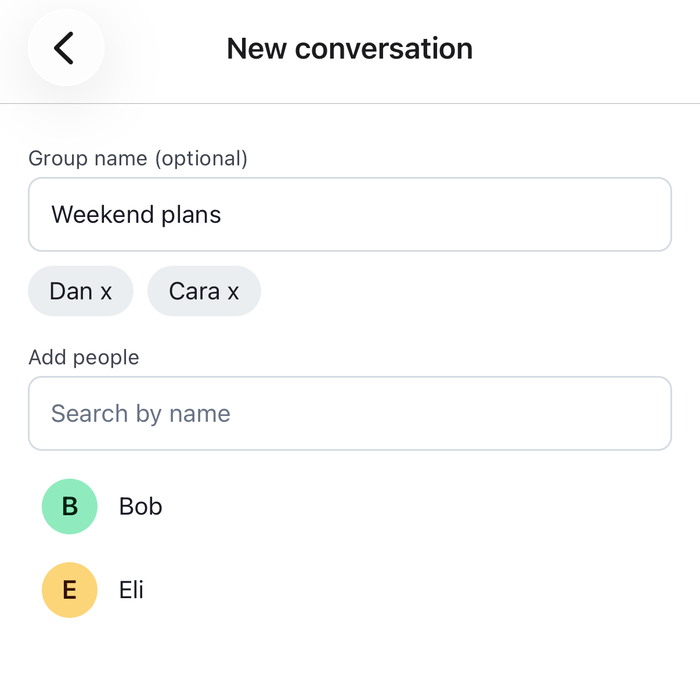 | 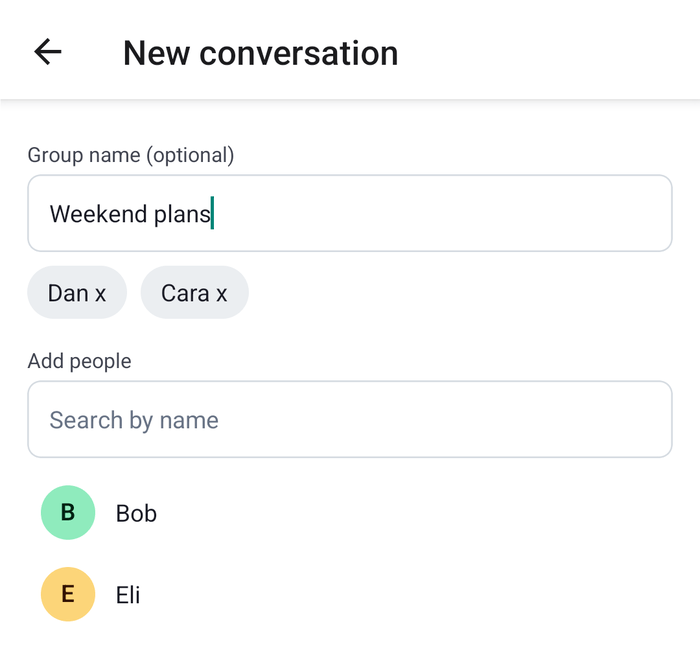 |
The picker and the conversation are the same screen, so a new conversation never has to be found by a cid. Its cid is temporary until the first message is sent. Navigation looks channels up by cid, which suits a conversation that exists, and not this one.
Reuse an existing direct conversation
A direct conversation is a channel with only the user and one other person. findDirectConversation() asks the server for the channels with exactly the two of them with one query, client.queryChannelsAndHydrate(), which reads and creates nothing, and isDirectConversation() picks the direct one among them. The query watches the channel it finds, so the conversation opens with its history and receives events.
import { localMessageToNewMessagePayload } from "stream-chat";
import type {
  Channel,
  ChannelMemberResponse,
  OperationRequestFn,
  StreamChat,
  UserResponse,
} from "stream-chat";

/** A two-member channel is their direct conversation if made from its members, or unnamed. */
export const isDirectConversation = (channel: Channel) =>
  !!channel.id?.startsWith("!members-") ||
  !("name" in (channel.data?.custom ?? {}));

/**
 * The user's direct conversation with another user, if they have one (see
 * `isDirectConversation()`). The query only reads: it creates nothing, and it watches what it finds,
 * so the conversation opens with its history and receives events.
 */
export const findDirectConversation = async (
  client: StreamChat,
  userId: string,
) => {
  const channels = await client.queryChannelsAndHydrate({
    // Exactly the two of them: both are members, and there are two members. The server doesn't
    // take `$eq` on `members`.
    filter_conditions: {
      $and: [
        { members: { $in: [client.userId ?? ""] } },
        { members: { $in: [userId] } },
      ],
      member_count: 2,
      type: "messaging",
    },
  });
  return channels.find(isDirectConversation);
};
isDirectConversation() accepts two kinds of channel:
- A channel created from its members, without an id, whatever its name. The server gives it an id that starts with
!members-, so a direct conversation the user named on this screen is still found. - A channel with an id of its own and no name, such as a direct conversation your app created with an id.
A channel with an id of its own and a name, such as a group of two, isn't the direct conversation, so the user's group with the same person doesn't open in its place.
A conversation that already exists opens as it is: its name stays what it was. If the user typed one, the screen says so with a notification, which NameNotice publishes from inside Channel, so the conversation's own notification list shows it. Routing notifications describes how a notification finds its list.
Create the channel locally
startLocalConversation() gets the channel with client.channel("messaging", { members }). A channel created from its members, without an id, is provisional: Channel.isProvisional is true until the server answers its first query, and nothing but that query can be sent for it. Channel never watches, queries or reloads a provisional channel, so rendering it creates nothing on the server. If the client already has a loaded conversation created from exactly these members, one whose id starts with !members-, client.channel() returns that one instead, and it opens as it is.
/**
 * A conversation with `people` that exists only in this client until its first message: a channel
 * created from its members, without an id, so it's provisional (`Channel.isProvisional`). If the
 * client already has a loaded conversation created from exactly these members, `client.channel()`
 * returns that one instead.
 */
export const startLocalConversation = (
  client: StreamChat,
  people: UserResponse[],
  name: string,
): Channel => {
  const channel = client.channel("messaging", {
    // Sent with the query that creates the channel on the first send.
    ...(name ? { custom: { name } } : {}),
    members: [client.userId ?? "", ...people.map(({ id }) => id)].map(
      (user_id) => ({
        user_id,
      }),
    ),
  });
  if (!channel.isProvisional || channel.messagePaginator.hasResults)
    return channel;
  // Nothing is loaded for a channel the server doesn't have yet, so the app fills in what the
  // channel shows until then: its members, the user first, and an empty first page of messages,
  // shorter than a page, so the message list has nothing older to load. The members carry only the
  // user: the server's members replace them when the channel is created.
  const me = client.user as UserResponse;
  channel.state.members = Object.fromEntries(
    [me, ...people].map((user) => [
      user.id,
      { user, user_id: user.id } as ChannelMemberResponse,
    ]),
  );
  channel.messagePaginator.placeExternalQueryPage(
    [],
    channel.messagePaginator.pageSize,
  );
  return channel;
};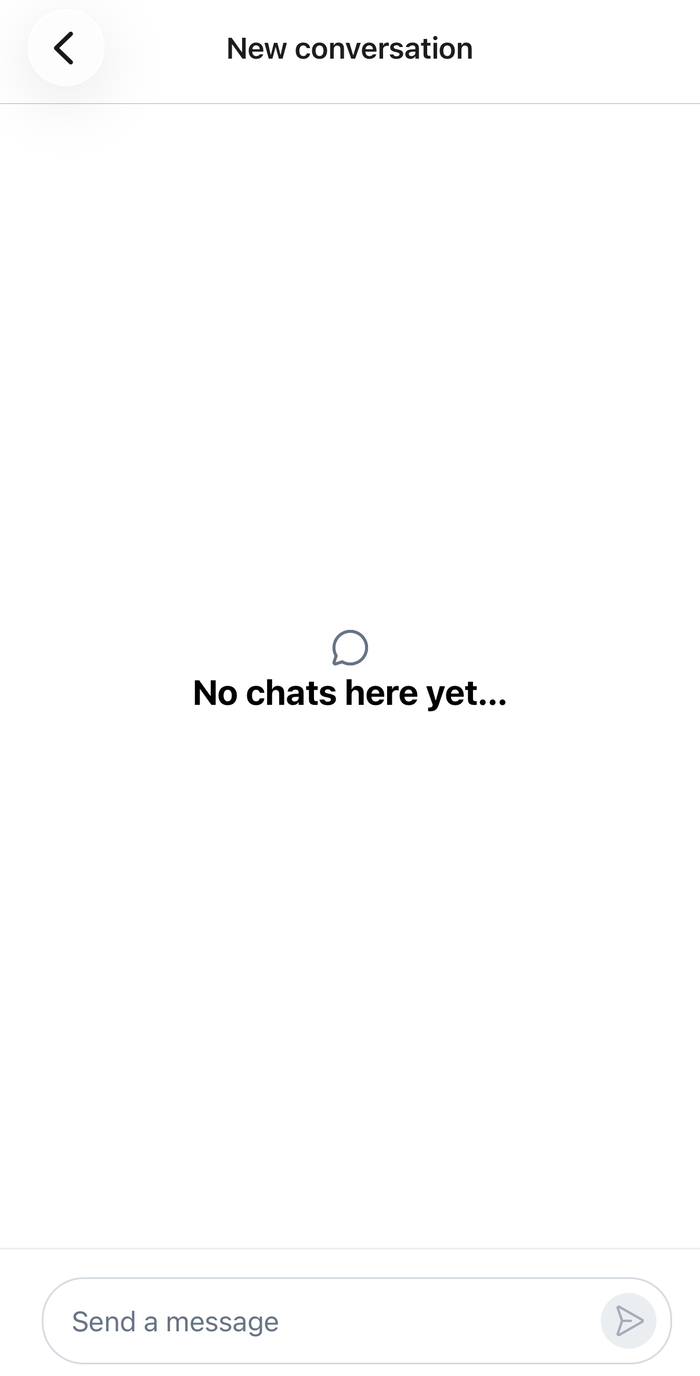 | 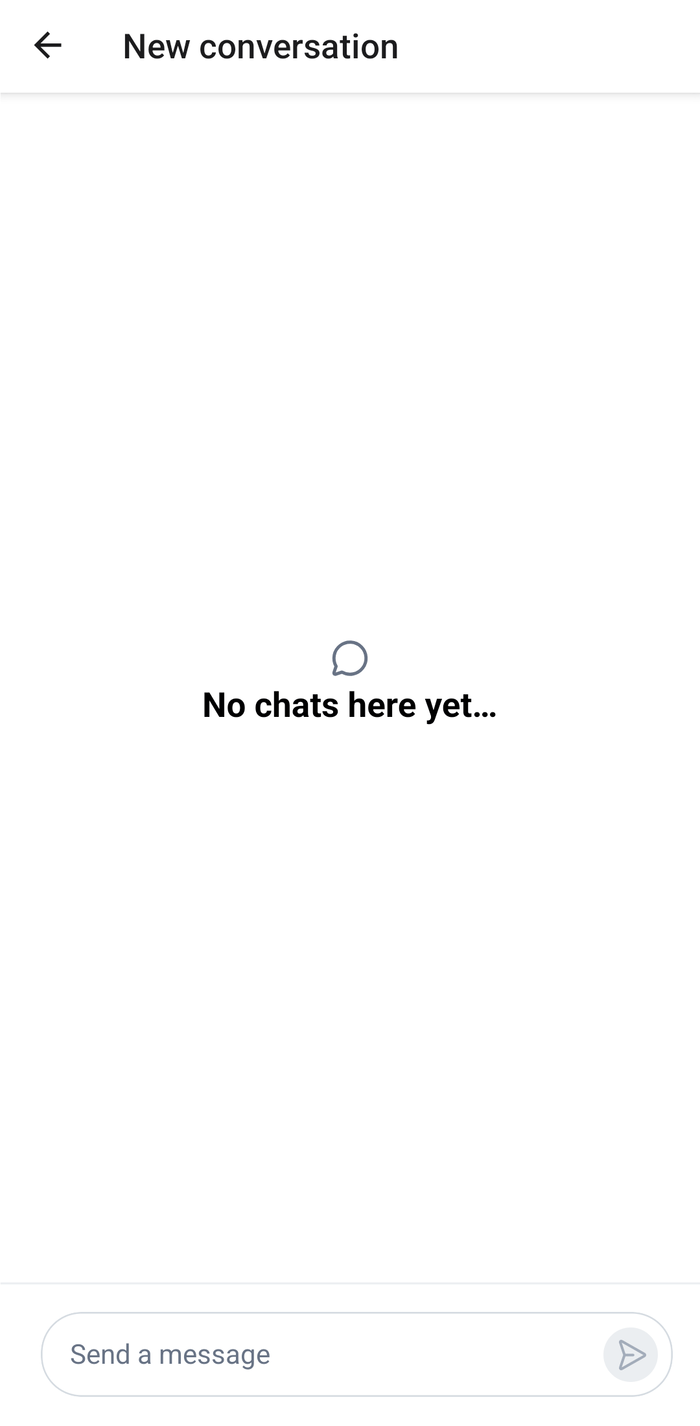 |
Nothing is loaded for a provisional channel, so the app fills in what it shows until it exists:
channel.state.membersgets the user and the people picked, so a header and the avatars show who is in the conversation. The members carry only their user, so they're cast toChannelMemberResponse. The server's members replace them when the channel is created.MessagePaginator.placeExternalQueryPage()places an empty first page, shorter than a page, inchannel.messagePaginator. The message list then shows its empty state, and has nothing older to load.
The name goes into the channel's custom data, for a direct conversation as for a group. It's sent with the query that creates the channel. The channel has no capabilities from the server yet, which is why the screen passes overrideOwnCapabilities while it's provisional. Attachments upload to a channel that exists, so the screen leaves out the uploadFile capability, and the composer's attach button stays hidden until the channel is created.
Create it on the first send
The SDK doesn't create a provisional channel when its first message is sent, so the app does it in a request handler. createOnFirstSend() is a sendMessageRequest handler, which Message operations describes. For a provisional channel, it calls Channel.watch() first, which creates the channel on the server with its members and its custom data, then sends the message to the channel it resolves with. Every other channel sends the usual way, through the default request.
/**
 * Sends the first message of a provisional channel: `Channel.watch()` creates the channel on the
 * server, with its members and name, and resolves with the object to use from then on. That's this
 * one, or the one that superseded it when the client already had the channel under its real cid.
 * Messages in every other channel are sent the usual way.
 */
export const createOnFirstSend =
  (client: StreamChat): OperationRequestFn<"send"> =>
  async (params, defaultRequest) => {
    const channel = client.channelManager.get(params.localMessage.cid);
    if (!channel?.isProvisional) return defaultRequest(params);

    const created = await channel.watch();
    // Shows the new channel in the channel lists whose filters it matches.
    client.channelManager.ingestChannel(created);

    const { message } = await created.sendMessage({
      message:
        params.message ?? localMessageToNewMessagePayload(params.localMessage),
      ...params.options,
    });
    return { message };
  };
Channel.watch() resolves with the object to use from then on. Usually that's the same channel, now with its real cid. If the client got the same conversation under its real cid in the meantime, for example from an event, the object it already had stays, and it supersedes this one: channel.supersededBy points to it, and it takes over the messages being sent. So the handler sends on the object Channel.watch() returns, and Channel renders that object in place of the provisional one. See Superseded channels.
While the channel is being created and the message sent, the message shows in the list as sending, as any message does.
Add the button to the channel list
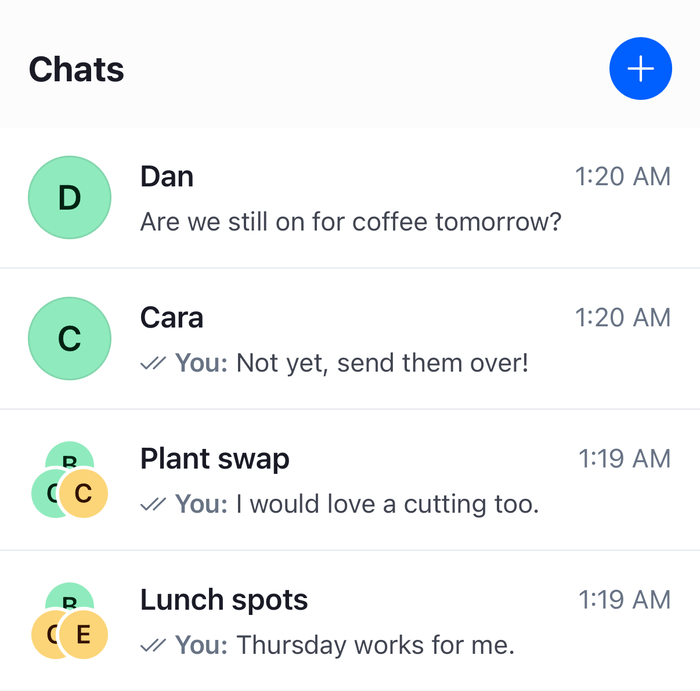
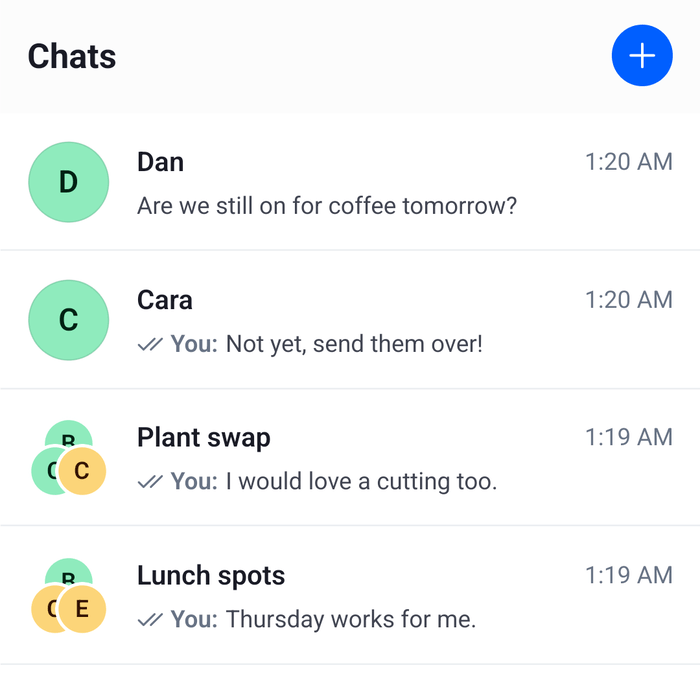
ChannelList has no header of its own, so the screen that renders it renders the header too. This one has a title and a button that opens the screen above:
import { useEffect, useMemo } from "react";
import { Pressable, StyleSheet, Text, View } from "react-native";
import { ChannelPaginator } from "stream-chat";
import type { Channel, ChannelFilters, SortParamRequest } from "stream-chat";
import {
  ChannelList,
  useChatContext,
  useComponentsContext,
  useTheme,
} from "stream-chat-react-native";

const userId = "YOUR_USER_ID";

const sort: SortParamRequest[] = [{ direction: -1, field: "last_message_at" }];
const filters: ChannelFilters = {
  members: { $in: [userId] },
  type: "messaging",
};

export const ChannelListScreen = ({
  onNewConversation,
  onSelect,
}: {
  onNewConversation: () => void;
  onSelect: (channel: Channel) => void;
}) => {
  const { client } = useChatContext();
  const { icons } = useComponentsContext();
  const {
    theme: { semantics },
  } = useTheme();

  const paginator = useMemo(
    () => new ChannelPaginator({ client, filters, id: "my-channels", sort }),
    [client],
  );

  useEffect(() => {
    client.channelManager.insertPaginator({ paginator });
    return () => {
      client.channelManager.removePaginator(paginator);
      paginator.dispose();
    };
  }, [client, paginator]);

  return (
    <View style={styles.screen}>
      <View style={styles.header}>
        <Text style={[styles.title, { color: semantics.textPrimary }]}>
          Chats
        </Text>
        <Pressable
          accessibilityLabel="New conversation"
          accessibilityRole="button"
          hitSlop={8}
          onPress={onNewConversation}
          style={[styles.button, { backgroundColor: semantics.accentPrimary }]}
        >
          <icons.Plus height={20} stroke={semantics.textOnAccent} width={20} />
        </Pressable>
      </View>
      <ChannelList onSelect={onSelect} paginator={paginator} />
    </View>
  );
};

const styles = StyleSheet.create({
  button: {
    alignItems: "center",
    borderRadius: 18,
    height: 36,
    justifyContent: "center",
    width: 36,
  },
  header: {
    alignItems: "center",
    flexDirection: "row",
    justifyContent: "space-between",
    padding: 16,
  },
  screen: { flex: 1 },
  title: { fontSize: 20, fontWeight: "700" },
});
Add NewConversationScreen to the navigator next to the screens of the channel list and the channel, and navigate to it from onNewConversation:
import { NavigationContainer } from "@react-navigation/native";
import { createNativeStackNavigator } from "@react-navigation/native-stack";
import type { NativeStackScreenProps } from "@react-navigation/native-stack";
import { ChannelListScreen } from "./ChannelListScreen";
import { NewConversationScreen } from "./NewConversationScreen";

type StackParamList = {
  ChannelList: undefined;
  NewConversation: undefined;
};

const Stack = createNativeStackNavigator<StackParamList>();

const ChannelListRoute = ({
  navigation,
}: NativeStackScreenProps<StackParamList, "ChannelList">) => (
  <ChannelListScreen
    onNewConversation={() => navigation.navigate("NewConversation")}
    onSelect={() => {
      // Navigate to your channel screen, as Navigation shows.
    }}
  />
);

// Render this inside OverlayProvider and Chat.
export const Navigation = () => (
  <NavigationContainer>
    <Stack.Navigator>
      <Stack.Screen component={ChannelListRoute} name="ChannelList" />
      <Stack.Screen
        component={NewConversationScreen}
        name="NewConversation"
        options={{ title: "New conversation" }}
      />
    </Stack.Navigator>
  </NavigationContainer>
); |  |
Example
The current user starts a group with Dan and Cara:
- The user presses the plus button. The screen opens with an empty name field, the focus in the search field, and Bob, Cara, Dan and Eli listed.
- The user picks Dan, then types "Ca" and picks Cara. Each one shows as a chip, and with two people the name field's label reads "Group name (optional)". The user types "Weekend plans" in it.
- The user presses Start conversation. With two people there's no direct conversation to look up, so
startLocalConversation()gets a provisional channel with the user, Dan and Cara as members and "Weekend plans" as its name, fills in its members and an empty first page. The screen renders it inChannel. Nothing has been sent to the server. - The message list shows its empty state and the composer is ready. The user types "Who's free on Saturday?" and sends.
- The message shows as sending.
createOnFirstSend()sees that the channel is provisional and callsChannel.watch(), which creates the channel with its three members and its name, and gives it its real cid. - The handler sends the message to that channel. The server's copy replaces the one marked sending, and the channel shows up in the channel list.
Had the user picked only Dan, findDirectConversation() would have found their existing direct conversation, and it would have opened with its history. Its name would have stayed as it was, and a notification would have said that the conversation already exists, so "Weekend plans" was left unchanged. For someone the user has no direct conversation with yet, such as Bob, the new conversation would have been created with the name on the first send, as above.
A conversation created from its members is the conversation of exactly these people: picking the same people again later returns the same channel. If the client hasn't loaded it, the screen opens a provisional channel, and Channel.watch() resolves with the existing conversation on the first send. That conversation keeps its own name, so a name typed for it isn't used. For several groups with the same people, give each group an id of its own with client.channel("messaging", id, { members }). A channel with an id is never provisional, so create that one on the server with Channel.watch() before opening it.
Request handlers on client.config apply to every channel of the client. If your app registers a sendMessageRequest handler of its own, call createOnFirstSend()'s steps from it instead, since a later client.config.set() replaces the handler.
Read more
- Provisional channels explains channels created from their members and
client.channel(). - Superseded channels explains what happens when the same conversation turns up under its real cid.
- Message operations explains request handlers on
client.config. - Search sources explains how
UserSearchSourcesearches. - Publishing notifications explains
client.notifications. - Channel list UI explains
ChannelListand the paginator it renders.