















Installation
To integrate Stream Chat in your app, you should use Swift Package Manager.
StreamChat and StreamChatUI support iOS 13 and later, and StreamChatSwiftUI supports iOS 14 and later. Both packages use Swift tools version 6.0, so you need Xcode 16 or later.
Swift Package Manager
Open your .xcodeproj, select the option "Add Package..." in the File menu, and paste the URL for the library you want to integrate:
- For the LLC (StreamChat) use:
https://github.com/getstream/stream-chat-swift
- For the UIKit components (StreamChatUI, which depends on StreamChat) use:
https://github.com/getstream/stream-chat-swift
- For the SwiftUI components (StreamChatSwiftUI, which depends on StreamChat) use:
https://github.com/getstream/stream-chat-swiftui
After introducing the desired URL, Xcode will look for the Packages available in the repository and automatically select the latest version tagged. Press next and Xcode will download the dependency.
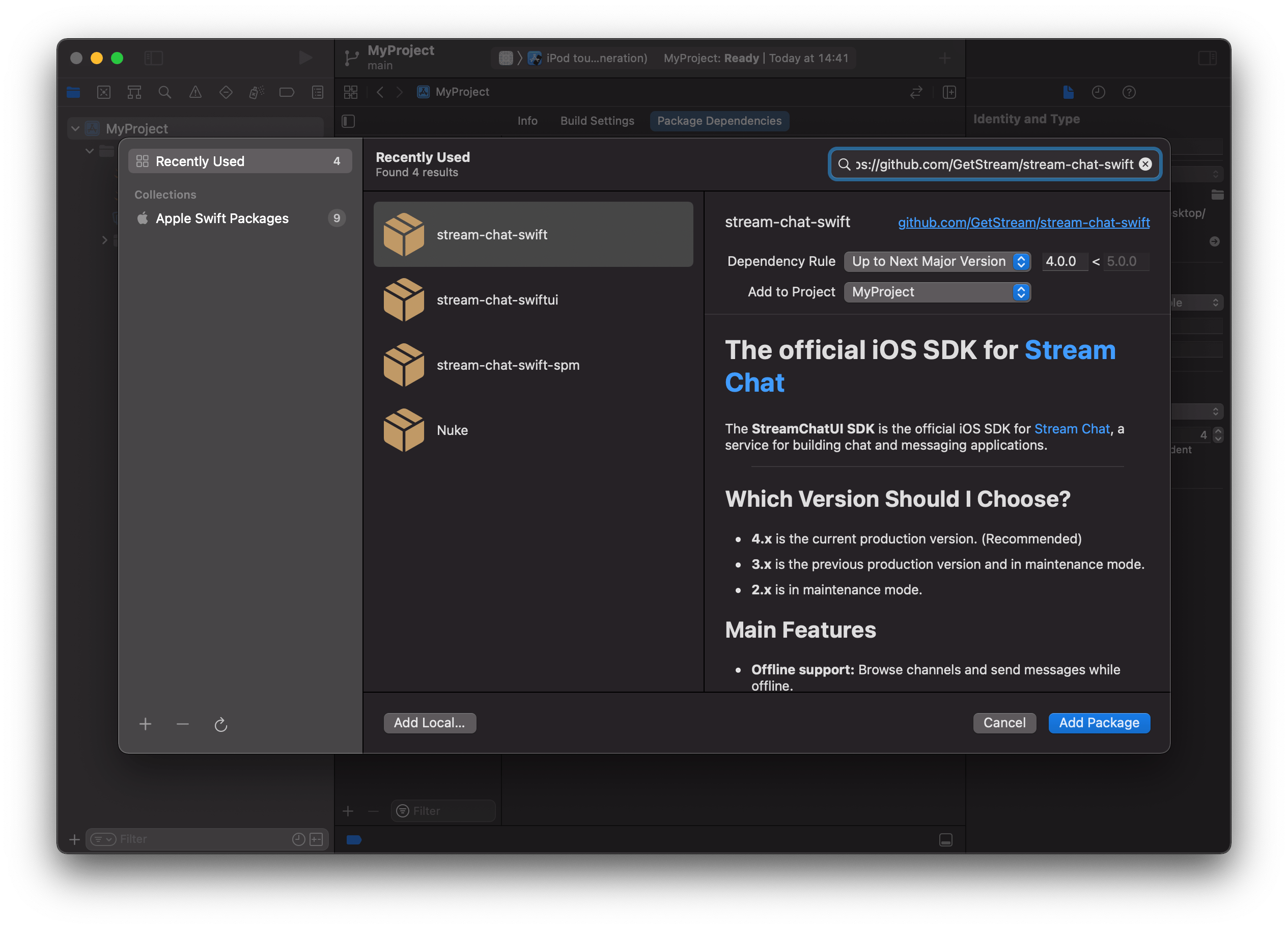
The stream-chat-swiftui repository has one product, StreamChatSwiftUI, while stream-chat-swift has several. Select the ones you need:
- If you want to use the UIKit components, select StreamChatUI.
- If you want to use the SwiftUI components, select StreamChatSwiftUI.
- If you don't need any UI components, select StreamChat.
- If you want to build an AI assistant, select StreamChatAI, and also StreamChatA2UI or StreamChatOpenUI if your agent answers with generative UI. These are the AI components. StreamChatAI doesn't depend on the other Chat products, so you can add it on its own or next to them.
Leave the other stream-chat-swift products unchecked unless you need them: StreamChatLogsUI is an in-app log viewer meant for debug builds, and StreamChatTestTools and StreamChatTestMockServer are for tests. StreamChatCommonUI is added for you as a dependency of StreamChatUI and StreamChatSwiftUI.
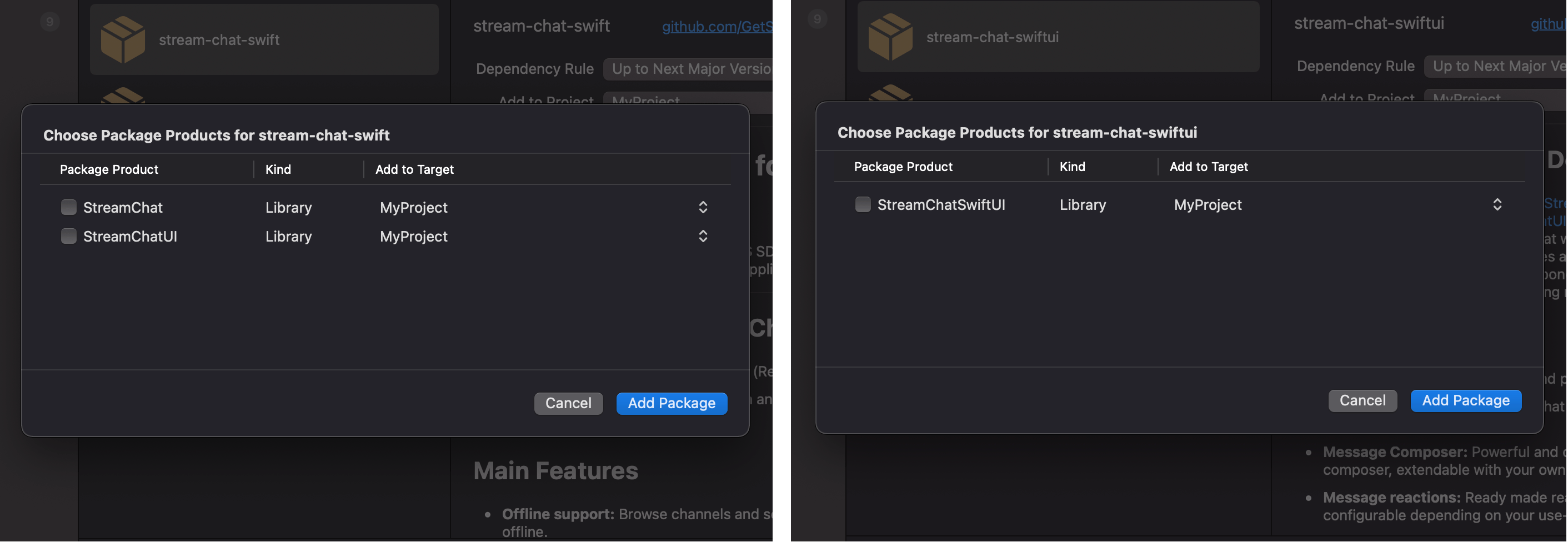
After you press finish, it's done.
More information about Swift Package Manager can be found here
Add Usage Descriptions to Info.plist
Add the NSPhotoLibraryUsageDescription key in your Info.plist with a description of use. Add the NSPhotoLibraryAddUsageDescription key in your Info.plist with a description of use. Add the NSCameraUsageDescription key in your Info.plist with a description of use. Add the NSMicrophoneUsageDescription key in your Info.plist with a description of use. It is needed for voice recording, which the SwiftUI composer enables by default.