

Marketplace apps have changed how people buy, sell, and exchange value online. They bring together different aspects of a market on one platform and make discovery, comparison, and payments easy. From local services to digital products, these apps have created new ways for people to connect and do business.
But building one isn't only about launching a platform. It's about designing systems that help users find what they need and stay engaged over time.
In this post, we'll explore the key steps involved in building a marketplace app and share real examples you can learn from.
What Is a Marketplace App?

A marketplace app is a digital platform that facilitates transactions between two or more user groups, typically buyers and sellers or service providers and clients.
What makes it different from a traditional eCommerce store is that the platform doesn't own the inventory or directly provide the services. Instead, it enables others to do so through a shared system.
Step-By-Step Guide to Building a Marketplace App
Turning your marketplace idea into a working product takes structure and focus.
Here's an outline of the process, from validating your concept to scaling a live platform.
-
Pick What Type of Marketplace App You'll Build: Marketplaces take many forms, so you must make this decision first to know how to implement the rest of the steps.
-
Discover Your Market and Validate the Fit. Make sure you're targeting the right audience, or else your app will flop.
-
Decide How Your Marketplace Will Make Money. From subscriptions and commissions to transaction fees and ads, you must pick at least one of these models to generate revenue.
-
Determine the Key Metrics You'll Track. Make sure you're measuring the right numbers to collect the data you need to improve your app.
-
Plan User Journeys and Onboarding Flows. A user's first interaction with your product should be as smooth as possible to encourage retention.
-
Define Your Must-Have Features for the MVP. Determine the very basics your app will need before building the MVP.
-
Prepare Your Tech Foundation Early. Meet with your engineering team(s) to select the tech stack.
-
Build for Trust, Safety, and Compliance. Create and enforce policies for moderation and compliance to keep your product legal and safe.
-
Launch Small and Learn Fast. Focus on one market or niche and learn from it, instead of waiting too long to release and risking running out of funding.
-
Grow Both Sides With Focus and Balance. Deploy methods to grow both demand and supply as evenly as possible.
Below, we'll explore each step in greater detail.
1. Pick What Type of Marketplace App You'll Build
The first step in building a marketplace platform is deciding what kind of exchange you want to offer. This decision will shape how your app will look, the features it'll need, and how people will use it.
For instance, a product-based marketplace will need inventory management, while a service-based one depends more on scheduling, chat, and reviews.

Here are some common types of marketplace apps you can build:
-
Product C2C (peer-to-peer): These marketplaces let individuals buy and sell items like collectibles, clothes, or pre-owned goods directly to one another, like Poshmark.
-
Product B2C / multi-vendor: Multiple sellers or brands list products for consumers in one shared storefront. The platform manages listings, payments, and delivery while sellers handle their inventory. Amazon Marketplace follows this model.
-
B2B marketplaces: Businesses use these platforms to source products or services from other businesses, often in bulk. Alibaba and Thomasnet are common examples.
-
Service or freelance marketplaces: These connect professionals or freelancers with clients. The marketplace handles profiles, reviews, payments, and often dispute resolution. Fiverr and Upwork are classic examples.
-
On-demand / gig: These marketplaces focus on speed and real-time matching. Users request a service or delivery, and the platform assigns it to a nearby provider, like DoorDash.
-
Booking marketplaces: These are designed for reserving time, space, or experiences. Hosts or service providers share availability, and users can book directly through the app, like on Booking.com.
-
Resale / authentication: These focus on verified resale, especially for luxury or collectible products. StockX and GOAT are popular examples.
-
Vertical or niche: Built for a specific category or community, these serve a smaller audience but offer more depth and trust. Reverb, for instance, focuses on buying and selling musical instruments.
-
Financial marketplaces: These bring together lenders, borrowers, or investors. They might offer peer-to-peer lending, crowdfunding, or digital financial services. Kiva and LendingClub are two prominent examples.
-
Rental marketplaces: These allow people or companies to rent out equipment, vehicles, or other items for short periods, like Turo.
-
Hyperlocal marketplaces: These focus on nearby sellers and fast delivery, like Instacart does. The goal is instant access and convenience within a limited area.
-
Decentralized marketplaces: Built on blockchain technology, these platforms let users trade directly from their wallets without intermediaries. Examples include Uniswap for crypto trading and OpenSea for NFTs.
-
Hybrid marketplaces: These combine multiple models in one platform. This can mean selling both online and offline, offering your own products alongside third-party sellers, or pairing products with related services like delivery or installation.
2. Discover Your Market and Validate the Fit
Market validation helps you see if people truly need what you plan to offer, and whether they'll use your platform instead of existing options.
Here's how to approach it:
-
Define your target vertical and geography: Start narrow. For example, instead of "home services," focus on "plumbing and electrical work in Austin." Smaller, defined markets make it easier to attract an early user base and test assumptions before scaling.
-
Study market size and growth trends: Estimate your opportunity using Total Addressable Market (TAM), the full market demand; Serviceable Available Market (SAM), the portion your business can serve; and Serviceable Obtainable Market (SOM), the realistic share you can reach early on.
-
Map competitors: Identify direct and indirect players. Note their pricing, user flow, and strengths or gaps in trust, delivery, or service quality.
-
Listen to real users: Scan app reviews, Reddit threads, or Facebook groups to find repeated pain points.
-
Consult with experts: Suppliers, local business owners, and buyers can reveal common issues in your market.
-
Build customer personas: Capture real motivations and friction points by building user scenarios. For instance, a first-time host on a rental app might worry about safety, while a buyer might care more about response time or transaction fees.
3. Decide How Your Marketplace Will Make Money
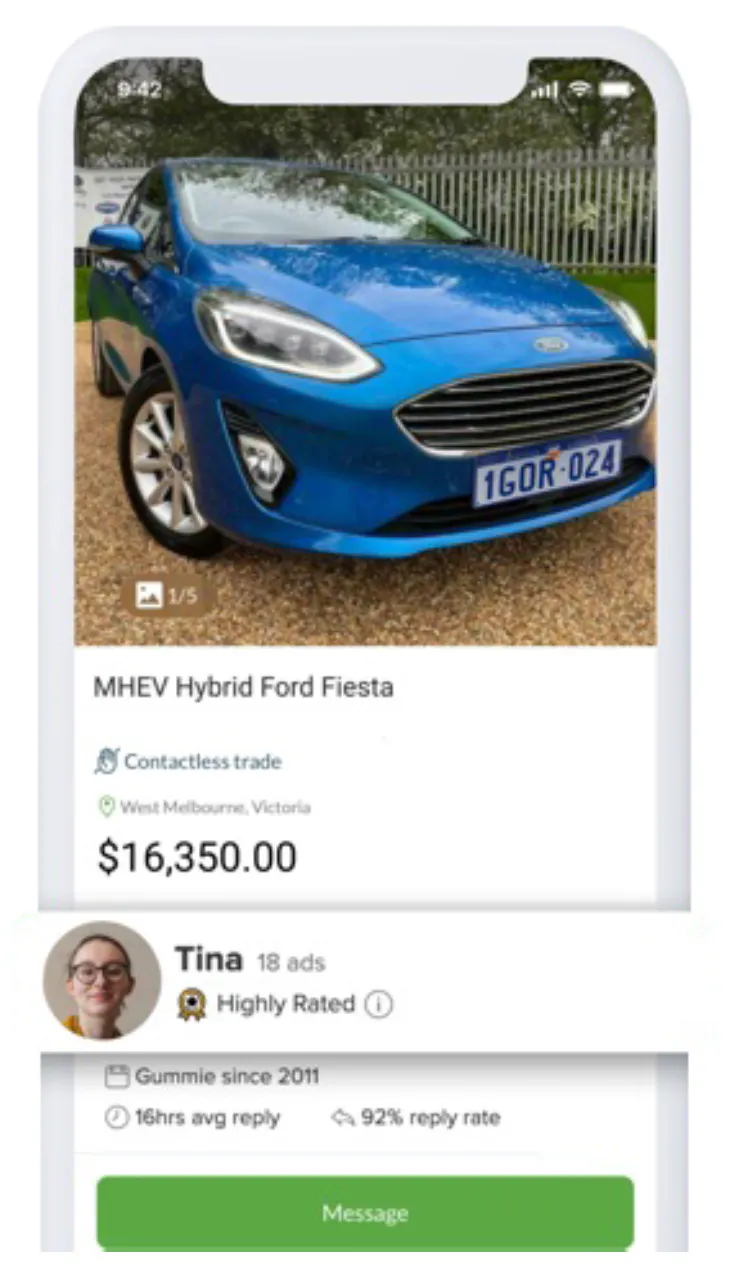
Your revenue model determines how sustainable your marketplace business will be. Here are the main ways marketplace apps generate revenue:
-
Commission or take-rate: Charge a percentage on each transaction, which is the model eBay and Airbnb use.
-
Listing fee: Charge sellers or providers a small fee to list each item or service, often to ensure quality listings.
-
Subscriptions for sellers: Offer paid plans with advanced features, analytics, or visibility. Amazon's Professional Seller plan follows this model.
-
Lead or transaction fee: Charge providers for qualified leads or successful matches, as used on service-based platforms like Thumbtack.
-
Payment processing or platform fee: Add a small percentage or fixed amount per transaction to cover processing or platform services.
-
Freemium or paid features: Let users join for free but unlock premium visibility, faster delivery, or additional tools for a fee.
-
Ads and sponsorships: Sell ad space or promote listings to generate extra income.
Some companies blend business models. For instance, you might run ads on free accounts but remove them for paid ones in addition to unlocking premium features.
4. Determine the Key Metrics You'll Track
Your success depends on the insights you gain by tracking the right numbers. The KPIs you choose will vary by the type of marketplace you build, but here are the most useful ones to start with:
-
Gross merchandise volume (GMV): The total value of all transactions on your platform over a set period. GMV shows overall activity and growth.
-
Revenue / take rate: The percentage your platform earns from each transaction.
-
Customer acquisition cost (CAC): Total marketing spend divided by the number of new customers you gain.
-
Customer lifetime value (LTV): The total revenue you earn from a customer during their relationship with your platform.
-
Conversion funnel: Track each stage (like site visits, signups, and first transactions) to see where users drop off.
-
Time-to-first-transaction: How long it takes a new user to complete their first successful transaction.
-
Retention rate: How often users return to your app and buy or sell again.
-
Fill rate: The percentage of buyer requests or listings that result in a match.
-
Dispute or chargeback rate: A measure of user trust and transaction quality.
Monitor these metrics for both sides of the marketplace, such as active sellers vs. active buyers or listings created vs. completed sales. This helps you see which one grows faster, where the imbalance lies, and what needs more attention.
5. Plan User Journeys and Onboarding Flows
A smooth onboarding flow helps users trust your product and reach their first transaction faster. Since sellers and buyers have different goals, design their journeys separately and remove as much friction as possible.
For Sellers:
-
Enable quick signup through email or social accounts.
-
Keep profile setup minimal with only name, category, and payout details to start.
-
Offer optional identity verification in early stages and make it more robust later.
-
Guide sellers through listing creation with photo tips, price suggestions, and auto-fill descriptions to speed up publishing.
-
Connect payouts through trusted gateways, like Stripe or PayPal.
-
Provide simple performance insights to motivate sellers, such as product views and completed sales.
For Buyers:
-
Let them browse freely without signing in to reduce drop-offs.
-
Trigger a lightweight signup when they're ready to buy, favorite, or review.
-
Use an onboarding prompt like "What are you looking for?" to personalize recommendations.
-
Offer filtering by price, distance, and category, and surface the most-used options upfront.
-
Make checkout fast with saved payment methods and minimal steps.
-
Show reviews and ratings early in the experience and highlight verified sellers for trust.
-
Provide customer support or a quick-help button during checkout to prevent cart abandonment.
For Both:
-
Display a progress bar that fills as they complete each mandatory onboarding step.
-
Provide guidelines for smooth conversational commerce experiences, whether it's between both parties or with human- or AI-support agents.
6. Define Your Must-Have Features for the MVP
Before scaling your marketplace, build your Minimum Viable Product (MVP) with only the essential features that let users list, discover, communicate, and complete transactions smoothly.
The goal is to create a functional user experience for both buyers and sellers without overbuilding early on.

Core MVP features:
-
Seller dashboard: Let sellers add or edit listings, track orders or bookings, and see basic performance data.
-
Search and filters: Help buyers find what they need quickly with filters. Add smart sorting and saved searches once you have more data.
-
Product or service detail page: Include clear descriptions, high-quality photos, pricing, and seller details. Transparency here directly impacts conversion.
-
Real-time communication: Enable in-app messaging between both parties. For some app types, like rideshare or food delivery, you may need to incorporate voice calling functionality.
-
Payments and payouts: Integrate trusted APIs like Stripe Connect, Adyen, or PayPal to process transactions securely and automate payouts.
-
Ratings and reviews: Let buyers share feedback and rate sellers after each transaction. These ratings build credibility and reduce hesitation for new users.
-
Notifications: Use in-app, push, and email notifications to inform users about order updates, transaction statuses, booking confirmations, and more. Collect the most important updates and alerts in a persistent notification feed for users to return to for reference.
-
Admin tools: Give your internal team the ability to approve listings, manage disputes, and moderate content.
7. Prepare Your Tech Foundation Early
The technical foundation of your marketplace app determines how well it performs as you scale. Choosing the right stack early helps you avoid costly rework later.
Core elements to plan:
-
Programming language: Pick a language your team can scale with and that matches the platform(s) you plan to build on. JavaScript, TypeScript, Ruby, Swift, Java, Kotlin, and Python are common choices with robust libraries and frameworks, as well as large communities.
-
Frontend framework: Use a modern, responsive framework for building your UI, like React, React Native, Angular, Vue, Flutter, or Jetpack Compose.
-
Backend framework: Choose a backend framework that supports real-time data, user authentication, and integrations. Express.js, Ruby on Rails, Django, or Laravel are solid options.
-
Databases: Choose a relational database like PostgreSQL or MySQL for transactional data and well-defined relationships. Pair it with a NoSQL option like MongoDB or Redis when you need flexible schemas, fast reads/writes, or to handle high-volume event or session data.
-
Authentication and security: Implement secure user authentication using tools like Firebase Auth, Auth0, or AWS Cognito. Add encryption, role-based access, and compliance checks early.
-
Cloud hosting and infrastructure: Platforms like AWS, Google Cloud, and Microsoft Azure provide scalable hosting, storage, and monitoring.
-
APIs and integrations: Use APIs, SDKs, or other third-party integrations to handle functionality you don't have time or budget to build in-house, such as messaging and payments.
8. Build for Trust, Safety, and Compliance
A strong trust and safety framework protects buyers, sellers, and your brand, while compliance practices ensure your app operates legally and responsibly.

Trust- and Safety-Building Elements:
-
Verified seller profiles: Start with basic verification, such as phone number and email. Add optional identity verification for high-value sellers or service providers. Verified badges can make buyers or clients feel safer when transacting on your platform.
-
Ratings and reviews: Public feedback loops are central to marketplace credibility. Encourage users to leave truthful reviews and display average ratings clearly. Highlight verified purchases to reduce fake feedback.
-
Content moderation: Combine AI tools with human review to detect spam, scams, or inappropriate listings. AI can automatically flag suspicious content, while moderators handle nuanced cases that require judgment.
-
Dispute and refund flows: Define clear steps for dispute resolution, including timelines (with service-level agreements) and transparent communication. Keep users informed through status notifications at each stage.
-
Insurance and guarantee programs: Offer coverage for high-value items or bookings. For example, money-back guarantees or host-protection insurance can ease hesitation and build long-term confidence.
Compliance Elements:
-
Payments: Ensure your payment systems meet Payment Card Industry Data Security Standard (PCI DSS) requirements. The easiest way is to use third-party APIs that already comply with these standards.
-
Privacy: Comply with privacy laws like the General Data Protection Regulation (GDPR) and the California Consumer Privacy Act (CCPA). These laws will vary by region, but they typically involve requirements for secure storage and a user's right to access, delete, or export their data.
-
Tax: Understand marketplace-facilitator laws for Value-Added Tax (VAT) or local sales tax. In many regions, the platform is responsible for collecting and remitting taxes on behalf of sellers.
-
Terms and conditions: Draft clear user agreements and policies on listings, refunds, cancellations, and conduct. Make these easily accessible during signup and checkout, so users understand their rights and responsibilities.
9. Launch Small and Learn Fast
Starting small makes it easier to test, learn, and refine before scaling.
Here's a soft launch checklist you can use:
-
Pick one city or vertical: Choose a narrow starting point, like "pet grooming in Boulder" or "vintage books in Amsterdam." Smaller scope means clearer data and easier feedback loops.
-
Recruit a curated set of sellers and buyers manually: Reach out to both sides directly and have your team personally onboard them. Early conversations help you understand real needs.
-
Track key metrics: Monitor conversion rates, active listings, order completion time, and customer satisfaction. Look for where users drop off or hesitate, as those are your biggest learning moments.
-
Collect qualitative feedback: Talk to users weekly through channels, like email or in-app surveys. Ask what confused them, what they loved, and what made them trust (or distrust) the platform.
-
Iterate weekly and fix friction points fast: Don't wait for a big product release cycle. Small, frequent updates (like improving filters, redesigning a checkout step, or tweaking messaging prompts) make your marketplace more intuitive with every sprint.
10. Grow Both Sides With Focus and Balance
Every marketplace faces the classic chicken-and-egg problem: buyers won't join without sellers, and sellers won't stay without buyers. The key is to grow both sides together, but in the early stages, you'll often need to seed supply or demand manually before growth becomes organic.
Demand Growth Tactics:
-
Referral programs and first-purchase credits: Encourage existing buyers to invite friends by offering credits or discounts on their next order. Uber grew rapidly using this model, rewarding both the referrer and the new user.
-
Search Engine Optimization (SEO): For web marketplaces, each listing or service page can attract long-tail search traffic when optimized well. Descriptive titles, detailed categories, and structured metadata help search engines surface your listings to new users. For example, a listing titled "Handmade Ceramic Coffee Mug -- 300ml, Blue Glaze" can rank better than just "Coffee Mug."
-
Paid ads targeting buyer intent: Run performance ads on platforms like Google or Meta, focusing on specific intent keywords, such as "hire a logo designer" or "buy vintage watches." These attract users who are ready to make a transaction.
-
Social proof: Showcase testimonials, user stories, or featured seller spotlights to build trust and credibility.
Supply Growth Tactics:
-
Zero-commission offers for early sellers: Waive fees for the first few months or transactions to attract new sellers. This lowers hesitation and helps fill your marketplace with inventory quickly.
-
Educational content: Create short videos, guides, or webinars showing how to create better listings, price competitively, and respond to customers.
-
Partnerships with communities or creator groups: Reach out to niche networks, like local artisans, fitness trainers, or photographers. Invite them to join as verified early partners.
How Much Does It Cost to Create a Marketplace App?
Marketplace app development involves a range of costs depending on complexity and features.
App development costs generally fall into these categories:
-
Simple marketplace apps: $150K - $200K
-
Medium complexity apps: $250K - $400K
-
High complexity apps: $650K - $975K
Components that drive expenses are:
Labor Costs
This is usually the biggest cost. It covers backend, frontend, testing, deployment, and more.
Since teams include developers, designers, and QA engineers, a realistic salary estimate of a small founding team composed of senior hires might look like this:
-
Backend engineer: $120k - $160k/year
-
Frontend / Mobile engineer: $170k - $185k/year
-
QA / Test engineer: $90k - $140k/year
That puts a simple three-person senior core at roughly $380k - $485k per year in total base salaries. These figures shift depending on where you hire and whether your team is in-house or outsourced. Senior developers in North America often cost US $150 - 250 per hour, while senior developers in Asia-Pacific typically fall in the US $40 - 80 per hour range.
Treat this as a ballpark estimate, not a rule, as actual costs vary with your scope, tech stack, and team setup.
Tools and Platforms
When you build a marketplace MVP, you'll likely rely on several external tools. These include cloud hosting, payment gateways, APIs, analytics tools, collaboration tools, and security or identity verification services.
Costs vary based on user volume, app complexity, and whether you choose free or paid tools. For a marketplace MVP, the total monthly spend on these tools can often range from $500 to $2,000, covering hosting, integrations, and analytics. APIs and other third-party integrations can add a few hundred to several thousand per month, depending on usage.
Maintenance and Support
Ongoing costs typically run 15-40% of initial development budgets per year, including updates, bug fixes, and ongoing feature enhancements.
Top Marketplace App Examples
The best way to understand what makes a marketplace app successful is to look at the ones people already trust and use every day. Here are three of the most popular examples:
eBay
eBay popularized the online marketplace model by connecting individual buyers and sellers worldwide. Its success lies in powerful search filters, transparent bidding, and a strong review system that builds trust.

Airbnb
Airbnb is a booking marketplace that lets hosts list their properties and travelers book stays around the world. It supports detailed search filters, verified host profiles, guest reviews, secure payment processing, and around-the-clock customer support.

Craigslist
Craigslist is a local classifieds online marketplace that covers:
-
Buying and selling items
-
Booking and providing services
-
Renting, selling, and buying housing
-
Job pages for employers and aspiring employees
-
Community and discussion pages

Its simple interface, wide category coverage, and minimal platform fees make it accessible and effective for a broad range of users.
Conclusion
Building a marketplace app requires careful planning, market understanding, and focused execution. This guide covered ten key steps, from choosing your marketplace type and validating your market to designing user journeys and selecting the core features.
Along the way, real-world examples showed how to balance supply and demand, monetize effectively, and build trust with users.
A successful marketplace creates value by connecting buyers and sellers smoothly. Starting with a clear vision, prioritizing your MVP features, and continuously improving based on user feedback will help your app grow sustainably.
Use this guide as a roadmap to make informed, practical decisions.