
 React
React iOS
iOS Android
 Flutter
 JavaScript
 Unity
Unity ESP32
ESP32 Platform
 Vision Agents
const userID = "host-user-id";
const callID = "my-livestream";
const call = client.video.call("livestream", callID);
call.getOrCreate({
data: {
created_by_id: userID,
members: [{ user_id: "john", role: "host" }],
},
});
const credentials = call.createSRTCredentials(userID);
console.log(credentials.address);SRT ingress
Secure Reliable Transport (SRT) lets you ingest audio/video into Stream Video calls and livestreams. It's a modern alternative to RTMP with UDP transport, codec-agnostic support, and strong resilience to jitter and packet loss.
The target resolution and bitrate depend on your content type. See Video bandwidth requirements for detailed guidance.
Quickstart
1) Create a call and generate SRT credentials
2) Send video to Stream via ffmpeg or OBS
If you have ffmpeg installed, you can quickly send a sample video to your call. Replace ${SRT_ADDRESS} with the generated address above.
Send with FFMPEG
ffmpeg -re \
  -i "https://cdn.jsdelivr.net/npm/big-buck-bunny-1080p@0.0.6/video.mp4" \
  -c:v libx264 -preset veryfast -tune zerolatency -g 50 -pix_fmt yuv420p \
  -c:a aac -b:a 128k -ac 2 \
  -f mpegts "${SRT_ADDRESS}"
Send with OBS
To stream from OBS using SRT, use a recent OBS release (32.0.0 or newer). Then set Service to “Custom” and paste the SRT address into the Server/URL field.
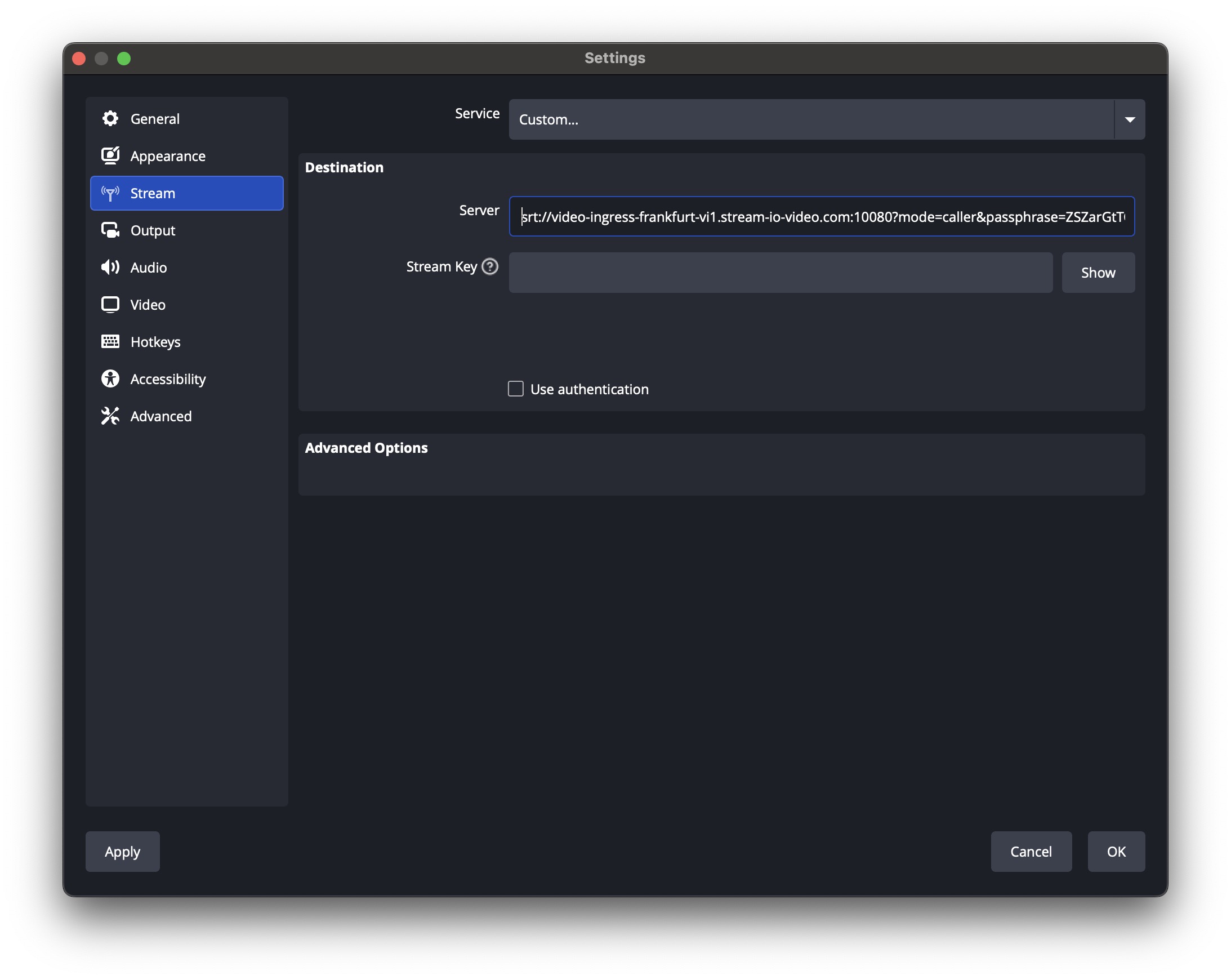
Note: OBS 32.0.0+ is required for stable SRT support; older versions may fail to publish.
3) Preview the stream
Use the viewer demo to watch the livestream via WebRTC/HLS. Ensure you use the same API key and call ID you used in step 1.
Recommended settings
- Video codec: H.264
- Choose resolution/bitrate for your content. See Quality for guidance.
SRT vs RTMP
| Feature | SRT | RTMP |
|---|---|---|
| Latency | ~100 ms – 1s | ~2s |
| Transport | UDP (ARQ/FEC) | TCP |
| Reliability | High (handles jitter/loss) | Moderate (retransmits add delay) |
| Security | AES encryption | RTMPS/TLS required |
| Codecs | H.264, AV1, VP8, VP9 | Commonly H.264/AAC |