
The 10 Best Platforms To Build Voice AI Agents


Voice assistants like Siri and Alexa are great for non-trivial everyday personal assistive tasks. However, they are limited in providing accurate answers to complex questions, real-time information, handling turns, and user interruptions.
Try asking Siri about the best things to do with kids in a particular city or location. It won't provide an accurate answer because it can't access web search tools. On devices supporting Apple Intelligence, asking the same question will be handed off to ChatGPT.
As in-app conversational app features, voice agents are here to solve these limitations.
What Is an AI Voice Agent?
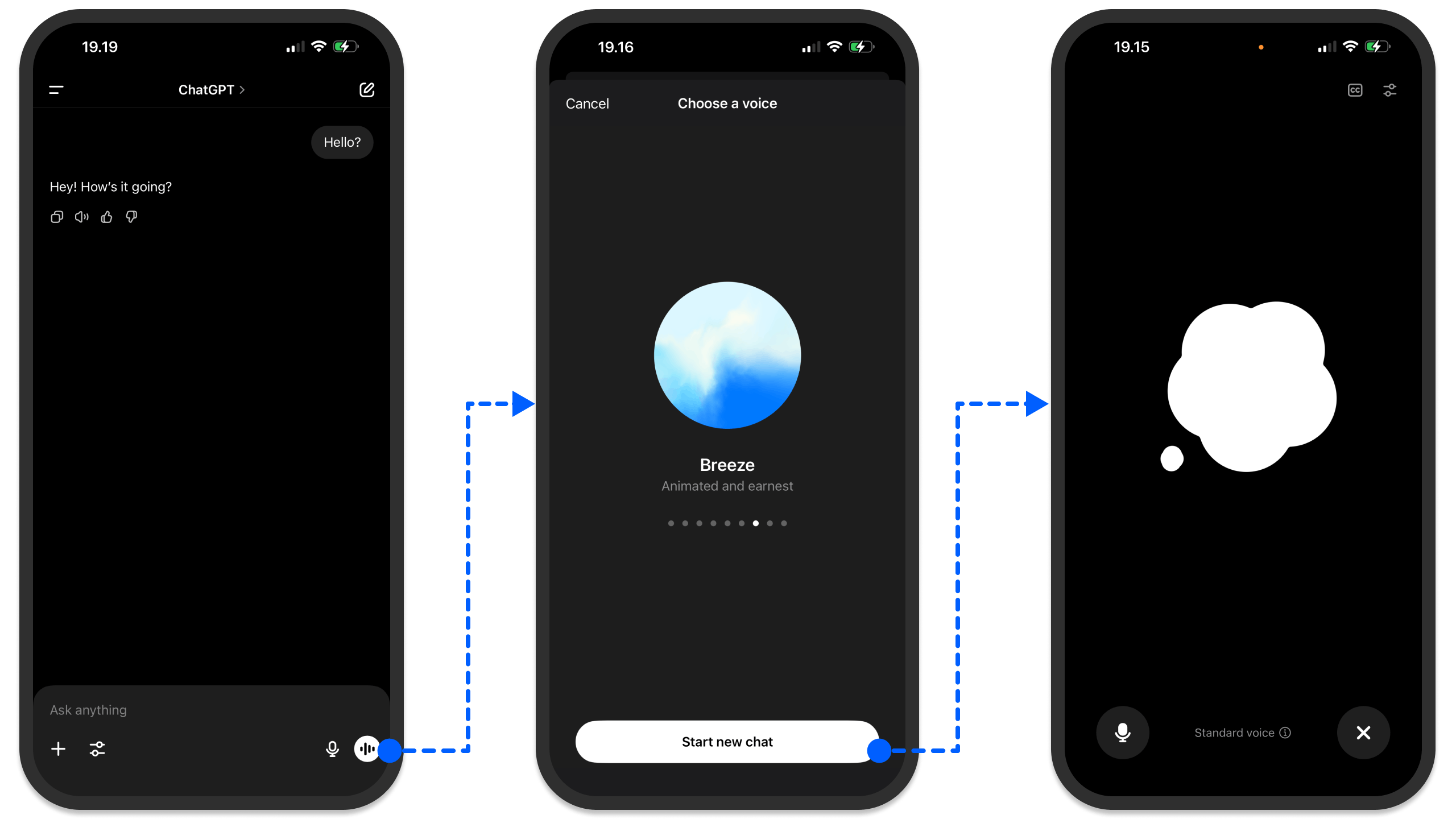
A voice agent is a conversational AI assistant capable of taking user instructions and responding with a human-like voice in real-time using a local or cloud-based LLM.
Like text-generation agents, voice-based ones use LLMs to output audio responses. The best way to think of it is to consider ChatGPT's voice mode, as illustrated in the above image. With the tap of a button and selecting your preferred voice, you can easily speak to ChatGPT for real-time responses.
In the following sections, we'll look at the top platforms developers can use to build voice-enabled experiences for any use case.
Why Build a Voice Agent?
Like text-based AI agents, the support for MCP in voice applications helps agents retrieve accurate, real-time information from services such as Perplexity and Exa. With MCP, you can build an agent to manage tasks through Slack and Linear using voice interactions. You can also connect voice agents to MCP tools for custom workflows.
When creating your voice AI app, support for diverse accents may be needed. Luckily, major platforms, like the OpenAI Agents SDK, provide a library of voices to choose from. Voice-based agents can be used across many domains, including sales, marketing, customer support, small businesses, and enterprises.
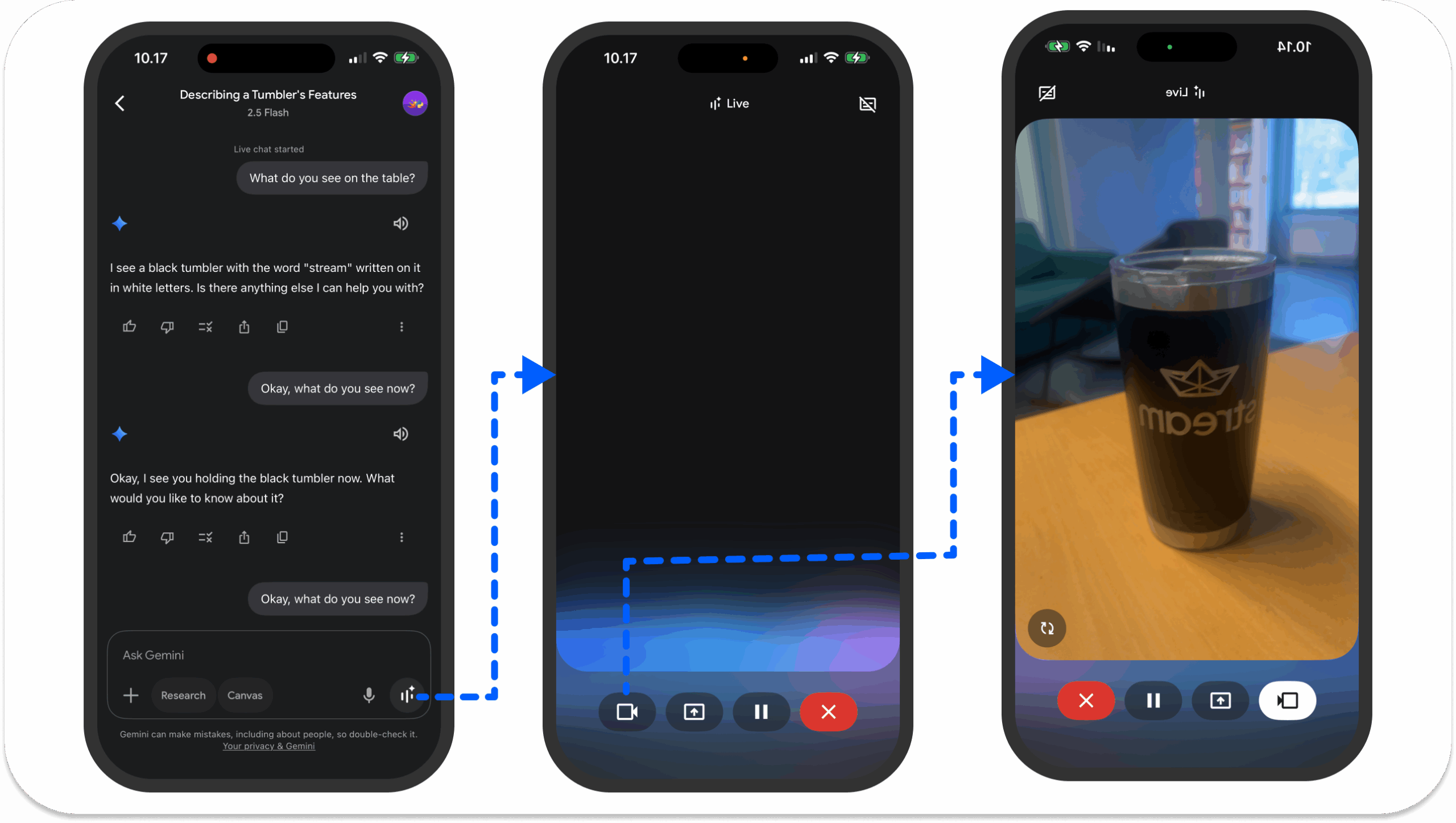
- Video AI: An excellent use case of voice agents in a video AI setting is Gemini Live. It uses your phone's camera to see and understand objects around you and provide answers through speech interactions. Gemini Live also allows users to screen share their phone device's screen to ask questions about the content on the selected screen.
- Sales leads: Use a voice agent to follow up and contact potential customers for inbound sales in enterprises and small businesses.
- Customer support and call center: Voice agents can receive customer complaints and help fix issues.
- Personal assistant: Like Gemini Live, you can create a voice system to help you understand your surroundings and what you're looking at. Another trending application area is computer and browser use. You can integrate a voice system with an AI browser agent to automate online booking and appointment scheduling.
- Social platform: Build voice agents to interact with people in social communities by giving real-time voice responses to users' queries.
- Gaming: Build character dialog and interactive narration systems with voice agents for online gaming platforms.
- Telecare: Use an AI voice to interact with patients and collect their information online in telehealth scenarios.
The Top 10 Platforms To Build Voice-Enabled Apps
Building a voice AI app can be daunting. Several aspects include backend infrastructure, audio quality, latency, and more. For these reasons, you can rely on frameworks, SDKs, and APIs to create AI solutions with voice as one of the main in-app features.
Most of these voice agent-building platforms offer a Python-first approach. TypeScript-based options are now catching up.
Let's look at the leading solutions and how to build quickly with them.
1. Vision Agents: Voice and Video AI Platform

Vision Agents is a free and open-source Python framework that developers can use to build voice, video, and vision services. The platform works with any AI provider and can be used to integrate in-app features like:
- Image and realtime video classification.
- Instant and semantic segmentation of video images.
- Object detection and tracking.
- Dictation, transcription, and translation.
- Voice generation and any of the model application area categories on Hugging Face.
Aside from these features, you can extend your Vision Agents-powered voice AI app with leading platforms like:
- OpenAI
- Cartesia
- Deepgram
- ElevenLabs
- Fish Audio
- Kokoro and more.
The framework's foundation is built with WebRTC to ensure low-latency communication with Stream Video.
Get Started with Vision Agents
You can watch this 5-minute YouTube tutorial to build your first voice assistant in Vision Agents or follow these simple steps to get it running shortly.
Scaffold Your Project and Set API Credentials
uvx vision-agents init my-agent && cd my-agent

cp .env.example .env

STREAM_API_KEY=your_stream_api_key
STREAM_API_SECRET=your_stream_api_secret
GOOGLE_API_KEY=your_google_api_key
Your First Voice Agent
The init command above generates agent.py in the project. Open this file and explore each section to see how it works. You then customize each component of the voice system, such as the agent instructions and the realtime voice generation API to use (OpenAI Realtime, Gemini Live, AWS Bedrock, etc).
# agent.py

from dotenv import load_dotenv
from vision_agents.core import Agent, Runner, User
from vision_agents.core.agents import AgentLauncher
from vision_agents.plugins import getstream, gemini

load_dotenv()

INSTRUCTIONS = (
    "You're a helpful voice AI assistant. "
    "Keep responses short and conversational."
)

async def create_agent(**kwargs) -> Agent:
    return Agent(
        edge=getstream.Edge(),
        agent_user=User(name="My AI assistant", id="agent"),
        instructions=INSTRUCTIONS,
        llm=gemini.Realtime(),
    )

async def join_call(agent: Agent, call_type: str, call_id: str, **kwargs) -> None:
    call = await agent.create_call(call_type, call_id)
    async with agent.join(call):
        await agent.simple_response(text="Say hi and introduce yourself.")
        await agent.finish()

runner = Runner(AgentLauncher(create_agent=create_agent, join_call=join_call))

if __name__ == "__main__":
    runner.cli()
Run agent.py to start the voice agent. Your CLI will print a join link for you to open in the browser and connect to your agent. Check out the Vision Agents integrations and how-to guides to extend the capabilities of your first voice assistant and integrate with any AI provider/service you prefer.
uv run agent.py run
2. OpenAI: Create Voice Apps
OpenAI allows developers to integrate voice services with their apps in two ways. With its Python Agents SDK and TypeScript SDK, you can easily add voice agents to any AI application.
The SDK supports male and female TTSVoices such as Alloy, Ash, Coral, Echo, Fable, Onyx, Nova, Sage, and Shimmer. With its voice agent pipeline, you can transcribe an audio input into text, run a workflow for sequential text responses, and transform the text-based output into streaming audio.
Another way to build audio/speech experiences with OpenAI is to use its Realtime API. Using its WebRTC or WebSockets backend, developers can build multi-modal experiences supporting realtime text and speech generation, transcription, function calling, and more.
Some of the unique features of building voice agents with OpenAI include the following:
- Tools: Give your voice applications access to external services to execute actions.
- Agent monitoring: Provide guardrails and rules for voice agents to follow.
- Agent handoff: Create multiple agents who can assign tasks to others.
- Audio handling: It uses WebRTC to handle audio input/output by default.
- Session management: It allows configuring and customizing real-time sessions.
Get Started with OpenAI JS SDK
With the sample code below, you can start building voice apps with the OpenAI JS SDK. Check out voice agents quickstart to learn more.
import { RealtimeAgent, RealtimeSession } from "@openai/agents/realtime";

const agent = new RealtimeAgent({
  name: "Assistant",
  instructions: "You are a helpful assistant.",
});

const session = new RealtimeSession(agent);

// Automatically connects your microphone and audio output
// in the browser via WebRTC.
await session.connect({
  apiKey: "<client-api-key>",
});
3. ElevenLabs: Build Conversational Voice Agents
ElevenLabs is one of the leading platforms for building conversational AI applications. It provides developers and enterprises with all the building blocks for integrating low-latency voice agents with any service.
The example below demonstrates a realistic text-to-speech interaction.
With this platform, you can access categories of AI models for voice cloning, isolation, swapping, voice design, and making sound effects. Combinations of these models can be used to create and deploy interactive audio services.
For example, its latest model (Eleven V3) at the time of writing this article is an excellent choice for implementing realistic and expressive in-app text-to-speech. With its support for different categories of speech models, you have several options for video, audio, gaming, telehealth, and marketplace applications.
Get Started with ElevenLabs
ElevenLabs provides easy-to-use SDKs for Python and TypeScript developers. The sample code below is all you need to make your first API call to the Python voice AI SDK to create your text-to-speech app.
from dotenv import load_dotenv
from elevenlabs.client import ElevenLabs
from elevenlabs import play
import os

load_dotenv()

elevenlabs = ElevenLabs(
  api_key=os.getenv("ELEVENLABS_API_KEY"),
)

audio = elevenlabs.text_to_speech.convert(
    text="The first move is what sets everything in motion.",
    voice_id="JBFqnCBsd6RMkjVDRZzb",
    model_id="eleven_multilingual_v2",
    output_format="mp3_44100_128",
)

play(audio)
Check out the developer quickstart to learn more about the TypeScript version of the SDK.
4. Deepgram: Build Voice AI Solutions
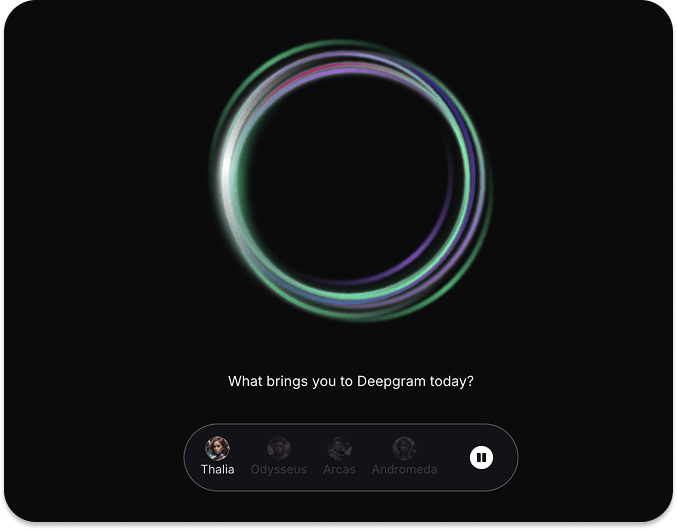
Deepgram is a voice AI application creation platform. Developers can use its API to build audio apps with text-to-speech, speech-to-speech, and speech-to-text models. To experience and see how Deepgram works, visit the URL above and try the interactive, real-time voice demo on the home page.
With Deepgram, you can try different models and APIs to build intelligent audio apps for use cases in customer service, telemedicine, sales, service ordering, etc. The quickest way to start building your app with Deepgram is to try its API playground.
Get Started with Deepgram
One advantage of using Deepgram is that its APIs are available for Python, JavaScript, C#, and Go. To build your first voice agent with any of the Deepgram SDKs, configure your environment and install the platform-specific SDK. The example commands below are for Python.
To begin with your preferred platform for implementing a voice agent, head to the Getting Started guides.
mkdir deepgram-agent-demo
cd deepgram-agent-demo
touch index.py
export DEEPGRAM_API_KEY="your_Deepgram_API_key_here"
@TODO other Python commands

# Install the SDK
pip install deepgram-sdk5. Vapi: Voice AI Agents For Developers
The Vapi platform helps developers build and deploy voice agents and AI products in Python, React, and TypeScript. It provides two ways to make intelligent voice apps. It's assistant's option allows you to create simple conversational services that may require a single system prompt for the underlying model's operations.
Example use cases of Vapi Assistants include simple question and answer systems and chatbots. If an agentic system has a complex logic or involves a multi-step process, you can use the workflow feature of Vapi to build your agents. Applications in this category are suitable for appointment scheduling and service ordering.
Vapi is an excellent choice for developers and enterprises developing voice AI products for call operations involving actual phone numbers. You can integrate it with several applications and model providers, such as Salesforce, Notion, Google Calendar, Slack, OpenAI, Anthropic, Gemini, and more.
- Multilingual support: The API supports multilingual operations. This means your app's users can speak to agents in English, Spanish, and 100+ other supported languages.
- External tools: Easily add external tools to allow your voice agent to perform accurate actions.
- Automated testing: Use simulated AI voices to create test suites for production-ready agents.
- Plugin any model: You can bring your favorite text-to-speech, speech-to-text, and speech-to-speech models from any major AI service provider.
Get Started with Vapi
Making your first voice AI app with Vapi or integrating it with an existing app is simple. The React sample code below can get you started.
import Vapi from "@vapi-ai/web";
import { useState, useEffect } from "react";

export const vapi = new Vapi("YOUR_PUBLIC_API_KEY"); // Get your public api key from the dashboard

function VapiAssistant() {
  const [callStatus, setCallStatus] = useState("inactive");
  const start = async () => {
    setCallStatus("loading");
    const response = vapi.start("YOUR_ASSISTANT_ID"); // Get your assistant id from the dashboard
  };
  const stop = () => {
    setCallStatus("loading");
    vapi.stop();
  };
  useEffect(() => {
    vapi.on("call-start", () => setCallStatus("active"));
    vapi.on("call-end", () => setCallStatus("inactive"));
    return () => vapi.removeAllListeners();
  }, []);
  return (
    <div>
      {callStatus === "inactive" ? (
        <button onClick={start}>Start</button>
      ) : null}
      {callStatus === "loading" ? <i>Loading...</i> : null}
      {callStatus === "active" ? <button onClick={stop}>Stop</button> : null}
    </div>
  );
}
Visit vapi.ai to try making voice agents for other platforms.
6. Play.ai: Build Real-Time Intelligent Voice Apps
PlayAI is a platform for making intelligent voice apps for the web and mobile. The platform allows engineers to create voice agents for healthcare, real estate, gaming, food delivery, EdTech, and more.
To see how the service works, check out the interactive voice chat demo from the above URL or try the PlayNote web app, which allows you to turn JPEG, PDF, EPUB, CSV, and several other files into a human-like-sounding audio format. Like other platforms, PlayAI has a library of AI voices for experimenting with your apps.
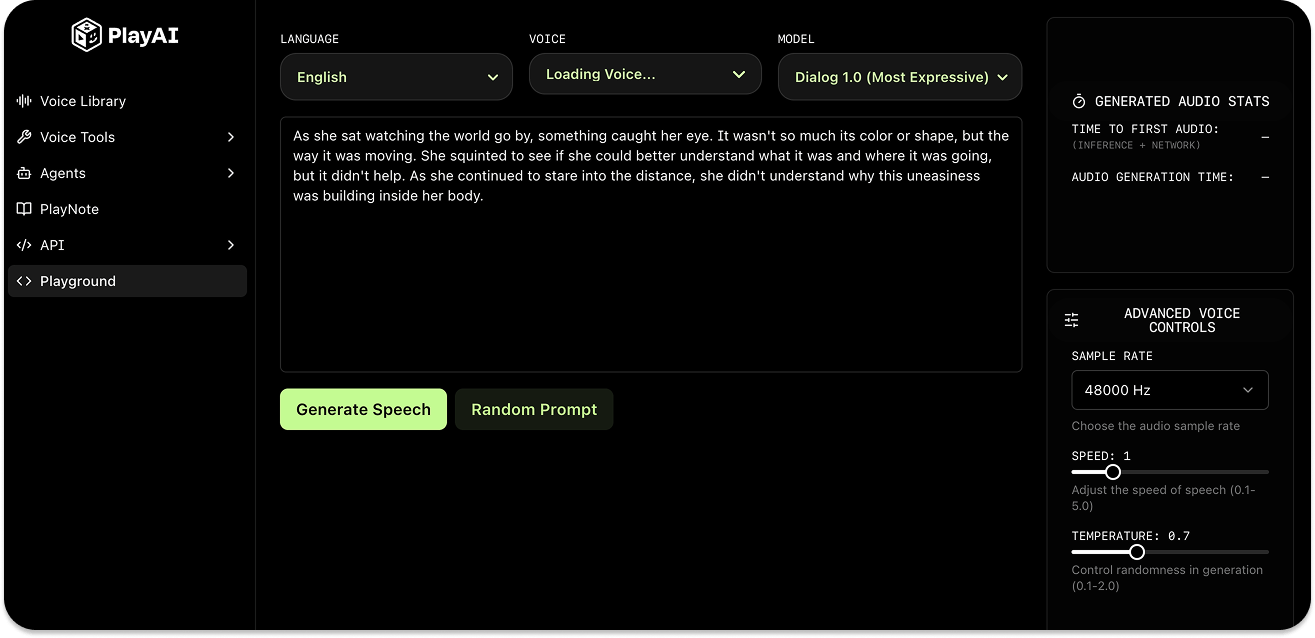
The PlayAI's playground/sandbox provides a starting point for experimenting, testing speech generation, and building audio experiences.
Get Started with PlayAI
You can use the PlayAI text-to-speech API in Bash, Python, JavaScript, Go, Dart, and Swift. First, set your API credentials on your machine.
# macOS (zsh)
echo 'export PLAYAI_KEY="your_api_key_here"' >> ~/.zshrc
echo 'export PLAYAI_USER_ID="your_user_id_here"' >> ~/.zshrc
source ~/.zshrc

# Windows
setx PLAYAI_KEY "your_api_key_here"
setx PLAYAI_USER_ID "your_user_id_here"
Then, make your first API call to create an audio from a text prompt using this Curl script:
curl -X POST 'https://api.play.ai/api/v1/tts/stream' \
  -H "Authorization: Bearer $PLAYAI_KEY" \
  -H "Content-Type: application/json" \
  -H "X-USER-ID: $PLAYAI_USER_ID" \
  -d '{
    "model": "PlayDialog",
    "text": "Hello! This is my first text-to-speech audio using PlayAI!",
    "voice": "s3://voice-cloning-zero-shot/baf1ef41-36b6-428c-9bdf-50ba54682bd8/original/manifest.json",
    "outputFormat": "wav"
  }' \
Running the above in your Terminal should output an audio file called hello.wav.
7. Pipecat: Build Voice AI Apps

Pipecat is one of the most widely used open-source frameworks for building conversational AI applications. The framework allows developers to create complex dialog systems, enterprise-grade customer support agents, multimodal interactions (video, voice, and images), and video meeting assistants.
Check out this X post to see a practical demo of Pipecat in action.
The client SDKs for Web, iOS, Android, and C++ allow you to build low-latency conversational apps with several AI services, tools, and underlying backend technologies such as WebRTC and WebSockets.
Get Started with Pipecat
You can start running Pipecat on a local machine by configuring your environment, installing the module, and switching to the cloud once your voice application is ready for production.
# Install the module
pip install pipecat-ai

# Set up your environment
cp dot-env.template .env
Refer to the Pipecat's GitHub repo for more code samples and detailed instructions on building conversational agents with the framework.
8. Cartesia: Create Realistic AI Voices
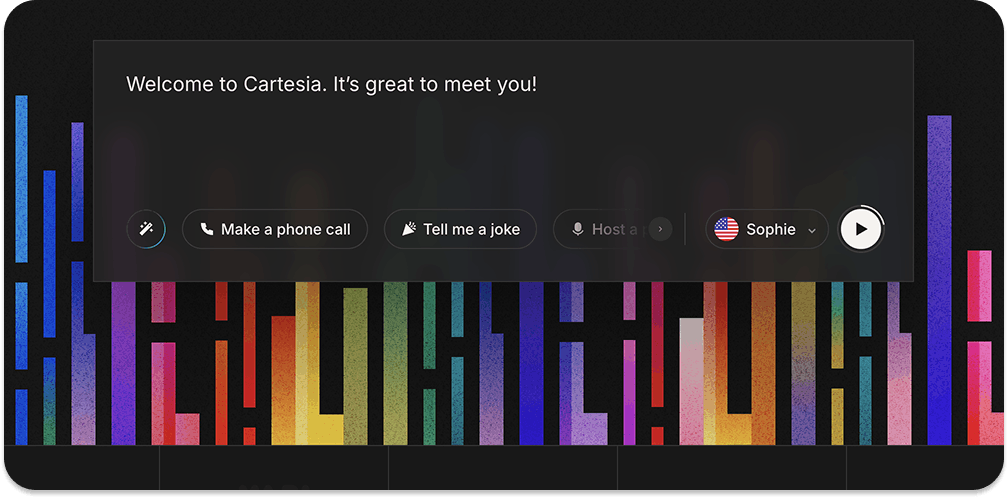
Cartesia is a developer-first platform for voice AI. The Cartesia API makes incorporating high-quality voices into any product easier. It also provides seamless support for extending voice agents with other platforms like LiveKit, Vapi, and Pipecat. You can build your speech applications in 15+ languages and deploy them anywhere and on any device.
To learn more about how Cartesia works, you can check out its Sonic text-to-speech and Ink-Whisper speech-to-text models.
Get Started with Cartesia
Depending on your machine, there are a few installation requirements for using the Cartesia API.
# macOS
brew install ffmpeg

# Debian/Ubuntu
sudo apt install ffmpeg

# Fedora
dnf install ffmpeg

# Arch Linux
sudo pacman -S ffmpeg
After you install any of the above for your computer, you can now make an API call to generate your first speech from text using cURL, Python, or JavaScript/TypeScript.
curl -N -X POST "https://api.cartesia.ai/tts/bytes" \
        -H "Cartesia-Version: 2024-11-13" \
        -H "X-API-Key: YOUR_API_KEY" \
        -H "Content-Type: application/json" \
        -d '{"transcript": "Welcome to Cartesia Sonic!", "model_id": "sonic-2", "voice": {"mode":"id", "id": "694f9389-aac1-45b6-b726-9d9369183238"}, "output_format":{"container":"wav", "encoding":"pcm_f32le", "sample_rate":44100}}' > sonic-2.wav
To go further, you can try Cartesia's Python and TypeScript SDKs.
9. Fish Audio: Expressive TTS and Voice Cloning
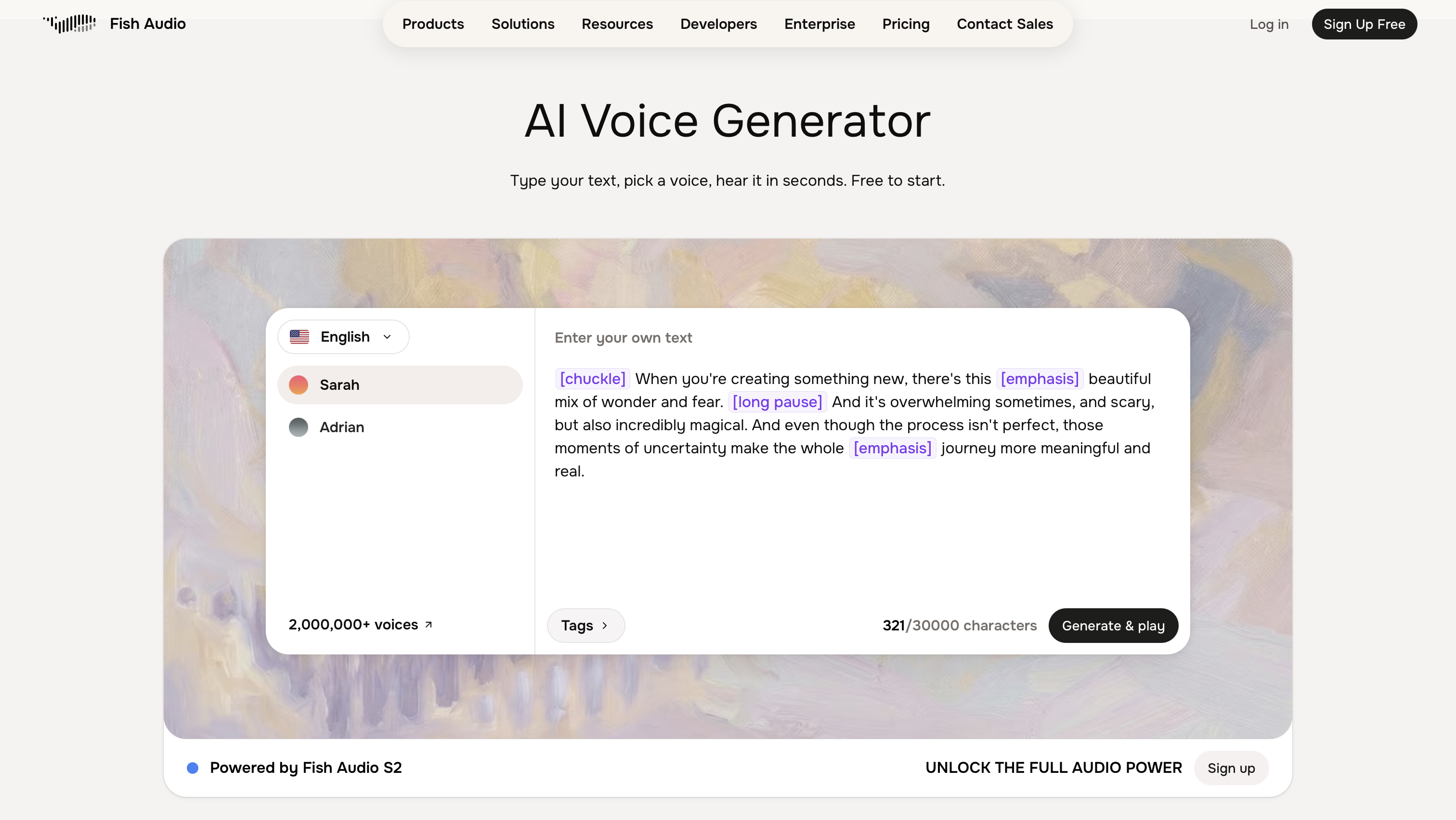
Fish Audio is a text-to-speech and voice-cloning platform for developers who want fine-grained control over the TTS layer. Its open-weights S2.1 Pro model clones a voice from a 10-second sample, supports 83 languages, and uses word-level emotion tags like [excited], [whispering], and [sad] to shape delivery. It targets around 70ms time-to-first-audio for real-time agents.
Fish Audio is available as a first-class integration in Vision Agents, so you can use it as both the speech-to-text and text-to-speech layer of a Stream voice agent.
Get Started with Fish Audio
Add the Fish plugin to Vision Agents and set fish.STT() and fish.TTS() on your agent:
from vision_agents.core import Agent, User
from vision_agents.plugins import fish, gemini, getstream

agent = Agent(
    edge=getstream.Edge(),
    agent_user=User(name="Assistant", id="agent"),
    instructions="You are a helpful assistant.",
    llm=gemini.LLM("gemini-3-flash-preview"),
    stt=fish.STT(),
    tts=fish.TTS(),
)
Prefer Fish's own API? Install the SDK with pip install fish-audio-sdk and set the FISH_API_KEY environment variable. Fish Audio is free to start under Fair Use, with paid production plans (SLA included) at roughly $15 per million characters.
10. AssemblyAI: Build Voice AI Apps With Accurate Speech Models
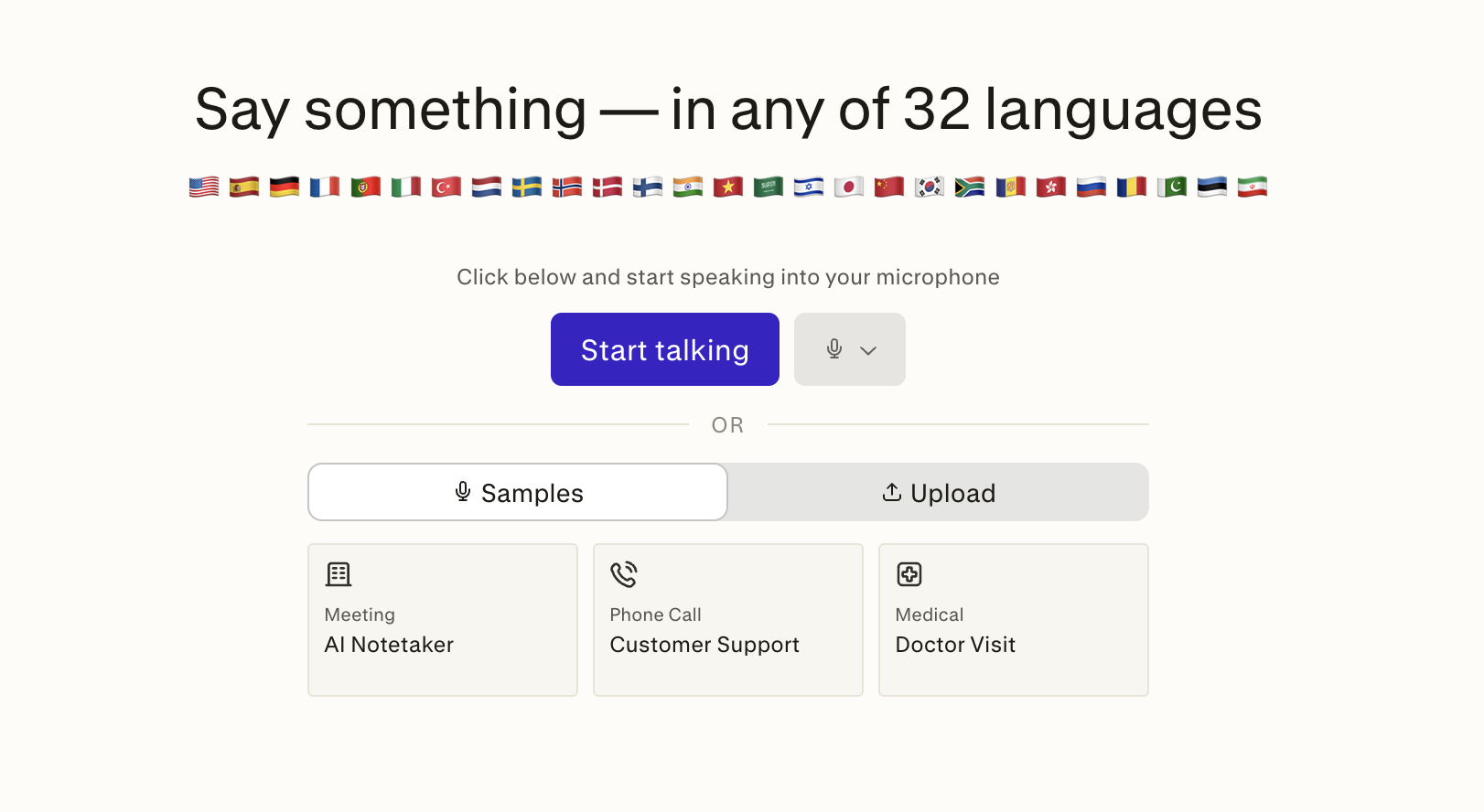
AssemblyAI is a voice AI platform for speech-to-text and voice agents. Developers can use its API to build audio apps with pre-recorded transcription, real-time streaming, and speech understanding models. To experience and see how AssemblyAI works, try the models in the interactive playground.
With AssemblyAI, you can build intelligent audio apps for use cases in contact centers, medical scribing, meeting assistants, sales, etc. Its Voice Agent API also combines speech-to-text, a language model, and text-to-speech in a single WebSocket connection. Separately, its Universal 3.5 Pro Realtime streaming model plugs into voice agent frameworks like Pipecat and LiveKit.
Get Started with AssemblyAI
One advantage of using AssemblyAI is that its SDKs cover pre-recorded transcription, real-time streaming, and speech understanding, and handle authentication, polling, and retries for you. Official SDKs are available for Python and JavaScript. To transcribe your first audio file, configure your environment and install the SDK. The example commands below are for Python.
mkdir assemblyai-demo
cd assemblyai-demo
touch transcribe.py

export ASSEMBLYAI_API_KEY="your_AssemblyAI_API_key_here"

# Install the SDK
pip install assemblyai
To go further with streaming audio and voice agents, head to the Docs and API reference.
Other Notable Voice AI Platforms
There are other excellent services like LiveKit, Kokoro TTS, and Moonshine for creating voice applications. You can also use platforms like Unmute.sh and OpenAI.fm to experiment and test with a library of natural and realistic AI voices.
To make voice apps for specific use cases, such as phone call operations, you can use services like Bland AI, Retell AI, and Synthflow AI. If you want to try open-source TTS models, check out Chatterbox TTS and the Speech Synthesis category on Hugging Face Spaces.
The Future of Voice Agents
This article covered ten of the best platforms you can use today to make speech AI products.
Although all the platforms covered in this article provide natural-sounding human-like voices, many have high latencies when interacting with agents. Some do not handle interruptions and noisy conditions properly. For example, many platforms will struggle to understand a user's voice, especially if a baby or a kid is playing and talking in the background.
As this AI field keeps improving regularly, future speech models, APIs, and SDKs will enhance their interruption capabilities, noise detection, and ensure low-latency speech-to-speech, speech-to-text, and text-to-speech interactions. Many of these platforms are currently closed source, but as the voice AI landscape evolves rapidly, open-source alternatives will continue to emerge.