















MediaList
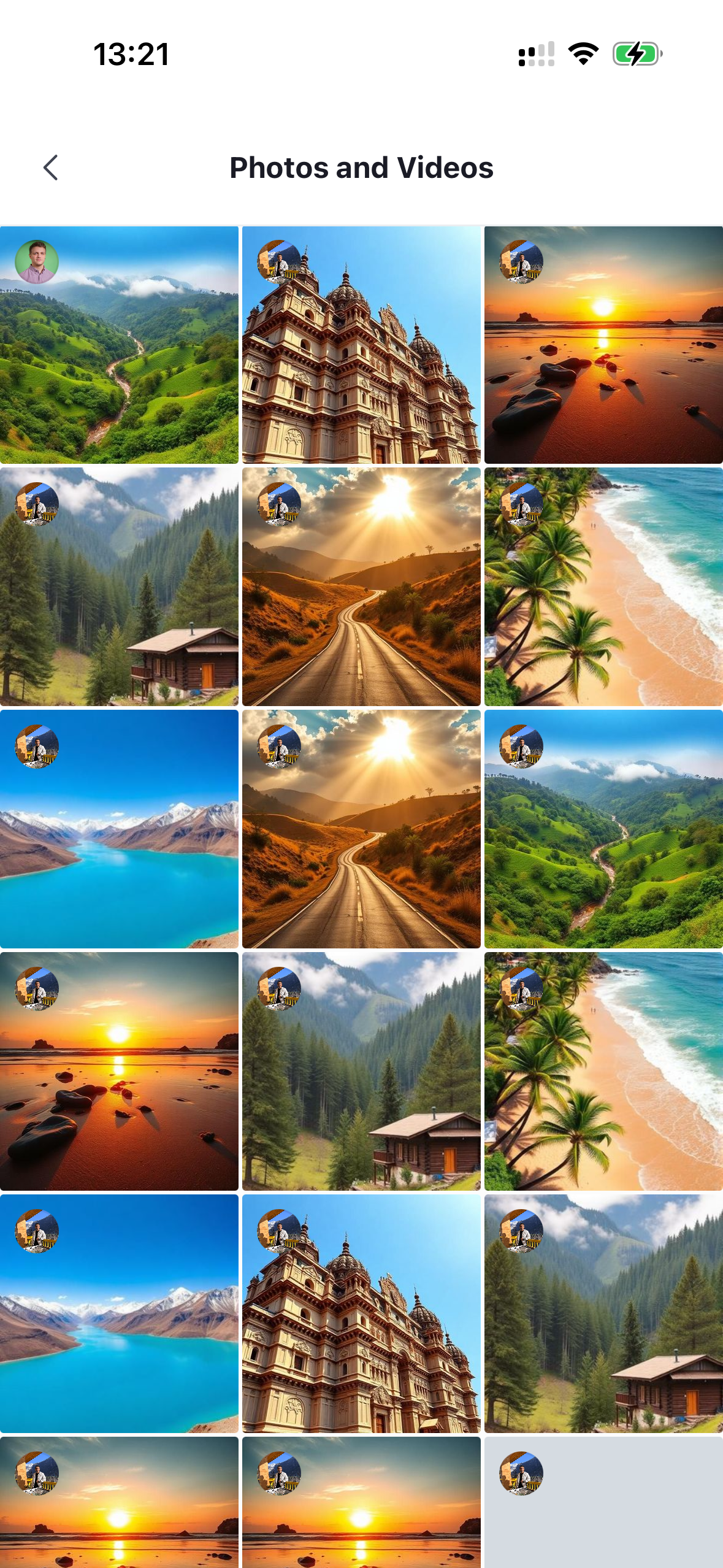
A three-column grid of the image and video attachments shared in a channel. It fetches messages with image/video attachments, renders them as square tiles in a FlatList, and opens a fullscreen gallery viewer (with swipe navigation across all loaded media) when a tile is pressed. It shows an empty state when there is no media. Needs to be wrapped in a ChannelDetailsContextProvider that supplies the channel.
This is the grid surfaced by the navigation section of ChannelDetails. You can render it on its own screen as well.
Best Practices
- Wrap it in
ChannelDetailsContextProviderso it can resolve the channel to query. - Use
additionalFlatListPropsto tune grid behavior and scrolling instead of wrapping the list. - Keep the default
onPressto preserve the fullscreen gallery transition, and only override it when you need custom navigation. - Override and configure the
MediaItembuilding block by wrapping the grid inWithComponentswith anoverridesmap.
General Usage
import {
  OverlayProvider,
  Chat,
  ChannelDetailsContextProvider,
  MediaList,
} from "stream-chat-react-native";

const App = () => {
  return (
    <OverlayProvider>
      <Chat client={client}>
        <ChannelDetailsContextProvider channel={channel}>
          <MediaList />
        </ChannelDetailsContextProvider>
      </Chat>
    </OverlayProvider>
  );
};
Props
| Prop | Description | Type |
|---|---|---|
additionalFlatListProps |
Override the underlying FlatList props of the grid. |
Partial<FlatListProps<MediaTile>> |
searchSource |
A custom MessageSearchSource used to query and paginate the media grid. Overrides the source created by default (pre-configured to fetch image/video attachments). |
MessageSearchSource |
Building blocks
MediaItem
The square tile rendered for each image or video attachment.
| Prop | Description | Type |
|---|---|---|
attachment * |
The image/video attachment rendered by this tile. | Attachment |
message * |
The message the attachment belongs to. | MessageResponse |
size * |
Side length of the square tile, in points. | number |
onPress |
Fired with the tile's attachment and message when pressed. The media list passes its gallery-opening handler here; overriding it replaces the default fullscreen gallery behavior. | (params: { attachment: Attachment; message: MessageResponse; requesterNode: number | null }) => void |