















ChannelEditDetailsForm
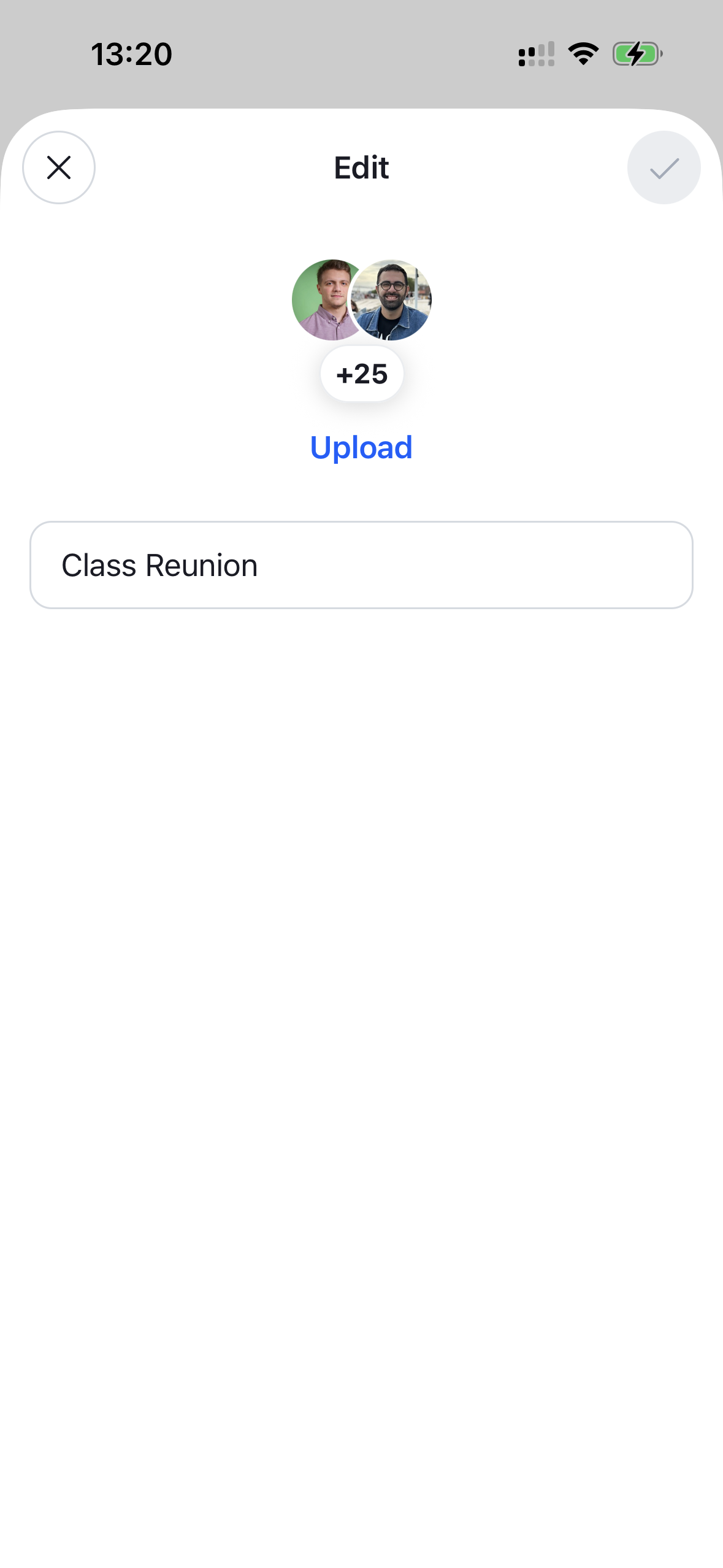
A form that lets the user edit a channel's details (name and image). It renders the editable fields together with a header that exposes confirm and close controls, plus the notification list. The confirm button is disabled until a change is made and shows a loading state while the update is in flight. Needs to be wrapped in a ChannelDetailsContextProvider that supplies the channel. The form expects an already-initialized channel (for example via channel.watch() or by querying channels), since it edits the channel's existing name and image.
This is the form that the ChannelDetailsEditButton renders inside its modal. You can render it yourself — in your own modal or a navigation screen — when building a custom channel details screen.
Best Practices
- Mount the form where the edit UI should appear and dismiss it through
onClose(it is also called after a successful save). - Wrap it in
ChannelDetailsContextProviderso the form can resolve the channel being edited. - Pass
compressImageQuality/doFileUploadRequestto the form (or toChannelEditDetailsProvider) only when you need to override how the picked channel image is compressed and uploaded. - Override and configure building blocks like
ChannelEditDetailsFormHeaderorChannelEditDetailsFormContentby wrapping the form inWithComponentswith anoverridesmap.
General Usage
import {
  OverlayProvider,
  Chat,
  ChannelDetailsContextProvider,
  ChannelEditDetailsForm,
} from "stream-chat-react-native";

const App = () => {
  return (
    <OverlayProvider>
      <Chat client={client}>
        <ChannelDetailsContextProvider channel={channel}>
          <ChannelEditDetailsForm onClose={() => navigation.goBack()} />
        </ChannelDetailsContextProvider>
      </Chat>
    </OverlayProvider>
  );
};
Props
| Prop | Description | Type |
|---|---|---|
onClose * |
Fired when the form is dismissed via the close button or after a successful save. | () => void |
compressImageQuality |
Compress the picked channel image with this quality (0 to 1, where 1 is best). Seeded into the ChannelEditDetailsContext. |
number |
doFileUploadRequest |
Override the upload request used to upload the channel image. Seeded into the ChannelEditDetailsContext. |
GlobalFileUploadRequest |
Building blocks
ChannelEditDetailsFormHeader
The header rendered above the form. It exposes the close control and the confirm button that saves the edited details (disabled until a change is made, with a loading state while saving).
| Prop | Description | Type |
|---|---|---|
onClose * |
Fired when the close button is pressed or after a successful save. | () => void |
ChannelEditDetailsFormContent
The edit form rendered inside the form (channel avatar with an upload action and a name input). Takes no props — configure image compression/upload through the ChannelEditDetailsForm props or ChannelEditDetailsProvider.