















Channel
Channel is the main entry point for customization and hosts most of the contexts and logic used by the React Native SDK. MessageList, MessageComposer, and Thread require it. It provides the following contexts to its children:
ChannelContext(viauseChannelContext) - channel state and configurationKeyboardContext(viauseKeyboardContext) - keyboard handling stateMessageInputContext(viauseMessageInputContext) - message input state and actionsMessagesContext(viauseMessagesContext) - message rendering configurationPaginatedMessageListContext(viausePaginatedMessageListContext) - message pagination stateAttachmentPickerContext(viauseAttachmentPickerContext) - attachment picker stateMessageComposerContext(viauseMessageComposerAPIContext) - message composer APIThreadContext(viauseThreadContext) - thread stateTypingContext(viauseTypingContext) - typing indicator state
Best Practices
- Create and watch channels once, then reuse the instance across renders.
- Render
ChannelunderOverlayProviderandChatto ensure all contexts are available. - Customize UI by replacing specific components via
WithComponentsinstead of re-implementing core logic. - Keep custom components lightweight to avoid performance regressions in lists.
- Use channel props for behavior changes before reaching for custom overrides.
Basic Usage
Channel takes a StreamChat channel instance. Create one via creating channels or read it from ChannelList via the onSelect callback.
import { useEffect, useState } from "react";
import { StreamChat } from "stream-chat";
import {
  Channel,
  Chat,
  MessageComposer,
  MessageList,
  OverlayProvider,
} from "stream-chat-react-native";

const client = StreamChat.getInstance("api_key");

export const App = () => {
  const [channel, setChannel] = useState();

  useEffect(() => {
    const createAndWatchChannel = async () => {
      const newChannel = client.channel("messaging", "channel_id");
      await newChannel.watch();
      setChannel(newChannel);
    };

    createAndWatchChannel();
  }, []);

  return (
    <OverlayProvider>
      <Chat client={client}>
        <Channel channel={channel}>
          <MessageList />
          <MessageComposer />
        </Channel>
      </Chat>
    </OverlayProvider>
  );
};
Registering Custom Components
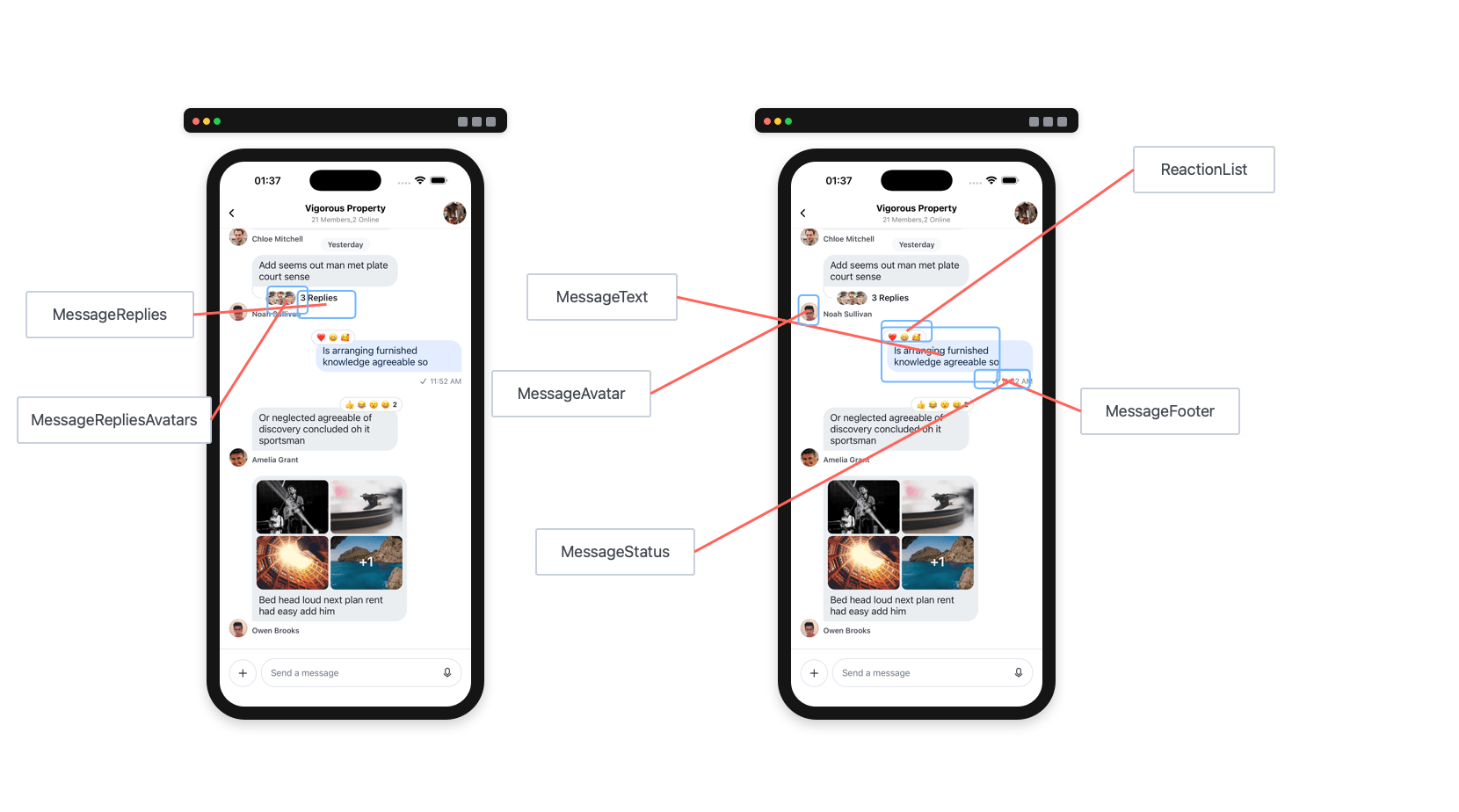
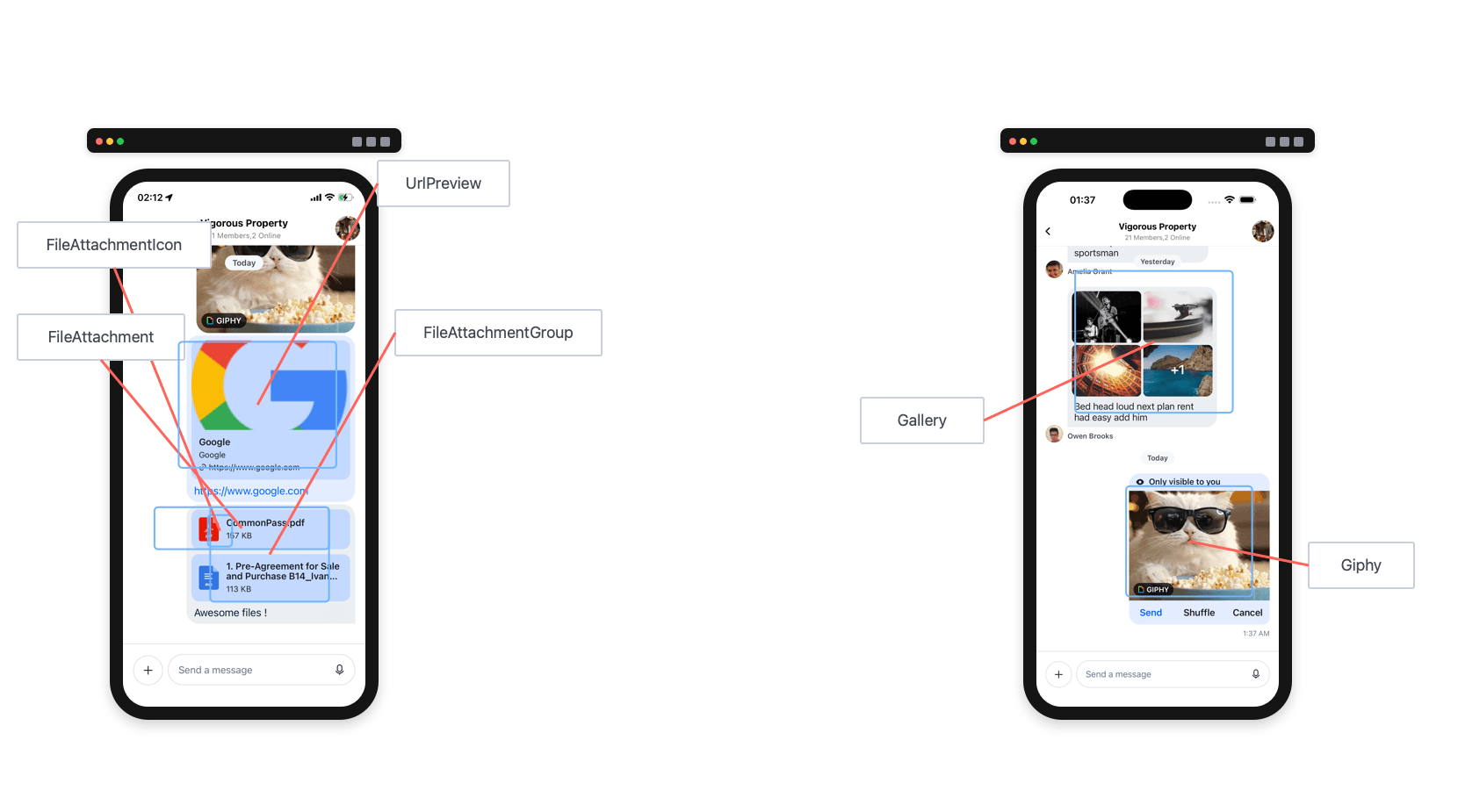
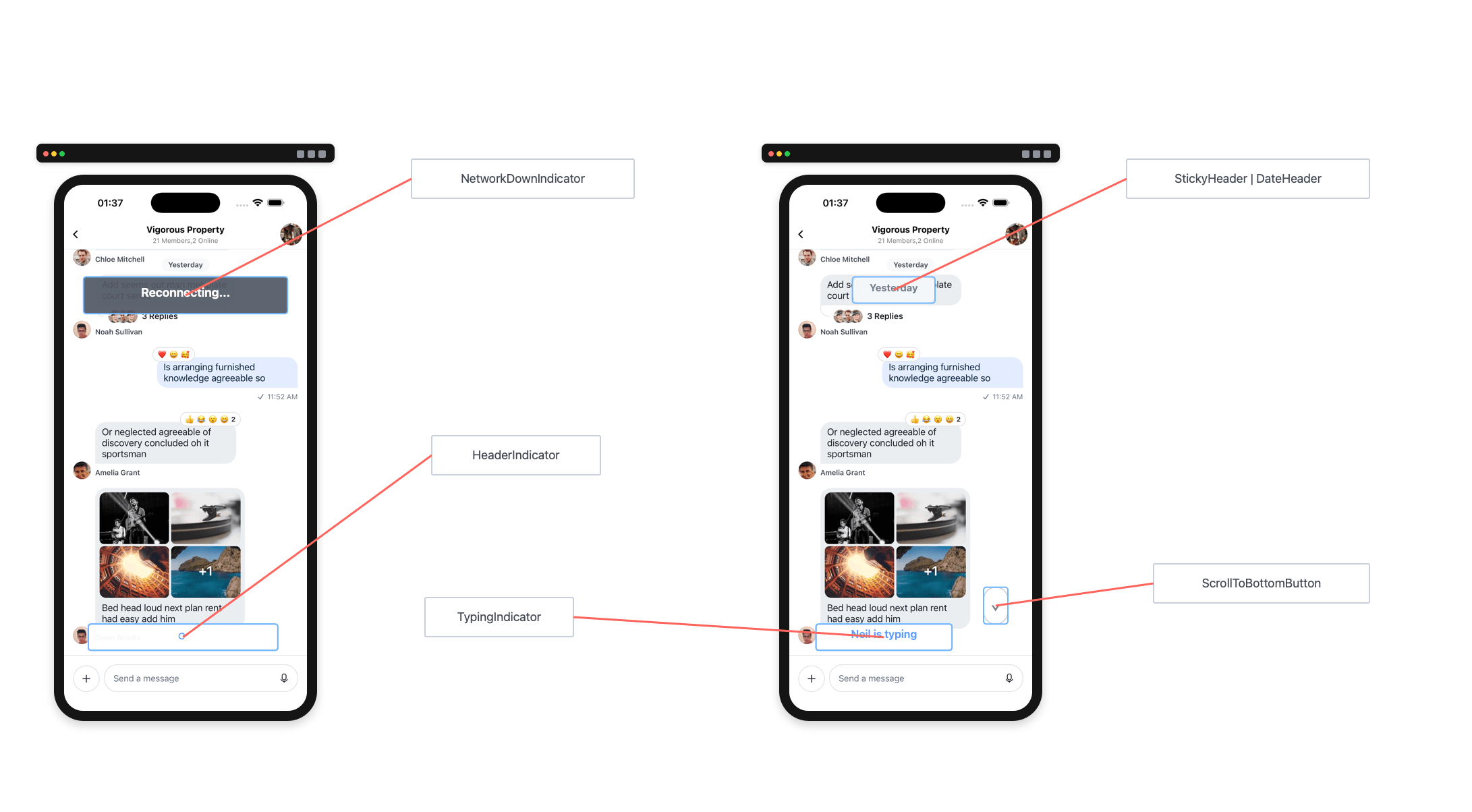
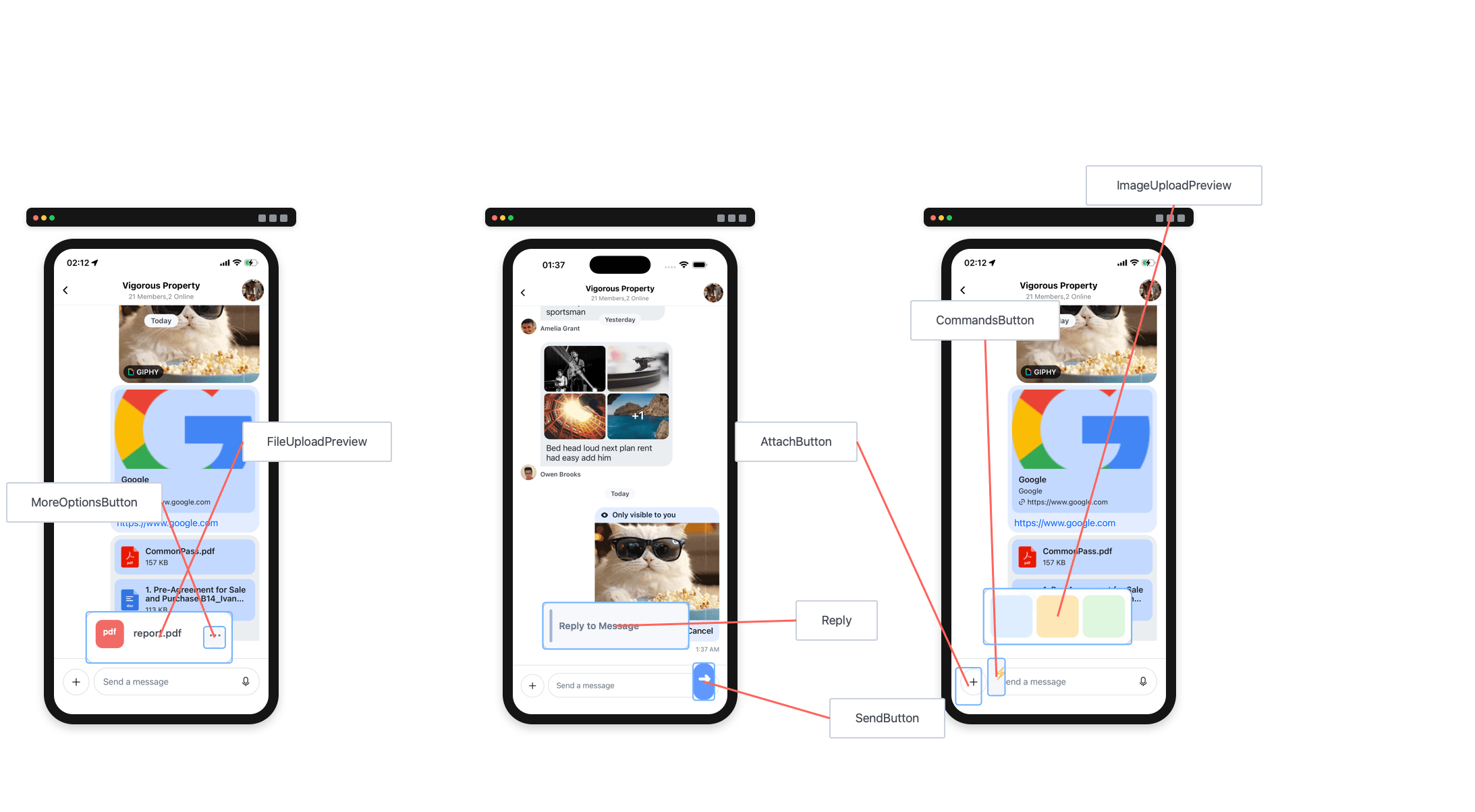
Component overrides are provided via the WithComponents wrapper instead of props on Channel. Wrap Channel (or any ancestor) with <WithComponents overrides={{ ... }}> and the custom components will be used throughout the SDK where applicable.
Customizing the message author can be done by providing a custom component to the overrides prop on WithComponents.
import { Image } from "react-native";
import {
  Channel,
  MessageComposer,
  MessageList,
  WithComponents,
  useMessageContext,
} from "stream-chat-react-native";

const CustomAuthor = () => {
  const { message } = useMessageContext();

  return <Image source={{ uri: message.user?.image }} />;
};

<WithComponents overrides={{ MessageAuthor: CustomAuthor }}>
  <Channel channel={channel}>
    <MessageList />
    <MessageComposer />
  </Channel>
</WithComponents>;
WithComponents can be placed at any level of the tree. Overrides are merged with any parent WithComponents providers, so you can set global defaults at the top and refine them deeper in the tree.
Props
| Prop | Description | Type |
|---|---|---|
additionalKeyboardAvoidingViewProps |
Extra props passed to KeyboardAvoidingView. | object |
additionalPressableProps |
Extra props passed to the underlying Pressable used in message components like MessageContent. |
object |
additionalTextInputProps |
Extra props passed to the underlying TextInput in MessageComposer. |
object |
allowDateSeparatorForSystemMessages |
Render the inline date separator above a system message when it is the first message of its day. Without it, a system message on a day boundary consumes the boundary and renders nothing, so that day gets no separator at all. Defaults to false. |
boolean |
allowConcurrentAudioPlayback |
Allow multiple audio players to play at once. Defaults to false. |
boolean |
allowSendBeforeAttachmentsUpload |
When enabled, the user can send while attachments are still pending. The optimistic message renders immediately and the SDK finishes uploads through client.uploadManager before sending final attachment URLs. Defaults to the value of enableOfflineSupport from Chat. |
boolean |
allowThreadMessagesInChannel |
Show the Show thread message in channel button in thread MessageComposer. Defaults to true. |
boolean |
asyncMessagesLockDistance |
Pixels the user must drag upward to lock recording and lift their finger without stopping it. Defaults to 50. |
number |
asyncMessagesMinimumPressDuration |
Minimum press duration (ms) on the record button to start voice recording. Defaults to 500. |
number |
asyncMessagesSlideToCancelDistance |
Pixels the user must drag toward the leading side to cancel voice recording. Defaults to 75. |
number |
attachmentPickerBottomSheetHeight |
Height of the attachment picker bottom sheet when open. Defaults to 333. |
number |
attachmentSelectionBarHeight |
Height of the attachment selection bar in the attachment picker. Defaults to 72. |
number |
audioRecordingEnabled |
Enable or disable audio recording. Defaults to false. |
boolean |
audioRecordingSendOnComplete |
When true, sends voice recording immediately after upload. When false, keeps it in the composer. Defaults to false. |
boolean |
bottomInset |
Height of items below MessageComposer. Determines the shift to MessageList when the attachment picker opens. Update it by passing a new value to this Channel prop. Defaults to 0. |
number |
channel |
Channel instance from the Stream Chat client. | Channel |
compressImageQuality |
Image compression quality before upload (0–1, where 1 is best). On iOS, values ≥ 0.8 keep quality while reducing size. Defaults to 0.8 on iOS, 1 on Android. |
number |
createPollOptionGap |
Gap between options in the poll creation dialog. Defaults to 8. |
number |
customMessageSwipeAction |
Custom action executed when the user swipes a message row. Default action is swipe to reply. | ({channel: Channel, message: LocalMessage}) => void |
disableAttachmentPicker |
When true, the attachment picker is hidden. Defaults to true when the image media library is not available. |
boolean |
disableKeyboardCompatibleView |
Disable the underlying KeyboardAvoidingView. Defaults to false. |
boolean |
disableTypingIndicator |
Disable the typing indicator in MessageList. Defaults to false. |
boolean |
dismissKeyboardOnMessageTouch |
Dismiss the keyboard when the user touches a message in the list. Defaults to true. |
boolean |
doFileUploadRequest |
Override the file upload request when a user selects a file. Use this to store files in your own CDN. See example below. | UploadRequestFn |
doMarkReadRequest |
Override the mark read request. Use only for conditional mark-read logic; do not use to disable read receipts (use Read Events on the dashboard instead). See example below. | (channel: Channel, setChannelUnreadUiState?: (state) => void) => void |
doSendMessageRequest |
Override the send message request. Must return a Promise equivalent to channel.sendMessage. See example below. |
(channelId: string, message: object, options?: object) => Promise |
doUpdateMessageRequest |
Override the update message request. Must return a Promise equivalent to client.updateMessage. See example below. |
(channelId: string, message: object, options?: object) => Promise |
enableMessageGroupingByUser |
If false, consecutive messages from the same user won't be grouped. Defaults to true. |
boolean |
enableSwipeToReply |
If true, users can swipe the full MessageItemView row to reply. Defaults to true. |
boolean |
enforceUniqueReaction |
Limits reactions to one per user. Selecting a new reaction replaces the previous one. Defaults to false. |
boolean |
focusInputOnPickerClose |
Controls what happens when the AttachButton is pressed while the attachment picker is open. If true (default), the input is focused, toggling to the keyboard; if false, the picker is closed instead. Defaults to true. |
boolean |
forceAlignMessages |
Forces all messages to align left or right. By default, received messages are left and sent messages are right. Defaults to false. |
'left' | 'right' | false |
getMessageGroupStyle |
Override message group position logic (top, bottom, middle, single). See default logic in getGroupStyles. Access computed styles via MessageContext.groupStyles. |
function |
giphyVersion |
Giphy image version to render. See Image Object keys. Defaults to 'fixed_height'. |
string |
handleAttachButtonPress |
Custom behavior when the AttachButton is pressed. | () => void |
handleBan |
Called when Ban User is triggered. Does not override default behavior. See customize message actions. | (message: LocalMessage) => void |
handleBlockUser |
Called when Block User is triggered. Does not override default behavior. See customize message actions. | (message: LocalMessage) => void |
handleCopy |
Called when Copy Message is triggered. Does not override default behavior. See customize message actions. | (message: LocalMessage) => void |
handleDelete |
Called when Delete Message is triggered. Does not override default behavior. See customize message actions. | (message: LocalMessage) => void |
handleDeleteForMe |
Called when Delete Message for me is triggered. Does not override default behavior. See customize message actions. | (message: LocalMessage) => void |
handleEdit |
Called when Edit Message is triggered. Does not override default behavior. See customize message actions. | (message: LocalMessage) => void |
handleFlag |
Called when Flag Message is triggered. Does not override default behavior. See customize message actions. | (message: LocalMessage) => void |
handleMarkUnread |
Called when Mark Unread is triggered. Does not override default behavior. See customize message actions. | (message: LocalMessage) => void |
handleMute |
Called when Mute User is triggered. Does not override default behavior. See customize message actions. | (message: LocalMessage) => void |
handlePinMessage |
Called when Pin to Conversation or Unpin from Conversation is triggered. Does not override default behavior. See customize message actions. | (message: LocalMessage) => void |
handleQuotedReply |
Called when Reply is triggered. Does not override default behavior. See customize message actions. | (message: LocalMessage) => void |
handleReaction |
Called when a reaction is selected (add or remove). Does not override default behavior. See customize message actions. | (message: LocalMessage, reactionType: string) => void |
handleRetry |
Called when Retry is triggered. Does not override default behavior. See customize message actions. | (message: LocalMessage) => void |
handleThreadReply |
Called when Thread Reply is triggered. Does not override default behavior. See customize message actions. | (message: LocalMessage) => void |
hasCameraPicker |
Enable the camera picker in MessageComposer. Defaults to true. |
boolean |
hasCommands |
Enable commands in MessageComposer. Defaults to true. |
boolean |
hasCreatePoll |
Controls whether the poll creation button is visible. | boolean |
hasFilePicker |
Enable the file picker in MessageComposer. Defaults to true. |
boolean |
hasImagePicker |
Enable the image picker in MessageComposer. Defaults to true. |
boolean |
hideDateSeparators |
Hide inline date separators in MessageList. Defaults to false. |
boolean |
hideStickyDateHeader |
Hide the sticky date header in MessageList. Defaults to false. |
boolean |
initialScrollToFirstUnreadMessage |
Load the channel starting at the first unread message. Defaults to false. |
boolean |
initializeOnMount |
When false, Channel skips channel.watch() on mount; you must call it manually. Useful for read-only or ephemeral channels. Defaults to true. |
boolean |
isAttachmentEqual |
Returns true if rendering nextAttachment would produce the same result as prevAttachment. |
(prevAttachment: Attachment, nextAttachment: Attachment) => boolean |
isMessageAIGenerated |
Determines whether a message was AI-generated. Used to enable streaming via StreamingMessageView. Defaults to () => false. |
(message: LocalMessage) => boolean |
keyboardBehavior |
Behavior for the keyboard passed to KeyboardAvoidingView. | 'height' | 'position' | 'padding' |
keyboardVerticalOffset |
Vertical offset used by the built-in keyboard handling. Set to your header height for consistent behavior across platforms. When a native navigation header is present, pass the same value as topInset so the attachment picker bottom sheet reaches its full snap point. |
number |
loadingMore |
Override the loadingMore value supplied by the channel query logic. |
boolean |
loadingMoreRecent |
Override the loadingMoreRecent value supplied by the channel query logic. |
boolean |
markdownRules |
Rules for simple-markdown. | object |
markReadOnMount |
Enable/disable marking the channel as read when Channel mounts. Defaults to true. |
boolean |
maximumMessageLimit |
Limits how many messages are kept in memory. Oldest messages are pruned when exceeded (pagination still works). Messages are not pruned near the top of the list. Useful for high-traffic channels. | number |
maxTimeBetweenGroupedMessages |
Maximum time (ms) between consecutive messages from the same user to keep them grouped. Defaults to infinite. | number |
messageActions |
An array of actions, or a function returning an array, shown in the message menu. See customize message actions and the default actions. | Array | (actionInfo: object) => Array |
messageContentOrder |
Order for rendering message content. Defaults to ['quoted_reply', 'gallery', 'files', 'poll', 'ai_text', 'attachments', 'location', 'text']. |
string[] |
messageId |
Load the channel at a specified message instead of the most recent message. | string |
messageInputFloating |
When true, renders the message input in a floating style. Defaults to false. |
boolean |
messageSwipeToReplyHitSlop |
Defines the hitSlop area for the full-row swipe-to-reply gesture. Defaults to {left: screenWidth, right: screenWidth}. |
{top: number, left: number, bottom: number, right: number} |
messageTextNumberOfLines |
Number of lines for message text in the Message Overlay. Defaults to 5. |
number |
myMessageTheme |
Theme applied to the current user's messages. Memoize this object or pass a stable reference. | object |
newMessageStateUpdateThrottleInterval |
Deprecated. Throttle interval (ms) for channel state updates when new messages arrive. Defaults to 500. |
number |
numberOfAttachmentImagesToLoadPerCall |
Number of images loaded per CameraRoll.getPhotos call. Defaults to 25. |
number |
numberOfAttachmentPickerImageColumns |
Number of columns in the image picker. Defaults to 3. |
number |
onAlsoSentToChannelHeaderPress |
Called when the "Also sent to channel" header is pressed in a thread message. | function |
onLongPressMessage |
Called when a user long-presses a message. The default opens the message menu. | (payload: {actionHandlers: object, message: LocalMessage}) => void |
onPressInMessage |
Called on touch start, before onPressMessage. |
(payload: {actionHandlers: object, message: LocalMessage}) => void |
onPressMessage |
Called when a user presses a message. The default handler differs for reactions and attachments — handle those cases if you override it. See example below. | (payload: {additionalInfo: object, actionHandlers: object, message: LocalMessage}) => void |
openPollCreationDialog |
Called when the poll creation button is clicked in the attachment picker. Receives {sendMessage} from MessageInputContext for use in CreatePoll. |
(payload: {sendMessage: function}) => void |
overrideOwnCapabilities |
Override the current user's capabilities (normally derived from permissions, channel type, and settings). See available keys below. | object |
preSendMessageRequest |
Invoked after the first optimistic update of a new message, but before any HTTP requests. Useful for creating a channel or editing a message before sending. | (options: {localMessage: LocalMessage, message: StreamMessage, options?: SendMessageOptions}) => void |
reactionListPosition |
Position of the reaction list relative to message content. Defaults to 'top'. |
'top' | 'bottom' |
reactionListType |
Visual style of the reaction list. Defaults to 'clustered'. |
'clustered' | 'simple' |
selectReaction |
Full override of the message reaction handler. Must return a function that accepts reactionType. See customize message actions. |
((message: LocalMessage) => (reactionType: string) => void) | null |
setInputRef |
Callback to set the ref on the underlying TextInput in MessageComposer. |
(ref: TextInput) => void |
shouldShowUnreadUnderlay |
Enable/disable the unread underlay background in the message list. Defaults to true. |
boolean |
stateUpdateThrottleInterval |
Throttle interval (ms) for channel state updates (excluding new messages). Defaults to 500. |
number |
supportedReactions |
List of reactions users can add to messages. See customizing reactions. Defaults to reactionData. |
array |
thread |
Thread message or ThreadType. Setting it indicates a thread is open. Set thread on all Channel components when a thread is open. |
LocalMessage | ThreadType |
threadList |
Indicates Channel is rendering a thread. Used to avoid concurrency issues between the main channel and thread. |
boolean |
topInset |
Distance from the top of the screen the attachment picker should open to when expanded. Pair with keyboardVerticalOffset (same value) when a native navigation header is present, so the attachment picker bottom sheet sizes correctly. Update it by passing a new value to this Channel prop. Defaults to 0. |
number |
urlPreviewType |
Controls the type of URL preview shown for messages with links. Defaults to 'full'. |
'full' | 'compact' |
Examples
Override the file upload request
The doFileUploadRequest prop accepts a function matching the UploadRequestFn type from the stream-chat package:
export type UploadRequestFn = (
  fileLike: FileReference | FileLike,
) => Promise<MinimumUploadRequestResult>;
Send before attachment uploads finish
allowSendBeforeAttachmentsUpload controls whether the composer can create the optimistic message before selected attachments have finished uploading.
When it is false, the send button waits for the attachment manager to finish uploads. When it is true, the SDK includes pending attachments in the optimistic message, tracks each upload by its local attachment id, and renders progress in the message list while client.uploadManager finishes the upload work.
<Channel channel={channel} allowSendBeforeAttachmentsUpload>
  <MessageList />
  <MessageComposer />
</Channel>
The final message sent to Stream still contains uploaded CDN URLs. The default value follows enableOfflineSupport, because offline support depends on preserving pending attachment state in the local message.
Conditional mark-read requests
const doMarkReadRequest = (channel) => {
  if (/** Some custom logic here */) {
    channel.markRead();
  }
};
Override the send message request
const doSendMessageRequest = (channelId, messageObject) => {
  if (/** Some custom logic here */) {
    messageObject.isSpecial = true;
  }
  return channel.sendMessage(messageObject);
}
Override the update message request
const doUpdateMessageRequest = (channelId, messageObject) => {
  const numberOfUpdates = (messageObject.numberOfUpdates ?? 0) + 1;
  const messageToSend = { ...messageObject, numberOfUpdates };
  return client.updateMessage(messageToSend);
};
Custom message press handler
additionalInfo provides extra data for certain emitters. For emitter === 'textMention', it includes:
mentionedEntity- the matchedMentionEntity(fromstream-chat). Switch onmentionedEntity.mentionTypeto handle each of the five mention variants (user,channel,here,role,user_group)user- kept for back-compat. Populated only whenmentionType === 'user'
<Channel
  onPressMessage={({ additionalInfo, defaultHandler, emitter }) => {
    if (emitter === 'textMention') {
      const { mentionedEntity, user } = additionalInfo ?? {};
      switch (mentionedEntity?.mentionType) {
        case 'user':
          // `user` is also populated for back-compat.
          openUserProfile(user?.id ?? mentionedEntity.id);
          break;
        case 'channel':
        case 'here':
          // Broadcast mentions — usually no-op.
          break;
        case 'role':
          openRoleInfo(mentionedEntity.name);
          break;
        case 'user_group':
          openGroupInfo(mentionedEntity.id);
          break;
      }
      return;
    }

    if (emitter === 'urlPreview' || emitter === 'textLink') {
      console.log(additionalInfo?.url);
      return;
    }

    if (emitter === 'fileAttachment') {
      console.log(additionalInfo?.attachment);
      return;
    }

    defaultHandler?.();
  }}
>additionalInfo may change as we add more emitter use cases.
Override user capabilities
<Channel
  overrideOwnCapabilities={{
    uploadFile: false,
    sendLinks: false
  }}
Available keys:
banChannelMembers— Whenfalse, "Block User" is hidden in the message menu.deleteAnyMessage— Whenfalse, "Delete Message" is hidden for received messages.deleteOwnMessage— Whenfalse, "Delete Message" is hidden for own messages.flagMessage— Whenfalse, "Flag Message" is hidden.pinMessage— Whenfalse, "Pin Message" is hidden.quoteMessage— Whenfalse, "Reply" is hidden.readEvents— Whenfalse, read receipts aren't rendered.sendLinks— Whenfalse, users can't send URLs.sendMessage— Whenfalse,SendMessageDisallowedIndicatorreplaces the input.sendReaction— Whenfalse, the reaction selector is hidden.sendReply— Whenfalse, "Thread Reply" is hidden.sendTypingEvents— Whenfalse, typing events aren't sent.updateAnyMessage— Whenfalse, "Edit Message" is hidden for received messages.updateOwnMessage— Whenfalse, "Edit Message" is hidden for own messages.uploadFile— Whenfalse,AttachButtonis hidden inMessageComposer.
Component Overrides
UI component overrides are no longer passed as props to Channel. Instead, use the WithComponents wrapper to provide custom components. See the Registering Custom Components section above for usage examples.