















ChannelAddMembersForm
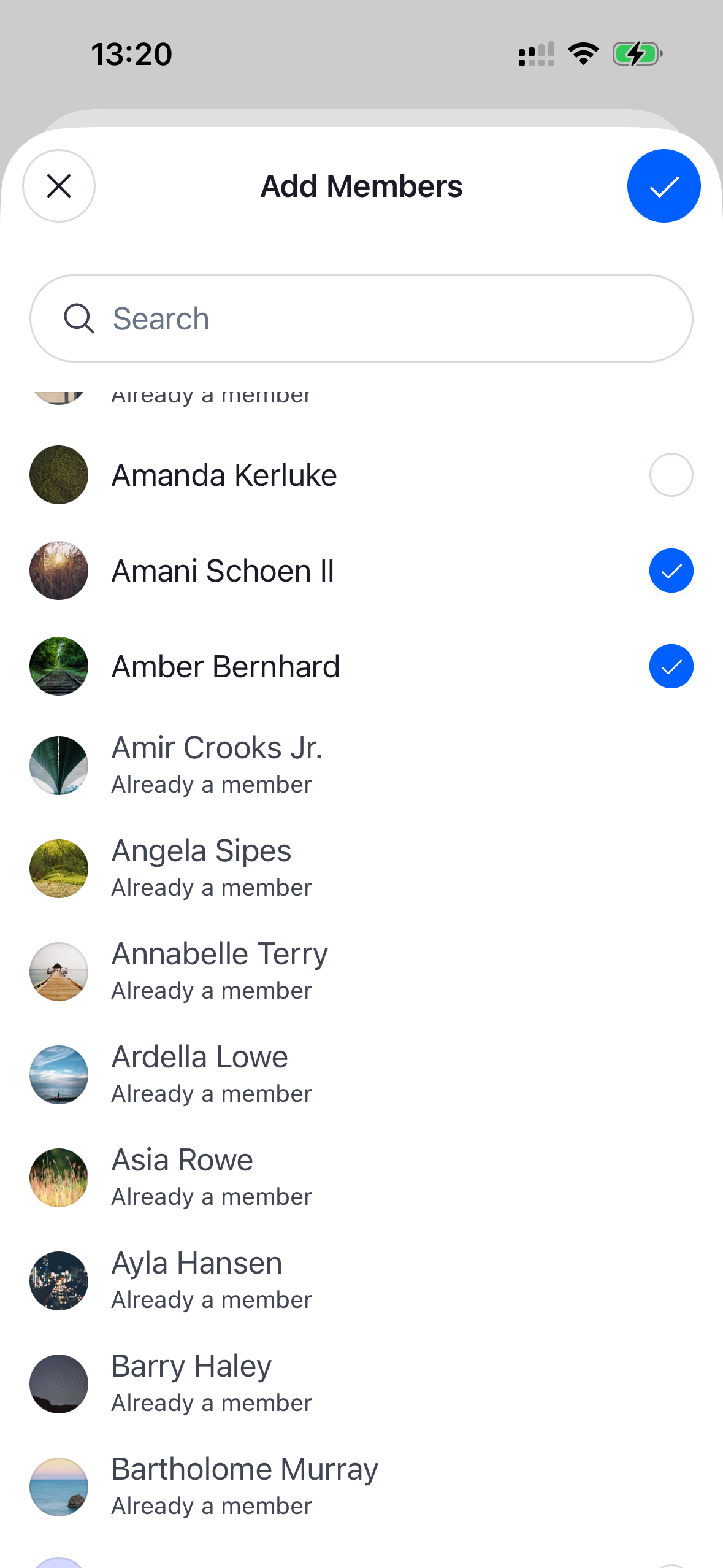
A form for adding new members to a channel. It presents a searchable list of users, tracks the current selection, and exposes a confirm control in its header that adds the selected users to the channel, plus the notification list. The confirm button is disabled until at least one user is selected and shows a loading state while the request is in flight. Needs to be wrapped in a ChannelDetailsContextProvider that supplies the channel.
This is the form that the ChannelAddMembersButton renders inside its modal. You can render it yourself — in your own modal or a navigation screen — when building a custom members screen.
Best Practices
- Mount the form where the add-members UI should appear and dismiss it through
onClose(it is also called after members are added). - Wrap it in
ChannelDetailsContextProviderso the user search can resolve the channel. - Pass a custom
searchSourceto the form (or toChannelAddMembersProvider) when you need to change how users are queried; otherwise rely on the built-in selection and submission handling rather than tracking selected users yourself. - Override and configure building blocks like
ChannelAddMembersFormHeader,ChannelAddMembersFormContentorAddMemberSearchResultItemby wrapping the form inWithComponentswith anoverridesmap.
General Usage
import {
  OverlayProvider,
  Chat,
  ChannelDetailsContextProvider,
  ChannelAddMembersForm,
} from "stream-chat-react-native";

const App = () => {
  return (
    <OverlayProvider>
      <Chat client={client}>
        <ChannelDetailsContextProvider channel={channel}>
          <ChannelAddMembersForm onClose={() => navigation.goBack()} />
        </ChannelDetailsContextProvider>
      </Chat>
    </OverlayProvider>
  );
};
Props
| Prop | Description | Type |
|---|---|---|
onClose * |
Fired when the form is dismissed via the close button or after members are added. | () => void |
searchSource |
A custom UserSearchSource used to query and paginate users. Overrides the source created by default (pre-configured to autocomplete by name). Seeded into the add-members context. |
UserSearchSource |
Building blocks
ChannelAddMembersFormHeader
The header rendered above the list. It exposes the close control and the confirm button that adds the selected members (disabled until a user is selected, with a loading state while the request is in flight).
| Prop | Description | Type |
|---|---|---|
onClose * |
Fired when the close button is pressed or after members are added. | () => void |
ChannelAddMembersFormContent
The user search and selection list rendered inside the form.
| Prop | Description | Type |
|---|---|---|
additionalFlatListProps |
Override the underlying FlatList props of the user list. |
Partial<FlatListProps<UserResponse>> |
It renders an AddMemberSearchResultItem per matching user:
| Prop | Description | Type |
|---|---|---|
user * |
The user to render. | UserResponse |
onPress * |
Fired when the user row is pressed. | (user: UserResponse) => void |