















Custom Channel Actions
This cookbook shows how to customize the actions rendered in the ChannelDetails component.
The actions section is driven by a single getChannelActionItems callback. It receives the default items the SDK builds for the current channel plus a context, and returns the final list to render. With it you can extend the defaults (add your own action), narrow them (hide an action), or overwrite them entirely (return a list you build from scratch).
As an example we'll add a Pin / Unpin action. The SDK ships pin/unpin handlers and icons, but intentionally leaves the action out of the Channel Details screen — it only appears in the channel list swipe sheet — so adding it back is a perfect illustration of the "extend" case.
Best Practices
- Reuse the ready-made handlers on
context.actions(pin,unpin,muteChannel, …) instead of callingchannel.pin()yourself — they already raise success and error notifications for you. - Reuse the exported
PinandUnpinicons rather than shipping your own. - Override
ChannelDetailsActionsSectionwithWithComponents, forward its props, and pass yourgetChannelActionItems— don't rebuild the section. - Match the
ChannelActionItemshape (action,Icon,id,label,placement,type) so your rows render consistently with the built-in ones.
Adding a Pin / Unpin Action
Build a getChannelActionItems callback that appends a pin item to defaultItems. The context gives everything you need: actions.pin / actions.unpin to run, isPinned to pick the right handler and label, and t for translations. Append your item to keep the defaults in place:
import {
  ChannelActionItem,
  GetChannelActionItems,
  Pin,
  Unpin,
} from "stream-chat-react-native";

const getChannelActionItems: GetChannelActionItems = ({
  context,
  defaultItems,
}) => {
  const { actions, isPinned, t } = context;

  const pinItem: ChannelActionItem = {
    action: isPinned ? actions.unpin : actions.pin,
    Icon: isPinned ? Unpin : Pin,
    id: "pin",
    label: isPinned ? t("Unpin") : t("Pin"),
    placement: "sheet",
    type: "standard",
  };

  return [...defaultItems, pinItem];
};You don't need to wrap the icons — ChannelDetailsActionItem renders the Icon with the right size and color, so passing Pin / Unpin directly is enough.
Wire the callback by overriding ChannelDetailsActionsSection through WithComponents. Forward the props the SDK passes in and add your getChannelActionItems:
import {
  ChannelDetails,
  ChannelDetailsActionsSection,
  ChannelDetailsActionsSectionProps,
  ChannelDetailsContextProvider,
  WithComponents,
} from "stream-chat-react-native";

const ActionsSection = (props: ChannelDetailsActionsSectionProps) => (
  <ChannelDetailsActionsSection
    {...props}
    getChannelActionItems={getChannelActionItems}
  />
);

const ChannelDetailsScreen = ({ route, navigation }) => {
  const { channel } = route.params;
  return (
    <ChannelDetailsContextProvider channel={channel}>
      <WithComponents
        overrides={{ ChannelDetailsActionsSection: ActionsSection }}
      >
        <ChannelDetails onBack={() => navigation.goBack()} />
      </WithComponents>
    </ChannelDetailsContextProvider>
  );
};
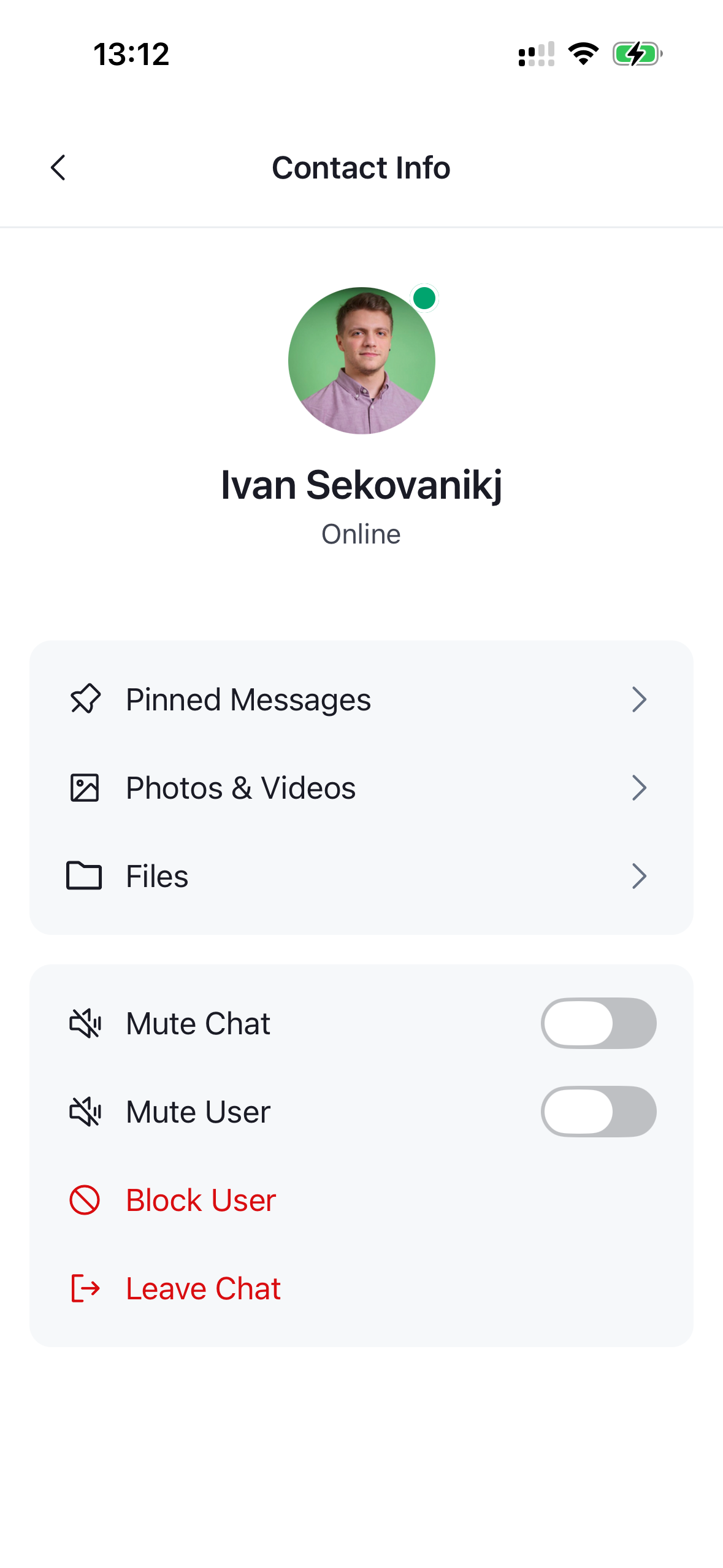
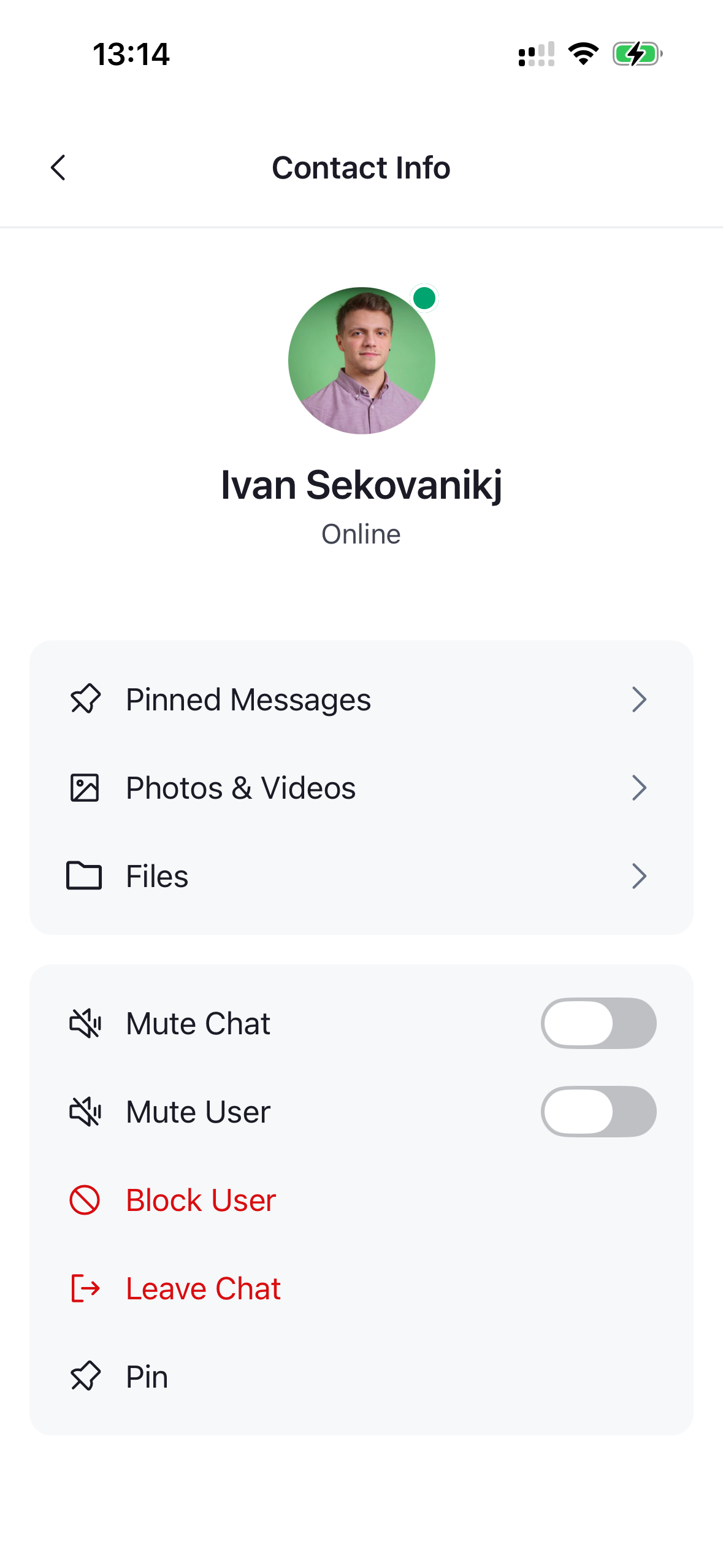
That's it — a Pin / Unpin row now appears alongside the default actions, toggling its label and icon based on the channel's current pin state.
| Default actions | With Pin action |
|---|---|
 |
 |
Narrowing the Default Actions
To hide an action, filter defaultItems by id. Each item carries a stable id (mute, muteUser, block, leave, deleteChannel, …), so you can drop the ones you don't want. Here we remove the mute toggle:
import { GetChannelActionItems } from "stream-chat-react-native";

const getChannelActionItems: GetChannelActionItems = ({ defaultItems }) =>
  defaultItems.filter((item) => item.id !== "mute");
Overwriting the Actions
When you want full control, ignore defaultItems and return a list you build yourself. Pull the handlers you need off context.actions so you still get the SDK's notifications:
import {
  ChannelActionItem,
  Delete,
  GetChannelActionItems,
  Pin,
  Unpin,
} from "stream-chat-react-native";

const getChannelActionItems: GetChannelActionItems = ({ context }) => {
  const { actions, isPinned, t } = context;

  const items: ChannelActionItem[] = [
    {
      action: isPinned ? actions.unpin : actions.pin,
      Icon: isPinned ? Unpin : Pin,
      id: "pin",
      label: isPinned ? t("Unpin") : t("Pin"),
      placement: "sheet",
      type: "standard",
    },
    {
      action: actions.deleteChannel,
      Icon: Delete,
      id: "deleteChannel",
      label: t("Delete"),
      placement: "sheet",
      type: "destructive",
    },
  ];

  return items;
};
The context object also exposes channel — see useChannelDetailsActionItems for the full set of values available.