















BaseImage
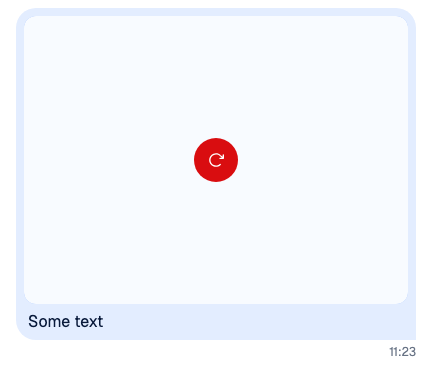
BaseImage is the <img> the SDK renders images with. When an image fails to load, it renders ImagePlaceholder in its place, and it tries again when src changes. It cleans src with @braintree/sanitize-url, so a javascript: URL never loads. Attachments and uploads explains how attachments render.
The BaseImage override key reaches:
- the images and image galleries in messages;
- Giphy attachments;
- the image previews in the composer;
- the media in channel details.
Link-preview cards, quoted messages, the composer's link previews, video thumbnails and the full-screen gallery render the SDK's BaseImage directly, so the key doesn't reach them. ImagePlaceholder is read by BaseImage itself, so its override reaches every image.


Best practices
- To change what a broken image shows, override
ImagePlaceholderrather thanBaseImage. It reaches every image. - In a replacement for
BaseImage, forward therefand passonLoadandonErroron. The SDK measures images through the ref to request the right size, and the gallery shows its loading and retry states from the two events. - Keep a replacement compatible with plain
<img>props: the SDK passesalt,src,style,width,heightand class names.
Usage
Custom image fallback
ImagePlaceholder receives a className, which carries str-chat__base-image--load-failed and the classes the image had. Keep it so the placeholder takes the image's place in the layout:
import type { ImagePlaceholderProps } from "stream-chat-react";
import { WithComponents } from "stream-chat-react";

const UnavailableImage = ({ className }: ImagePlaceholderProps) => (
  <div className={className} role="img">
    Image unavailable
  </div>
);

const overrides = { ImagePlaceholder: UnavailableImage };

export const App = () => (
  <WithComponents overrides={overrides}>
    {/* the rest of the app */}
  </WithComponents>
);
Custom BaseImage
This replacement keeps the default and loads images lazily:
import { forwardRef } from "react";
import type { BaseImageProps } from "stream-chat-react";
import { BaseImage, WithComponents } from "stream-chat-react";

const LazyBaseImage = forwardRef<HTMLImageElement, BaseImageProps>(
  function LazyBaseImage(props, ref) {
    return <BaseImage {...props} loading="lazy" ref={ref} />;
  },
);

const overrides = { BaseImage: LazyBaseImage };

export const App = () => (
  <WithComponents overrides={overrides}>
    {/* the rest of the app */}
  </WithComponents>
);
Props
BaseImage takes every <img> prop and a ref. alt defaults to ''. It also takes:
| Prop | Type | Default | Description |
|---|---|---|---|
showDownloadButtonOnError |
boolean |
false |
Renders a button that downloads the image next to the placeholder. |
ImagePlaceholder takes one prop:
| Prop | Type | Default | Description |
|---|---|---|---|
className |
string |
The failed image's classes and str-chat__base-image--load-failed. |
The default placeholder shows the IconImage icon, with the label "Image failed to load" for screen readers.