React
React iOS
iOS Android
 Flutter
 Angular
 JavaScript
 Unity
Unity Unreal
 Node
Node Python
 Ruby
Ruby PHP
PHP Java
Java .NET
.NET Go
Go REST
RESTconst addNotification = (text: string, type: "success" | "error") => {
/// the rest of the method established in `Channel`
};Message List Notifications
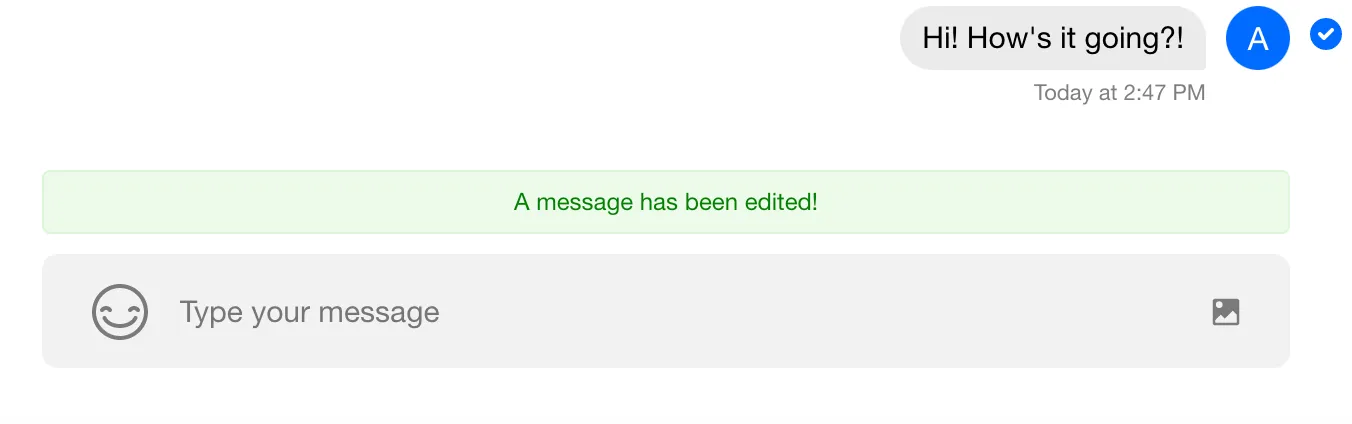
In this example, we show how to use addNotification from
ChannelActionContext via the useChannelActionContext hook to add a custom notification to MessageList.
Best Practices
- Use
addNotificationfor transient feedback, not persistent status. - Keep notification text short and action-oriented.
- Subscribe to channel events inside
Channelchildren only. - Unsubscribe listeners on cleanup to avoid duplicate notifications.
- Throttle noisy events to prevent notification spam.
addNotification Method
This method takes text and type ('success' or 'error'). The type controls styling. Notifications are temporary and removed after ~5 seconds.
The SDK uses this in handlers to surface success/error events, often from client or API listeners.
Implementation
In this example, we listen for the message.updated event and add a notification. Editing or pinning a message triggers this event.
Because addNotification comes from ChannelActionContext, the component must be a child of Channel and use useChannelActionContext.
The Code
const ChannelInner = () => {
  const { addNotification } = useChannelActionContext();
  const { channel } = useChannelStateContext();

  useEffect(() => {
    const clickToAddNotification = () => {
      addNotification("A message has been edited!", "success");
    };

    channel.on("message.updated", clickToAddNotification);

    return () => {
      channel.off("message.updated", clickToAddNotification);
    };
  }, [addNotification, channel]);

  return (
    <>
      <Window>
        <ChannelHeader />
        <MessageList />
        <MessageInput />
      </Window>
      <Thread />
    </>
  );
};

const App = () => (
  <Chat client={chatClient}>
    <ChannelList />
    <Channel>
      <ChannelInner />
    </Channel>
  </Chat>
);
The Result