
 React
React iOS
iOS Android
 Flutter
 Angular
 JavaScript
 Unity
Unity Unreal
 Node
Node Python
 Ruby
Ruby PHP
PHP Java
Java .NET
.NET Go
Go REST
RESTimport { ReactNode } from "react";
import { Channel } from "stream-chat-react";
import type { PollCreationDialogProps } from "stream-chat-react";
const CustomPollCreationDialog = ({ close }: PollCreationDialogProps) => (
<div onClick={close}>Custom Poll Creation Dialog</div>
);
const ChannelWrapper = ({ children }: { children: ReactNode }) => (
<Channel PollCreationDialog={CustomPollCreationDialog}>{children}</Channel>
);Attachment Selector
Messages can include attachments or polls. AttachmentSelector lets users choose what to attach. File attachments appear in message.attachments, and polls are available via message.poll.
Best Practices
- Configure permissions and channel type features before exposing actions.
- Keep attachment actions minimal to avoid overwhelming users.
- Use custom action sets for domain-specific uploads or tools.
- Ensure poll creation is disabled in threads to match product rules.
- Set a portal destination when your layout uses nested scroll containers.
Enabling the default attachment selector features
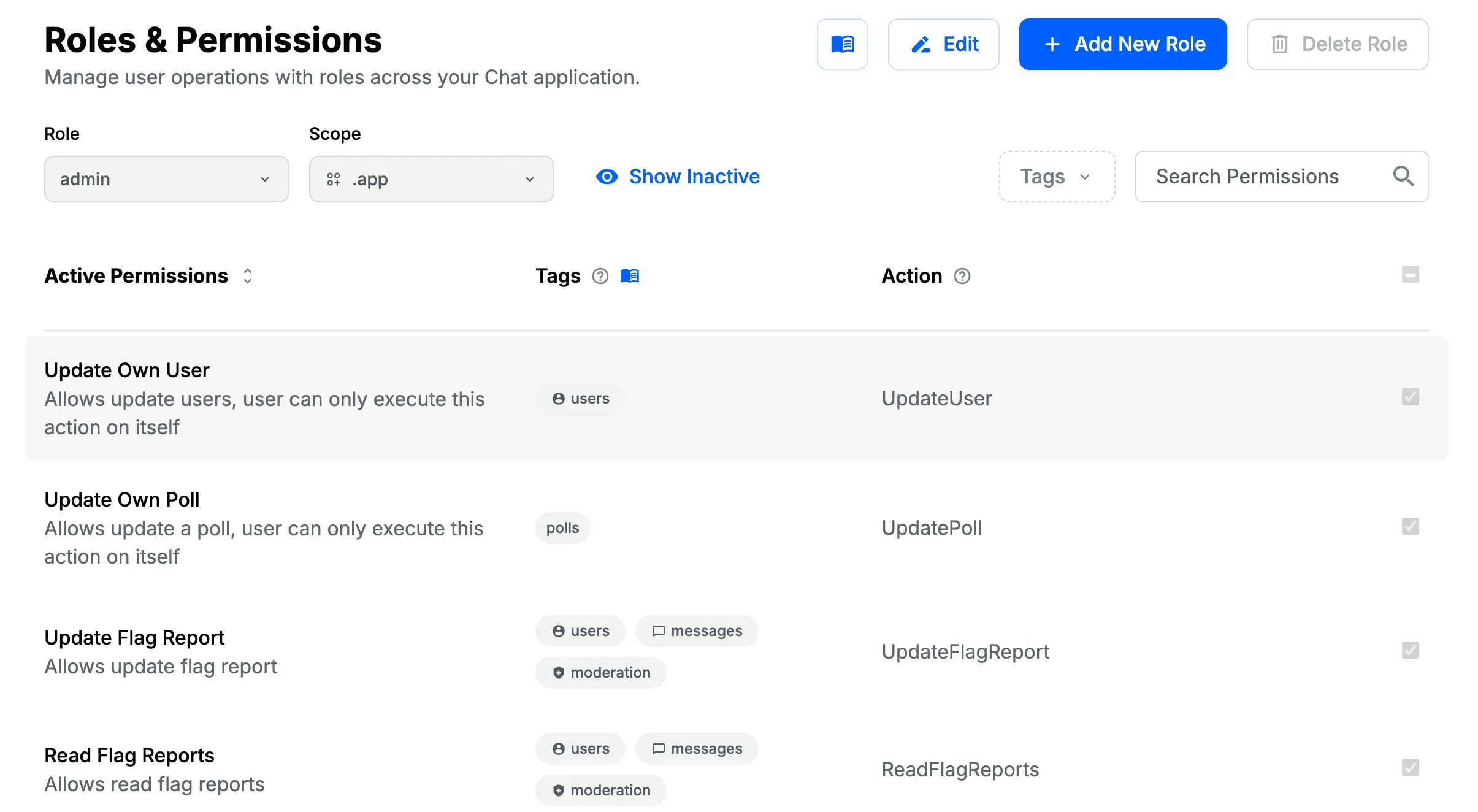
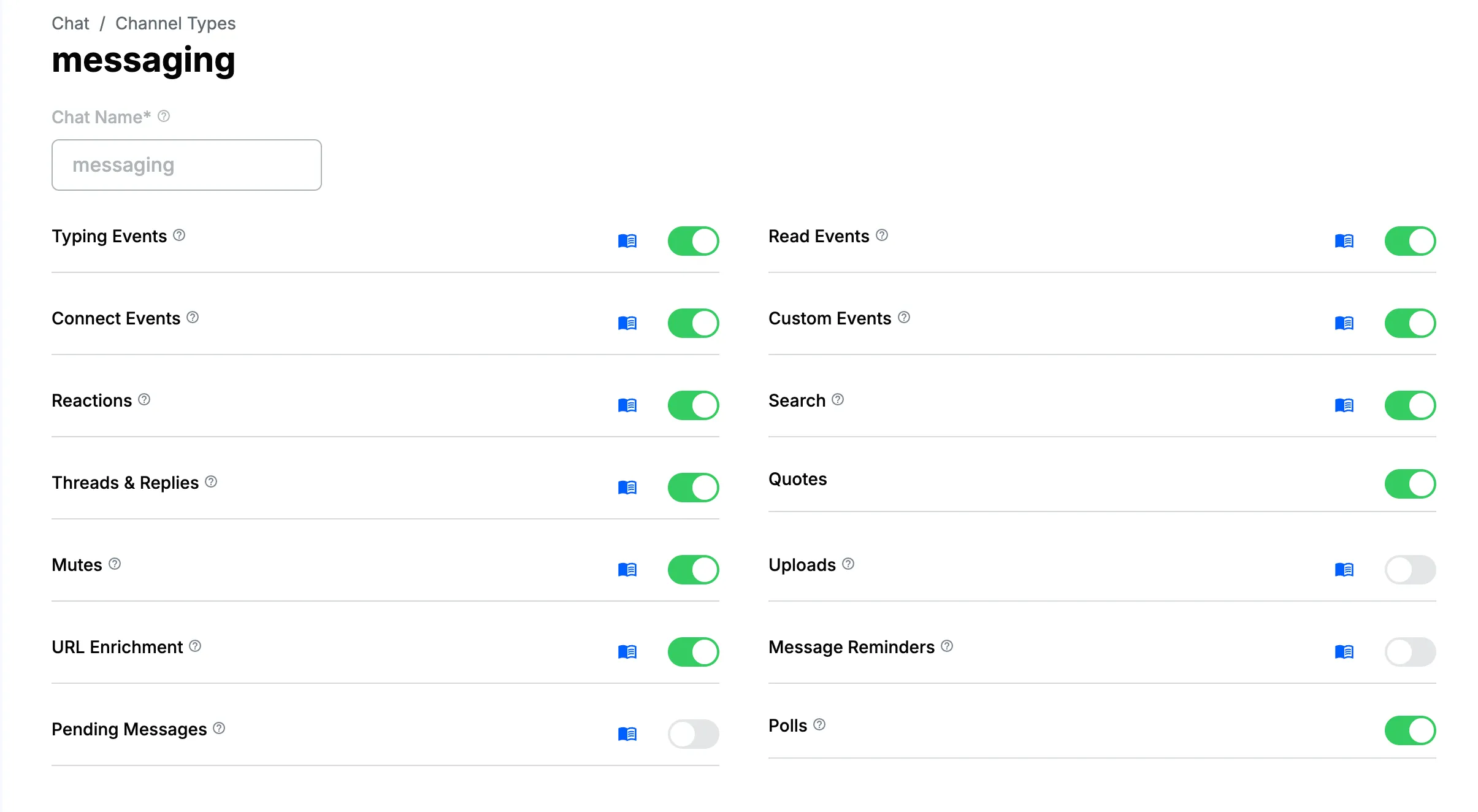
You can configure these features in the Stream dashboard via:
- role permissions
- channel type configuration
File uploads
Uploads are allowed only if the role has Upload Attachment permission and the channel type enables uploads.
Poll creation
Polls feature is available in the React SDK as of version 12.5.0
Poll creation is enabled only if the role has Create Poll permission and the channel type enables polls. Polls can’t be created inside threads.
Poll creation UI
The poll creation UI is rendered by PollCreationDialog. It renders in a modal and accepts a close prop.
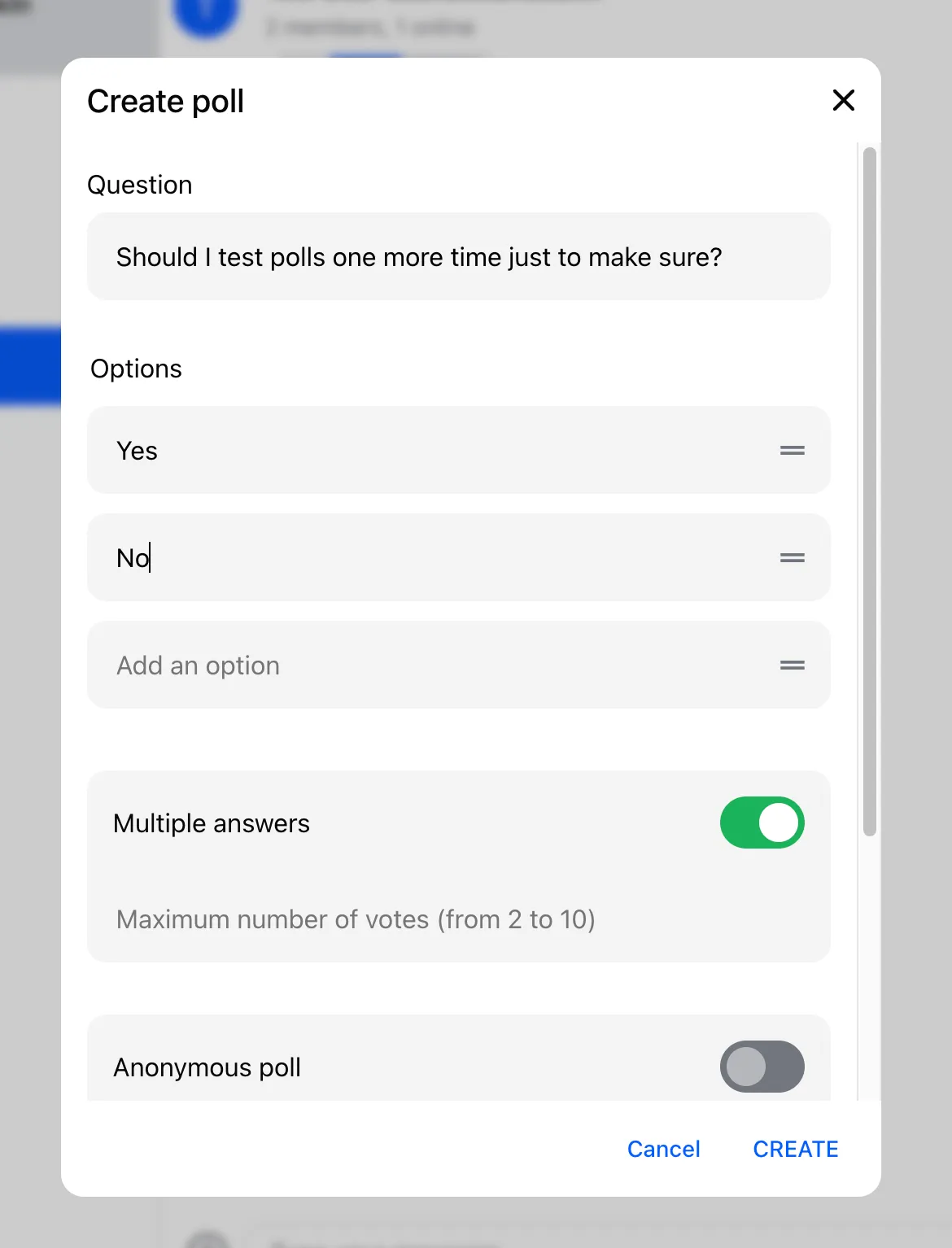
Custom PollCreationDialog can be provided via Channel prop PollCreationDialog:
Created polls are rendered in the message list by the Poll component.
Location sharing UI
Location sharing feature is available in the React SDK as of version 13.3.0
The location sharing UI is rendered by ShareLocationDialog. It renders in a modal and accepts a close prop.
See the location sharing guide for customization details.
Attachment selector customization
Custom attachment selector actions
Items in the AttachmentSelector menu can be customized via attachmentSelectorActionSet:
import { ReactNode } from "react";
import {
  AttachmentSelector,
  Channel,
  defaultAttachmentSelectorActionSet,
} from "stream-chat-react";
import type {
  AttachmentSelectorAction,
  AttachmentSelectorActionProps,
  AttachmentSelectorModalContentProps,
} from "stream-chat-react";

// Define the menu button
const AddEventAttachmentAction = ({
  closeMenu,
  openModalForAction,
}: AttachmentSelectorActionProps) => (
  <button
    onClick={() => {
      openModalForAction("addEvent");
      closeMenu();
    }}
  >
    Event
  </button>
);

// Define the modal contents to be rendered if AddEventAttachmentAction button is clicked
const AddEventModalContent = ({
  close,
}: AttachmentSelectorModalContentProps) => {
  return <div onClick={close}>abc</div>;
};

// the custom action will be at the top of the menu
const attachmentSelectorActionSet: AttachmentSelectorAction[] = [
  {
    ActionButton: AddEventAttachmentAction,
    ModalContent: AddEventModalContent,
    type: "addEvent",
  },
  ...defaultAttachmentSelectorActionSet,
];

const CustomAttachmentSelector = () => (
  <AttachmentSelector
    attachmentSelectorActionSet={attachmentSelectorActionSet}
  />
);

const ChannelWrapper = ({ children }: { children: ReactNode }) => (
  <Channel AttachmentSelector={CustomAttachmentSelector}>{children}</Channel>
);
Custom modal portal destination
By default, modals opened from AttachmentSelector are anchored to the channel container div. You can change the portal target with getModalPortalDestination, which returns the parent element for the modal.
const getModalPortalDestination = () =>
  document.querySelector<HTMLDivElement>("#my-element-id");

const CustomAttachmentSelector = () => (
  <AttachmentSelector getModalPortalDestination={getModalPortalDestination} />
);
AttachmentSelector context
Components rendered as children of AttachmentSelector can access AttachmentSelectorContext. The context exposes the following properties:
fileInput
Reference to input element of type file used to select files to upload. The reference is null if the user does not have a permission to upload files.
| Type | Default |
|---|---|
HTMLInputElement | null |
On this page: