








Lobby Preview
This guide covers creating an effective lobby experience before joining calls. A well-designed lobby enhances user experience and ensures smooth transitions into video calls.
Best Practices
- Show video preview - Let users verify camera setup before joining
- Display call information - Show who's already in the call
- Enable media controls - Allow audio/video toggle before joining
- Request permissions early - Handle camera/microphone permissions in the lobby
- Provide clear join action - Make the join button prominent and accessible
Lobby capabilities:
- Video preview - Users see themselves before joining
- Call information - Display call details and participants
- Media preferences - Set audio/video mute state before joining
- Participant list - Show who has already joined
Component visualization varies by application. This guide focuses on building principles and data source integration.
The Call data
Display call information when users arrive at the lobby:
- Call ID and type - Retrieved via
useCallhook - Joined participants - Retrieved via
useCallSessionhook
Retrieve initial call information using the get or getOrCreate method of a Call instance. Register an effect where the call is created:
const call =
  /* Created call */

  useEffect(() => {
    const getOrCreateCall = async () => {
      try {
        await call?.getOrCreate();
      } catch (error) {
        console.error("Failed to get or create call", error);
      }
    };

    getOrCreateCall();
  }, [call]);
These hooks provide real-time updates via Stream's WebSocket events.
Video Input Preview
Display a local camera preview before joining. Use LobbyCameraPreview from @stream-io/video-react-native-sdk — it renders the platform camera preview and handles camera permission, direction, target resolution, and mirror mode for you. Drive its visibility from optimisticIsMute on useCameraState() — isMute and status are not set until the call is joined.
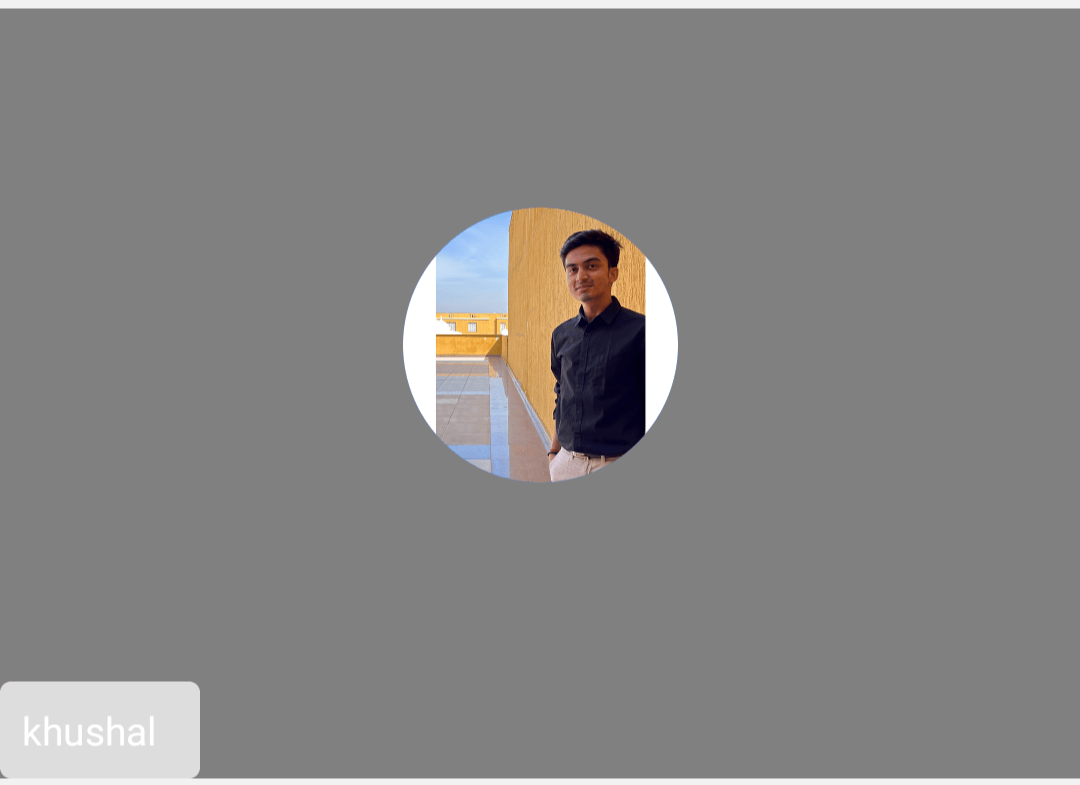
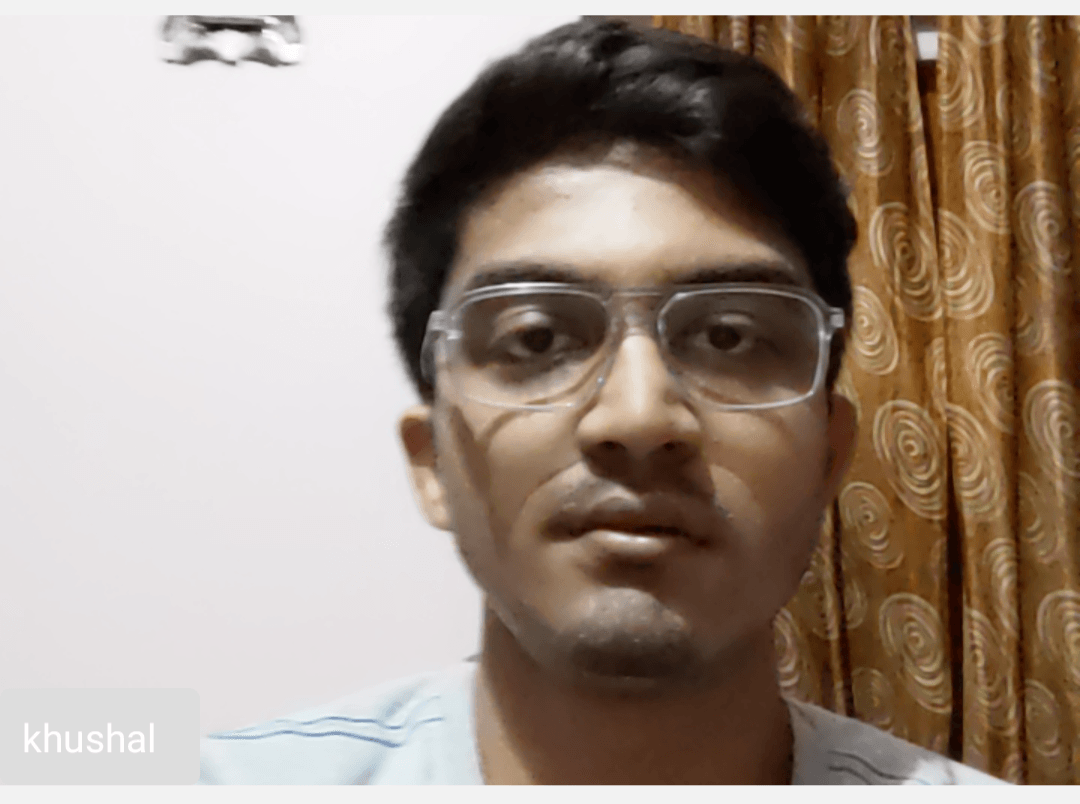
Example:
import {
  Avatar,
  LobbyCameraPreview,
  StreamVideoParticipant,
  useConnectedUser,
  useCallStateHooks,
} from "@stream-io/video-react-native-sdk";
import React from "react";
import { StyleSheet, View, Text } from "react-native";

export const LocalVideoRenderer = () => {
  const connectedUser = useConnectedUser();
  const { useCameraState } = useCallStateHooks();
  const { optimisticIsMute: cameraIsMuted } = useCameraState();

  const connectedUserAsParticipant = {
    userId: connectedUser?.id,
    image: connectedUser?.image,
    name: connectedUser?.name,
  } as StreamVideoParticipant;

  return (
    <View style={styles.videoView}>
      <View style={styles.topView} />
      {!cameraIsMuted ? (
        <LobbyCameraPreview objectFit="cover" />
      ) : (
        <Avatar participant={connectedUserAsParticipant} />
      )}
      <ParticipantStatus />
    </View>
  );
};

const ParticipantStatus = () => {
  const connectedUser = useConnectedUser();
  const participantLabel = connectedUser?.name ?? connectedUser?.id;
  const { useMicrophoneState } = useCallStateHooks();
  const { optimisticIsMute: microphoneIsMuted } = useMicrophoneState();

  return (
    <View style={styles.status}>
      <Text style={styles.userNameLabel} numberOfLines={1}>
        {participantLabel}
      </Text>
      {microphoneIsMuted && (
        <View style={styles.svgContainerStyle}>
          <Text>(Mic off)</Text>
        </View>
      )}
    </View>
  );
};

const styles = StyleSheet.create({
  videoView: {
    backgroundColor: "gray",
    height: 280,
    width: "100%",
    justifyContent: "space-between",
    alignItems: "center",
    overflow: "hidden",
    marginVertical: 8,
  },
  topView: {},
  status: {
    alignSelf: "flex-start",
    flexDirection: "row",
    alignItems: "center",
    padding: 8,
    borderRadius: 4,
    backgroundColor: "#dddddd",
  },
  userNameLabel: {
    flexShrink: 1,
    color: "white",
  },
  svgContainerStyle: {
    marginLeft: 8,
  },
});
Media Stream Management
To control audio or video mute status in the Lobby, use the useCameraState and useMicrophoneState hooks from useCallStateHooks. Buttons call call.camera.toggle() and call.microphone.toggle() as usual, and read optimisticIsMute from those hooks to render the button state — isMute is not populated until the call is joined.
When accessing camera and microphone, native permissions are required. Make sure to request permissions before attempting to access devices, and handle cases where permissions are denied. See the Native Permissions guide for details.
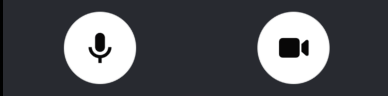
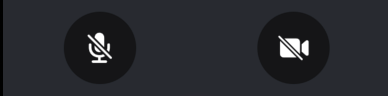
Example:
import React from "react";
import { Pressable, View, Text, StyleSheet } from "react-native";
import { useCall, useCallStateHooks } from "@stream-io/video-react-native-sdk";

const MUTED = "#080707dd";
const ACTIVE = "white";

export const MediaStreamButtonGroup = () => {
  const call = useCall();
  const { useMicrophoneState, useCameraState } = useCallStateHooks();
  const { optimisticIsMute: microphoneMuted } = useMicrophoneState();
  const { optimisticIsMute: cameraMuted } = useCameraState();

  return (
    <View style={styles.buttonGroup}>
      <Pressable
        onPress={() => call?.microphone.toggle()}
        style={[
          styles.button,
          { backgroundColor: microphoneMuted ? MUTED : ACTIVE },
        ]}
      >
        <Text
          style={[
            styles.mediaButtonText,
            { color: microphoneMuted ? ACTIVE : MUTED },
          ]}
        >
          {microphoneMuted ? "Audio off" : "Audio on"}
        </Text>
      </Pressable>
      <Pressable
        onPress={() => call?.camera.toggle()}
        style={[
          styles.button,
          { backgroundColor: cameraMuted ? MUTED : ACTIVE },
        ]}
      >
        <Text
          style={[
            styles.mediaButtonText,
            { color: cameraMuted ? ACTIVE : MUTED },
          ]}
        >
          {cameraMuted ? "Video off" : "Video on"}
        </Text>
      </Pressable>
    </View>
  );
};

const styles = StyleSheet.create({
  buttonGroup: {
    flexDirection: "row",
    justifyContent: "space-evenly",
  },
  button: {
    height: 80,
    width: 80,
    borderRadius: 40,
    justifyContent: "center",
  },
  mediaButtonText: {
    textAlign: "center",
  },
});
Participants in a call
Retrieve joined participants via session.participants, maintained by the useCallSession hook.
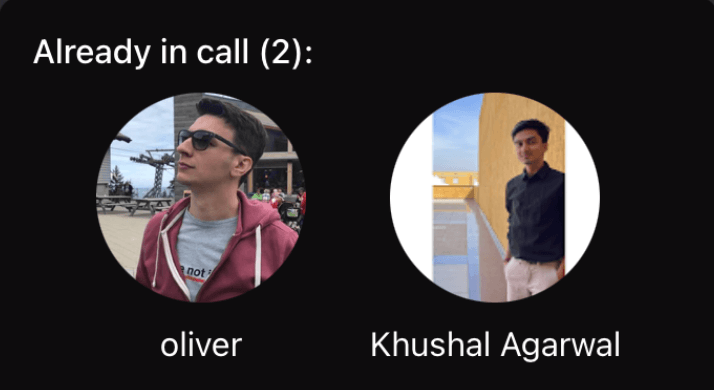
import { Image, StyleSheet, Text, View } from "react-native";
import { useCallStateHooks } from "@stream-io/video-react-native-sdk";

export const LobbyParticipantsPreview = () => {
  const { useCallSession } = useCallStateHooks();
  const session = useCallSession();

  if (!(session?.participants && session?.participants.length)) {
    return null;
  }

  return (
    <View>
      <Text style={styles.infoText}>
        Already in call ({session.participants.length}):
      </Text>
      <View style={styles.userInfo}>
        {session.participants.map((participant) => (
          <View key={participant.user.id}>
            <Image
              source={{ uri: participant.user.image }}
              style={styles.avatar}
            />
            {participant.user.name && (
              <Text style={styles.title}>{participant.user.name}</Text>
            )}
          </View>
        ))}
      </View>
    </View>
  );
};

const styles = StyleSheet.create({
  infoText: {
    color: "white",
    textAlign: "center",
  },
  userInfo: {
    flexDirection: "row",
    justifyContent: "space-evenly",
    marginTop: 10,
  },
  avatar: {
    height: 100,
    width: 100,
    borderRadius: 50,
  },
  title: {
    fontSize: 16,
    color: "white",
    marginVertical: 10,
    textAlign: "center",
  },
});
Joining the call button
Join calls using call.join(). See the Joining & Creating Calls guide.
import React, { useCallback } from "react";
import { Pressable, StyleSheet, Text } from "react-native";
import { useCall } from "@stream-io/video-react-native-sdk";

export const JoinCallButton = () => {
  const call = useCall();

  const onCallJoinHandler = useCallback(async () => {
    try {
      await call?.join({ create: true });
    } catch (error) {
      if (error instanceof Error) {
        console.log("Error joining call:", error);
      }
    }
  }, [call]);

  return (
    <Pressable onPress={onCallJoinHandler} style={styles.joinButton}>
      <Text style={styles.joinButtonText}>Join Call</Text>
    </Pressable>
  );
};

const styles = StyleSheet.create({
  joinButton: {
    backgroundColor: "blue",
    paddingVertical: 10,
  },
  joinButtonText: {
    textAlign: "center",
    fontSize: 25,
    color: "white",
  },
});
Assembling it all together
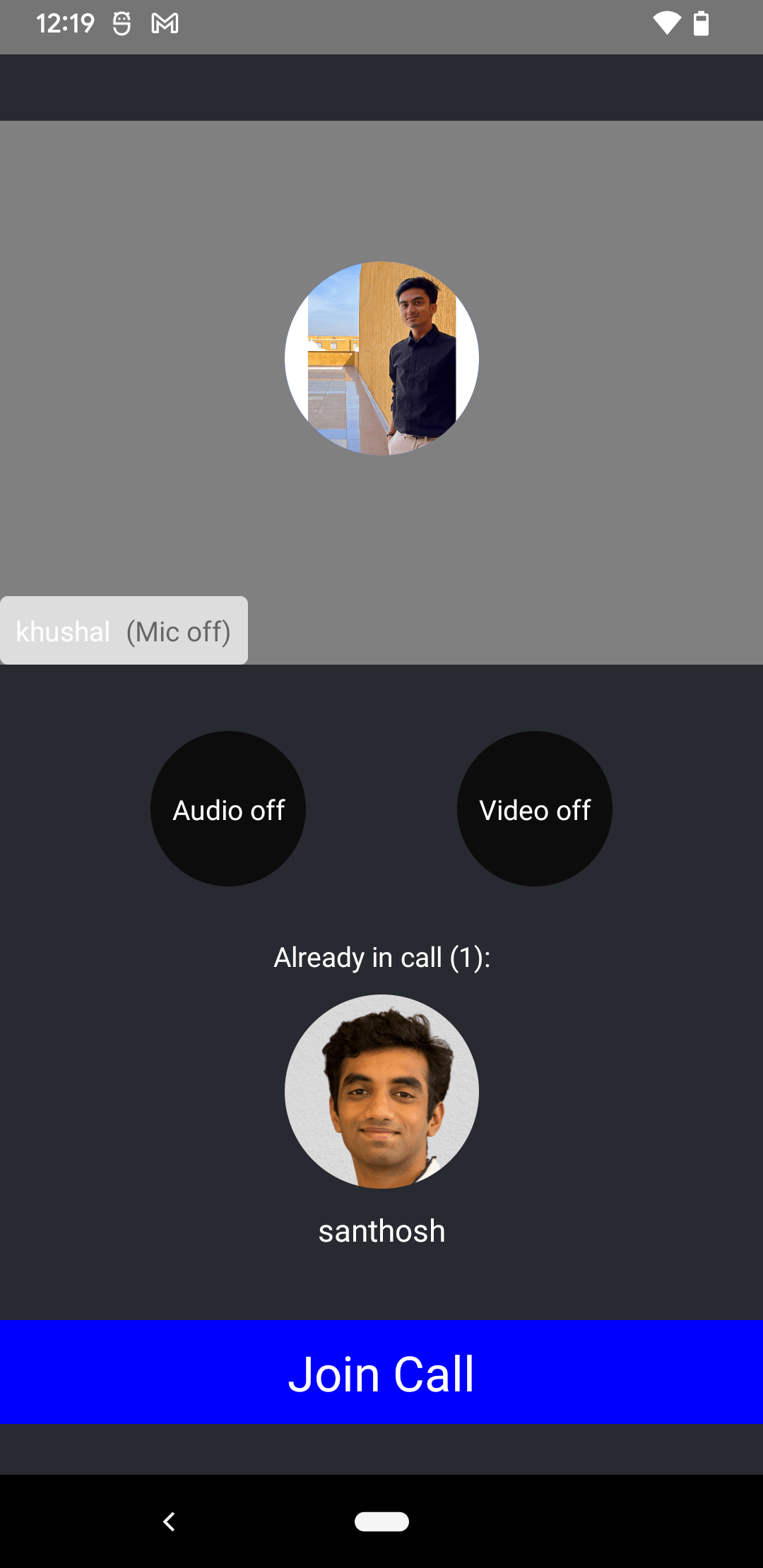
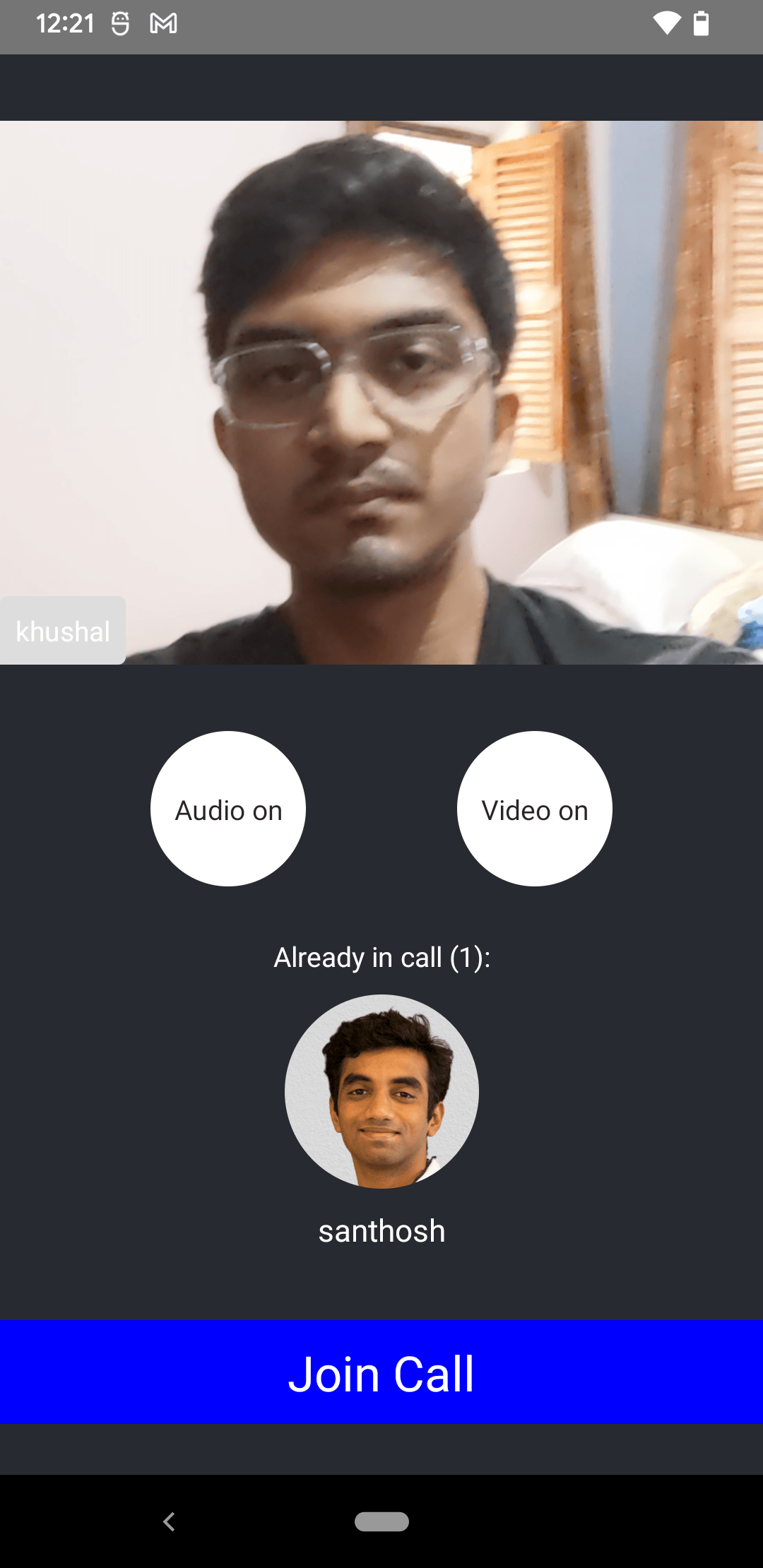
import { StyleSheet, View } from "react-native";

export const Lobby = () => {
  return (
    <View style={styles.container}>
      <LocalVideoRenderer />
      <MediaStreamButtonGroup />
      <LobbyParticipantsPreview />
      <JoinCallButton />
    </View>
  );
};

const styles = StyleSheet.create({
  container: {
    flex: 1,
    backgroundColor: "#272A30",
    justifyContent: "space-evenly",
  },
});