








Reject call when busy
Set up automatic call rejection when users are busy with another ringing call. This guide covers callee-side rejection and caller-side notification.
Best Practices
- Enable for busy users - Automatically reject incoming calls during active calls
- Notify callers clearly - Display "busy" status to the caller
- Play appropriate sounds - Use busy tone for audio feedback
- Log rejection reasons - Track busy rejections for analytics
Configure the client with rejectCallWhenBusy set to true:
import { StreamVideoClient } from "@stream-io/video-react-native-sdk";

const client = StreamVideoClient.getOrCreateInstance({
  apiKey,
  tokenProvider,
  user,
  options: { rejectCallWhenBusy: true },
});
The callee automatically rejects incoming calls. The call.rejected event includes "reason": "busy" in its payload.
On the caller side:
- SDK automatically plays a busy tone
- Display visual indication using the
call.rejectedevent
Example showing an alert dialog:
import { useStreamVideoClient } from "@stream-io/video-react-native-sdk";
import { Alert } from "react-native";

const client = useStreamVideoClient();

useEffect(() => {
  if (!client) return;
  return client.on("call.rejected", (event) => {
    const isCallCreatedByMe =
      event.call.created_by.id === client?.state.connectedUser?.id;
    const calleeName = event.user.name ?? event.user.id;

    if (isCallCreatedByMe && event.reason === "busy") {
      Alert.alert("Call rejected", `User: ${calleeName} is busy.`);
    }
  });
}, [client]);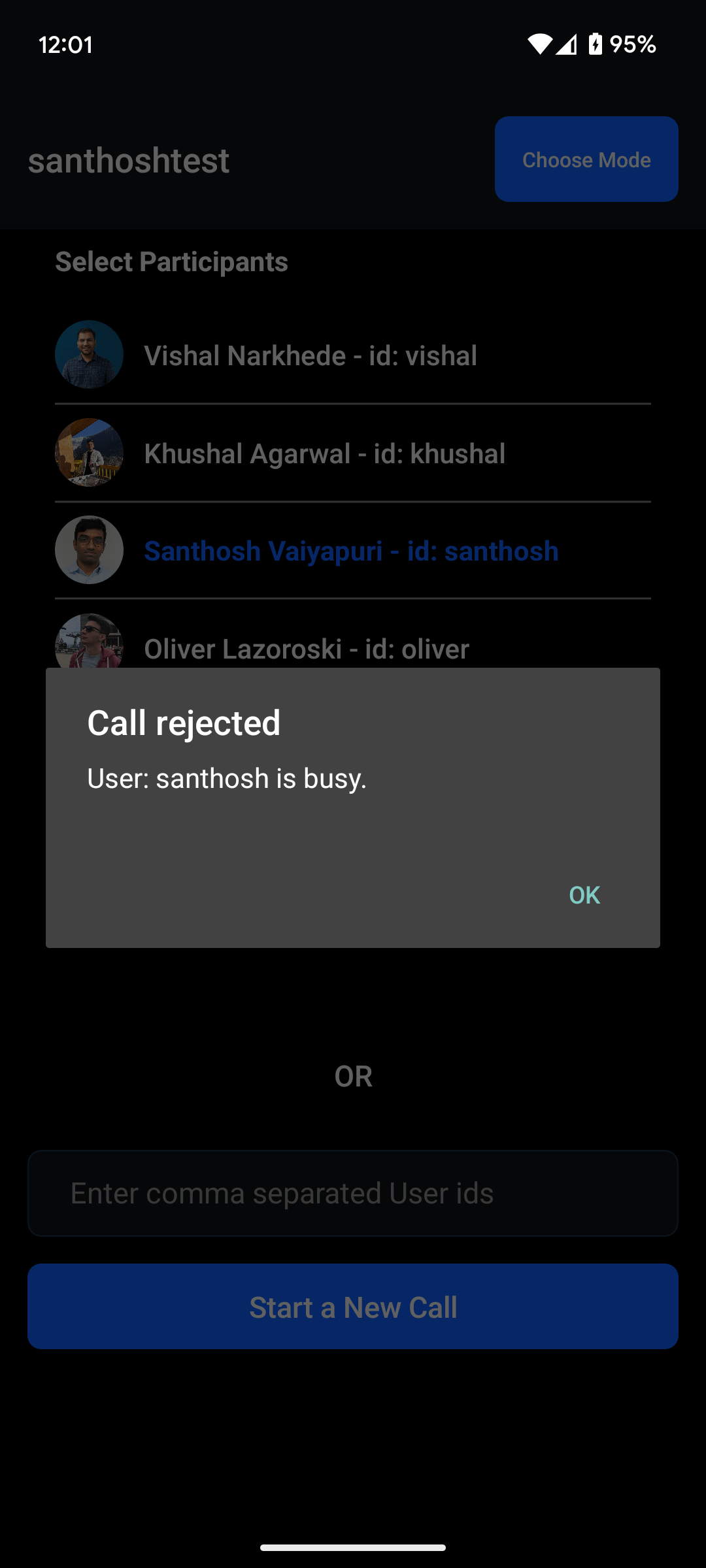
Incoming calls additional setup
Steps above will prevent client from interrupting ongoing calls. When enabling incoming calls functionality you should also want to prevent incoming call to be registered in CallKit/Telecom. To do that you should declare that flag explicitly:
///...rest of push config setup
StreamVideoRN.setPushConfig({
  shouldRejectCallWhenBusy: true,
});On iOS 26.4+ the underlying PushKit selector for busy rejection is handled internally by StreamVideoReactNative.voipRegistration(). No additional AppDelegate code is needed. See the ringing setup guide for VoIP push configuration.