








Speaking while muted
Showing visual feedback when users speak while muted improves UX. Observe this state via call.microphone.state.speakingWhileMuted (or the useMicrophoneState().isSpeakingWhileMuted hook).
Best Practices
- Display prominently - Make the notification clearly visible but non-intrusive
- Provide quick action - Include an unmute button in the notification
- Auto-dismiss wisely - Hide notification when user stops speaking or unmutes
- Use appropriate styling - Warning colors help draw attention
Custom Speaking while muted Component
Read the isSpeakingWhileMuted state from useMicrophoneState hook in useCallStateHooks. Render UI only when true.
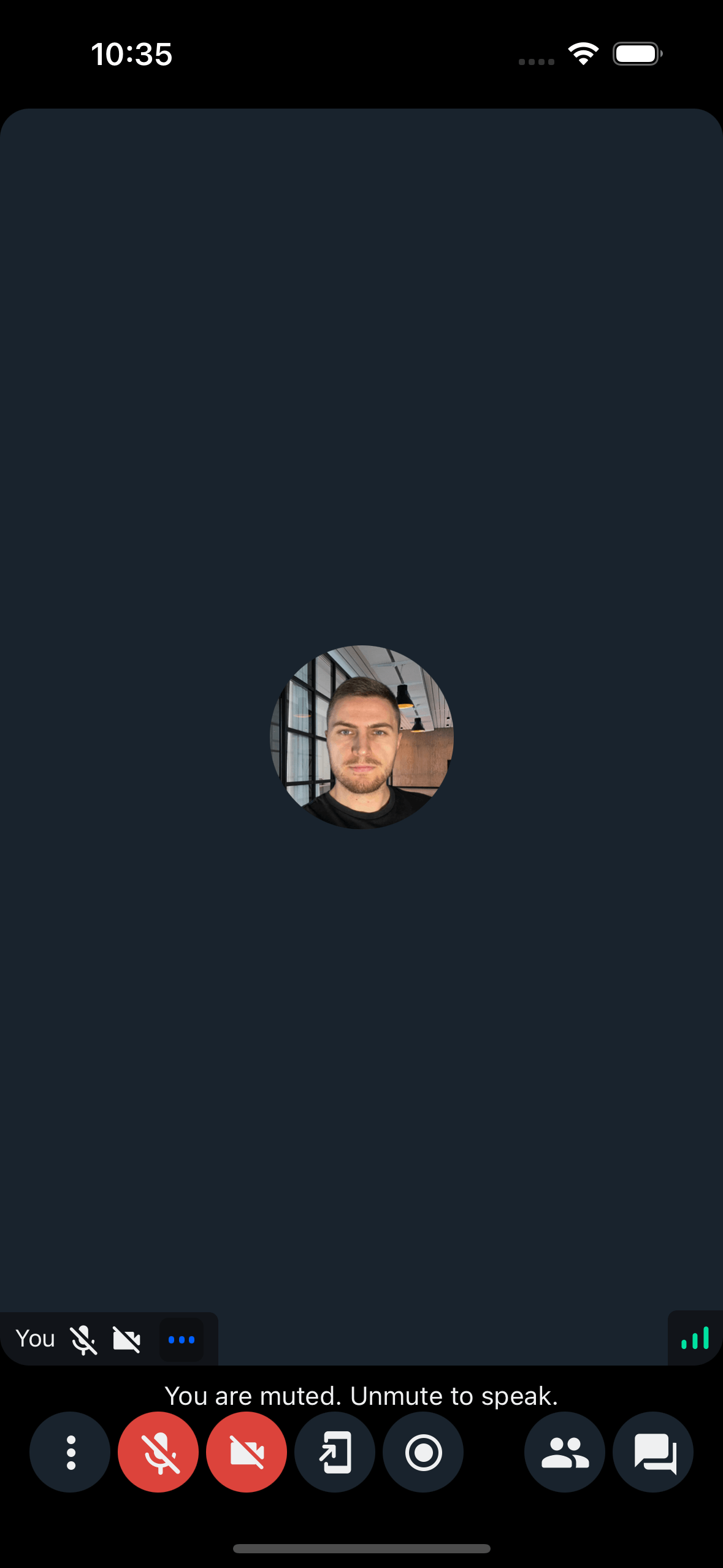
Example:
import { useCallStateHooks } from "@stream-io/video-react-native-sdk";

export const SpeakingWhileMutedNotification = () => {
  const { useMicrophoneState } = useCallStateHooks();
  const { isSpeakingWhileMuted } = useMicrophoneState();

  if (!isSpeakingWhileMuted) return null;
  return <Text>You are muted. Unmute to speak.</Text>;
};