React
React iOS
iOS Android
 Flutter
 JavaScript
 Unity
Unity ESP32
ESP32 Platform
 Vision Agents
import { StreamVideoClient } from "@stream-io/video-react-sdk";
const client = StreamVideoClient.getOrCreateInstance({
apiKey,
tokenProvider,
user,
options: { rejectCallWhenBusy: true },
});Reject call when busy
In this article, we will explore how to set up automatic call rejection on the callee side when the callee is in another ringing call. Also, we will show how this information can be presented on the caller side.
To enable this, we need to configure the client with the option rejectCallWhenBusy set to true.
With this the callee will automatically reject the incoming call. The call.rejected event will be provided with "reason": "busy" in its payload.
In this case on the caller side we play busy tone sound by default.
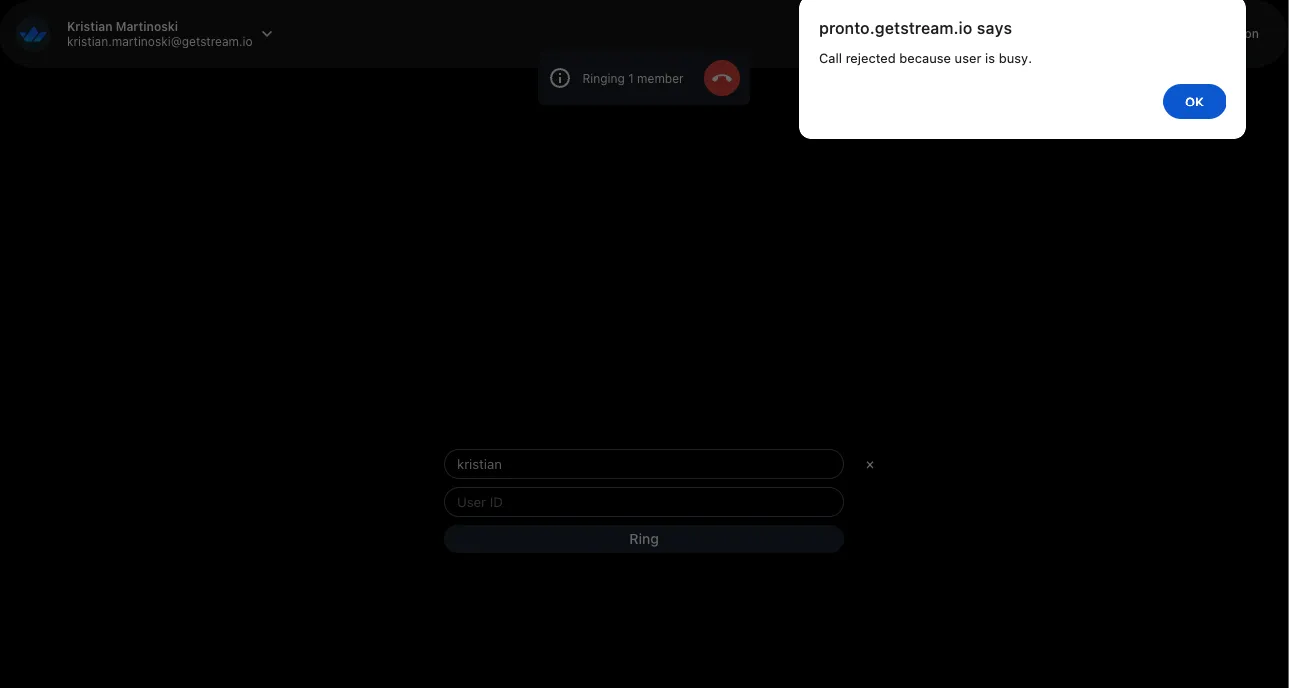
Additionally, you can show visual info on the caller side that the callee is busy in another call.
This is one example how we can show some toast message from the call.rejected event handler on our videoClient:
import { useStreamVideoClient } from "@stream-io/video-react-sdk";

const client = useStreamVideoClient();

useEffect(() => {
  if (!client) return;
  return client.on("call.rejected", (event) => {
    const isCallCreatedByMe =
      event.call.created_by.id === client?.state.connectedUser?.id;

    if (isCallCreatedByMe && event.reason === "busy") {
      // add command to play an audio file from URI (busy tone file needs to be added in your project resources)
      // e.g. https://github.com/GetStream/stream-video-js/blob/main/sample-apps/react/react-dogfood/lib/beeper.ts
      beep("/beeps/busy.mp3");
      alert("Call rejected because user is busy.");
    }
  });
}, [client]);