
 React
React iOS
iOS Android
 Flutter
 JavaScript
 Unity
Unity ESP32
ESP32 Platform
 Vision Agents
Inbound Trunk
An inbound SIP trunk allows external VoIP calls to be routed into Stream calls via the Stream SIP bridge. This page covers how to create a trunk, configure routing rules, and obtain the credentials needed for your SIP provider.
SIP Credentials
SIP credentials are required to authenticate requests when connecting to the Stream SIP bridge, in addition to the SIP address. These credentials consist of a username and password associated with an account. You can find and manage these credentials in the Stream dashboard.
1. Create a SIP Trunk
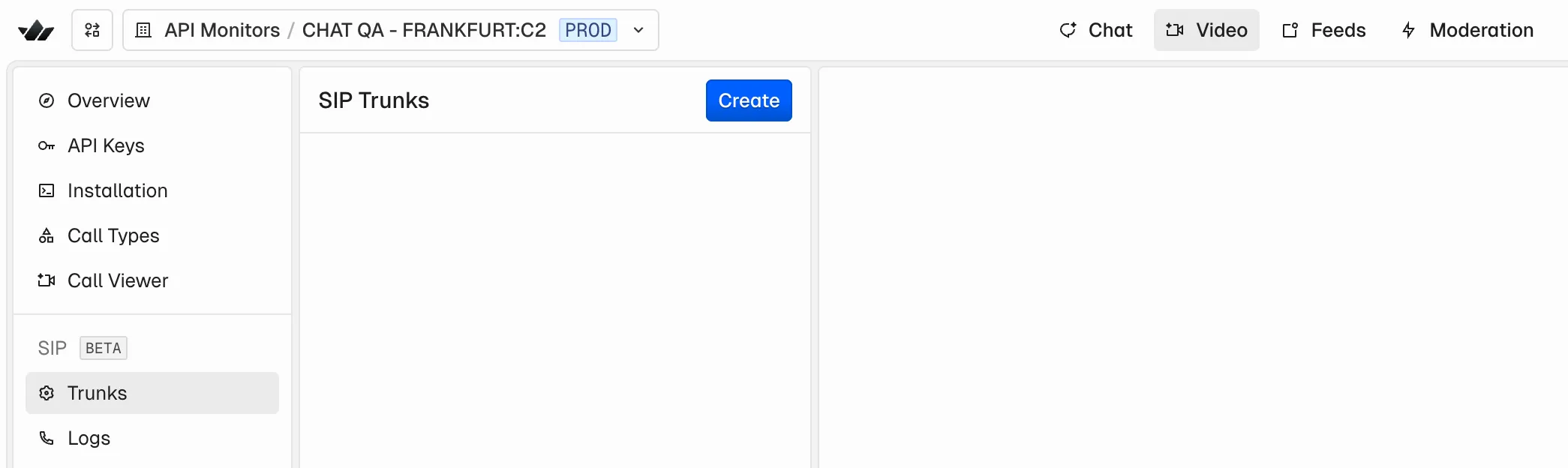
Go to the video section on the dashboard. Click on Trunk under the SIP section.
2. Configure the trunk
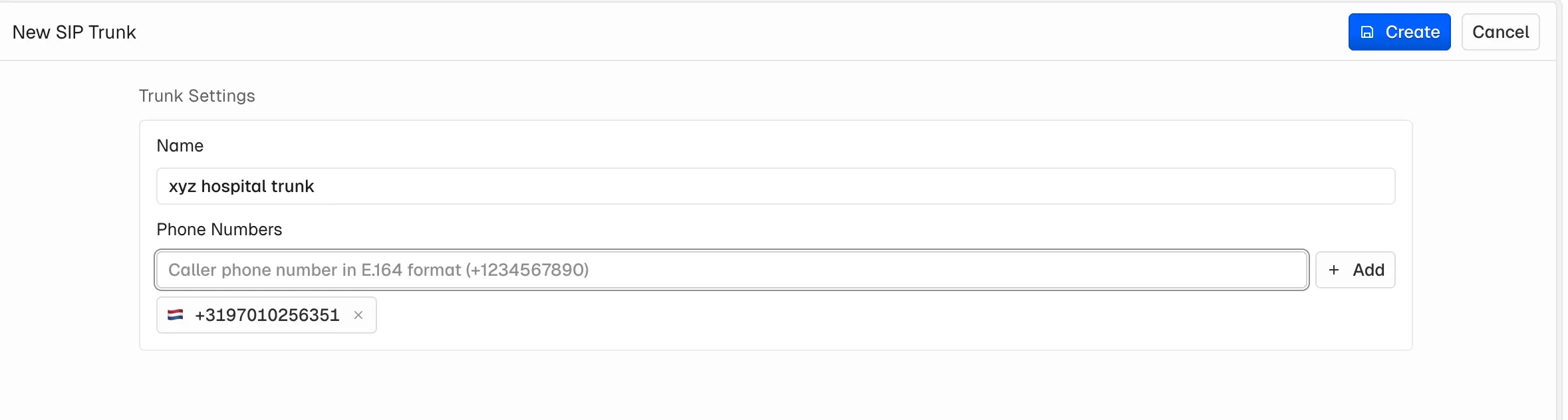
Enter a trunk name and the phone number you purchased from your provider (Twilio, Telnyx) and click Create.
3. Configure a routing rule
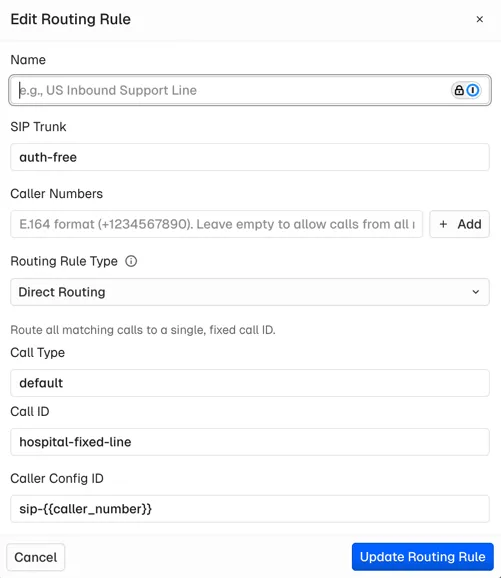
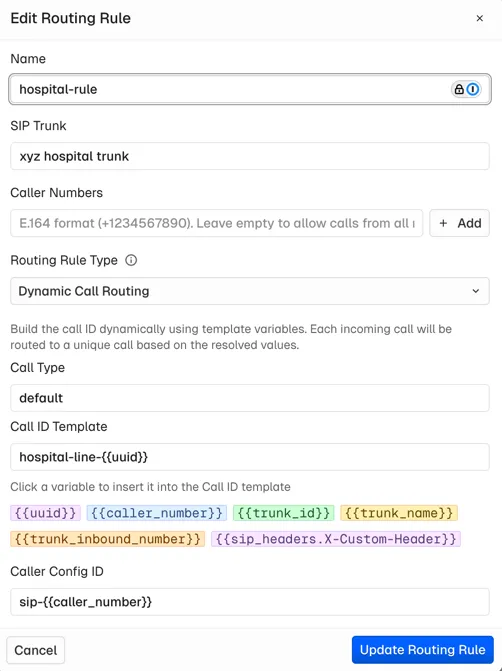
This determines where an incoming SIP call to the Stream SIP bridge should be routed within Stream, specifically to which call ID (Stream call). You can choose between two routing options:
- Fixed Call ID - All incoming SIP calls are routed to a predefined Stream call ID, e.g.
hospital-fixed-line - Dynamic Call ID - The call ID is determined dynamically based on information provided using a template, e.g.
hospital-line-{{uuid}}
| Fixed Call ID | Dynamic Call ID |
|---|---|
 |  |
4. Copy credentials to your provider
Once created, you can copy the credentials to your provider. See the provider-specific guides for detailed instructions: