








Twilio Quick Start
This guide walks through integrating Stream SIP Interconnect with Twilio Voice using TwiML for SIP dial-in.
Prerequisites
- A configured SIP trunk in Stream with credentials copied (see Inbound Trunk).
- A Twilio account.
Steps
1. Create a Twilio account
Go here and create an account if you don't have one already.
2. Buy a VoIP number
Purchase a phone number from Twilio. Refer to this guide for instructions.
3. Configure a TwiML bin
Configure the VoIP number to use a TwiML bin to handle incoming calls.
4. Create a TwiML app
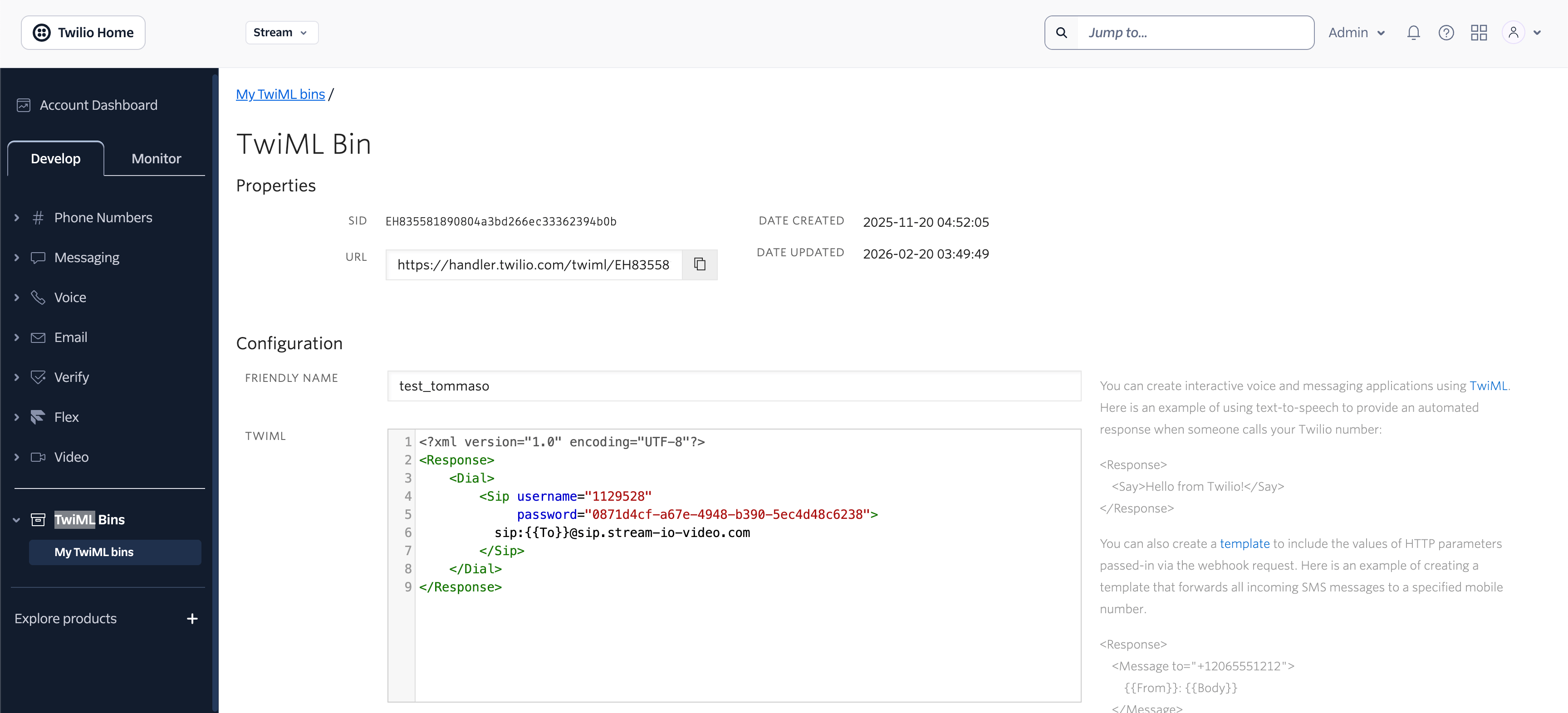
Create a TwiML app that uses this bin and copy paste the TwiML config from the Stream dashboard (the credentials you obtained when creating your trunk).
5. Assign the phone number
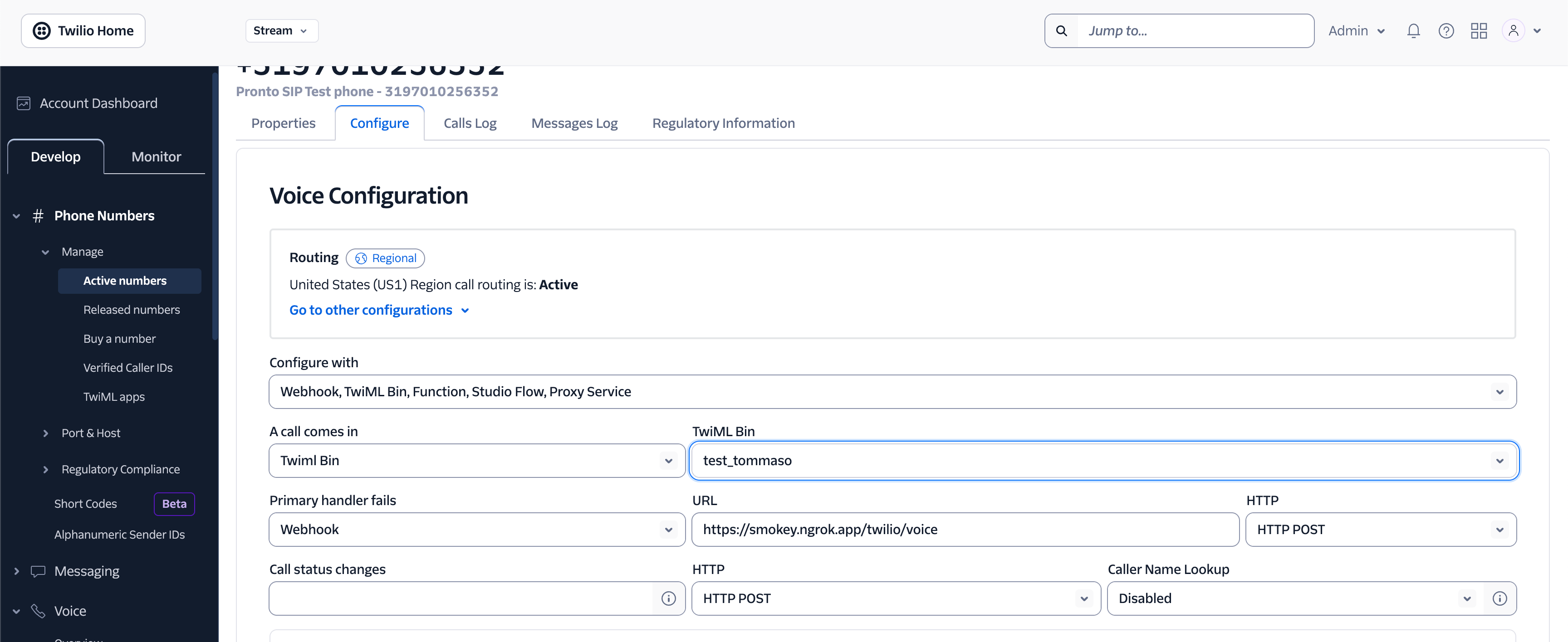
Update the phone number associated with the previously created TwiML bin.
6. Test the connection
You can place a call to the Twilio number and monitor the call status directly from the Stream dashboard. You can also join the call from there to test the connection and experience it in action.
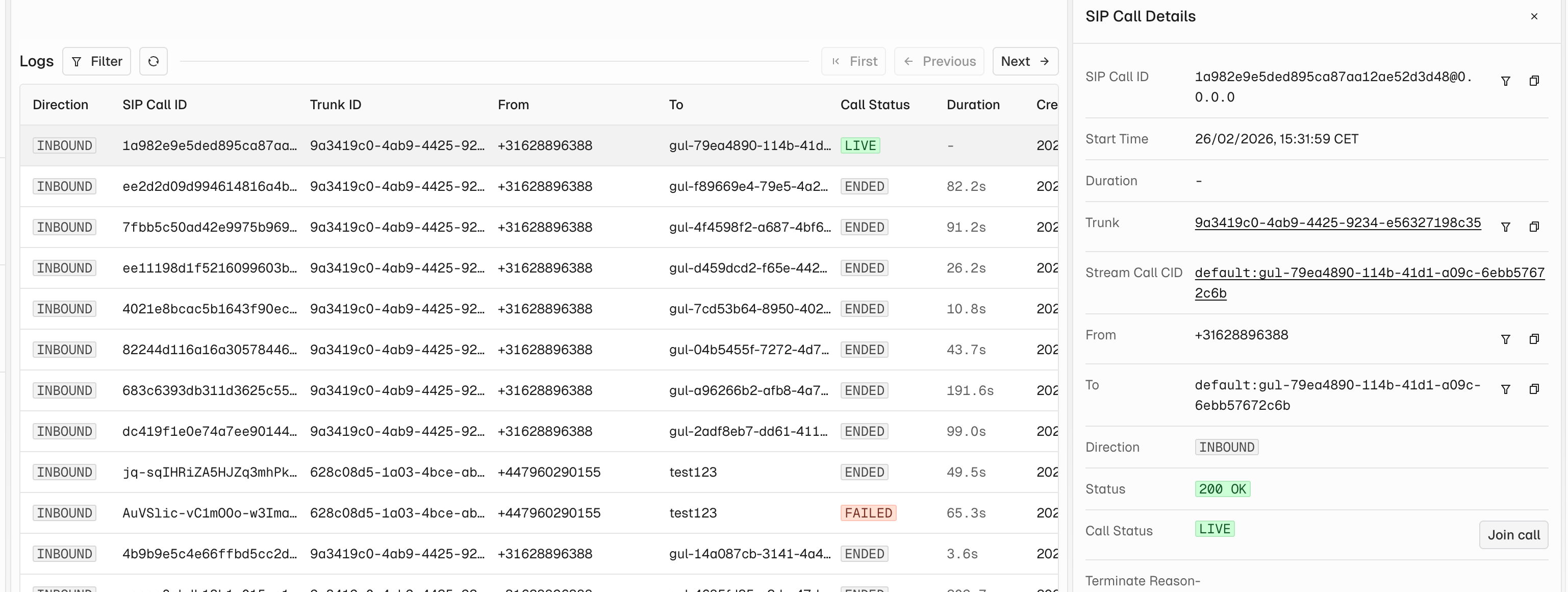
For more on monitoring and debugging SIP calls, see Dashboard & Debugging.