
 React
React iOS
iOS Android
 Flutter
 JavaScript
 Unity
Unity ESP32
ESP32 Platform
 Vision Agents
scope.launch {
call.sendReaction(type = "default", emoji = ":raise-hand:")
}Reactions
Reactions allow users to communicate during calls, especially when audio is limited or muted.
You can send an emoji to the call with the code below:
Then you'll see the emoji animation like the image:
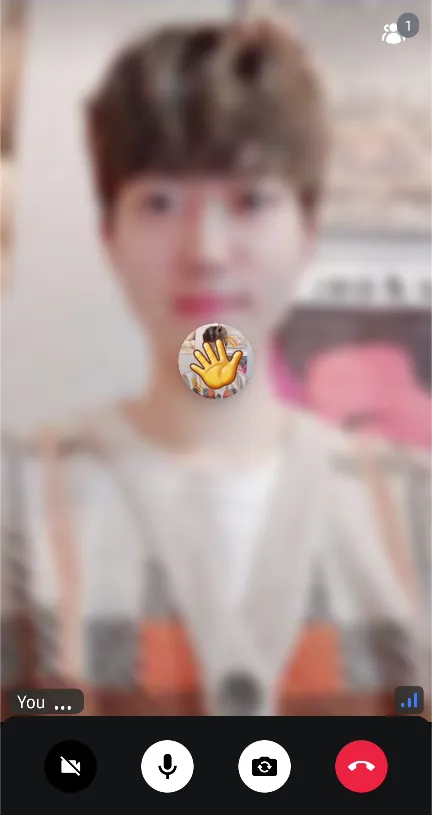
ReactionMapper
Stream SDK provides a default reaction mapper to display emojis. It handles common emojis, but you can customize the emoji mappings by creating your own mapper:
val reactionMapper = ReactionMapper { emojiCode ->
    when (emojiCode) {
        ":fireworks:", ":tada:" -> "\uD83C\uDF89"
        ":hello:" -> "\uD83D\uDC4B"
        ":raise-hand:" -> "✋"
        ":like:" -> "\uD83D\uDC4D"
        ":hate:" -> "\uD83D\uDC4E"
        ":smile:" -> "\uD83D\uDE04"
        ":heart:" -> "❤️"
        else -> emojiCode
    }
}

VideoTheme(
    reactionMapper = reactionMapper,
    ..
) {
   CallContent(..)
}
Customize Reaction Styles
You can customize reaction styles by modifying VideoRendererStyle:
CallContent(
    style = RegularVideoRendererStyle(reactionDuration = 650, reactionPosition = Alignment.Center),
    ..
)

// or

ParticipantsLayout(
    call = call,
    style = RegularVideoRendererStyle(reactionDuration = 650, reactionPosition = Alignment.Center),
    ..
)
Customize Reaction Content
Stream SDK provides some default animation for reactions with the ParticipantVideo component, and you can fully-customize the reaction content with yours.
Let's build a sample reaction content. First, you need to build a Composable function that observes and handles reactions like the one below:
@Composable
fun BoxScope.MyReactionContent(
    participant: ParticipantState
) {
    val reactions by participant.reactions.collectAsStateWithLifecycle()
    val reaction = reactions.lastOrNull { it.createdAt + 3000 > System.currentTimeMillis() }
    var currentReaction: Reaction? by remember { mutableStateOf(null) }
    var reactionState: ReactionState by remember { mutableStateOf(ReactionState.Nothing) }

    LaunchedEffect(key1 = reaction) {
        if (reactionState == ReactionState.Nothing) {
            currentReaction?.let { participant.consumeReaction(it) }
            currentReaction = reaction

            // deliberately execute this instead of animation finish listener to remove animation on the screen.
            if (reaction != null) {
                reactionState = ReactionState.Running
                delay(style.reactionDuration * 2 - 50L)
                participant.consumeReaction(reaction)
                currentReaction = null
                reactionState = ReactionState.Nothing
            }
        } else {
            if (currentReaction != null) {
                participant.consumeReaction(currentReaction!!)
                reactionState = ReactionState.Nothing
                currentReaction = null
                delay(style.reactionDuration * 2 - 50L)
            }
        }
    }

    val size: Dp by animateDpAsState(
        targetValue = if (currentReaction != null) {
            VideoTheme.dimens.reactionSize
        } else {
            0.dp
        },
        animationSpec = repeatable(
            iterations = 2,
            animation = tween(
                durationMillis = style.reactionDuration,
                easing = LinearOutSlowInEasing
            ),
            repeatMode = RepeatMode.Reverse
        ),
        label = "reaction"
    )

    val emojiCode = currentReaction?.response?.emojiCode
    if (currentReaction != null && emojiCode != null) {
        val emojiMapper = VideoTheme.reactionMapper
        val emojiText = emojiMapper.map(emojiCode)
        Text(
            text = emojiText,
            modifier = Modifier.align(style.reactionPosition),
            fontSize = size.value.sp
        )
    }
}
Next, you can replace the default reaction content with yours by giving it to the ParticipantVideo component:
ParticipantVideo(
    reactionContent = { participant ->
         MyReactionContent(participant = participant)
    },
    ..
)
If you use CallContent, you can replace the video renderer like the code below:
CallContent(
    videoRenderer = { modifier, call, participant, style ->
        ParticipantVideo(
            modifier = modifier,
            call = call,
            participant = participant,
            style = style,
            reactionContent = { participant ->
                 MyReactionContent(participant = participant)
            },
        )
    },
)
So with the above ways, you can customize everything about reactions with your creative styles. 😎