
 React
React iOS
iOS Android
 Flutter
 JavaScript
 Unity
Unity ESP32
ESP32 Platform
 Vision Agents
dependencies {
implementation "io.getstream:stream-android-push-firebase:$stream_version"
}Firebase Cloud Messaging
Configure Stream Video push notifications using Firebase Cloud Messaging.
Get the Firebase Credentials
Provide your Firebase credentials to Stream to enable push notifications.
Go to the Firebase Console and select your project (or create one if needed).
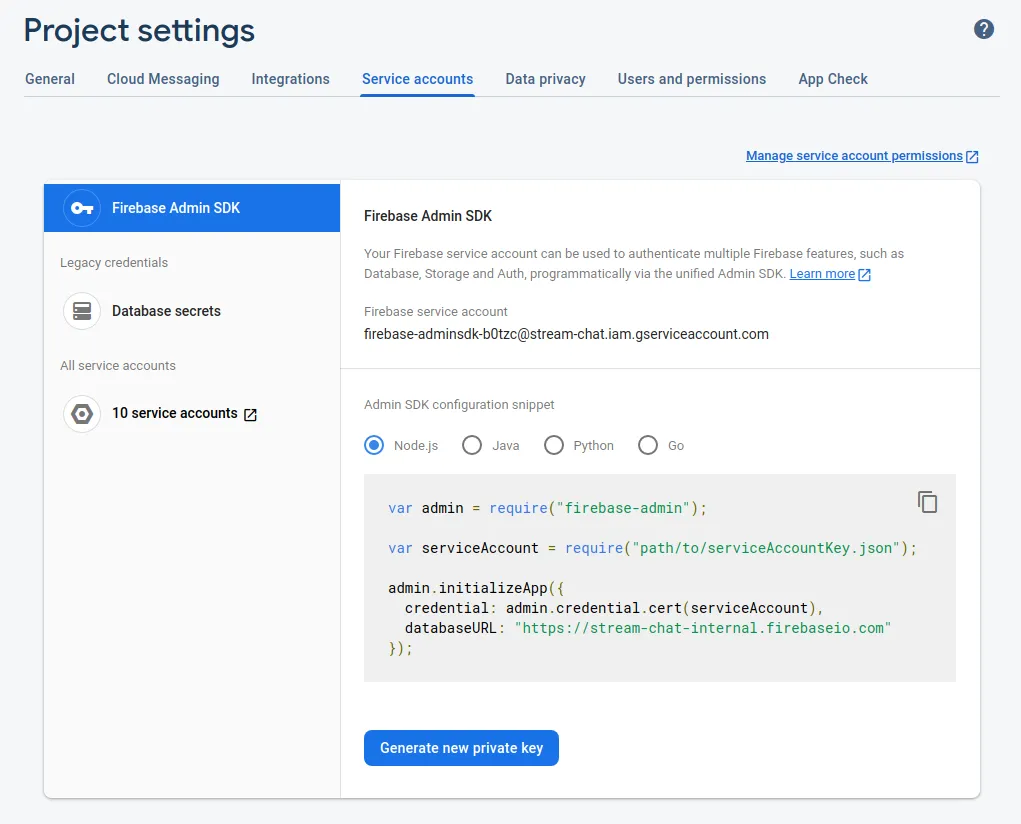
Click the gear icon next to Project Overview and navigate to Project settings:

- Navigate to the Service Accounts tab. Under Firebase Admin SDK, click Generate new private key to download the credentials JSON file.
Upload the credentials and create a push provider
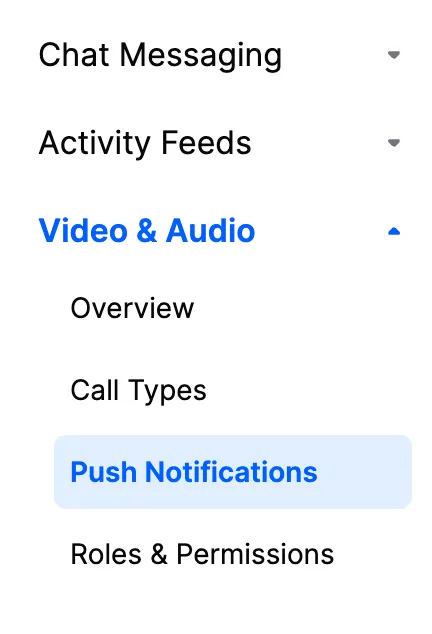
In the Stream Dashboard, select Push Notifications:
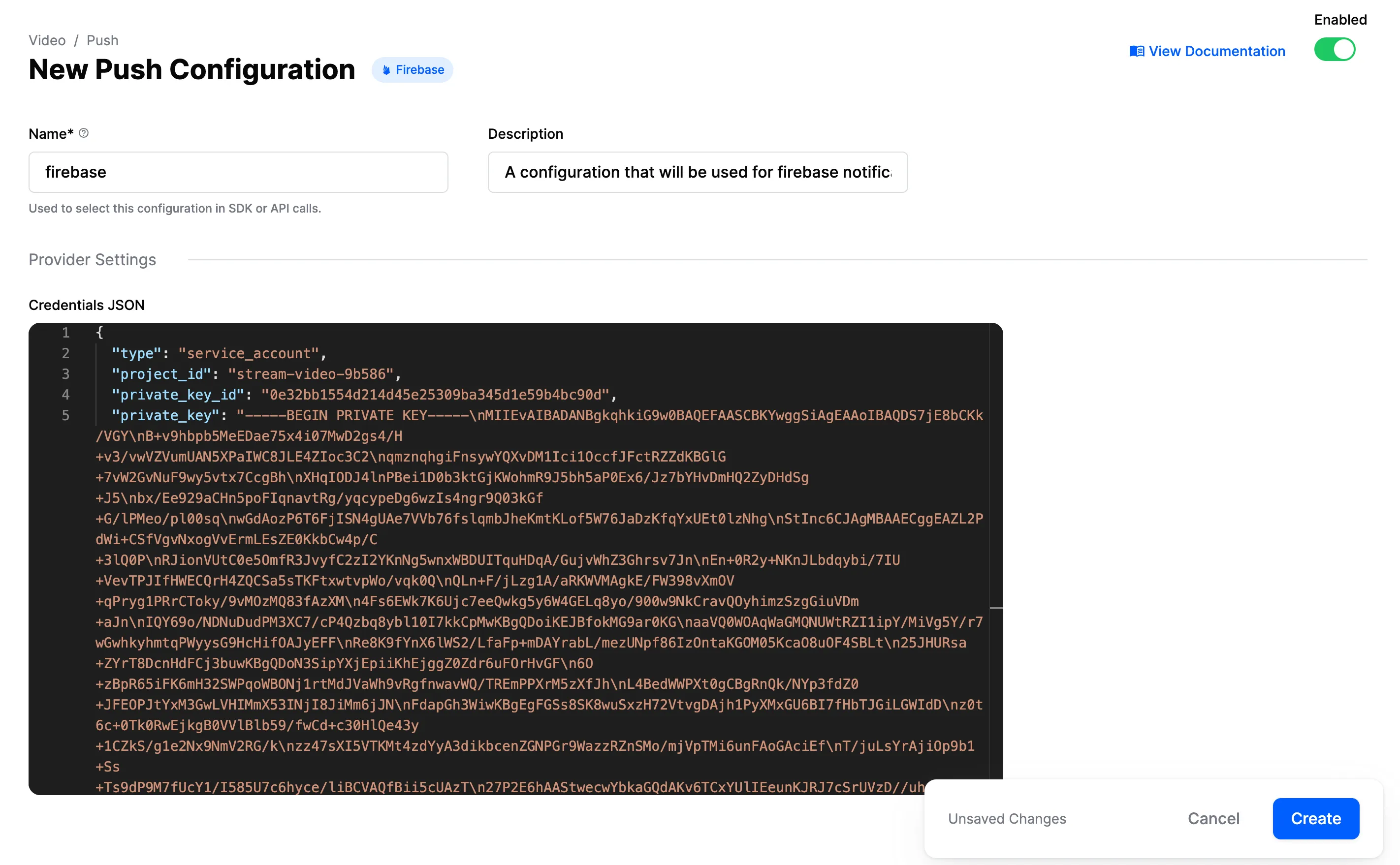
Click New Configuration and select the Firebase provider. Configure these fields:
| Field Name | Description |
|---|---|
Name | Provider identifier used in SDK/API calls |
Description | Optional description for identifying this configuration |
Credentials JSON | Firebase credentials for sending push notifications |
Configuration steps:
- Enter a name in the Name field (referenced in your code)
- Upload the Firebase credentials JSON file
- Enable the provider using the toggle
- Click Create
Example configuration using firebase as the name:
Receiving Notifications in the Client
We provide an artifact with all the implementation needed to work with Firebase. To use it follow the next steps:
Start by adding Firebase to your Android project. You only need to set up the FCM dependencies and add a google-services.json file to your project source directory.
Next, add the Stream Firebase push provider artifact to your app's build.gradle file:
Finally, add the FirebasePushDeviceGenerator to your NotificationConfig and pass it into the StreamVideoBuilder when you initialize the SDK:
val notificationConfig = NotificationConfig(
    pushDeviceGenerators = listOf(
        FirebasePushDeviceGenerator(
            context = context,
            providerName = "firebase"
        )
    )
)
StreamVideoBuilder(
    context = context,
    user = user,
    token = token,
    apiKey = apiKey,
    notificationConfig = notificationConfig,
).build()List<PushDeviceGenerator> pushDeviceGeneratorList = Collections.singletonList(new FirebasePushDeviceGenerator("firebase", context));
NotificationConfig notificationConfig = new NotificationConfig(pushDeviceGeneratorList);
new StreamVideoBuilder(
context,
user,
token,
apiKey,
notificationConfig,
).build();Make sure that StreamVideo is always initialized before handling push notifications. We highly recommend initializing it in the Application class.
That's it. You can now receive push notifications from Stream via Firebase.
Using a Custom Firebase Messaging Service
The Stream Firebase push provider artifact includes ChatFirebaseMessagingService, a FirebaseMessagingService implementation that will send new Firebase tokens and incoming push messages to the Stream SDK.
The `Chat` prefix in the class name is legacy naming. This service works with all Stream SDKs including Video and Chat. The naming will be updated in a future release.
If you're also using Firebase notifications for other things in your app, you can use your own custom service to replace ChatFirebaseMessagingService. This should make the following calls to the FirebaseMessagingDelegate class:
class CustomFirebaseMessagingService : FirebaseMessagingService() {

    override fun onNewToken(token: String) {
        // Update device's token on Stream backend
        try {
            FirebaseMessagingDelegate.registerFirebaseToken(token, "firebase")
        } catch (exception: IllegalStateException) {
            // StreamVideo was not initialized
        }
    }

    override fun onMessageReceived(message: RemoteMessage) {
        try {
            if (FirebaseMessagingDelegate.handleRemoteMessage(message)) {
                // RemoteMessage was from Stream and it is already processed
            } else {
                // RemoteMessage wasn't sent from Stream and it needs to be handled by you
            }
        } catch (exception: IllegalStateException) {
            // StreamVideo was not initialized
        }
    }
}
public final class CustomFirebaseMessagingService extends FirebaseMessagingService {
@Override
public void onNewToken(@NonNull String token) {
// Update device's token on Stream backend
try {
FirebaseMessagingDelegate.registerFirebaseToken(token, "firebase");
} catch (IllegalStateException exception) {
// StreamVideo was not initialized
}
}
@Override
public void onMessageReceived(@NonNull RemoteMessage message) {
try {
if (FirebaseMessagingDelegate.handleRemoteMessage(message)) {
// RemoteMessage was from Stream and it is already processed
} else {
// RemoteMessage wasn't sent from Stream and it needs to be handled by you
}
} catch (IllegalStateException exception) {
// StreamVideo was not initialized
}
}
}Make sure that your custom service has an <intent-filter> priority higher than -1 to override our default service. (This priority is 0 by default.)
Push Notification Payload
Push notifications are delivered as data payloads that the SDK can use to convert into the same data types that are received when working with the APIs.
When a call is started, Stream Server kicks a job that sends a regular data message (as below) to configured push providers on your app. When a device receives the payload, it's passed to the SDK which connects to Stream Video Server to process the the call and show the notification to the final user.
This is the main payload which will be sent to each configured provider:
{
  "sender": "stream.video",
  "type": "call.ring | call.notification | call.live_started",
  "call_display_name": "Jc Miñarro",
  "call_cid": "default:77501ea4-0bd7-47d1-917a-e8dc7387b87f",
  "version": "v2",
}