
 React
React iOS
iOS Android
 Flutter
 JavaScript
 Unity
Unity ESP32
ESP32 Platform
 Vision Agents
import React from "react";
import {
useCallStateHooks,
useConnectedUser,
UserResponse,
} from "@stream-io/video-react-native-sdk";
import { Image, StyleSheet, Text, View } from "react-native";
export const UserInfoComponent = () => {
const connectedUser = useConnectedUser();
const { useCallMembers } = useCallStateHooks();
const members = useCallMembers();
const membersToShow: UserResponse[] = (members || [])
.map(({ user }) => user)
.filter((user) => user.id !== connectedUser?.id);
return (
<View style={styles.container}>
<View style={styles.userInfo}>
{membersToShow.map((memberToShow) => {
return (
<View key={memberToShow.id}>
<Image
style={styles.avatar}
source={{
uri: memberToShow.image,
}}
/>
<Text style={styles.title}>{memberToShow.name}</Text>
</View>
);
})}
</View>
</View>
);
};
const styles = StyleSheet.create({
userInfo: {
flexDirection: "row",
justifyContent: "space-evenly",
},
title: {
fontSize: 20,
color: "white",
marginVertical: 20,
textAlign: "center",
},
avatar: {
height: 100,
width: 100,
borderRadius: 50,
},
});Incoming & Outgoing Call Component
Incoming and outgoing call components display call preview before joining.
- Incoming call - Shown to the callee (person being called)
- Outgoing call - Shown to the caller (person making the call)
Best Practices
- Show caller identity - Display name and profile image clearly
- Provide clear actions - Make accept/reject buttons obvious and accessible
- Handle timeouts - Auto-dismiss after reasonable duration if no response
- Support accessibility - Enable VoiceOver and TalkBack for call actions
- Test with push notifications - Verify behavior when app is backgrounded
Incoming call UI elements
- User info - Caller's name and image
- Accept button - Join the call
- Reject button - Decline the call
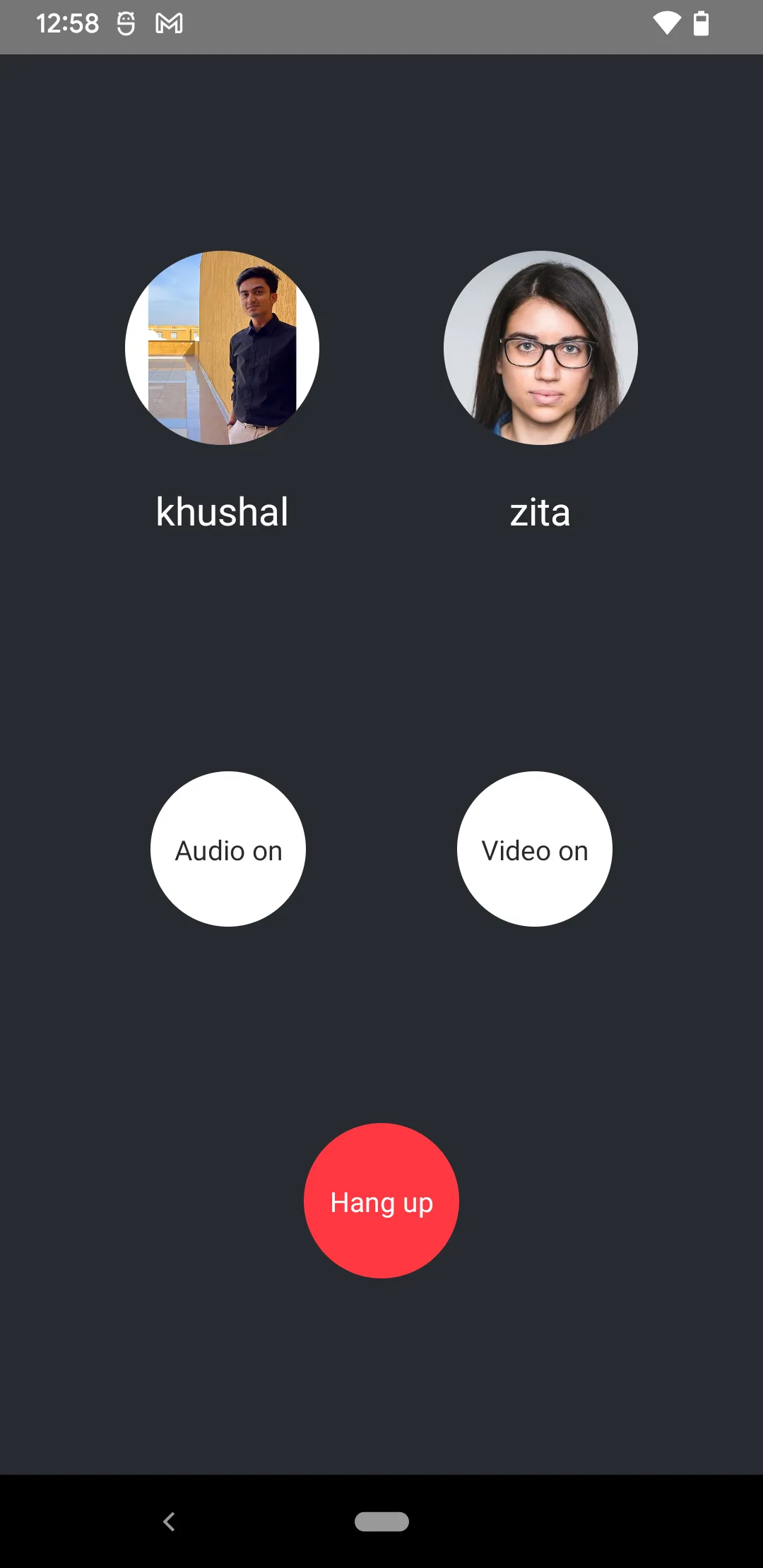
Outgoing call UI elements
- User info - Callee's name and image
- Hangup button - Cancel the call
- Media controls - (Optional) Audio/video toggle
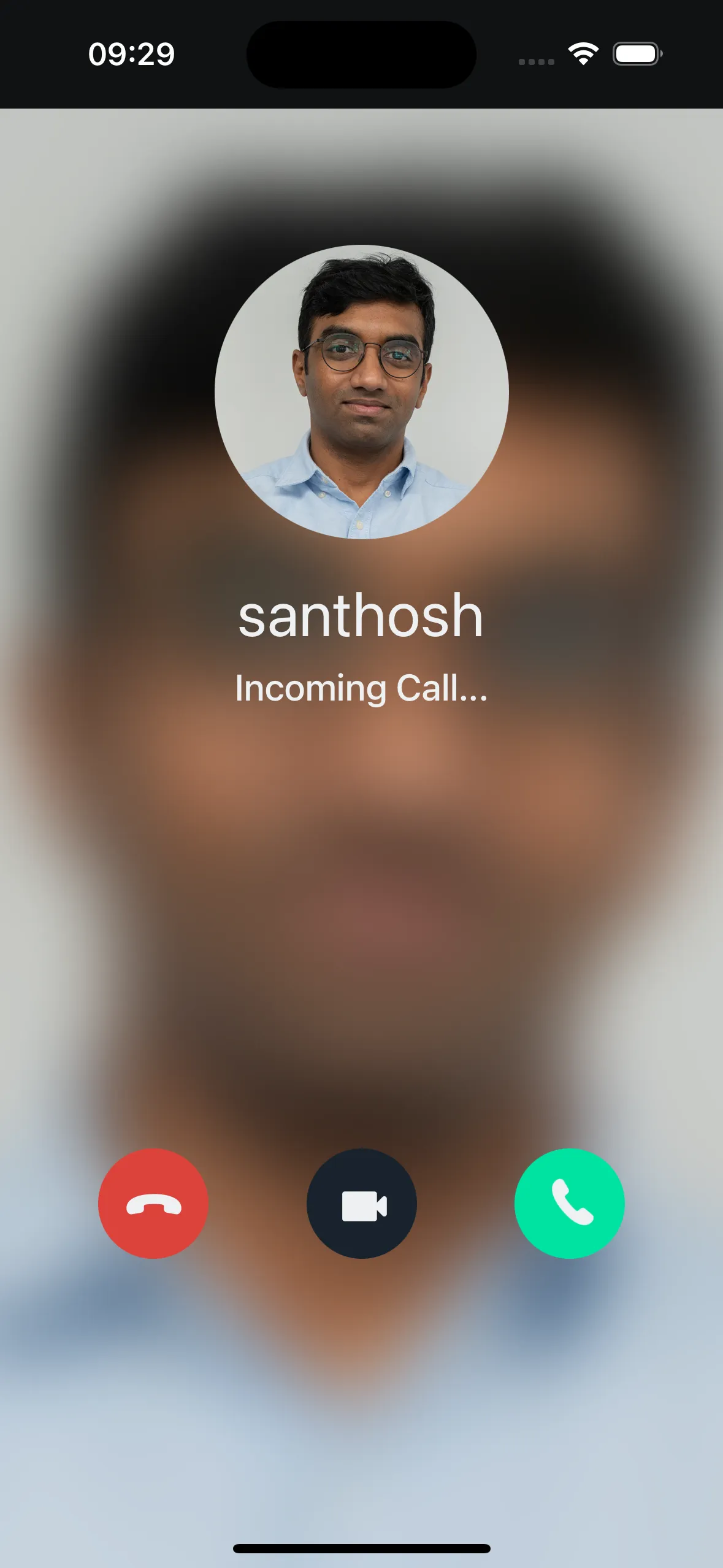
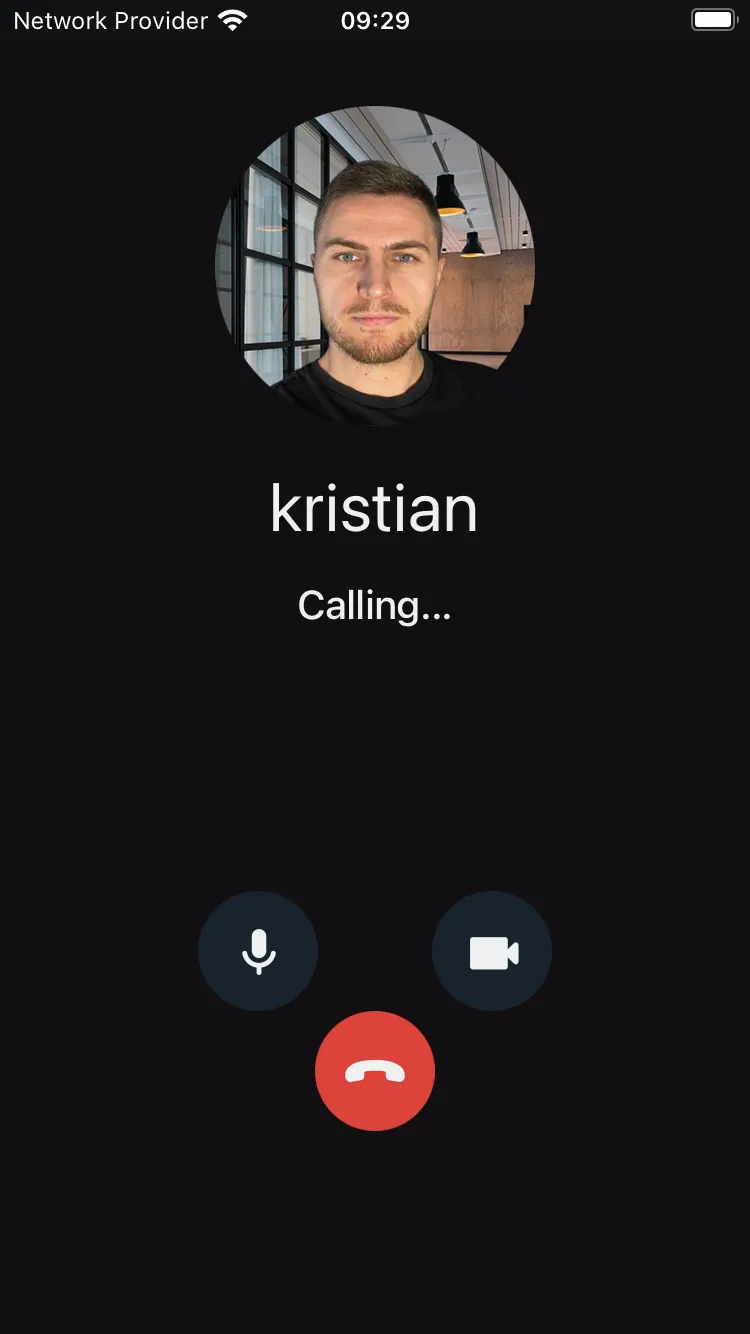
Component visualization varies by application. This guide focuses on building principles and data source integration.
User Info
Display user info (image, name) using the useCallMembers hook to get call members.
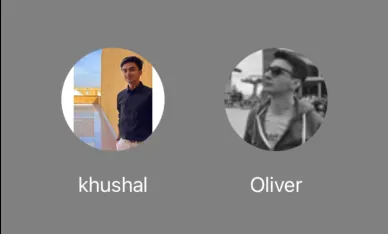
useCallMembers includes the connected user's info. Filter it out before displaying in the preview.
Example:
Media Stream Management
Control audio/video mute status using useCameraState and useMicrophoneState hooks from useCallStateHooks. These hooks manage local device state and media streaming.


Example:
import React from "react";
import { Pressable, View, Text, StyleSheet } from "react-native";
import { useCallStateHooks } from "@stream-io/video-react-native-sdk";

export const MediaStreamButtonGroup = () => {
  const { useMicrophoneState, useCameraState } = useCallStateHooks();
  const { isMute: microphoneMuted } = useMicrophoneState();
  const { isMute: cameraMuted } = useCameraState();

  const audioButtonStyles = [
    styles.button,
    {
      backgroundColor: microphoneStatus === "disabled" ? "#080707dd" : "white",
    },
  ];

  const videoButtonStyles = [
    styles.button,
    {
      backgroundColor: cameraStatus === "disabled" ? "#080707dd" : "white",
    },
  ];

  const audioButtonTextStyles = [
    styles.mediaButtonText,
    {
      color: microphoneStatus === "disabled" ? "white" : "#080707dd",
    },
  ];

  const videoButtonTextStyles = [
    styles.mediaButtonText,
    {
      color: cameraStatus === "disabled" ? "white" : "#080707dd",
    },
  ];

  const toggleAudioMuted = async () => {
    await call?.microphone.toggle();
  };

  const toggleVideoMuted = async () => {
    await call?.camera.toggle();
  };

  return (
    <View style={styles.buttonGroup}>
      <Pressable onPress={toggleAudioMuted} style={audioButtonStyles}>
        {!microphoneMuted ? (
          <Text style={audioButtonTextStyles}>Audio on</Text>
        ) : (
          <Text style={audioButtonTextStyles}>Audio off</Text>
        )}
      </Pressable>
      <Pressable onPress={toggleVideoMuted} style={videoButtonStyles}>
        {!cameraMuted ? (
          <Text style={videoButtonTextStyles}>Video on</Text>
        ) : (
          <Text style={videoButtonTextStyles}>Video off</Text>
        )}
      </Pressable>
    </View>
  );
};

const styles = StyleSheet.create({
  buttonGroup: {
    flexDirection: "row",
    justifyContent: "space-evenly",
  },
  button: {
    height: 80,
    width: 80,
    borderRadius: 40,
    justifyContent: "center",
  },
  mediaButtonText: {
    textAlign: "center",
  },
});
Incoming Call Component
Accept and Reject Call Button
See Accepting and Rejecting calls in the Joining & Creating Calls guide.
Use the useCall hook to access the call object with accept/reject functions.

Example:
import React, { useCallback } from "react";
import { Pressable, Text, View, StyleSheet } from "react-native";
import {
  CallingState,
  useCall,
  useCallStateHooks,
} from "@stream-io/video-react-native-sdk";

export const IncomingCallButtonGroup = () => {
  const call = useCall();
  const { useCallCallingState } = useCallStateHooks();
  const callingState = useCallCallingState();

  const acceptCallHandler = useCallback(async () => {
    try {
      await call?.join();
    } catch (error) {
      console.log("Error accepting Call", error);
    }
  }, [call]);

  const rejectCallHandler = useCallback(async () => {
    try {
      if (callingState === CallingState.LEFT) {
        return;
      }
      await call?.leave({ reject: true, reason: "decline" });
    } catch (error) {
      console.log("Error rejecting Call", error);
    }
  }, [call, callingState]);

  return (
    <View style={styles.buttonGroup}>
      <Pressable
        style={[styles.button, styles.rejectButton]}
        onPress={rejectCallHandler}
      >
        <Text style={styles.callButtonText}>Reject</Text>
      </Pressable>
      <Pressable
        style={[styles.button, styles.acceptButton]}
        onPress={acceptCallHandler}
      >
        <Text style={styles.callButtonText}>Accept</Text>
      </Pressable>
    </View>
  );
};

const styles = StyleSheet.create({
  buttonGroup: {
    flexDirection: "row",
    justifyContent: "space-evenly",
  },
  button: {
    height: 80,
    width: 80,
    borderRadius: 40,
    justifyContent: "center",
  },
  acceptButton: {
    backgroundColor: "#20E070",
  },
  rejectButton: {
    backgroundColor: "#FF3742",
  },
  callButtonText: {
    color: "white",
    textAlign: "center",
  },
});
Outgoing Call Component
Hangup call button
See Leave call in the Joining & Creating Calls guide.
Use the useCall hook to access the call object with hangup function.

Example:
import React, { useCallback } from "react";
import { Pressable, Text, View, StyleSheet } from "react-native";
import {
  CallingState,
  useCall,
  useCallStateHooks,
} from "@stream-io/video-react-native-sdk";

export const OutgoingCallButtonGroup = () => {
  const call = useCall();
  const { useCallCallingState } = useCallStateHooks();
  const callingState = useCallCallingState();

  const hangupCallHandler = useCallback(async () => {
    try {
      if (callingState === CallingState.LEFT) {
        return;
      }
      await call?.leave({ reject: true, reason: "cancel" });
    } catch (error) {
      console.log("Error rejecting Call", error);
    }
  }, [call, callingState]);

  return (
    <View style={styles.buttonGroup}>
      <Pressable
        style={[styles.button, styles.hangupButton]}
        onPress={hangupCallHandler}
      >
        <Text style={styles.callButtonText}>Hang up</Text>
      </Pressable>
    </View>
  );
};

const styles = StyleSheet.create({
  buttonGroup: {
    flexDirection: "row",
    justifyContent: "space-evenly",
  },
  button: {
    height: 80,
    width: 80,
    borderRadius: 40,
    justifyContent: "center",
  },
  hangupButton: {
    backgroundColor: "#FF3742",
  },
  callButtonText: {
    color: "white",
    textAlign: "center",
  },
});
Assembling it all together
Assemble components or pass them to customization props of IncomingCall/OutgoingCall.
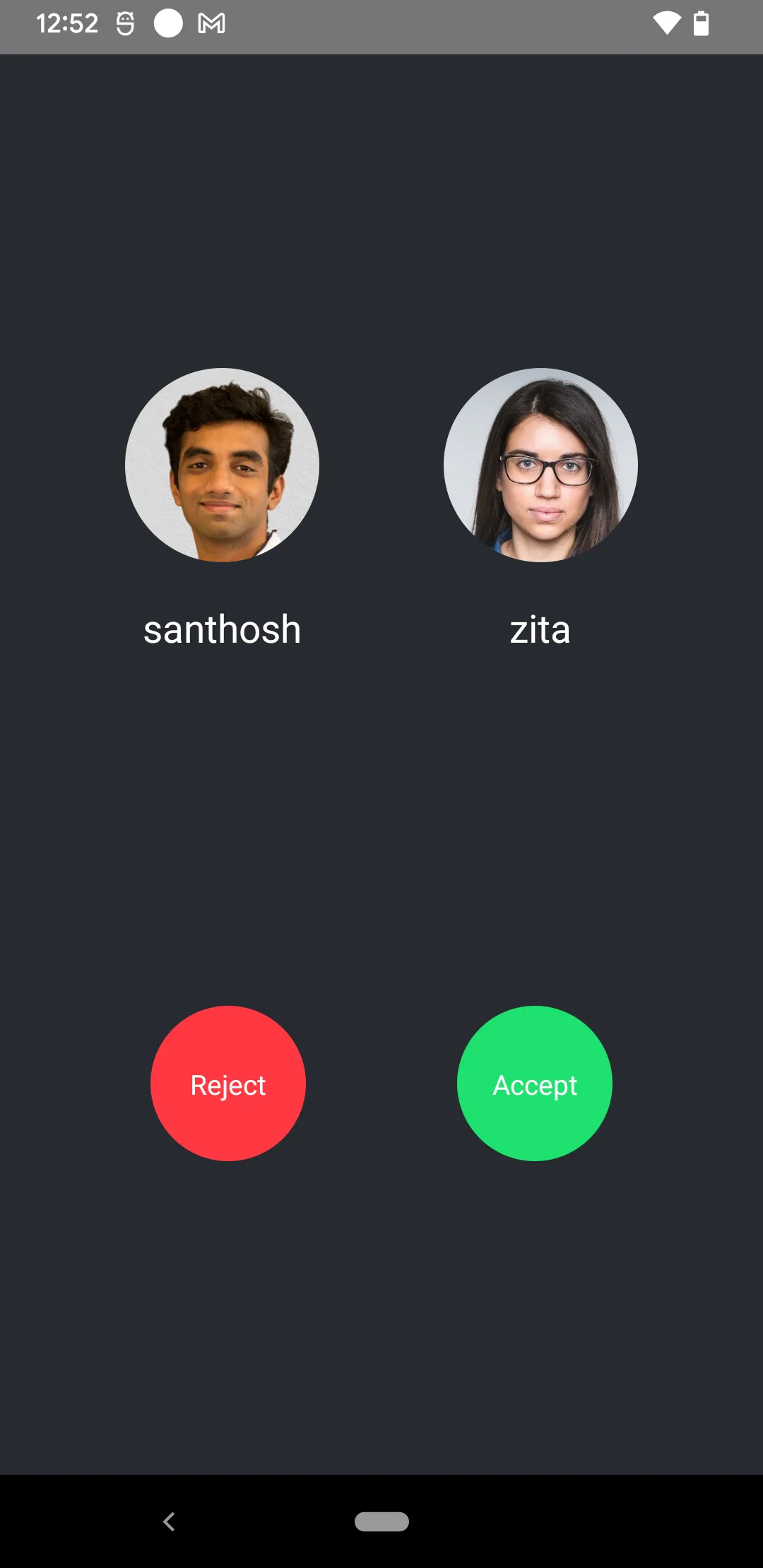
import { StyleSheet, View } from "react-native";

export const IncomingCallComponent = () => {
  return (
    <View style={[StyleSheet.absoluteFill, styles.container]}>
      <UserInfoComponent />
      <IncomingCallButtonGroup />
    </View>
  );
};

export const OutgoingCallComponent = () => {
  return (
    <View style={[StyleSheet.absoluteFill, styles.container]}>
      <UserInfoComponent />
      <MediaStreamButtonGroup />
      <OutgoingCallButtonGroup />
    </View>
  );
};

const styles = StyleSheet.create({
  container: {
    flex: 1,
    backgroundColor: "#272A30",
    justifyContent: "space-evenly",
  },
});On this page: