








Hosting a livestream
The Video API supports assigning roles like hosts and viewers in livestreams. The SDK provides dedicated components for each role.
Best Practices
- Test before going live - Verify camera, microphone, and network before starting
- Monitor viewer count - Track engagement through the follower count component
- Provide clear controls - Make start/stop streaming actions obvious
- Handle errors gracefully - Implement fallbacks for streaming failures
Default component
For hosts, use the specialized HostLivestream component.
Preview:
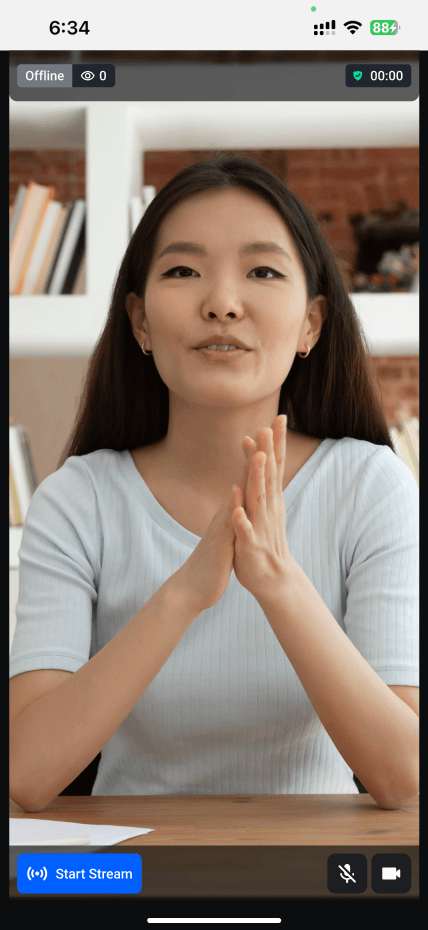
import {
  HostLivestream,
  StreamVideo,
  StreamCall,
} from "@stream-io/video-react-native-sdk";

export const MyLivestreamApp = () => {
  // init client and call here...
  return (
    <StreamVideo client={client}>
      <StreamCall call={call}>
        <HostLivestream />
      </StreamCall>
    </StreamVideo>
  );
};
Adding customization
HostLivestream accepts customization props:
- HostLivestreamTopView - Customize the header (contains
LiveIndicator,FollowerCount,DurationBadge) - LivestreamLayout - Customize the main video layout
- HostLivestreamControls - Customize bottom controls (contains
HostStartStreamButton,LivestreamMediaControls) - LiveIndicator - Customize the live status indicator
- FollowerCount - Customize the viewer count display
- DurationBadge - Customize the stream duration display
- HostStartStreamButton - Customize the start/end streaming button
- LivestreamMediaControls - Customize media control buttons
- onEndStreamHandler - Override end stream behavior
- onStartStreamHandler - Override start stream behavior
Example customizing FollowerCount:
import {
  HostLivestream,
  StreamVideo,
  StreamCall,
  useCallStateHooks,
} from "@stream-io/video-react-native-sdk";
import { View, Text, StyleSheet } from "react-native";

const FollowerCountComponent = () => {
  const { useParticipantCount } = useCallStateHooks();
  const totalParticipants = useParticipantCount();

  return (
    <View style={styles.container}>
      <Text style={styles.label}>{totalParticipants}</Text>
    </View>
  );
};

export const MyLivestreamApp = () => {
  // init client and call here...
  return (
    <StreamVideo client={client}>
      <StreamCall call={call}>
        <HostLivestream FollowerCount={FollowerCountComponent} />
      </StreamCall>
    </StreamVideo>
  );
};

const styles = StyleSheet.create({
  container: {
    paddingHorizontal: 8,
    paddingVertical: 4,
    backgroundColor: "gray",
  },
  label: {
    color: "cyan",
    fontSize: 15,
  },
});