
 React
React iOS
iOS Android
 Flutter
 JavaScript
 Unity
Unity ESP32
ESP32 Platform
 Vision Agents
import { SfuModels } from "@stream-io/video-react-native-sd";
const call = client.call(type, id);
await call.disableClientCapabilities(
SfuModels.ClientCapability.SUBSCRIBER_VIDEO_PAUSE,
);
// use call.enableClientCapabilities(...) to re-enable the feature
await call.join();Low Bandwidth
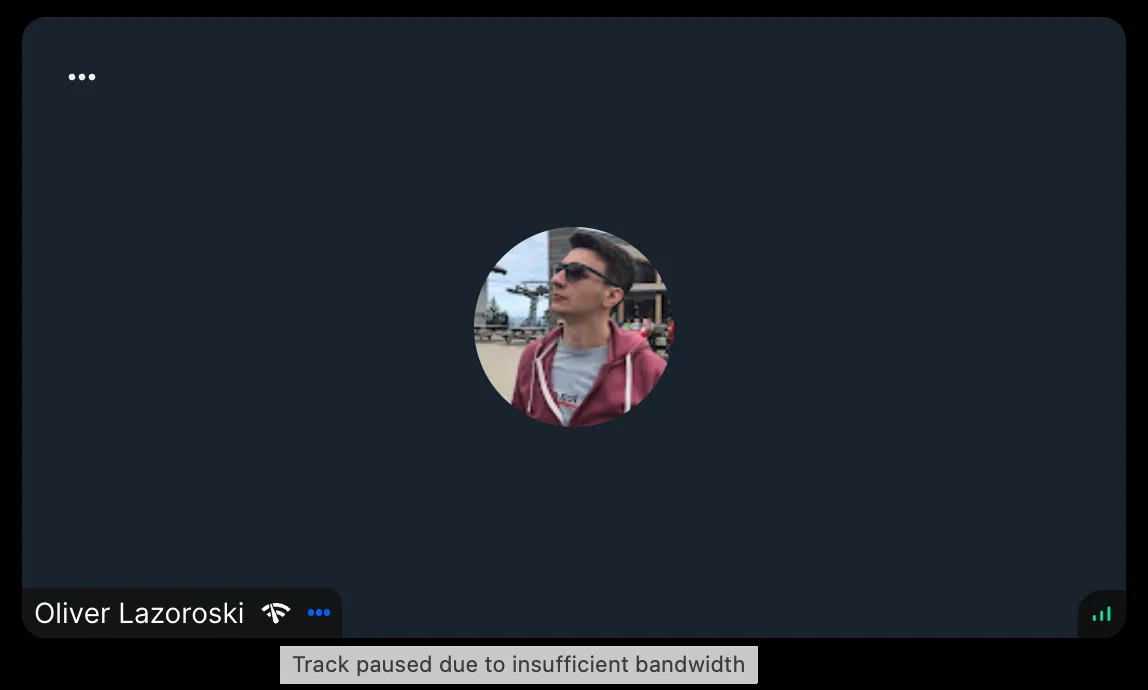
Servers detect low-bandwidth connections and automatically adjust video quality. When reduced quality is insufficient, the system may pause some or all remote videos, switching to audio-only mode.
When video pauses due to bandwidth constraints, an icon appears in the participant's label.
Best Practices
- Respect automatic optimization - Let the system handle bandwidth management by default
- Notify users of video pauses - Display clear indicators when video is unavailable
- Provide manual override option - Let users choose audio-only mode proactively
- Test on various network conditions - Verify behavior on 3G, 4G, and WiFi connections
Low Bandwidth Optimization toggling
Low bandwidth optimization is enabled by default. Opt out based on your use case:
This signals to the backend that the client supports dynamic video pausing for optimized media delivery.
Observing Paused Tracks
Server-side paused tracks are available via participant.pausedTracks. Observe this property to customize UI, such as displaying messages or modifying participant labels.
Example:
import {
  useCallStateHooks,
  SfuModels,
} from "@stream-io/video-react-native-sdk";

export const MyComponent = () => {
  const { useParticipants } = useCallStateHooks();
  const participants = useParticipants();

  const participantsWithPausedVideoTracks = participants.filter((p) =>
    p.pausedTracks?.includes(SfuModels.TrackType.VIDEO),
  );

  return (
    <>
      {participantsWithPausedVideoTracks.length > 0 && (
        <ShowPausedIncomingVideoNotification />
      )}
      <MyCalLayoutUI />
    </>
  );
};