
 React
React iOS
iOS Android
 Flutter
 JavaScript
 Unity
Unity ESP32
ESP32 Platform
 Vision Agents
import { StyleSheet, Text, View, TouchableOpacity } from "react-native";
import { CallingState, useCall } from "@stream-io/video-react-native-sdk";
const CallHeader = () => {
const call = useCall();
const onHangupCallHandler = async () => {
setShow("loading");
try {
if (callingState !== CallingState.LEFT) {
await call?.leave();
}
navigation.goBack();
} catch (error) {
if (error instanceof Error) {
console.error("Error leaving call:", error);
setErrorMessage(error.message);
}
}
};
return (
<View style={styles.topView}>
<View style={styles.headerContainer}>
<TouchableOpacity
onPress={onHangupCallHandler}
style={styles.backButton}
>
<Text style={styles.backButtonText}>←</Text>
</TouchableOpacity>
<Text style={styles.title}>{call?.id}</Text>
</View>
</View>
);
};
const styles = StyleSheet.create({
topView: {
width: "100%",
backgroundColor: "gray",
},
headerContainer: {
flexDirection: "row",
alignItems: "center",
paddingHorizontal: 16,
},
backButton: {
padding: 10,
},
backButtonText: {
fontSize: 24,
color: "black",
},
title: {
flex: 1,
paddingVertical: 20,
color: "black",
textAlign: "center",
},
});Call Header
Call Header
Create a custom call header displaying the call ID and a back button to hang up.
Best Practices
- Keep headers minimal - Display only essential information like call ID or participant name
- Ensure safe area handling - Account for notches and status bars on different devices
- Provide clear navigation - Include an obvious way to leave or end the call
- Match your app theme - Style the header consistently with your application design
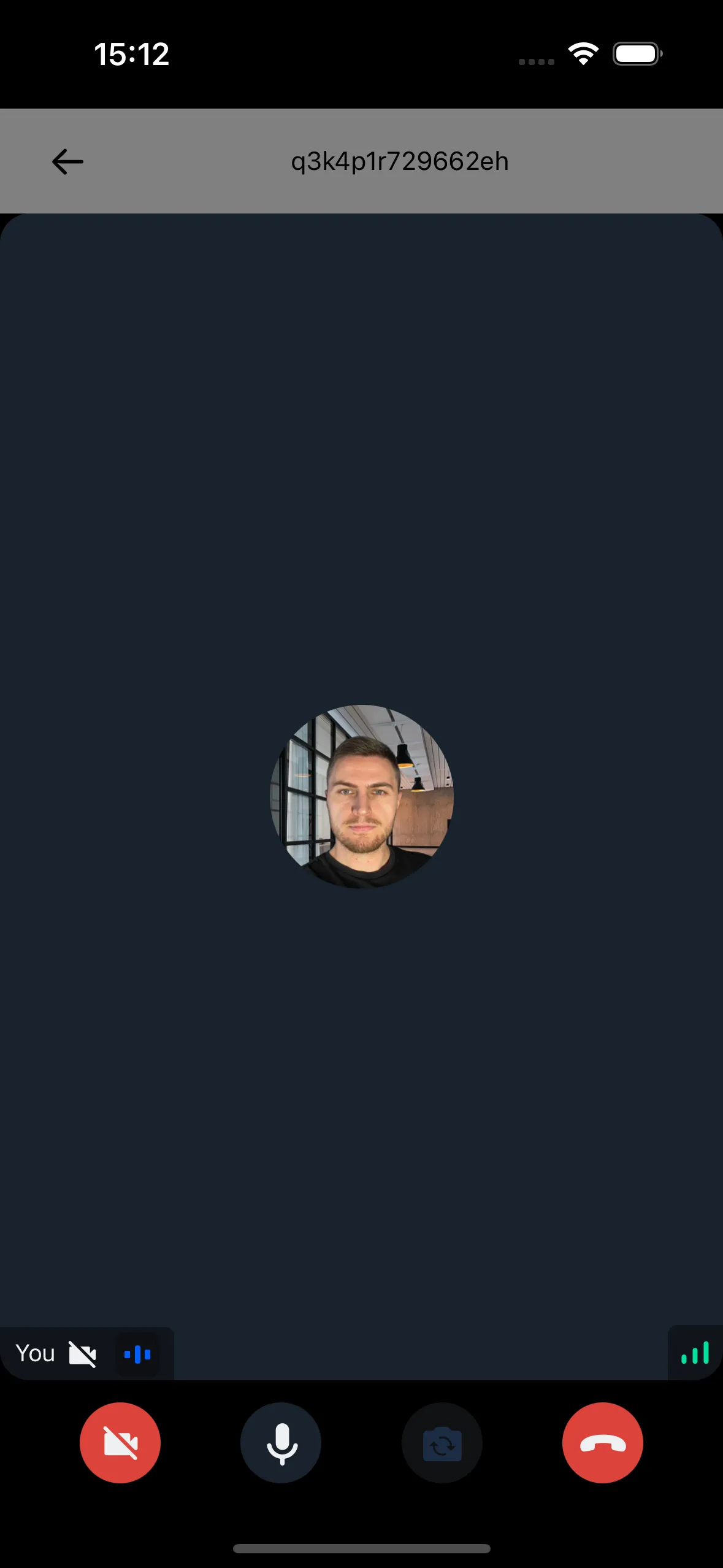
Example:
Reset the top padding of CallContent to 0 in your theme when positioning CallHeader above it:
export const useCustomTheme = (mode: ThemeMode): DeepPartial<Theme> => {
  const callContent: DeepPartial<Theme["callContent"]> = {
    container: { paddingTop: 0 },
  };

  const customTheme: DeepPartial<Theme> = {
    callContent,
  };

  return customTheme;
};
Final Steps
Use the CallHeader component inside StreamCall, positioned above CallContent:
import {
  Call,
  CallContent,
  StreamCall,
} from "@stream-io/video-react-native-sdk";

const VideoCallUI = () => {
  let call: Call;
  // your logic to create a new call or get an existing call

  return (
    <StreamCall call={call}>
      <CallHeader />
      <CallContent />
    </StreamCall>
  );
};