
 React
React iOS
iOS Android
 Flutter
 JavaScript
 Unity
Unity ESP32
ESP32 Platform
 Vision Agents
import {
Call,
CallParticipantsList,
StreamCall,
useParticipants,
} from "@stream-io/video-react-native-sdk";
const VideoCallUI = () => {
let call: Call;
const allParticipants = useParticipants();
return (
<StreamCall call={call}>
<CallParticipantsList participants={allParticipants} />
</StreamCall>
);
};CallParticipantsList
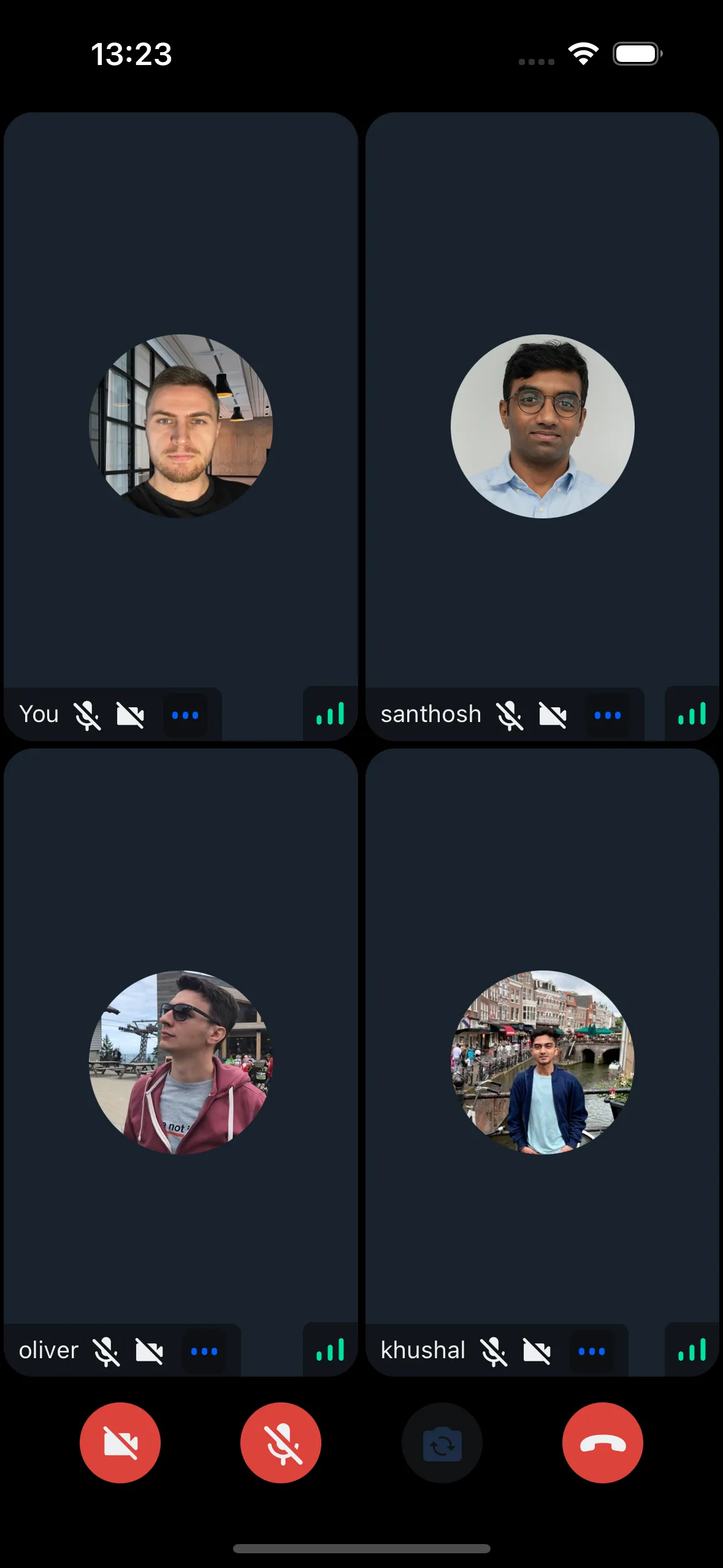
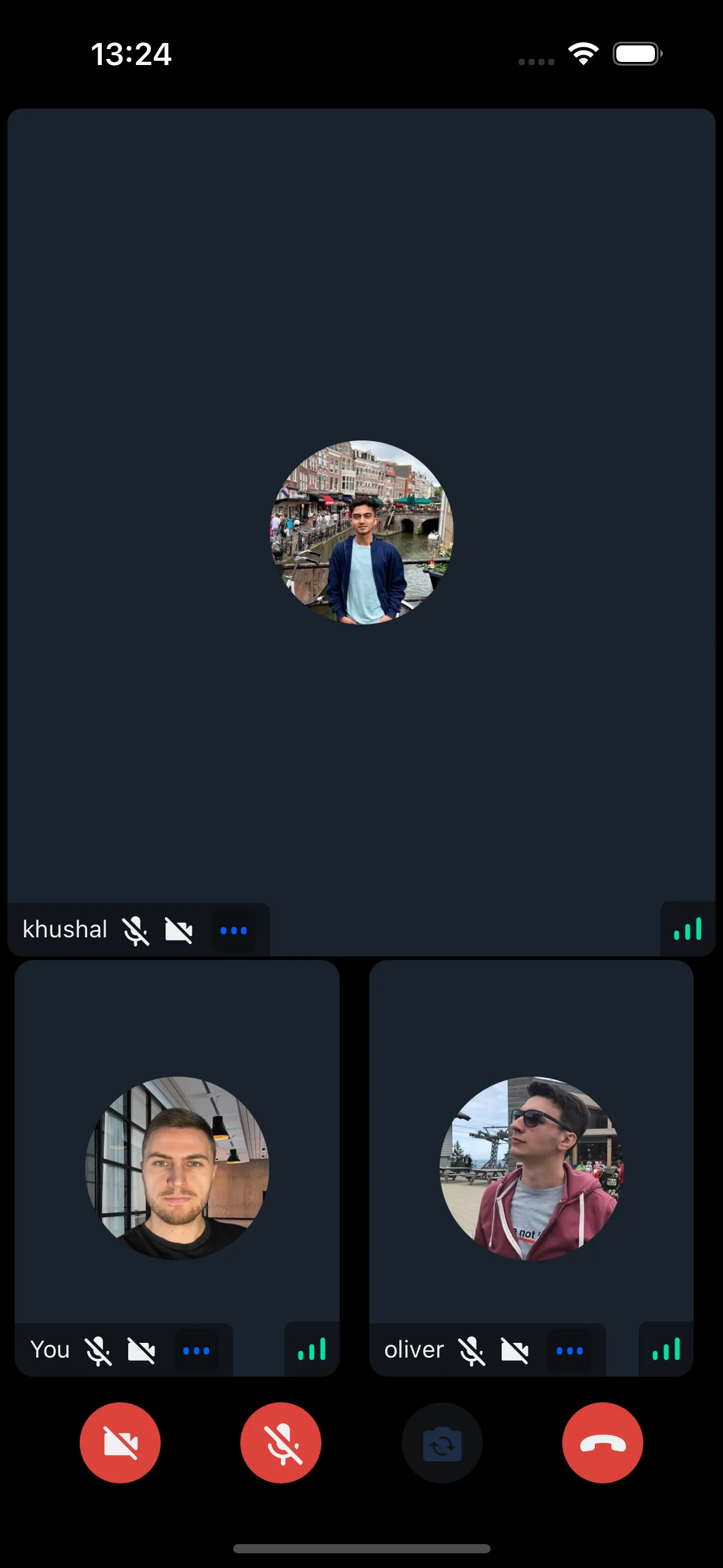
Display participants in a FlatList with vertical or horizontal scrolling.
This component depends on a flex container to calculate the width and height of the participant view, hence it should be used only in a flex parent container
Our CallContent component internally uses CallParticipantsList inside Call layouts components (CallParticipantsGrid and CallParticipantsSpotlight).
General Usage
Display all participants as a FlatList. Default: vertical layout with 2 participants per row (customizable via props).
Props
participants
| Type |
|---|
StreamVideoParticipant[] |
The list of participants to list in the view.
numberOfColumns
| Type | Default Value |
|---|---|
number | undefined | 2 |
The number of participants to be displayed in a single row. This property is only used when there are more than 2 participants.
horizontal
| Type | Default Value |
|---|---|
boolean | undefined | false |
This decides whether the participants should be listed vertically or horizontally.
landscape
Applies the landscape mode styles to the component, if true.
| Type |
|---|
boolean | undefined |
mirror
Forces participant's video to be mirrored or unmirrored. By default, video track from the local participant is mirrored, and all other videos are not mirrored.
| Type |
|---|
boolean |
ParticipantLabel
Component to customize the Label of the participant.
| Type | Default Value |
|---|---|
ComponentType| undefined | ParticipantLabel |
ParticipantReaction
Component to customize the participant reaction display.
| Type | Default Value |
|---|---|
ComponentType| undefined | ParticipantReaction |
ParticipantVideoFallback
Component to customize the video fallback of the participant, when the video is disabled.
| Type | Default Value |
|---|---|
ComponentType| undefined | ParticipantVideoFallback |
ParticipantNetworkQualityIndicator
Component to customize the network quality indicator of the participant.
| Type | Default Value |
|---|---|
ComponentType| undefined | ParticipantNetworkQualityIndicator |
VideoRenderer
Component to customize the participant video. Also displays the ParticipantVideoFallback.
The VideoRenderer accepts a mirror?: boolean prop to force mirroring on or off. When provided, it takes precedence over the default mirroring logic.
| Type | Default Value |
|---|---|
ComponentType| undefined | VideoRenderer |
Props
| Prop | Type | Default Value | Description |
|---|---|---|---|
participant | StreamVideoParticipant | The participant whose video or screenshare should be rendered. | |
trackType | videoTrack | screenShareTrack | videoTrack | The track to render. |
isVisible | boolean | true | When false, the video stream is not shown even if it is available. |
objectFit | 'contain' | 'cover' | undefined | undefined | How the video fits within its container. When omitted, a default is computed from the track dimensions. |
videoZOrder | number | 0 | The z-order to apply to the underlying RTC view. |
mirror | boolean | undefined | undefined | Forces mirroring on or off. When omitted, the default mirroring logic is used. |
ParticipantVideoFallback | ComponentType | null | undefined | ParticipantVideoFallback | Component to render when video is unavailable. Use null to disable the fallback. |
ParticipantView
Prop to customize the ParticipantView component entirely.
| Type | Default Value |
|---|---|
ComponentType| undefined | ParticipantView |