








Network Quality Indicator
Network conditions vary, affecting video quality. The default ParticipantView includes a network quality indicator showing participant connection states:
- UNSPECIFIED - Connection quality unknown
- POOR - Degraded connection
- GOOD - Stable connection
- EXCELLENT - Optimal connection
Best Practices
- Use clear visual indicators - Icons or colors that instantly convey quality levels
- Position consistently - Place indicators in the same location for all participants
- Avoid overloading UI - Show quality only when relevant or on demand
- Consider accessibility - Use color and shape for quality indication

This guide covers building a custom network quality indicator.
Custom Network Quality Indicator
Display this indicator inside each ParticipantView within your call layout.
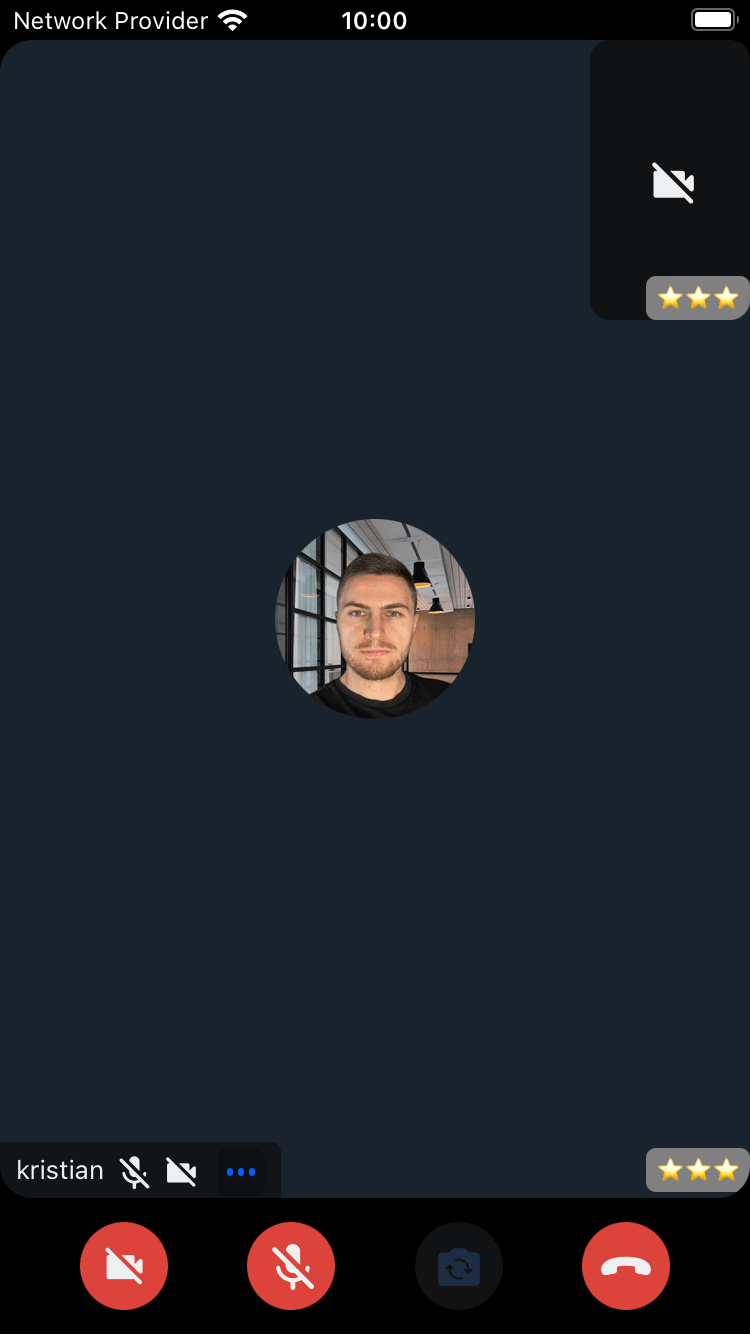
Example:
import { Text, View } from "react-native";
import { ParticipantNetworkQualityIndicatorProps } from "@stream-io/video-react-native-sdk";

const CustomNetworkQualityIndicator = ({
  participant,
}: ParticipantNetworkQualityIndicatorProps) => {
  return (
    <View style={styles.container}>
      <Text style={styles.connection}>
        {"⭐️".repeat(participant.connectionQuality)}
      </Text>
    </View>
  );
};

const styles = StyleSheet.create({
  container: {
    backgroundColor: "gray",
    borderRadius: 5,
    alignSelf: "center",
    padding: 5,
  },
  connection: {
    fontSize: 10,
  },
});
Final Steps
Pass the custom component to the ParticipantNetworkQualityIndicator prop of CallContent:
import {
  Call,
  CallContent,
  StreamCall,
} from "@stream-io/video-react-native-sdk";

const VideoCallUI = () => {
  let call: Call;
  // your logic to create a new call or get an existing call

  return (
    <StreamCall call={call}>
      <CallContent
        ParticipantNetworkQualityIndicator={CustomNetworkQualityIndicator}
      />
    </StreamCall>
  );
};
Note:
Access participant data using hooks from useCallStateHooks:
- useParticipants - Returns details for all participants
- useRemoteParticipants - Returns details for remote participants only
- useConnectedUser / useLocalParticipant - Returns local participant details