















Native Image Picker
This guide can help you to comply with the new Google Play's android policy for photo and video permissions.
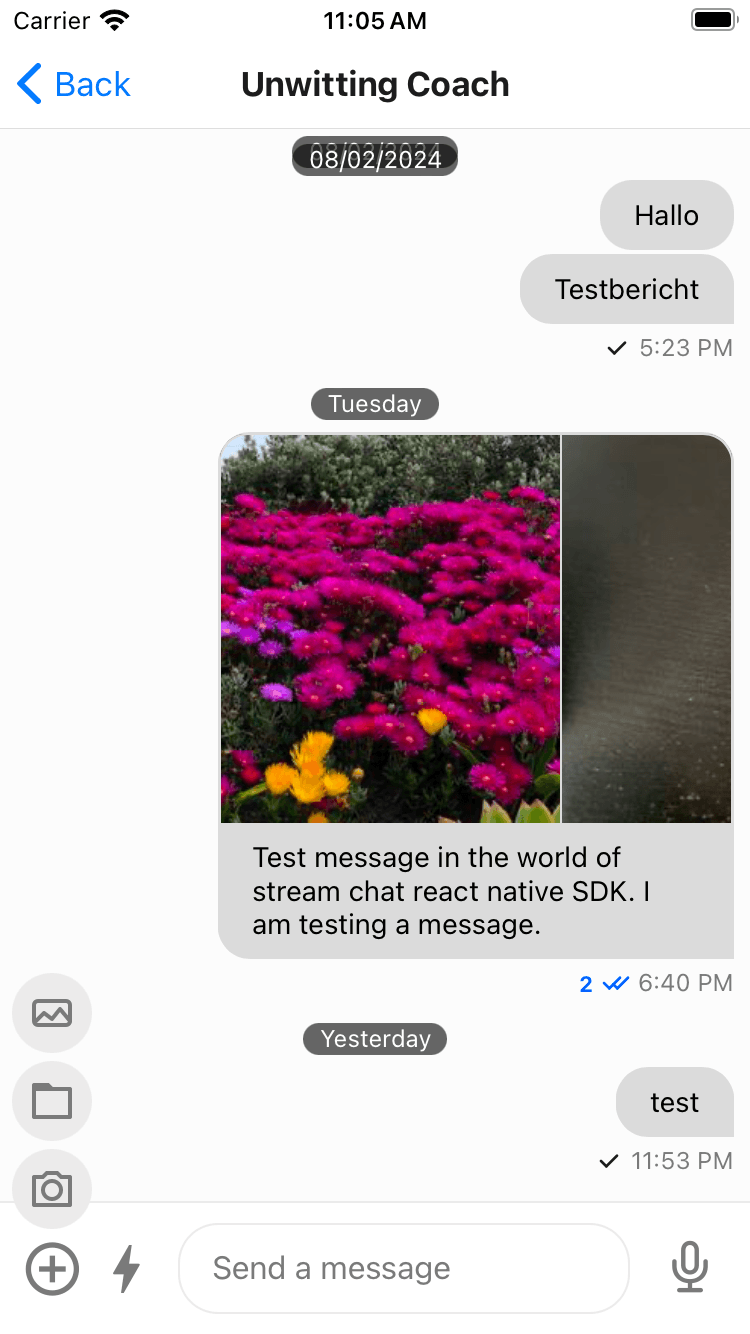
To enable the native image picker, you need to do the following steps and that would provide a native image picker for both iOS and Android.
Step 1: Uninstall the media library
Uninstall the media library by running the following command(if you have already installed it) else choose not to install it at all as it is a optional dependency.
yarn remove @react-native-camera-roll/camera-rollMake sure you remove the unnecessary permissions from both iOS(Info.plist) and Android(AndroidManifest.xml).
<key>NSPhotoLibraryUsageDescription</key>
<string>$(PRODUCT_NAME) would like access to your photo gallery to share image in a message.</string>
<key>NSPhotoLibraryAddUsageDescription</key>
<string>$(PRODUCT_NAME) would like to save photos to your photo gallery after downloading from a message.<string><manifest>
...
<uses-permission android:name="android.permission.READ_MEDIA_IMAGES" />
<uses-permission android:name="android.permission.READ_MEDIA_VIDEO" />
<uses-permission android:name="android.permission.READ_EXTERNAL_STORAGE"
android:maxSdkVersion="32" />
<uses-permission android:name="android.permission.WRITE_EXTERNAL_STORAGE" />
...
<application>yarn remove expo-media-libraryRemove the expo-media-libary config plugin code from app.json.
{
  "expo": {
    "plugins": [
      [
        "expo-media-library",
        {
          "photosPermission": "Allow $(PRODUCT_NAME) to access your photos.",
          "savePhotosPermission": "Allow $(PRODUCT_NAME) to save photos.",
          "isAccessMediaLocationEnabled": true
        }
      ]
    ]
  }
}
Step 2: Install the native image picker
Install the native image picker by running the following command:
yarn add react-native-image-pickerAdd the following permission to the Info.plist of the app in the ios folder.
<key>NSPhotoLibraryUsageDescription</key>
<string>$(PRODUCT_NAME) would like access to your photo gallery to share image in a message.</string>npx expo install expo-image-pickerAdd the following in the app.json of the app.
[
  "expo-image-picker",
  {
    "photosPermission": "$(PRODUCT_NAME) will access your photos to let them share with others."
  }
]
This shall give you a UI to select images from the gallery using native image picker or take a picture from the camera or alternatively select a file.
Please follow the post installation steps as mentioned in the react-native-image-picker.
Step 3: Add customization(if necessary)
You can customize what happens on clicking the AttachButton by passing your own onPress function to the handleAttachButtonPress of the Channel component.
import { useCallback } from "react";
import { Channel } from "stream-chat-react-native";

const App = () => {
  const handleAttachButtonPress = useCallback(async () => {
    // Your custom logic here
  }, []);

  return (
    <Channel
      channel={channel}
      handleAttachButtonPress={handleAttachButtonPress}
    />
  );
};
The other alternative is customizing the AttachButton component itself.
import { AttachButton } from "stream-chat-react-native";

const CustomAttachButton = (props) => {
  const { onPress } = props;

  const handlePress = async () => {
    // Your custom logic here
  };

  return <AttachButton onPress={handlePress} />;
};

const App = () => {
  return <Channel channel={channel} AttachButton={CustomAttachButton} />;
};