















ChannelListComponent
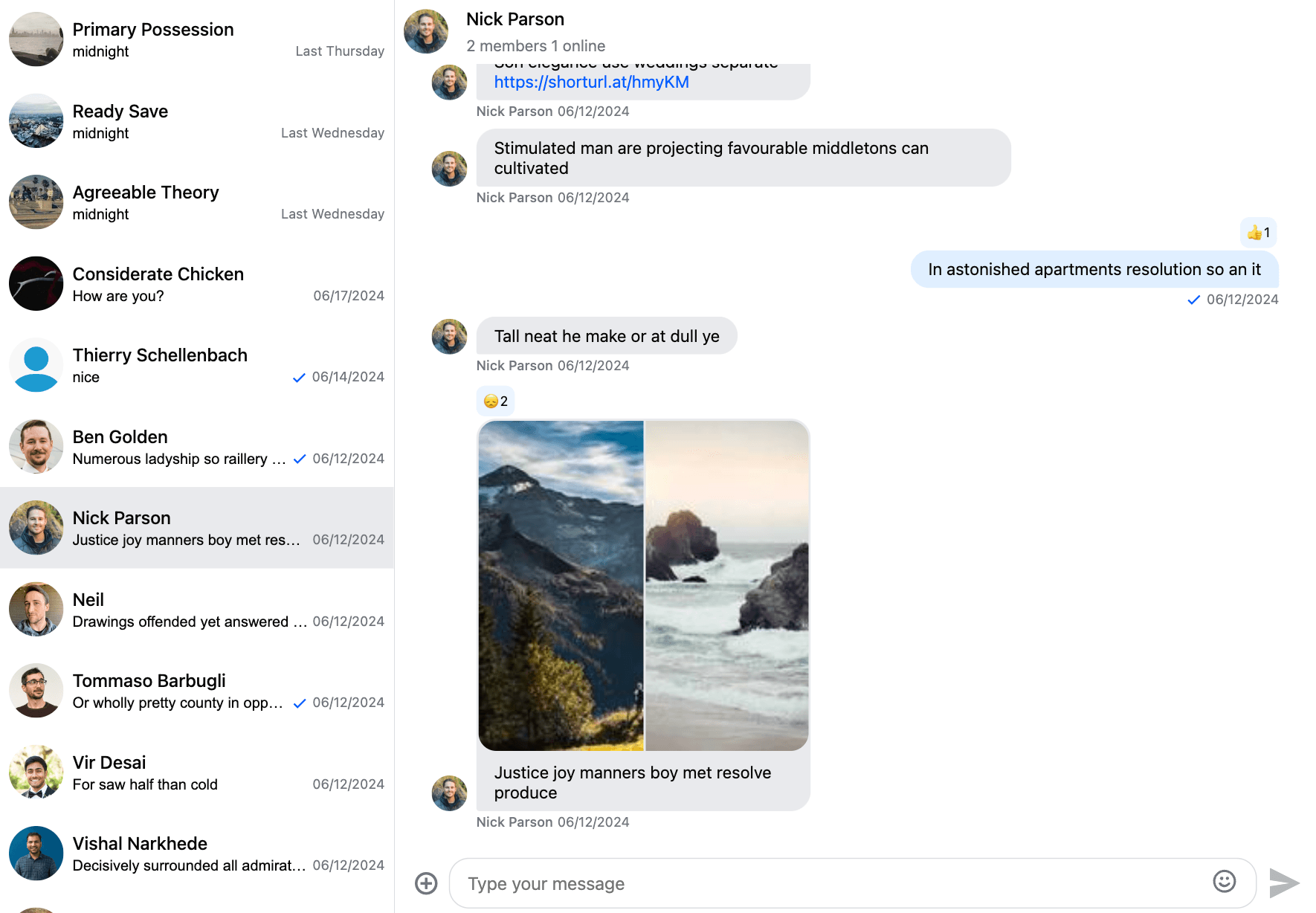
The ChannelList component renders the list of channels.
The ChannelList displays channels using pagination, the next page is loaded when the user scrolls to the bottom of the list (or clicks the "Load more" button if the list isn't scrollable).
The channel list is always visible by default. On mobile devices, you can open or close the list with a menu button in the ChannelHeader component, the responsive layout guide shows how.
Customization
UI customization
Example 1 - Using a custom channel list component
See our customization guide on how to provide your own channel list component.
Example 2 - Using a custom channel preview component
If you only want to customize the channel preview items (not the whole list), see the channel preview customization guide.
Example 3 - Content injection points
It's possible to inject your own content to the top or to the bottom of the channel list:
<stream-channel-list>
  <input channel-list-top placeholder="Search" />
  <button channel-list-bottom>Add new channel</button>
</stream-channel-list>
Use the channel-list-top attribute to inject content at the top of the channel list, and the channel-list-bottom to display content at the bottom of the channel list.
Behavior customization
Please refer to the channel list guide