React
React iOS
iOS Android
 Flutter
 Angular
 JavaScript
 Unity
Unity Unreal
 Node
Node Python
 Ruby
Ruby PHP
PHP Java
Java .NET
.NET Go
Go REST
RESTconst i18nInstance = new Streami18n();
<Chat client={client} i18nInstance={i18nInstance}>
...
</Chat>;This is beta documentation for Stream Chat React SDK v14. For the latest stable version, see the latest version (v13)
.
Connection Status
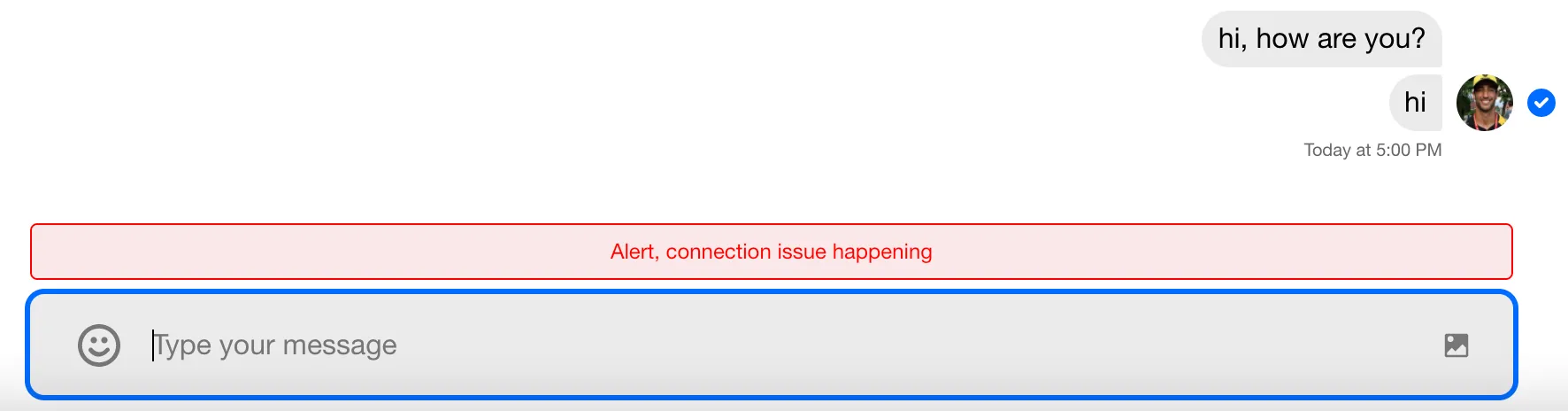
This example shows how to change the text in the ConnectionStatus component. It appears when there’s a connection issue with the Stream Chat API.
This component is rendered inside MessageListNotifications, which sits alongside the panel-scoped NotificationList in MessageList. To override the broader notification surfaces, see the detailed example. Here, we only replace the text using the Stream i18n instance.
Best Practices
- Use
i18noverrides for text changes instead of custom components. - Keep connection copy clear and reassuring to users.
- Avoid over-alerting; show status only when connection is degraded.
- Reuse keys from the default locale to keep translations aligned.
- Test connection states in offline/slow networks.
Implementation
The first step is to create an instance of Streami18n and pass it into the Chat component.
Next, override the default message text via key/value pairs. See the full list of overridable values.
const i18nInstance = new Streami18n({
  language: "en",
  translationsForLanguage: {
    "Connection failure, reconnecting now...":
      "Alert, connection issue happening",
  },
});
The Result