
 React
React iOS
iOS Android
 Flutter
 Angular
 JavaScript
 Unity
Unity Unreal
 Node
Node Python
 Ruby
Ruby PHP
PHP Java
Java .NET
.NET Go
Go REST
RESTimport type { ComponentProps } from "react";
import { Channel, WithComponents } from "stream-chat-react";
const CustomBaseImage = (props: ComponentProps<"img">) => {
return <img {...props} />;
};
const App = () => (
<WithComponents overrides={{ BaseImage: CustomBaseImage }}>
<Channel>{/* ... */}</Channel>
</WithComponents>
);This is beta documentation for Stream Chat React SDK v14. For the latest stable version, see the latest version (v13)
.
BaseImage
BaseImage displays an image or a fallback when loading fails. It is used internally by:
- image attachments rendered in messages
- giphy attachments and link preview cards
- gallery media rendered in messages
- video thumbnails and quoted-message previews
- attachment previews rendered in
MessageComposer
Best Practices
- Prefer CSS fallback customization before replacing
BaseImage. - Keep fallback visuals lightweight to avoid layout shifts.
- Use one fallback treatment across attachments, galleries, and previews.
- Keep custom
BaseImageimplementations compatible with standard<img>props. - Prefer overriding
ImagePlaceholderfor fallback-only customization before replacingBaseImage.
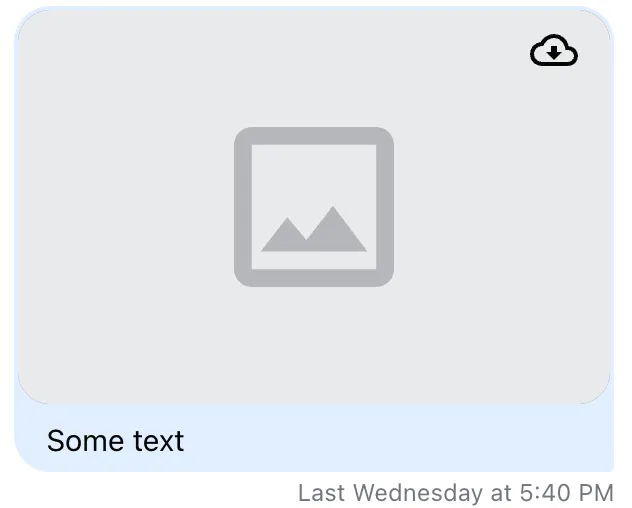
Default fallbacks look like this:


Usage
Custom image fallback
The default fallback is rendered through ImagePlaceholder. To change the default fallback, override ImagePlaceholder through WithComponents.
Custom BaseImage
Register a custom BaseImage with WithComponents:
Custom ImagePlaceholder
If you only want to replace the failed-image placeholder UI, override ImagePlaceholder instead of BaseImage:
import {
  Channel,
  WithComponents,
  type ImagePlaceholderProps,
} from "stream-chat-react";

const CustomImagePlaceholder = ({ className }: ImagePlaceholderProps) => (
  <div className={className}>Image unavailable</div>
);

const App = () => (
  <WithComponents overrides={{ ImagePlaceholder: CustomImagePlaceholder }}>
    <Channel>{/* ... */}</Channel>
  </WithComponents>
);
Props
BaseImage accepts standard <img> props and also supports:
| Prop | Description | Type |
|---|---|---|
showDownloadButtonOnError | When true, renders a download button after the image fails to load. Defaults to false. | boolean |