
 React
React iOS
iOS Android
 Flutter
 Angular
 JavaScript
 Unity
Unity Unreal
 Node
Node Python
 Ruby
Ruby PHP
PHP Java
Java .NET
.NET Go
Go REST
RESTawait channel.pin();This is beta documentation for Stream Chat React Native SDK v9. For the latest stable version, see the latest version (v8)
.
Channel Pinning and Archiving
Channel Pinning and Archiving
Channel pinning and archiving let users pin channels to the top or hide them from lists.
Best Practices
- Use
pinned_atandarchived_atfrom membership to drive UI state reliably. - When customizing
ChannelList, keeponChannelMemberUpdatedwired up so membership changes for pinning and archiving are reflected. - Keep pin/unpin and archive/unarchive actions idempotent and optimistic.
- Filter or sort consistently so pinned channels don’t disappear on updates.
- Avoid mixing pinned and archived filters in the same list unless clearly labeled.
- Provide clear affordances so users can undo pin/archive actions easily.
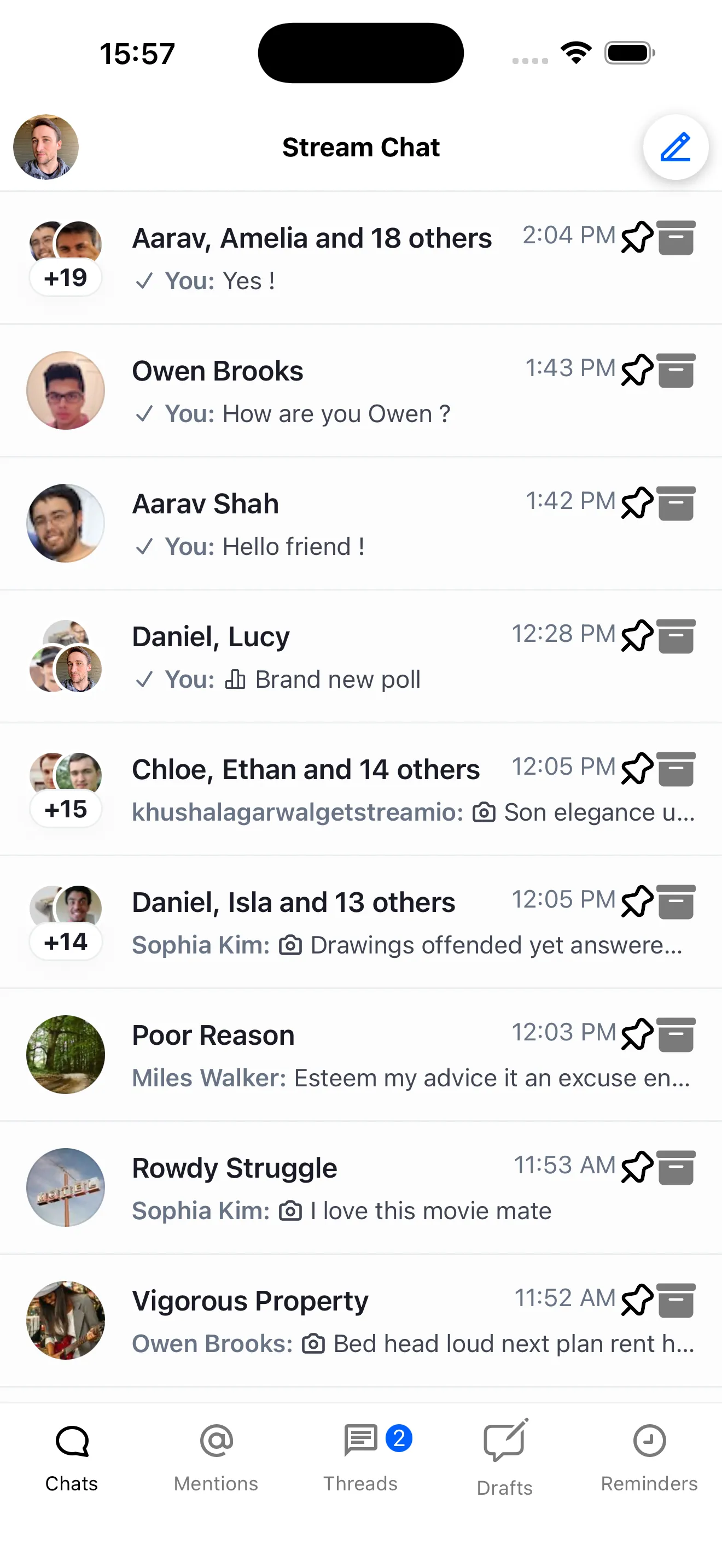 | 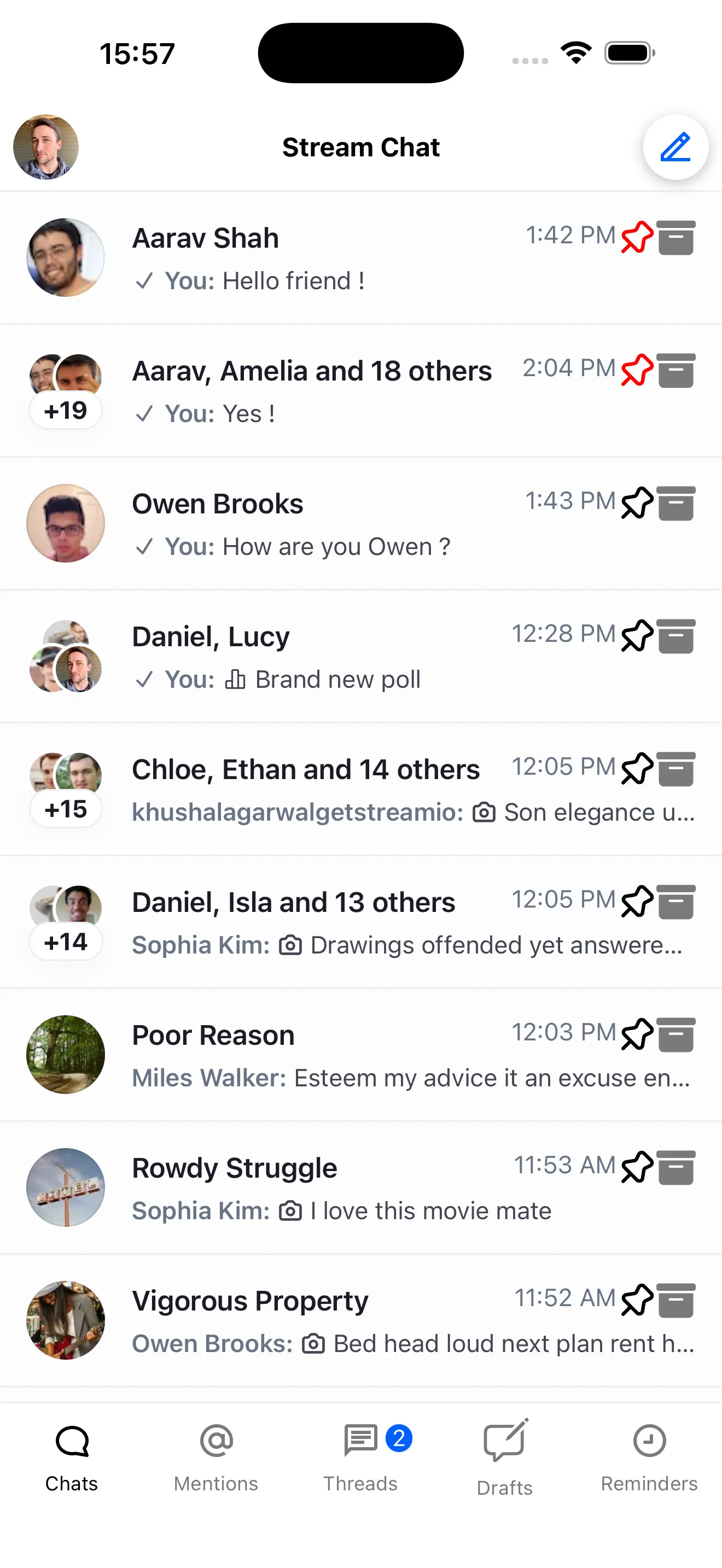 |
| Chat screen with customize background button | Wallpaper overview screen with background image options |
Channel Pinning
Pinning moves a channel to the top of the list (when sorted accordingly).
To pin a channel, you can use the channel.pin() method.
To unpin a channel, you can use the channel.unpin() method.
await channel.unpin();Read pinned status via membership?.pinned_at from useChannelMembershipState.
An example of how to implement channel pinning is shown below:
import { Pressable } from "react-native";
import {
  Pin,
  Unpin,
  useChannelMembershipState,
} from "stream-chat-react-native";

const CustomChannelPreview = ({ channel }) => {
  const membership = useChannelMembershipState(channel);

  return (
    <Pressable
      onPress={async () => {
        if (membership?.pinned_at) {
          await channel.unpin();
        } else {
          await channel.pin();
        }
      }}
    >
      {membership?.pinned_at ? (
        <Unpin height={24} width={24} pathFill="red" />
      ) : (
        <Pin size={24} />
      )}
    </Pressable>
  );
};
Channel Archiving
Archiving hides a channel and can be filtered by archived status.
To archive a channel, you can use the channel.archive() method.
await channel.archive();To unarchive a channel, you can use the channel.unarchive() method.
await channel.unarchive();Read archived status via membership?.archived_at from useChannelMembershipState.
An example of how to implement channel archiving is shown below:
import { Pressable } from "react-native";
import {
  Archive,
  Unarchive,
  useChannelMembershipState,
} from "stream-chat-react-native";

const CustomChannelPreview = ({ channel }) => {
  const membership = useChannelMembershipState(channel);

  return (
    <Pressable
      onPress={async () => {
        if (membership?.archived_at) {
          await channel.unarchive();
        } else {
          await channel.archive();
        }
      }}
    >
      {membership?.archived_at ? (
        <Unarchive height={24} width={24} pathFill="red" />
      ) : (
        <Archive height={24} width={24} />
      )}
    </Pressable>
  );
};
Filtering Channels
Filter by pinned/archived status using the filters prop on ChannelList.
For archived channels, you can use the archived filter.
const filters = {
  archived: true,
};
<ChannelList filters={filters} />;
For pinned channels, you can use the pinned filter.
const filters = {
  pinned: true,
};
<ChannelList filters={filters} />;
Sorting Channels
Sort by pinned status using the sort prop on ChannelList.
For pinned channels, you can use the pinned_at field.
const sort = [{ pinned_at: -1 }, { last_message_at: -1 }, { updated_at: -1 }];

<ChannelList sort={sort} />;
This sorts by pinned status, then last message date, then updated date.