
 React
React iOS
iOS Android
 Flutter
 Angular
 JavaScript
 Unity
Unity Unreal
 Node
Node Python
 Ruby
Ruby PHP
PHP Java
Java .NET
.NET Go
Go REST
RESTInstallation
To integrate Stream Chat in your app, you should use Swift Package Manager.
Swift Package Manager
Open your .xcodeproj, select the option "Add Package..." in the File menu, and paste the URL for the library you want to integrate:
- For the LLC (StreamChat) use:
https://github.com/getstream/stream-chat-swift
- For the UIKit components (StreamChatUI, which depends on StreamChat) use:
https://github.com/getstream/stream-chat-swift
- For the SwiftUI components (StreamChatSwiftUI, which depends on StreamChat) use:
https://github.com/getstream/stream-chat-swiftui
After introducing the desired URL, Xcode will look for the Packages available in the repository and automatically select the latest version tagged. Press next and Xcode will download the dependency.
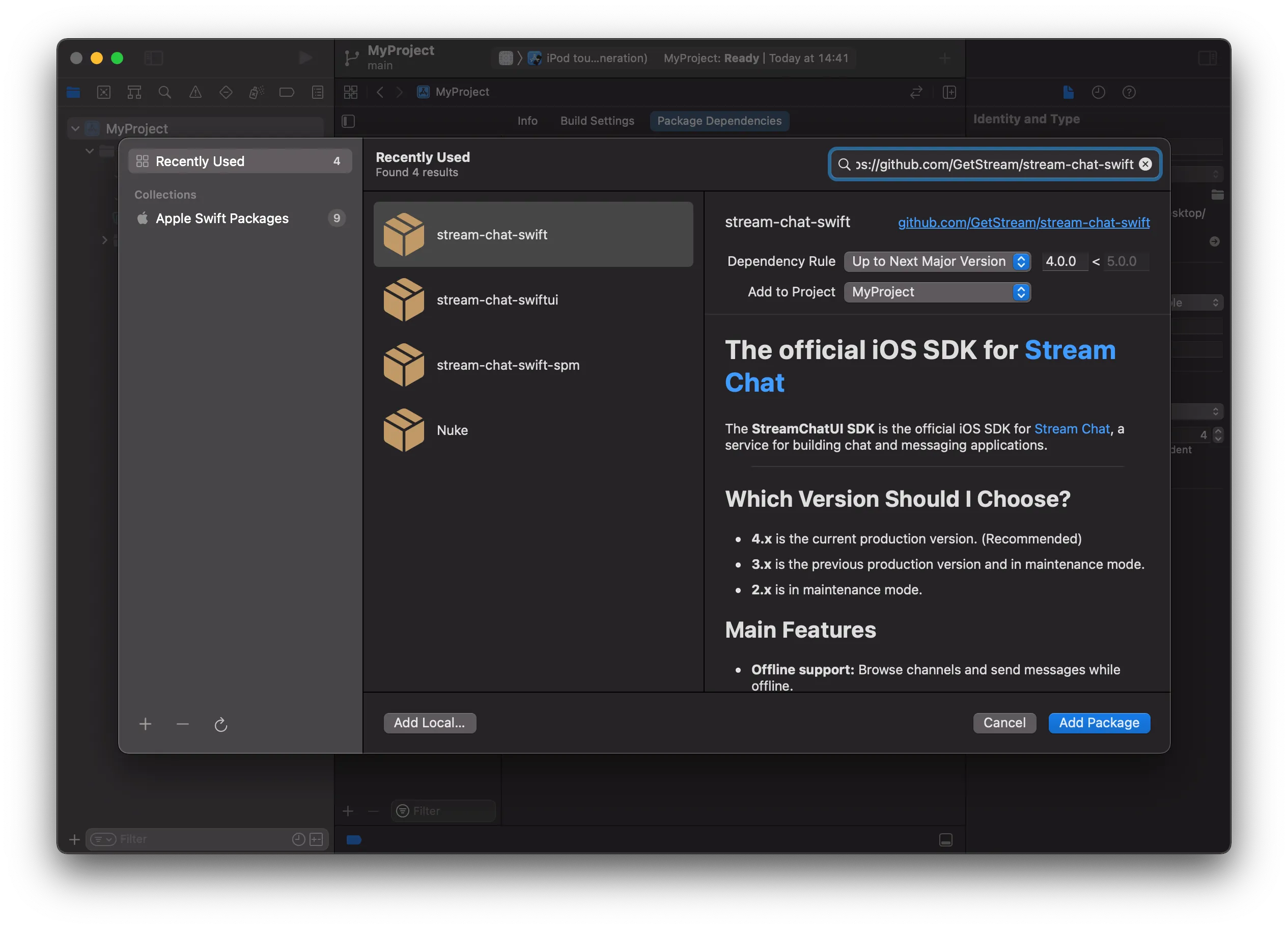
Based on the repository you select you can find 3 different targets: StreamChat, StreamChatUI and StreamChatSwiftUI.
- If you want to use the UIKit components, select StreamChatUI.
- If you want to use the SwiftUI components, select StreamChatSwiftUI.
- If you don't need any UI components, select StreamChat.
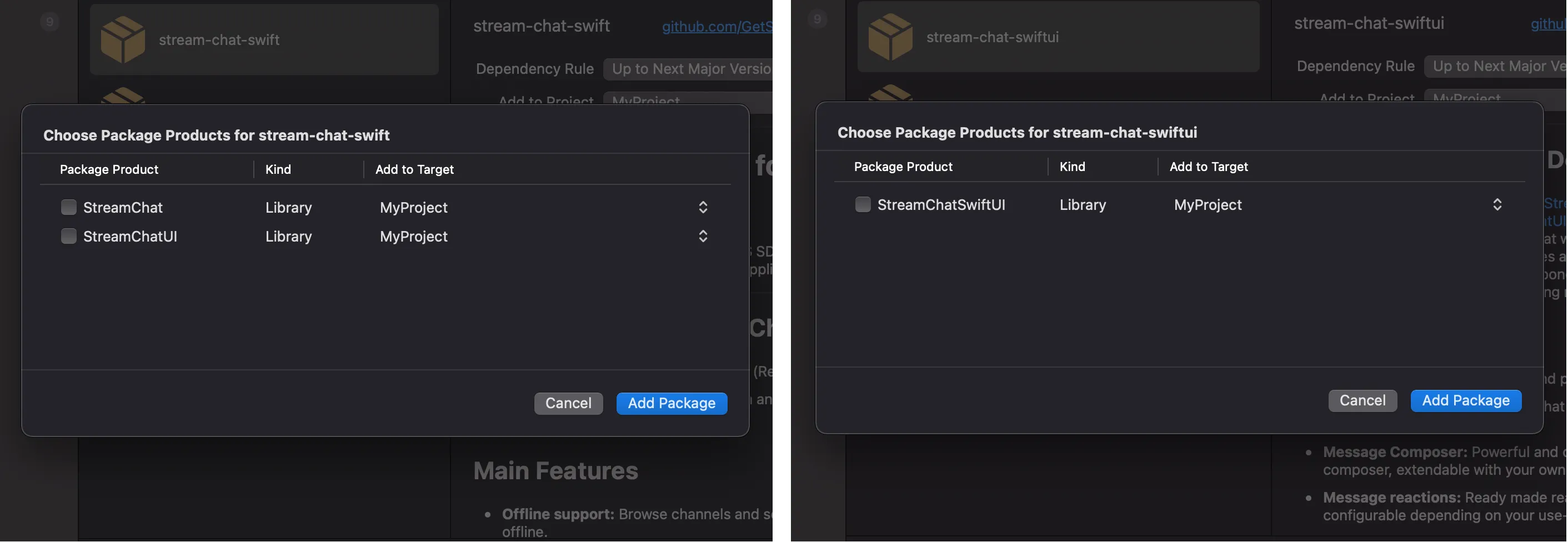
After you press finish, it's done.
More information about Swift Package Manager can be found here
Add Usage Descriptions to Info.plist
Add the NSPhotoLibraryUsageDescription key in your Info.plist with a description of use. Add the NSPhotoLibraryAddUsageDescription key in your Info.plist with a description of use. Add the NSCameraUsageDescription key in your Info.plist with a description of use.