
 React
React iOS
iOS Android
 Flutter
 Angular
 JavaScript
 Unity
Unity Unreal
 Node
Node Python
 Ruby
Ruby PHP
PHP Java
Java .NET
.NET Go
Go REST
RESTprivate val threadsViewModelFactory by lazy {
val query = QueryThreadsRequest(
filter = /* ... */,
sort = /* ... */,
watch = /* ... */,
limit = /* ... */,
memberLimit = /* ... */,
participantLimit = /* ... */,
replyLimit = /* ... */,
)
ThreadsViewModelFactory(query)
}This is beta documentation for Stream Chat Android SDK v7. For the latest stable version, see the latest version (v6)
.
Thread List
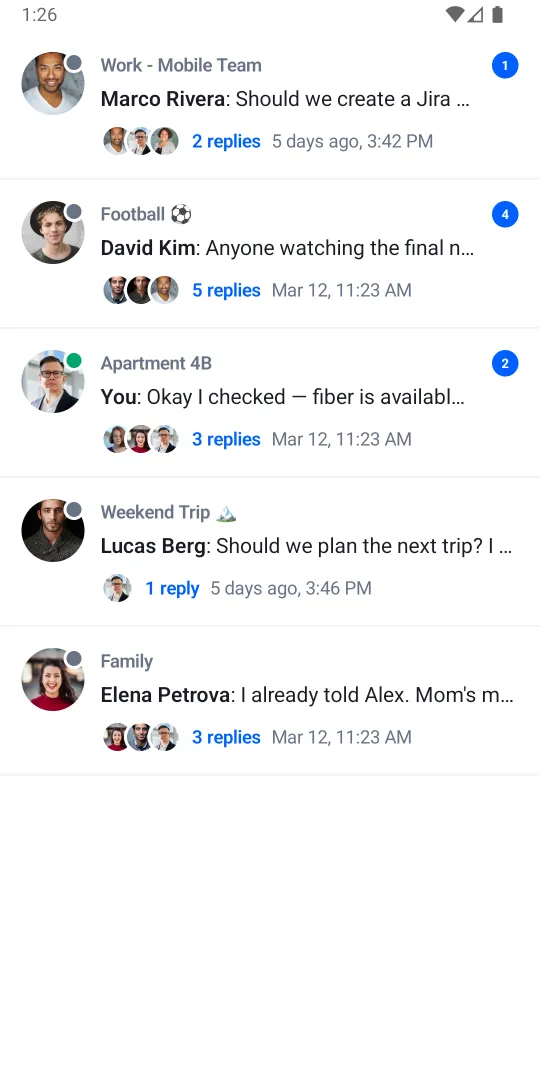
ThreadList is a composable component which shows an overview of all threads of which the user is a member of.
It shows information about the channel, the thread parent message, the most recent reply in the thread, and the number of unread replies.
The component is paginated by default, and only the most recently updated threads are loaded initially. Older threads are loaded only when the user scrolls to the end of the thread list.
While this component is visible, a top banner can appear in three states:
- Unread threads — shows the count of new/updated threads not yet loaded, with a refresh action.
- Loading — shows a spinner while the list is being refreshed.
- Error — shows an error indicator with a retry prompt when loading fails.
Usage
This component is backed by its ThreadListViewModel. To instantiate such ViewModel, you need to
first create an instance of ThreadsViewModelFactory:
The ThreadsViewModelFactory accepts a single QueryThreadsRequest parameter, which allows
configuration of the following options:
filter- The filter for the threads query (default: no filter)sort- The sorting order for the threads query (default: sort by unread status, then by last message timestamp, than by message ID in descending order)watch- Whether to watch the threads and the related channels for new events (default:true)limit- Maximum number of threads to be loaded per page (default:10)memberLimit- Number of members to request per thread channel (default:100)participantLimit- Maximum number of participants to be loaded per thread (default:100)replyLimit- Maximum number of (latest) replies to be loaded per thread (default:2)
After the ThreadsViewModelFactory is configured, you can instantiate the ThreadListViewModel which then can be used to invoke the ThreadList composable:
private val viewModel: ThreadListViewModel by viewModels { threadsViewModelFactory }

override fun onCreate(savedInstanceState: Bundle?) {
    super.onCreate(savedInstanceState)

    setContent {
        ChatTheme {
            ThreadList(
                viewModel = viewModel,
                modifier = Modifier.fillMaxSize(),
            )
        }
    }
}
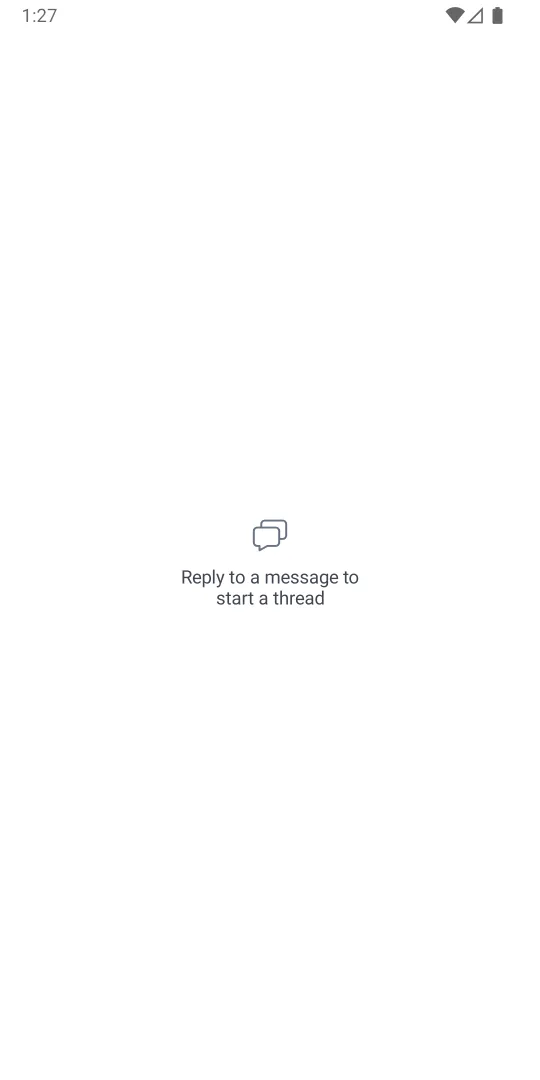
This snippet will produce a fully working thread list, together with a loading state, and an empty state for the case without threads:
| No threads | Thread list |
|---|---|
 |  |
Alternatively, you can use the stateless version of the ThreadList component, which is backed by a
state object ThreadListState.
private val viewModel: ThreadListViewModel by viewModels { threadsViewModelFactory }

override fun onCreate(savedInstanceState: Bundle?) {
    super.onCreate(savedInstanceState)

    setContent {
        ChatTheme {
            val state by viewModel.state.collectAsStateWithLifecycle()
            ThreadList(
                state = state,
                onThreadClick = {
                    // Handle thread clicks
                },
                onBannerClick = {
                    // Handle banner clicks
                },
                onLoadMore = {
                    // Handle load more
                },
            )
        }
    }
}
Handling actions
The ThreadList component exposes several action handlers:
@Composable
public fun ThreadList(
    viewModel: ThreadListViewModel,
    onBannerClick: () -> Unit = { viewModel.load() },
    onThreadClick: (Thread) -> Unit = {},
    onLoadMore: () -> Unit = { viewModel.loadNextPage() },
)onBannerClick- The action to be performed when a user taps on the top banner (unread threads or error state). By default, tapping on the banner results in reloading the thread list by callingThreadListViewModel.load, in order to fetch the newly created threads. You can override this to provide custom handling of banner clicks. The banner is not clickable in theLoadingstate.onThreadClick- The action to be performed when a user taps on a thread item from the list. By default, this handler is empty, and you can override it to provide a custom handling of the click. The lambda provides you aThreadinstance, which you can use to retrieve any data related the clicked thread.onLoadMore- The action to be performed when the user scrolls to the bottom of the currently loaded thread list, and a new page of threads should be loaded. By default, this handler loads the next page of threads by callingThreadListViewModel.loadNextPage, but you can override it to provide custom behaviour.
If you are using the stateless version of the ThreadList, you must handle the onBannerClick and
onLoadMore actions by yourself, as the component doesn't provide a default implementation.
Customization
The ThreadList component allows customization of the following UI components:
public fun ThreadList(
    modifier: Modifier = Modifier,
    currentUser: User? = ChatClient.instance().getCurrentUser(),
    banner: @Composable (ThreadListBannerState?) -> Unit = { ... },
    itemContent: @Composable (Thread) -> Unit = { ... },
    emptyContent: @Composable () -> Unit = { ... },
    loadingContent: @Composable () -> Unit = { ... },
    loadingMoreContent: @Composable () -> Unit = { ... },
)modifier- The modifier for the root component. Used for general customization such as size and padding.currentUser- The currently logged in user. Used for rendering user-specific information in thread items, such as determining which messages belong to the current user. By default, it retrieves the current user fromChatClient.banner- Composable representing the top banner. Receives aThreadListBannerState?which is a sealed interface with three states:ThreadListBannerState.UnreadThreads(count)— new/updated threads not yet loaded.ThreadListBannerState.Loading— the list is being refreshed.ThreadListBannerState.Error— the last load/refresh failed.
When
null, no banner is shown. By default, the banner is rendered byChatTheme.componentFactory.ThreadListBanner(...).itemContent- Composable that represents a single thread item in the list. This composable is used to render each item in the list. Override this to provide a customized design of the thread item. It provides aThreadargument, which represents the thread instance for which the item is rendered. By default, it delegates toChatTheme.componentFactory.ThreadListItem(...).emptyContent- Composable that represents the content shown when there are no threads. Override this to provide a custom empty content.loadingContent- Composable that represents the content shown during the initial loading of the threads. By default, it shows a shimmer loading skeleton viaChatTheme.componentFactory.ThreadListLoadingContent(...).loadingMoreContent- Composable that represents the section shown below the items during the loading of the next batch (page) of threads. Override to provide a custom loading more indicator.
ThreadItem
The ThreadItem composable renders a single thread entry. It uses a fixed internal layout
with the parent message author's avatar, the channel name, a message preview, and a replies footer
showing participant avatars, reply count, and timestamp:
@Composable
public fun ThreadItem(
    thread: Thread,
    currentUser: User?,
    onThreadClick: (Thread) -> Unit,
    modifier: Modifier = Modifier,
)
To provide a fully custom thread item, override the itemContent slot on ThreadList:
ThreadList(
    viewModel = viewModel,
    itemContent = { thread ->
        // Your custom thread item composable
        MyCustomThreadItem(
            thread = thread,
            onClick = { /* Handle click */ },
        )
    },
)
Formatters
You can customize how the channel name and message preview text are formatted in thread items
by providing custom formatters via ChatTheme.
The ChannelNameFormatter controls the thread title (which shows the channel name by default):
class CustomChannelNameFormatter: ChannelNameFormatter {
    override fun formatChannelName(channel: Channel, currentUser: User?): String {
        // custom channel name formatting
    }
}

// Usage
@Composable
public fun YourScreen() {
    ChatTheme(
        channelNameFormatter = CustomChannelNameFormatter()
    ) {
        ThreadList(viewModel = viewModel)
    }
}
The MessagePreviewFormatter controls the parent message and reply message previews:
class CustomMessagePreviewFormatter: MessagePreviewFormatter {

    // Other methods

    override fun formatMessagePreview(
        message: Message,
        currentUser: User?,
        isDirectMessaging: Boolean,
    ): AnnotatedString {
        // Your implementation for customized message text
    }
}

// Usage
@Composable
public fun YourScreen() {
    ChatTheme(
        messagePreviewFormatter = CustomMessagePreviewFormatter()
    ) {
        ThreadList(viewModel = viewModel)
    }
}