
 React
React iOS
iOS Android
 Flutter
 Angular
 JavaScript
 Unity
Unity Unreal
 Node
Node Python
 Ruby
Ruby PHP
PHP Java
Java .NET
.NET Go
Go REST
RESTif (selectedMessageState is SelectedMessageReactionsState) {
val selectedMessage = selectedMessageState.message
SelectedReactionsMenu(
currentUser = user,
ownCapabilities = selectedMessageState.ownCapabilities,
message = selectedMessage,
onMessageAction = { action ->
composerViewModel.performMessageAction(action)
listViewModel.performMessageAction(action)
},
onShowMoreReactionsSelected = {
listViewModel.selectExtendedReactions(selectedMessage)
},
onDismiss = { listViewModel.removeOverlay() },
)
}This is beta documentation for Stream Chat Android SDK v7. For the latest stable version, see the latest version (v6)
.
Reactions
Reactions
The SDK provides two reaction components:
- SelectedReactionsMenu: Bottom sheet that shows reaction counts by type, allows filtering by reaction, and lists who reacted. Also provides an "add reaction" button. Appears when the user taps the reaction section on a message.
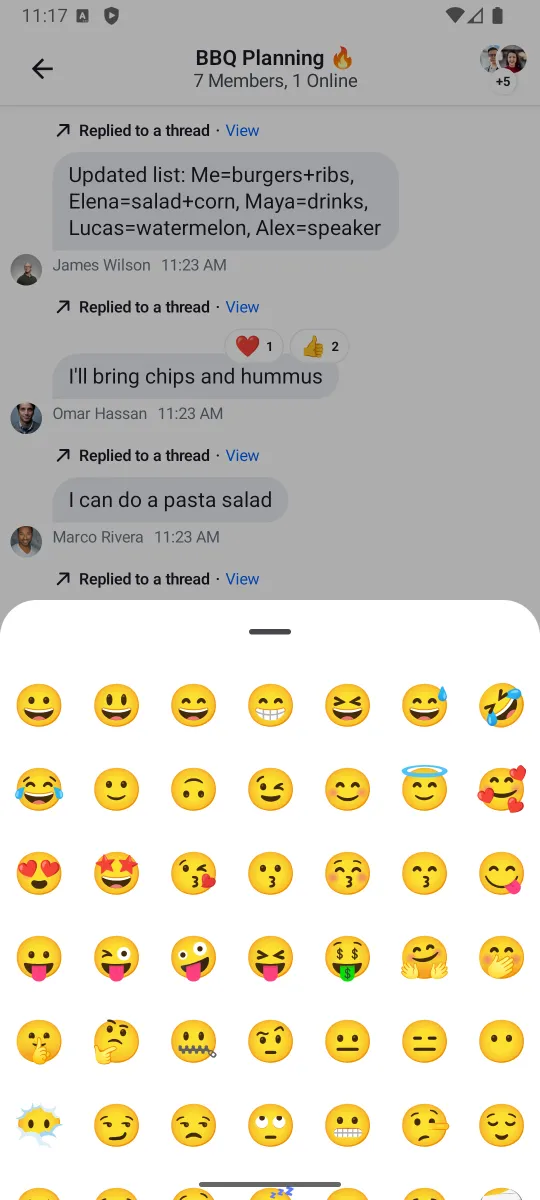
- ReactionsPicker: Bottom sheet that shows all available reactions in a grid for sending. Appears via the "show more" button in
SelectedMessageMenuorSelectedReactionsMenu.
Both are set up automatically if you use ChannelScreen.
SelectedReactionsMenu
Shows a list of reaction counts (filterable by type) and a paginated list of users who reacted:
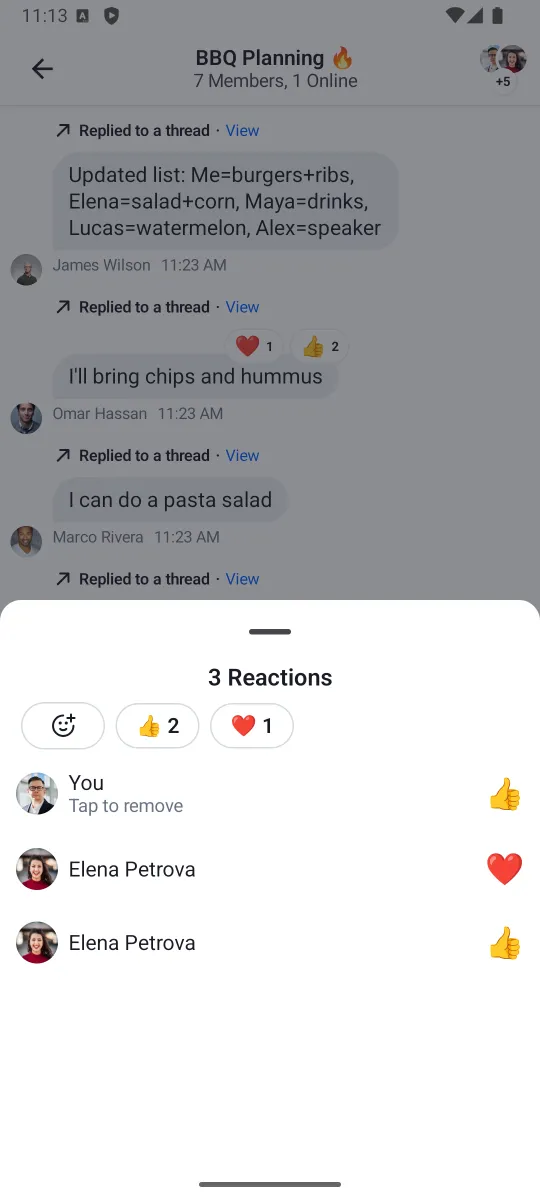
Parameters:
message: The selected message.currentUser: The currently logged in user.ownCapabilities: Set of capabilities for the current channel. See ChannelCapabilities.onMessageAction: Handler for when the user selects a reaction or action.onShowMoreReactionsSelected: Handler for the "show more reactions" button.onDismiss: Handler for dismissing the menu.
To customize the menu, override ChatComponentFactory.ReactionsMenu() (the overall bottom sheet) or ChatComponentFactory.ReactionsMenuContent() (the content inside it). See the Component Factory page.
ReactionsPicker
Shows all available reactions in a grid:
if (selectedMessageState is SelectedMessageReactionsPickerState) {
    ReactionsPicker(
        message = selectedMessageState.message,
        onMessageAction = { action ->
            composerViewModel.performMessageAction(action)
            listViewModel.performMessageAction(action)
        },
        onDismiss = { listViewModel.removeOverlay() },
    )
}
To customize the picker, override ChatComponentFactory.MessageReactionPicker() (the overall bottom sheet) or ChatComponentFactory.MessageReactionsPickerContent() (the content inside it). See the Component Factory page.
Custom Reactions
By default, the SDK provides five quick reactions: like, love, haha, wow, sad (visible in the SelectedMessageMenu header).
To override the supported reactions, implement ReactionResolver and provide it via ChatTheme:
class CustomReactionResolver : ReactionResolver {

    private val emojiMapping = linkedMapOf(
        "thumbs_up" to "👍",
        "thumbs_down" to "👎",
        "party" to "🎉",
        "fire" to "🔥",
        "thinking" to "🤔",
        "clap" to "👏",
        "eyes" to "👀",
        "rocket" to "🚀",
    )

    override val supportedReactions: Set<String> = emojiMapping.keys

    override val defaultReactions: List<String> = listOf(
        "thumbs_up", "fire", "party", "rocket", "eyes",
    )

    override fun emojiCode(type: String): String? = emojiMapping[type]
}supportedReactions: The full set of recognized reaction types. Unsupported types are ignored.defaultReactions: Reactions shown for quick access (up to 5 recommended). Must be a subset ofsupportedReactions.emojiCode: Returns the emoji character for a reaction type, ornullif unsupported.
Apply it via ChatTheme:
ChatTheme(reactionResolver = CustomReactionResolver()) {
    ChannelScreen(
        viewModelFactory = ChannelViewModelFactory(
            context = this,
            channelId = channelId,
        ),
        onBackPressed = { finish() },
    )
}
Extending the Default Resolver
To add reactions while keeping the defaults:
class ExtendedReactionResolver : ReactionResolver {

    private val delegate = ReactionResolver.defaultResolver()

    private val customMapping = mapOf(
        "rocket" to "🚀",
        "fire" to "🔥",
        "clap" to "👏",
    )

    override val supportedReactions: Set<String> =
        delegate.supportedReactions + customMapping.keys

    override val defaultReactions: List<String> =
        delegate.defaultReactions

    override fun emojiCode(type: String): String? =
        customMapping[type] ?: delegate.emojiCode(type)
}
Reaction Sorting
By default, reactions are sorted by when they were first added (ReactionSortingByFirstReactionAt). To change sorting, pass a ReactionSorting to ChannelScreen or MessageList:
ChannelScreen(
    viewModelFactory = messageListViewModelFactory,
    reactionSorting = ReactionSortingByCount,
)
Available sort fields on ReactionGroup: count, sumScore, firstReactionAt, lastReactionAt.