This is beta documentation for Stream Chat Android SDK v7. For the latest stable version, see the latest version (v6) .

Component Factory

The ChatComponentFactory is a factory which defines most of the stateless low-level composable components, which are used as building blocks for the high-level screen components and the bound components (see Component Architecture).

The screen components, the bound components, and even the low-level components which depend on different low-level components, use the ChatComponentFactory to render specific components of the UI in a stateless manner.

By overriding the ChatComponentFactory, developers can easily customize or override specific parts of the Chat UI, without the need to build their own implementations from scratch. This enables a high degree of customization and flexibility, allowing the Chat UI to be tailored to specific design requirements.

For the complete API reference, see the ChatComponentFactory source on GitHub.

Usage

To apply a custom component factory to your Chat UI, implement the ChatComponentFactory interface:

class CustomChatComponentFactory : ChatComponentFactory {

    // Override the specific composable methods which you like to customize
}

And pass the custom ChatComponentFactory to the ChatTheme wrapping your Chat UI:

ChatTheme(
    componentFactory = CustomChatComponentFactory(),
) {
    MessagesScreen(
        viewModelFactory = viewModelFactory,
    )
}

The custom components provided by the custom ChatComponentFactory will now override all the default components used by the wrapped MessagesScreen.

Customization options

The ChatComponentFactory allows customization of most low-level components used in different Chat screens. It provides the ability to customize common components globally, as well as specific components in particular locations.

Available Components

ComponentDescription
AvatarsCustomize user, group, and channel avatars.
Channel List HeaderModify the header of the channel list.
Channel ItemsCustomize how individual channels and their elements appear.
Messages List HeaderCustomize the header of the message list.
Messages ItemsCustomize message bubbles, timestamps, and other elements.
Message ComposerCustomize the message input field, send button, and attachments.
Menus & ActionsCustomize context menus for messages and channels.
ReactionsModify the reaction picker and displayed reactions.
Thread ListCustomize the thread list components.
Pinned Message ListCustomize the pinned message list components.

Avatars

The ChatComponentFactory provides a way to customize the avatars which are used in the Chat screens.

To customize avatars, override the corresponding ChatComponentFactory method:

class CustomChatComponentFactory : ChatComponentFactory {

    @Composable
    override fun ChannelAvatar(params: ChannelAvatarParams) {
        // Your implementation of the channel avatar
        // Access params.modifier, params.channel, params.currentUser, params.onClick
    }
}
MethodDescriptionUsed in
ChannelAvatarAvatar for a channel: shows the channel image, the other member's avatar (DMs), or stacked member avatars for group channels.Channel list items, message list header
UserAvatarAvatar for a single user: shows their image or initials plus an online indicator.Search results, channel members, mention suggestions
AvatarLow-level, context-free avatar.Channel list header, quoted messages, thread participants, polls, user reactions, message sender

Channel List Header

MethodDescription
ChannelListHeaderFull header component shown in ChannelsScreen. Provides title, connection state, and user actions.
ChannelListHeaderLeadingContentLeading slot — defaults to the current user's avatar.
ChannelListHeaderCenterContentCenter slot — defaults to the connection-state title.
ChannelListHeaderTrailingContentTrailing slot — defaults to the custom action button.

If you are not using the high-level screen component ChannelsScreen, you can still use the ChannelListHeader component independently from the ChatComponentFactory, and customize its leading/center/trailing content directly by passing your own content for the leadingContent/centerContent/trailingContent slots as described in Channel List Header.

Channel List Items

MethodDescription
ChannelListItemContentFull channel row. Provides channel item state, click/long-click callbacks.
ChannelItemLeadingContentLeading slot — defaults to the channel avatar.
ChannelItemCenterContentCenter slot — defaults to channel name and last message preview.
ChannelItemTrailingContentTrailing slot — defaults to the last message timestamp.

If you are using the bound ChannelList component instead of the high-level ChannelsScreen, you can also directly customize the channel items by providing a custom implementation for the channelContent slot (more details in the Channel List documentation).

Message List Header

MethodDescription
MessageListHeaderFull header for MessagesScreen. Provides channel, connection state, typing users, and actions.
MessageListHeaderLeadingContentLeading slot — defaults to the back button.
MessageListHeaderCenterContentCenter slot — defaults to channel name and member count subtitle.
MessageListHeaderTrailingContentTrailing slot — defaults to the channel avatar.

You can also customize the MessageListHeader from the MessagesScreen by passing your implementation in the topBarContent slot. If you are using the MessageListHeader component independently, customize its slots directly as described in Message List Header.

Message List Items

MethodDescription
MessageItemEntire content of a regular chat message row, including poll, reactions, and all callbacks.
MessageContainerPositions the message bubble, author avatar, and reactions within a message row.
MessageSpacerEmpty space opposite the message bubble (e.g. before the bubble for outgoing messages).
MessageAuthorAuthor avatar shown next to the bubble.
MessageTopTop content inside the bubble, e.g. pinned indicator and thread labels.
MessageBottomBottom content inside the bubble, e.g. timestamp and delivery status.
MessageContentMain content of the bubble, e.g attachments, text, polls.
MessageTextContentText content inside a message bubble.
MessageFooterStatusIndicatorRead status indicator (checkmarks and read count).
MessageListDateSeparatorItemContentDate separator shown between messages sent on different days.
MessageListUnreadSeparatorItemContentUnread separator shown after the last read message.
MessageListSystemItemContentSystem message rows (e.g. member joined).
MessageListTypingIndicatorItemContentTyping indicator shown at the bottom of the list. Not implemented by default — override to add your own UI.
MessageListBackgroundBackground rendered behind all message list items; supports gradients, images, or layered backgrounds.

Message Composer

Message composer
MessageComposer
MethodDescription
MessageComposerFull composer component. Controls overall rendering including header, footer, and suggestion popups.
MessageComposerInputFull input field area. Provides state, onInputChanged, onAttachmentRemoved, and the label slot.
MessageComposerLeadingContentContainer for the area before the input (wraps the attachments button).
MessageComposerTrailingContentContainer for the area after the input (wraps send and audio record buttons).
MessageComposerSendButtonSend button. Receives enabled, isInputValid, and onClick.
MessageComposerAudioRecordingButtonAudio record button (disabled by default; enable via AudioRecordingTheme.enabled).
MessageComposerUserSuggestionItemSingle item in the mentions popup.
MessageComposerUserSuggestionItemLeadingContentLeading slot of a mention item — defaults to user avatar.
MessageComposerUserSuggestionItemCenterContentCenter slot of a mention item — defaults to user name and ID.
MessageComposerUserSuggestionItemTrailingContentTrailing slot of a mention item — empty by default.
MessageComposerCommandSuggestionItemSingle item in the commands popup.
MessageComposerCommandSuggestionItemLeadingContentLeading slot of a command item — defaults to command icon.
MessageComposerCommandSuggestionItemCenterContentCenter slot of a command item — defaults to name and usage example.
MessageComposerLinkPreviewLink preview content within the composer header.
MessageComposerEditIndicatorEdit indicator shown when editing a message.
MessageComposerQuotedMessageQuoted message preview shown in the composer when replying.
Commands popup
MessageComposerCommandsPopupContent

If you are using the bound/stateless component MessageComposer directly instead of the MessagesScreen, you can also customize most components by passing custom implementations in the specific slots. More details in the Message Composer docs.

Attachment Picker

MethodDescription
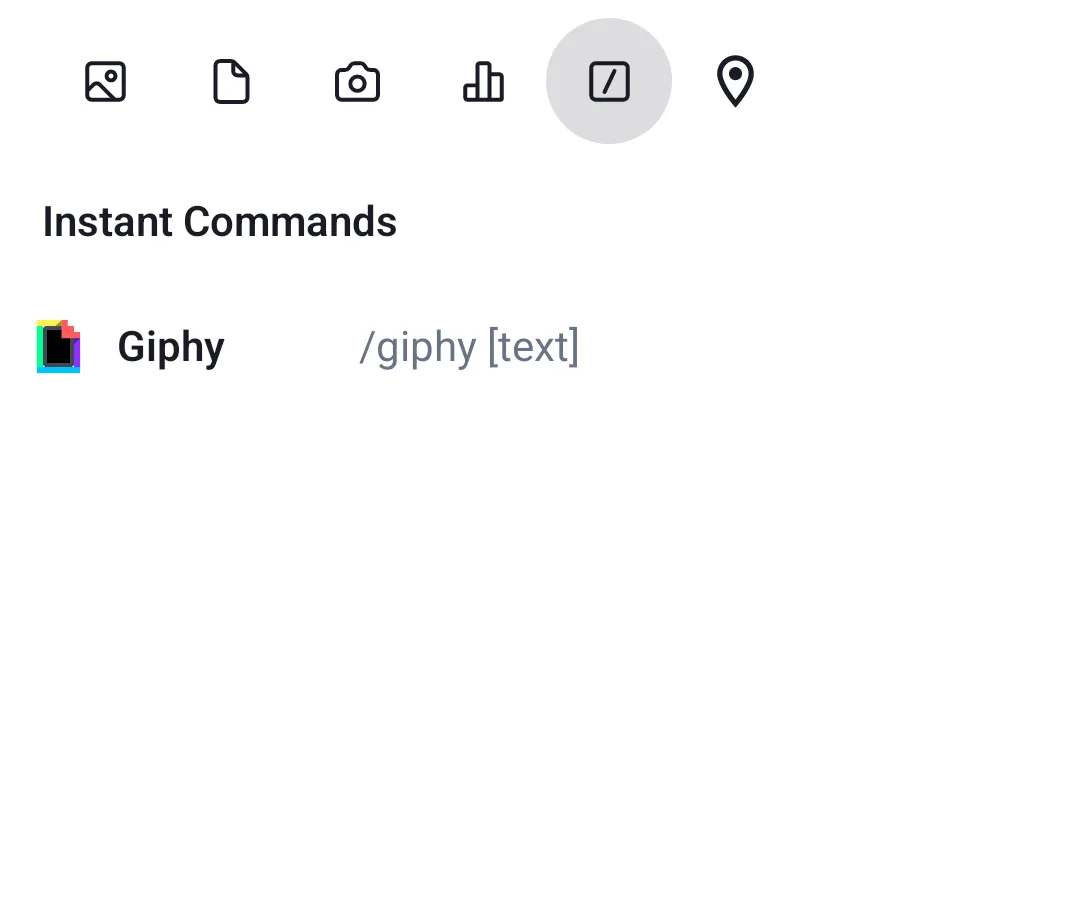
AttachmentPickerOverall attachment picker component.
AttachmentTypePickerTab row showing attachment type options.
AttachmentPickerContentContent area for the selected picker mode.
AttachmentMediaPickerGallery/media grid picker.
AttachmentFilePickerFile list picker.
AttachmentCameraPickerCamera capture picker.
AttachmentPollPickerPoll creation picker.
AttachmentCommandPickerSlash command picker.

Channel menu

Channel menu
ChannelMenu
MethodDescription
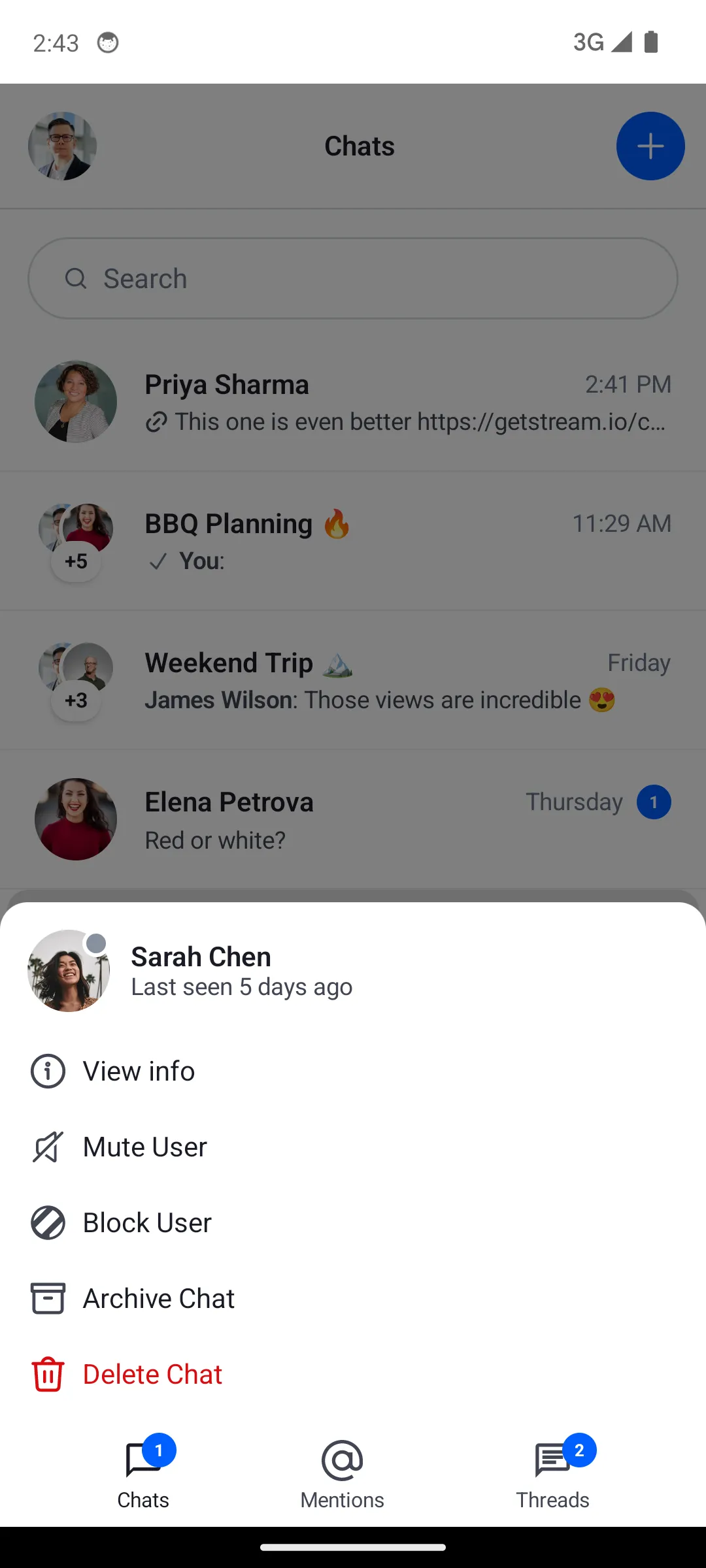
ChannelMenuFull channel options menu. Provides channel, current user, actions list, and dismiss callback.
ChannelMenuHeaderContentHeader section of the channel menu.
ChannelMenuOptionsOptions list section of the channel menu.
ChannelOptionsItemSingle option row in the channel menu.
ChannelOptionsItemLeadingIconIcon shown at the start of a channel option row.

Message menu

Message menu
MessageMenu
MethodDescription
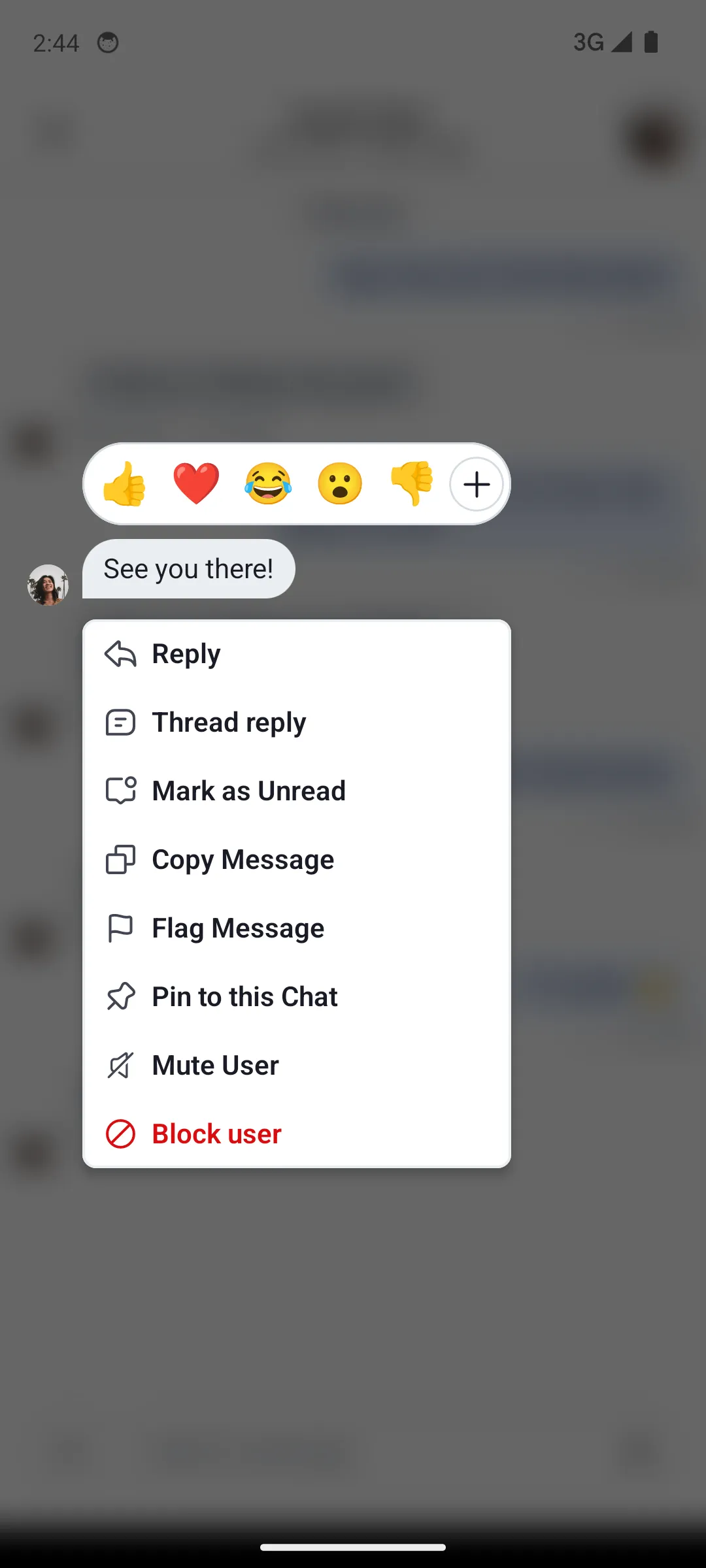
MessageMenuFull message options menu. Provides message, options list, capabilities, and action callbacks.
MessageMenuHeaderContentHeader section of the message menu (shows reaction picker).
MessageMenuOptionsOptions list section of the message menu.
MessageMenuOptionsItemSingle option row in the message menu.

Shared menu item

MenuOptionItem is shared by both the channel and message menus. Override it once to apply the same change to both menus — for example, to remove leading icons from all option rows.

Reactions menu

Reactions menu
ReactionsMenu
MethodDescription
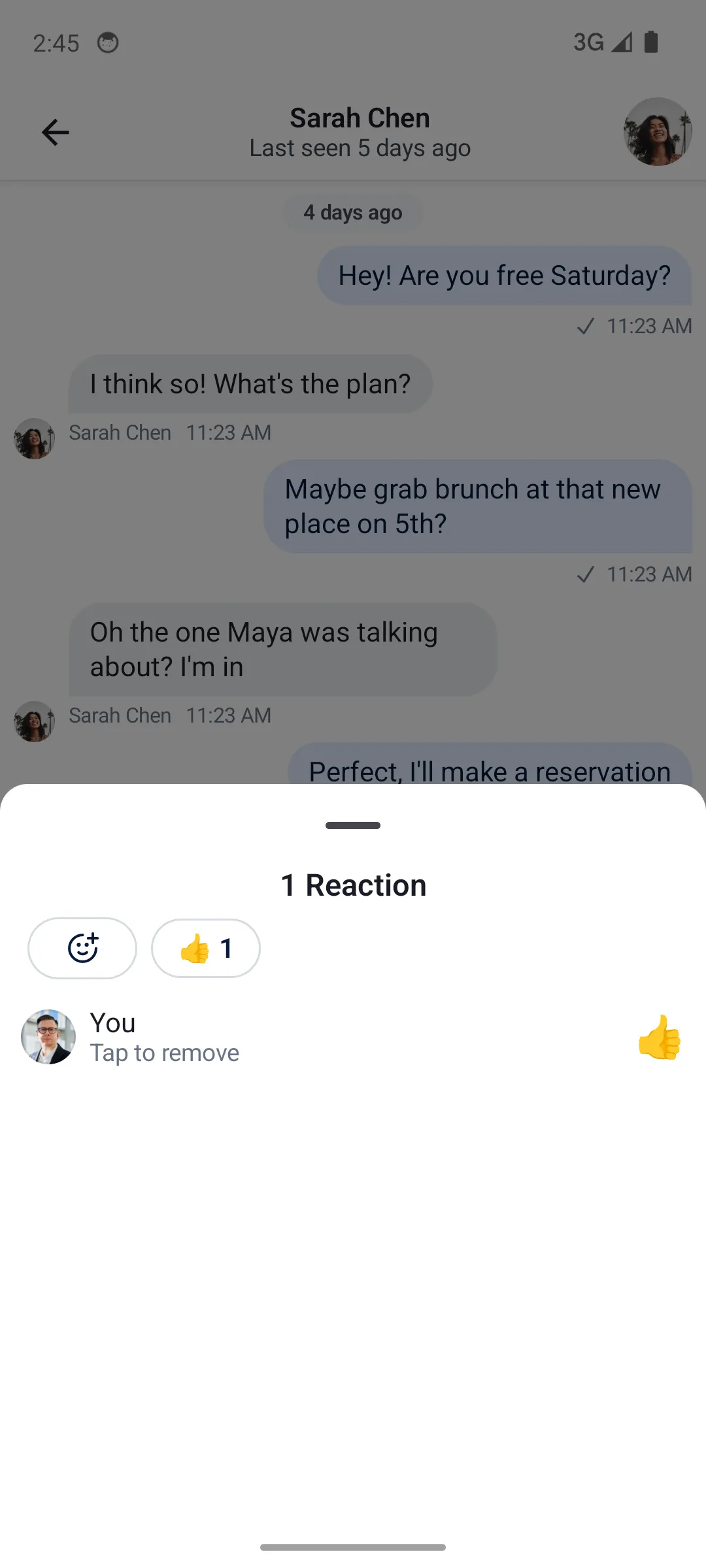
ReactionsMenuFull reactions menu shown when tapping the reaction icon on a message.
ReactionsMenuContentContent of the reactions menu.
ReactionMenuOptionItemSingle reaction option in the picker row.
MessageReactionPickerExtended reactions picker opened by tapping "Show more".
MessageReactionsPickerContentGrid of all reactions in the extended picker.

Thread List

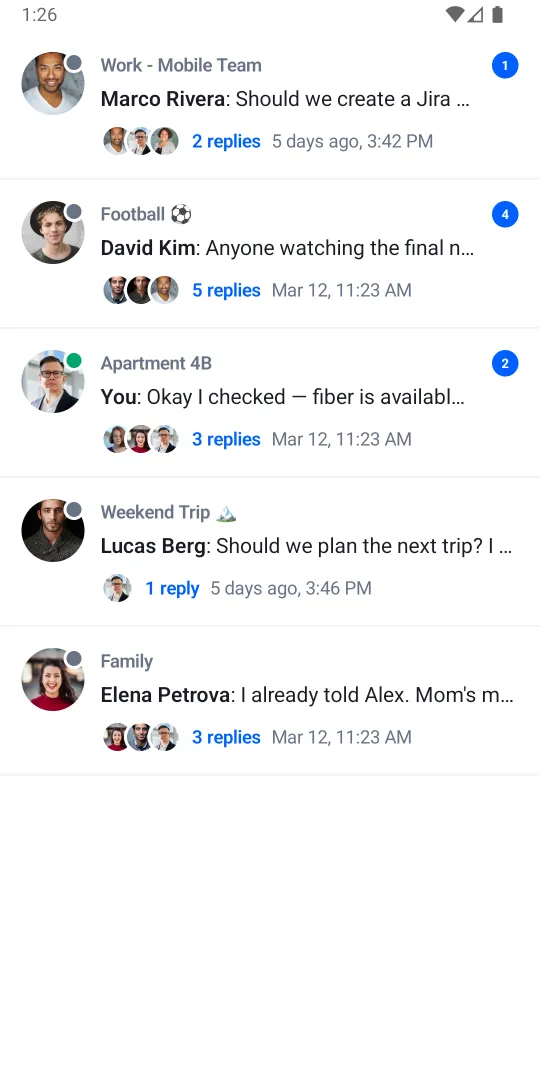
Thread list
ThreadList
MethodDescription
ThreadListBannerBanner showing the number of new unseen threads. Equivalent to the unreadThreadsBanner slot.
ThreadListItemFull thread row. Equivalent to the itemContent slot.
ThreadListLoadingContentLoading indicator. Equivalent to the loadingContent slot.
ThreadListEmptyContentEmpty state. Equivalent to the emptyContent slot.
ThreadListLoadingMoreContentLoading indicator shown while fetching the next page. Equivalent to the loadingMoreContent slot.

Pinned Message List

Pinned messages list
PinnedMessagesList
MethodDescription
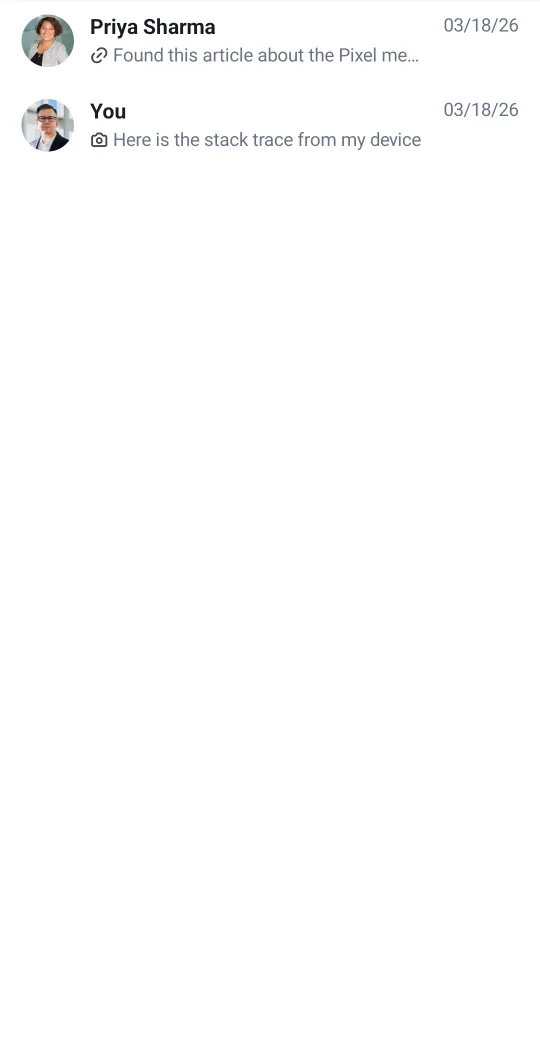
PinnedMessageListItemFull pinned message row. Equivalent to the itemContent slot.
PinnedMessageListItemLeadingContentLeading slot — sender avatar.
PinnedMessageListItemCenterContentCenter slot — sender name and message preview.
PinnedMessageListItemTrailingContentTrailing slot — message timestamp.
PinnedMessageListLoadingContentLoading indicator. Equivalent to the loadingContent slot.
PinnedMessageListEmptyContentEmpty state. Equivalent to the emptyContent slot.
PinnedMessageListLoadingMoreContentLoading indicator shown while fetching the next page. Equivalent to the loadingMoreContent slot.

Compound factory

You can compose multiple factories together. This is useful when you want to customize a specific UI component deep in a composable hierarchy, without overriding an entire factory:

ChatTheme(
    componentFactory = MyCustomChatComponentFactory()
) {
    val currentComponentFactory = LocalComponentFactory.current

    val myCustomMessageFooterStatusIndicator = remember {
        object : ChatComponentFactory by currentComponentFactory {
            @Composable
            override fun MessageFooterStatusIndicator(params: MessageFooterStatusIndicatorParams) {
                MyAwesomeMessageReadStatusIndicator()
            }
        }
    }
    CompositionLocalProvider(LocalComponentFactory provides myCustomMessageFooterStatusIndicator) {
        MessageList()
    }
}

Scoped components

Some factory methods are extensions of a scope (e.g. LazyItemScope). Calling super directly does not compile in that case. Use a delegate and the with operator to forward the call:

class CompoundComponentFactory(
    private val delegate: ChatComponentFactory = object : ChatComponentFactory {},
) : ChatComponentFactory by delegate {
    @Composable
    override fun LazyItemScope.ChannelListItemContent(params: ChannelListItemContentParams) {
        with(delegate) {
            Box(
                modifier = Modifier
                    .background(color = Color.Blue)
                    .padding(5.dp)
                    .background(color = ChatTheme.colors.backgroundCoreApp)
            ) {
                ChannelListItemContent(params)
            }
        }
    }
}