
 React
React iOS
iOS Android
 Flutter
 JavaScript
 Unity
Unity ESP32
ESP32 Platform
 Vision Agents
// Token service (app fetches token, then passes to SDK)
#define STREAM_AUTH_BASE_URL "https://pronto.getstream.io/" // Your backend or Stream's token service
#define STREAM_ENVIRONMENT "pronto" // "production", "staging", or "pronto"
#define STREAM_USER_ID "esp32_user" // User ID (can be NULL for auto-generated)
// Call selection
#define STREAM_CALL_TYPE "default" // Call type (e.g., "default", "livestream")
#define STREAM_CALL_ID "abcd" // Call ID to join (can be NULL to create new call)Example Configuration
This guide explains how to configure the minimal example: token service, user, environment, call, and publishing. The main app logic lives in main.c.
Configuration options
- Token service — Where the app fetches the token (your backend or Stream's)
- User / environment — Passed to the token service (user_id, environment name)
- Call selection — Which call to join (call_type and call_id)
- Publishing — Mute audio/video flags
Configuration in main.c
Edit the configuration section near the top of examples/minimal/main/main.c:
Flow:
- The app calls
app_request_auth_data(STREAM_AUTH_BASE_URL, STREAM_ENVIRONMENT, STREAM_USER_ID, exp, &auth_data)to get auth data from the token service. - The app passes
auth_datainstream_video_join_call_params_t.auth_datatostream_video_join_call(). - The SDK uses that auth data for coordinator, joinCall, and SFU; it does not fetch the token.
Join parameters:
- auth_data — From your token fetch (required). Must contain valid
user_id,api_key, andtoken. - call_type — From
STREAM_CALL_TYPE - call_id — From
STREAM_CALL_ID(orNULLto create a new call) - create — Set to
trueto create the call if it does not exist - result_cb — Callback with join success or failure
- mute_audio / mute_video — Set to mute publishing
Complete flow
stream_video_init()- Fetch token:
app_request_auth_data(..., &auth_data) stream_video_join_call(¶ms, &client)withparams.auth_data = &auth_datastream_video_leave_call(client)when donestream_video_deinit()
WiFi and SDK options
- WiFi — SSID and password can be configured through
idf.py menuconfig. Open the menu with:
idf.py menuconfigNavigate to Component config:
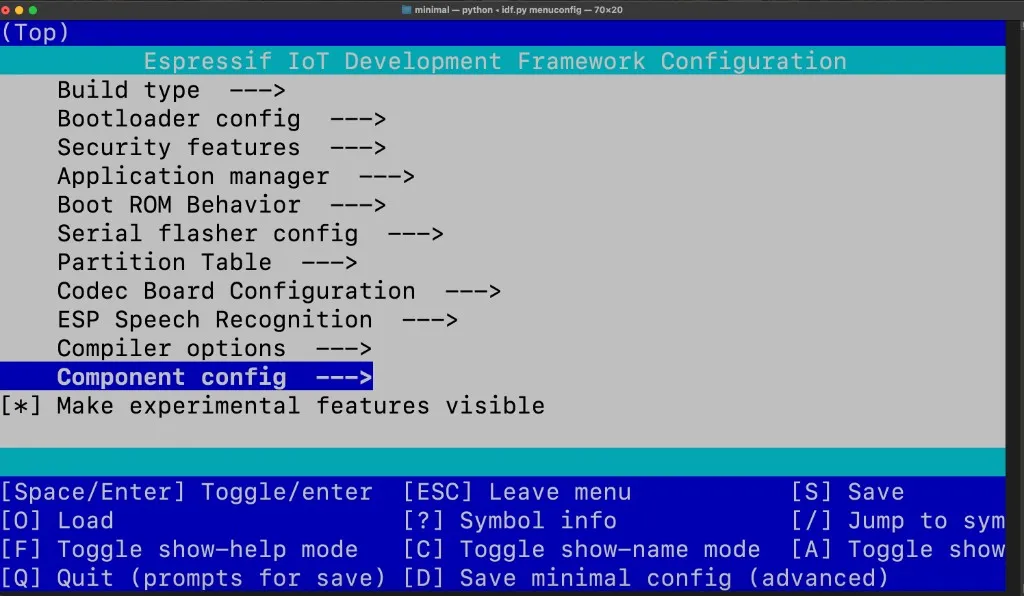
Then select Stream Video Example:
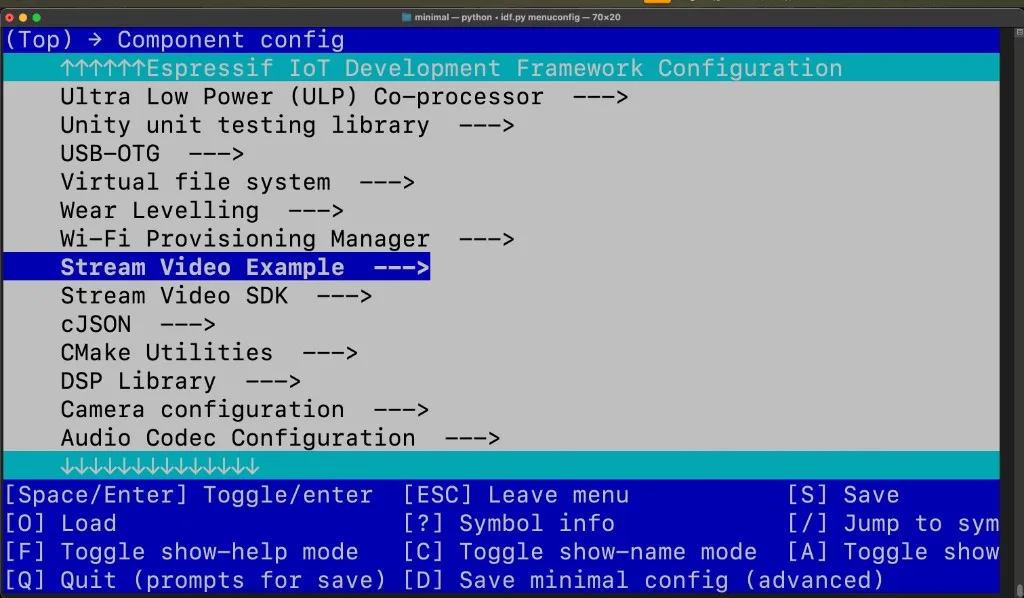
Here you can set your WiFi SSID and WiFi password:
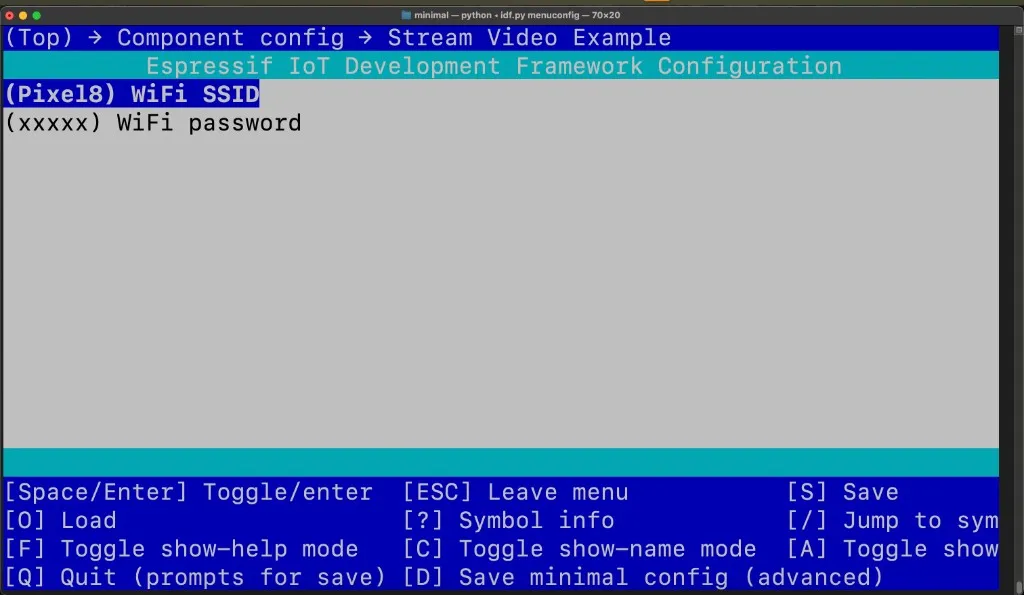
Alternatively, you can set these values directly in sdkconfig.defaults.
- Token service URL — Change
STREAM_AUTH_BASE_URLto point to your own backend that returns{ userId, apiKey, token }. See Client auth. - Video, audio, board, ICE — All SDK options (resolution, bitrate, board, STUN/TURN, etc.) are under Stream Video SDK in menuconfig. See SDK configuration.