stream-react
/stream-react is the default web pack. It builds React and Next.js apps with Stream and integrates Stream into ones you already have. Any web React or Next.js request routes here unless you name /stream-builder explicitly. For native projects, see the platform skills.
What it does
The pack covers five tracks, plus a design-matching mode that layers onto any build; the router picks the right one from your prompt:
- Scaffold a new app from scratch: a Next.js project with Tailwind and Shadcn, plus your choice of Stream SDKs (Chat, Video, Feeds, Moderation), wired end-to-end. You get a working login screen, a token endpoint, and one functional screen per product you include.
- Enhance an existing app: the pack detects what's already there (framework, package manager, any existing Stream setup) and adds the new SDK on top without breaking what you've built. It adapts to non-Next.js React too (Vite, CRA, Remix, TanStack Start), using the project's own backend for the token route and its own build command to verify.
- Audit an existing Stream Video integration against a best-practices checklist. Read-only, no scaffolding or CLI. (The dedicated checklist covers Video; Chat and Feeds get a general docs-based review, and the pack says so up front.)
- Migrate an installed SDK to a new major version (for example
stream-chat-reactv13 to v14), following the live upgrade guide. - Migrate from Sendbird: replace
@sendbird/chatand@sendbird/uikit-reactwith Stream Chat React. The pack detects the shape of the existing integration, re-implements each touchpoint in place against a verified Sendbird-to-Stream mapping, and matches the original app's design. See Migrate from Sendbird. - Match a design: give it a screenshot, a Figma export, or a "make it look like WhatsApp"-style reference and it rebuilds the Stream UI to match. It classifies the reference, grounds every choice in the design's actual measurements, then verifies its own work empirically: rendering the app, taking screenshots, and probing computed styles until the build matches the reference.
Example prompts
/stream-react scaffold a Next.js chat app with a sidebar of channels and a message view
/stream-react add Video calling to my existing Next.js app. I already have Chat set up
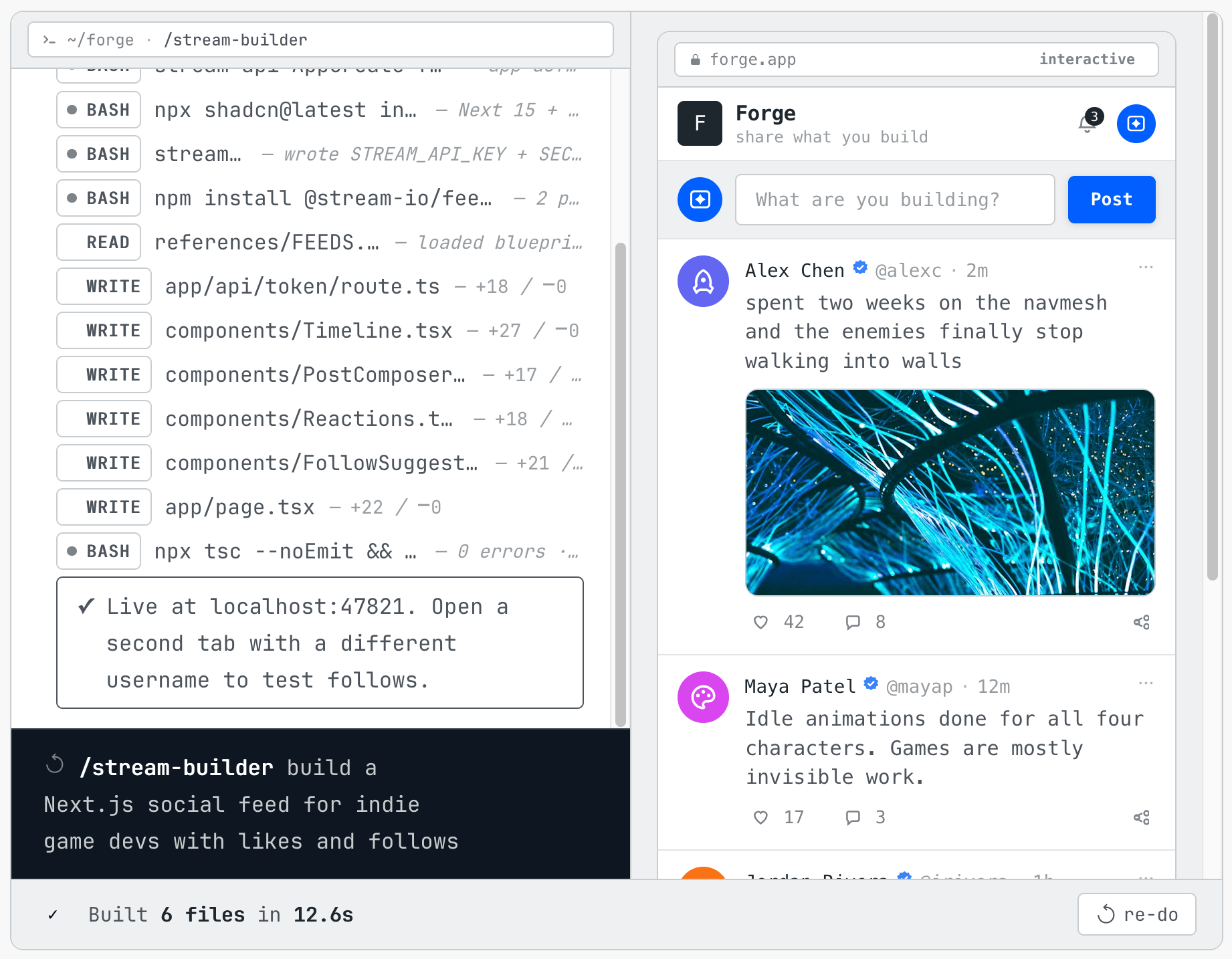
/stream-react build a feeds-based social app: profile pages, follow button, timeline
/stream-react audit my Video integration before we launch
/stream-react upgrade stream-chat-react from v13 to v14
/stream-react we're switching off Sendbird, replace it with Stream Chat
/stream-react restyle the chat to match this screenshot
What it knows
The pack ships reference files that cover the SDK wiring patterns that aren't obvious from the public docs:
- Token generation endpoints, and the secrets-handling rules around them.
- Strict-mode-safe client setup via the official
useCreateChatClient()anduseCreateFeedsClient()hooks (see Keep React strict mode on). - Theme wiring for Chat React on top of the Shadcn theme the scaffold generates, including the
next-themeslight and dark toggle. - Component composition: which Stream components are headless, and which assume specific parents.
- Per-product setup quirks:
- Feeds: activity type schemas
- Video: call lifecycle and connection management
- Moderation: Dashboard policy authoring (never an in-app review queue)
- Every build ends with a render smoke-check: the app is actually started and rendered before the pack calls it done, not just compiled.
The patterns themselves live at skills/stream-react/ if you want to read them directly.
What it asks before running
For a build or integrate task the pack onboards through getstream init first (auth, org/app, credentials). The read-only, local-only tracks (the Video audit and the version-migrate flow) skip onboarding entirely: they only inspect and edit local files and read the live docs. The Sendbird migration sits in between: it connects to a real Stream app to verify, so it uses credentials you provide, falling back to getstream init only when there are none.
The pack does not install third-party frontend skills. If the vercel-react-best-practices, web-design-guidelines, or frontend-design skills are already present in the session, it uses them for generic React and UI polish; the Stream reference files remain authoritative for SDK wiring either way.